Join music gear discussions on Equipboard. Talk about guitar gear, electronic music production, get help identifying gear, ask for feedback on your music, suggest ideas to improve Equipboard and more.

Adding to personal gear collection list HELP!

Hey, so Ive had a profile on Equipboard for years now, and know how to add gear to my personal collection, and to the data base, but for the past couple months, or so, I havent been able to add any new gear to my personal collection, because after I prompt "Add gear" the issue Im having is that nothing comes up to be able to select.

For example, say I want to add a parricular Marshall JCM 800, normally when you type Marshall, amps start to come up, and as you type more info, so like JCM 800 for example, all the different JCM800's that are in thr data base will start to appear, and then you obv select the particular item you are wanting to add, but no matter what I write, or type, nothing comes up to be able to add.

To clarify, Im not talking about adding a piece of gear to the data base, or a special/discontinued piece of gear etc, that all works just fine, and I added something to the data base the other day. Im just talking about in my personal profile, and adding gear to my personal gear list. Ive added lots of gear in the past just fine, but now, for quite awhile, the issue is just after I go "Add gear to list" when you start typing a brand, or item etc, nothing comes up to even be able to select.

Anyone else having this issue? Or, anyone else adding gear to thier own gear list just fine still? Trying to figure out if its everyone, or just something to do with my phone etc? Its worked just fine on my phone before, and its up to date OS wise, so I dunno.

Thanks

Hello , no its works fine for me I am not an expert on that , but here is a bit Help you might wanna tryout...

  1. Search/Autocomplete Issue

Equipboard relies on an autocomplete search when adding gear to your personal list. If nothing shows up when you type, it could be due to:

Cache or cookies problem: Sometimes old data stored on your phone can interfere with the search.
Temporary server-side glitch: The autocomplete service might be down or slowed.
JavaScript issues (if using a browser): If the site’s JS doesn’t load properly, autocomplete won’t trigger.

Try this:

Log out and log back in.
Clear your browser cache or, if using the app, clear the app cache/data (or reinstall).
Try a different browser or device , if it works there, it’s local to your phone/app.
2. Account-Specific Glitch

Sometimes a specific user account can have corrupted search data. Rare, but it happens.

Check if other users report similar issues on Equipboard forums or social media.
If it’s just your account, reach out to Equipboard support , they may need to “refresh” your profile on the backend.
3. Phone or App-Specific Issues

Even if your OS is up to date, app updates can occasionally break features.

Make sure the Equipboard app itself is fully updated.
If you’re using a web browser on your phone, test desktop view or another browser.
4. Temporary Workaround

If you need to add gear immediately:

Search for the gear on the database, then use the “Add to your collection” button from the item page (bypassing the autocomplete search).

GEAR:
  • Squier 40th Anniversary Jazzmaster Vintage Edition
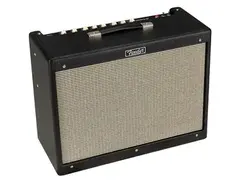
  • Fender Hot Rod Deluxe IV
  • EarthQuaker Devices Plumes

We just fixed this bug! Can you give it another go?

GEAR:
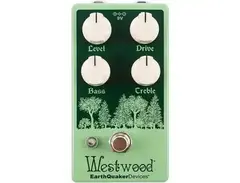
  • EarthQuaker Devices Westwood
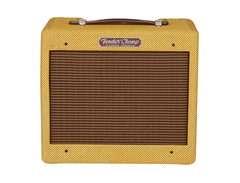
  • Fender '57 Custom Champ
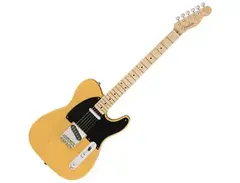
  • Fender American Original '50s Telecaster