Join music gear discussions on Equipboard. Talk about guitar gear, electronic music production, get help identifying gear, ask for feedback on your music, suggest ideas to improve Equipboard and more.

Can the category be changed?

Guitar is showing up in "other gear" so can this guitar catogory be changed to Guitar? I triedto update but no go.

https://equipboard.com/items/1963-fender-duo-sonic

Thank you

GEAR:
  • Reverend Billy Corgan BC-1
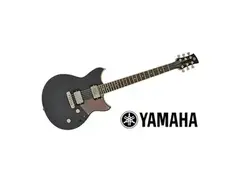
  • Yamaha Revstar RSP20CR
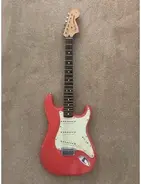
  • Fender/Warmoth Stratocaster Build

you have to make sure to fill ut the bottom of the form with the reason you're updating or it won't take. I just fixed it for you

GEAR:
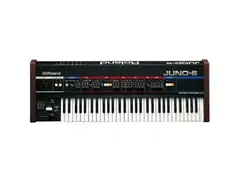
  • Roland Juno-6
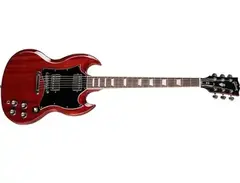
  • Gibson SG Standard
  • Vox AC30 Guitar Combo Amp

ok, sorry about that and thank you

GEAR:
  • Reverend Billy Corgan BC-1
  • Yamaha Revstar RSP20CR
  • Fender/Warmoth Stratocaster Build

de nada

GEAR:
  • Roland Juno-6
  • Gibson SG Standard
  • Vox AC30 Guitar Combo Amp

HI ya, I could use your help again if you have a minute. I was needing two items fixed in my Equipboard, thry are under Other Gear but need to be under Amplifiers. Last time I had you fix something you mentioned a form needing to be filled out but I'm not exactly sure what form your referring too. Can you fix the two guitar cabinets for me? They need to be taken from Other Gear to Amplifiers. And can you tell me exactly what form your referring to so from now on I'll know what exactly to do? Thanks

GEAR:
  • Reverend Billy Corgan BC-1
  • Yamaha Revstar RSP20CR
  • Fender/Warmoth Stratocaster Build

When you click on the item (say the PRS cab), and click on the Edit link on the item page (near the top, next to the rating), you'll get an edit page where you can edit the item categories. Notice that there's up to 5 sub-categories, so it's not just "Amplifiers", it might be something like "Amplifiers & Effects - Amplifiers - Guitar Amplifiers - Guitar Amplifier Cabinets".

After changing the categories, at the bottom of the page there's a big orange "Submit Revisions" button that you have to press...

... but before you press the button, there's a text box just above the button that says "Answer the question: WHAT am I changing, and HOW am I making this more correct and accurate?" You need to fill out that text box too, otherwise nothing gets changed. It's there so you can explain to others why you changed it and why you think you're correct.

I've updated the PRS cab for you, but left the Mojotone for you to try yourself - and if I got the PRS cab category wrong, you're welcome to change it too!

GEAR:
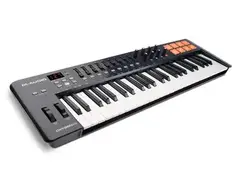
  • M-Audio Oxygen 49 MK4
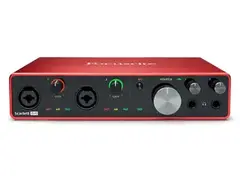
  • Focusrite Scarlett 8i6 (3rd gen)
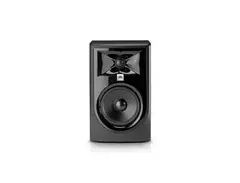
  • JBL 305P MkII Powered 5" Two-Way Studio Monitor

ok so I just tried doing exactly the steps you provided above but I see my problem. Once I choose the first catogory say Amplifiers and Effects I am not able to select or click on the next 3 or so catogories, the other catogories are greyed out and I try to click and nothing happens.

The steps you provided are the exact steps I've been trying all along but no luck. I do need some help here, maybe something is wrong with my account or whatever.

And thank you for fixing the PRS cabinet but I'm unable to fix the Mojotone cabinet because of my issues explained above. My account must be screwed up.

GEAR:
  • Reverend Billy Corgan BC-1
  • Yamaha Revstar RSP20CR
  • Fender/Warmoth Stratocaster Build

Ahh! I think you've found a website bug - I've had the same problem before as well.

(To the Equipboard web devs: I can make the bug happen if I reload the edit page, when it reloads it pre-populates the first category as I set it before reloading, but then the other categories have no options to choose from.)

You can work around the bug if you go back to that first category (eg "Amplifiers & Effects") and change it back to "Select Category". Give it a moment to reset itself, then choose "Amplifiers & Effects" again, and it should hopefully start working.

I'm totally happy to help edit it if you get stuck! But I figured you'd rather be able to do it yourself anytime too.

GEAR:
  • M-Audio Oxygen 49 MK4
  • Focusrite Scarlett 8i6 (3rd gen)
  • JBL 305P MkII Powered 5" Two-Way Studio Monitor

Hi, I tried the method you mentioned above but no go. If you get the chance whenever to fix my other cabinet under Amps I would appriciate it, its very annoying and would be nice if they can get this fixed. Thank you

GEAR:
  • Reverend Billy Corgan BC-1
  • Yamaha Revstar RSP20CR
  • Fender/Warmoth Stratocaster Build

No problem, should be updated now. Sorry for the runaround on this!

GEAR:
  • M-Audio Oxygen 49 MK4
  • Focusrite Scarlett 8i6 (3rd gen)
  • JBL 305P MkII Powered 5" Two-Way Studio Monitor

Thanks for explaining how to replicate the bug, that's helpful. Looking into it now...

GEAR:
  • Fender Telecaster Custom Electric Guitar
  • Big Ear Pedals Woodcutter
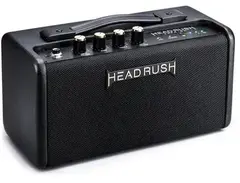
  • HeadRush FRFR Go Portable Desktop Amplifier

Thanks everyone

GEAR:
  • Reverend Billy Corgan BC-1
  • Yamaha Revstar RSP20CR
  • Fender/Warmoth Stratocaster Build

(To the Equipboard web devs: I can make the bug happen if I reload the edit page, when it reloads it pre-populates the first category as I set it before reloading, but then the other categories have no options to choose from.)

I'm a bit confused here on how to replicate.

So, I'm on the edit page of an item, and you are saying that when the page is reloaded, some funkiness happens... but why would you reload the edit page before you're done editing? If I just do a random browser refresh, the category dropdowns just reset to what they were the last time the item was saved.

What am I missing here? :)

GEAR:
  • Fender Telecaster Custom Electric Guitar
  • Big Ear Pedals Woodcutter
  • HeadRush FRFR Go Portable Desktop Amplifier

Yep, it's not a logical way to replicate it, just a way I was able to get it to happen repeatedly here. (In my case, I may have clicked refresh because I was testing behavior between AdBlock Plus on and AdBlock off... not that I would ever browse Equipboard with AdBlock ;) )

It might be a problem with items that don't have categories, or where the category has been deleted from the system. Try this one:

  • Click edit for the Adobe Photoshop CC item (yeah I know, just an item with an old category)
  • Select an initial category eg VST Plugins
  • Select a second category eg DAW
  • For some insane reason, now refresh the page
  • Notice now that VST Plugins is selected (even though that isn't the category it is saved as), but the 2nd category is not selected - and if you try clicking on the 2nd category, there are no items to choose from. (This was in Firefox 69 on macOS 10.13 here.)

I know it's a ludicrous test case, but you might at least be able to see the behavior I've encountered where the secondary categories sometimes don't get populated. I've encountered this during normal editing too, I just haven't been able to find a "normal" reproducible test case for you!

GEAR:
  • M-Audio Oxygen 49 MK4
  • Focusrite Scarlett 8i6 (3rd gen)
  • JBL 305P MkII Powered 5" Two-Way Studio Monitor

Got it! Ok, so I can replicate in Firefox, and not in Chrome or Safari. Very strange bug. Thanks for the detailed instructions :)

GEAR:
  • Fender Telecaster Custom Electric Guitar
  • Big Ear Pedals Woodcutter
  • HeadRush FRFR Go Portable Desktop Amplifier