Join music gear discussions on Equipboard. Talk about guitar gear, electronic music production, get help identifying gear, ask for feedback on your music, suggest ideas to improve Equipboard and more.

Please add a "show ALL" button instead of "show more"

Signed in a few days ago, seen the new graphical updates, and went to my page where I had to click "show more" about 10 times to reveal all the plugins I have. I used to see them all in just one click.

It wasn't broken, so why the need to "fix" it and make it so much worse than it was. Please.....revert it to the earlier version, or add a "show ALL" button instead.

GEAR:
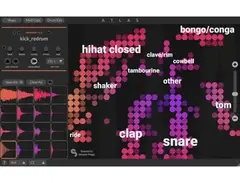
  • Algonaut Atlas
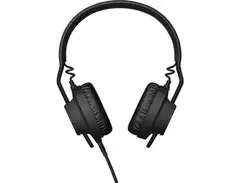
  • AIAIAI TMA-2 Modular Headphones
  • Blank slot

Apologies for the frustration. It's unusual for someone to save 170+ items to one list! The reason we expose 20 at a time is website performance. The more gear we have to load all at once the more sluggish profiles become... we've tried to address lots of flexibility people have been asking for - the ability to create as many lists as you want, and name them whatever you want, sort them, etc. But there are some "one size fits all" decisions that need to be made - it's a necessary evil.

Maybe you could split the plugins list up somehow? I'm not sure what criteria you could use - perhaps your most used ones in one list, and the rest? Or split them up by synths, effects, and mastering plugins?

GEAR:
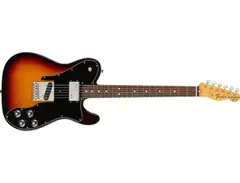
  • Fender Telecaster Custom Electric Guitar
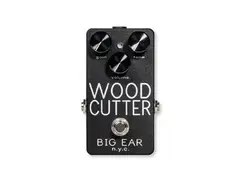
  • Big Ear Pedals Woodcutter
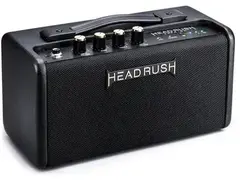
  • HeadRush FRFR Go Portable Desktop Amplifier

I'll mention 3 things:

  1. I too have felt some frustration with the "show more" option post-redesign on both my Equipboard and in my Following list, I've occasionally wished to be able to show more items before the fold... but speaking only for myself, I don't know if "show all" would be the right solution in some of these cases, even without the performance concerns. I trust the EB Team will adjust if a lot of people note the chafe... but in my experience, there are rarely ever perfect solutions for these things.

  2. @carbinax, dang you've got a lot of plugins. Consider me impressed. :D

  3. If I had that many plugins, (per gchiaren's tip) I'd definitely try breaking them out into new categories, even if there was a "show all" option. Speaking only for myself, as someone who actually looks at other user's lists of plugins, I'd probably distribute between 4 or 5 categories like: Bundles, Effects, Instruments, Sequencers/MIDI and Analyzers... but you never really know how it's gonna look/feel till you just try out some changes.

GEAR:
  • Roland TR-808 Rhythm Composer
  • Roland SH-101
  • Roland TR-909 Rhythm Composer

I'll mention 3 things:

  1. I too have felt some frustration with the "show more" option post-redesign on both my Equipboard and in my Following list, I've occasionally wished to be able to show more items before the fold... but speaking only for myself, I don't know if "show all" would be the right solution in some of these cases, even without the performance concerns.

I second that!

GEAR:
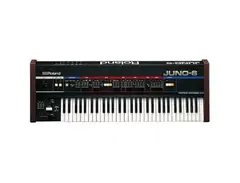
  • Roland Juno-6
  • Gibson SG Standard
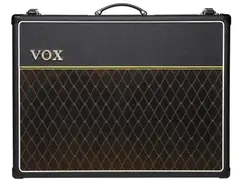
  • Vox AC30 Guitar Combo Amp

dang, man... Pkennethk is right, you DO have a lot of plugins! SHNAPP, I thought my list was big.

GEAR:
  • Roland Juno-6
  • Gibson SG Standard
  • Vox AC30 Guitar Combo Amp

Yeah I understand bigger pages mean longer loading times. I didn't consider that, but I guess if you had 1,000,000 profiles, that would introduce performance bottlenecks. I was unaware of the lists, so I can divide mine up by type I suppose. I do that in FL studio with custom folders so I'm used to it =)

GEAR:
  • Algonaut Atlas
  • AIAIAI TMA-2 Modular Headphones
  • Blank slot

I'll mention 3 things:

  1. I too have felt some frustration with the "show more" option post-redesign on both my Equipboard and in my Following list, I've occasionally wished to be able to show more items before the fold... but speaking only for myself, I don't know if "show all" would be the right solution in some of these cases, even without the performance concerns. I trust the EB Team will adjust if a lot of people note the chafe... but in my experience, there are rarely ever perfect solutions for these things.

  2. @carbinax, dang you've got a lot of plugins. Consider me impressed. :D

  3. If I had that many plugins, (per gchiaren's tip) I'd definitely try breaking them out into new categories, even if there was a "show all" option. Speaking only for myself, as someone who actually looks at other user's lists of plugins, I'd probably distribute between 4 or 5 categories like: Bundles, Effects, Instruments, Sequencers/MIDI and Analyzers... but you never really know how it's gonna look/feel till you just try out some changes.

That;s only the ones I've actually bought. I have lots of free ones.

I have a lot of synths, so I'll have to split them into FM, additive, wavetable, virtual analogue etc....so I could end up having as many groups and lists as I have plugins.

GEAR:
  • Algonaut Atlas
  • AIAIAI TMA-2 Modular Headphones
  • Blank slot

The lists are confusing. Could we possibly have an option in the drop down menu on the picture of whatever gear that says "move to....." and then you see a list of whatever lists you have created ?

Exanple....I have FM8, so I create a list called FM synths, then I click on the picture of the FM8 and click "add to " and select the FM synths list, and it moves. I'm trying to do that now, but I don't see how to do that. I managed to creat a list after a few attempts where nothing appeared, but I don't see any way of selecting multiple synths and moving them to a custom list. Maybe I just can't see the wood for the trees, so if it's there and I just can't see it in front of my nose, I'd be grateful if someone could point it out. Cheers !

GEAR:
  • Algonaut Atlas
  • AIAIAI TMA-2 Modular Headphones
  • Blank slot

Yeah I understand bigger pages mean longer loading times. I didn't consider that, but I guess if you had 1,000,000 profiles, that would introduce performance bottlenecks. I was unaware of the lists, so I can divide mine up by type I suppose. I do that in FL studio with custom folders so I'm used to it =)

don't you wish your plugins were as easy to organize in mixbus as fl studio? I'm feeling mixbus 32c plugin frustration this week. I saw you use it too and its great and all, but its just underdeveloped and finnicky. Feeling miffed.... totally off topic, but yeah, that's how I roll, totally off topic

GEAR:
  • Roland Juno-6
  • Gibson SG Standard
  • Vox AC30 Guitar Combo Amp

I managed to creat a list after a few attempts where nothing appeared, but I don't see any way of selecting multiple synths and moving them to a custom list. Maybe I just can't see the wood for the trees, so if it's there and I just can't see it in front of my nose, I'd be grateful if someone could point it out. Cheers !

The ability to create, rename, and reorder lists is only a few days old, AFAIK. At the moment, I don't think there is a way to move items to different lists in-bulk, it's a one-item-at-a-time reassignment via:

  1. Click on item within your Equipboard
  2. Click orange "Saved" button
  3. "Create List" if you haven't created it already
  4. uncheck the previously-assigned list, and check the new one, then Save.
  5. Repeat approx. 172 more times...

GEAR:
  • Roland TR-808 Rhythm Composer
  • Roland SH-101
  • Roland TR-909 Rhythm Composer

I managed to creat a list after a few attempts where nothing appeared, but I don't see any way of selecting multiple synths and moving them to a custom list. Maybe I just can't see the wood for the trees, so if it's there and I just can't see it in front of my nose, I'd be grateful if someone could point it out. Cheers !

The ability to create, rename, and reorder lists is only a few days old, AFAIK. At the moment, I don't think there is a way to move items to different lists in-bulk, it's a one-item-at-a-time reassignment via:

  1. Click on item within your Equipboard
  2. Click orange "Saved" button
  3. "Create List" if you haven't created it already
  4. uncheck the previously-assigned list, and check the new one, then Save.
  5. Repeat approx. 172 more times...

I feel you and carbinax on this one.

I was thinking in the "..." menu there could be a an option named "Move" or "Re-save" or "Re-list" something not confusing haha, and that would essentially just bring up the save dialogue and you could uncheck the item's current list, and check another. That would at least let you shuffle items around without leaving your profile page.

GEAR:
  • Fender Telecaster Custom Electric Guitar
  • Big Ear Pedals Woodcutter
  • HeadRush FRFR Go Portable Desktop Amplifier

well, that's the trouble with trampolines. No sooner have you got one shoe on, than the puree is all over the window and up the walls. It's a peculiar kind of antelope for sure......

I'll be honest though.......back on topic.......I've yet to try Harrison in anger. I bought it for one job. I do all the donkey-work of programming, arranging, mixing in FL studio, and then export stems once I know the mix is robust. So Harrison was supposed to be just for mastering the stems, because of the acclaimed analogue warmth, and just to make it more of a clear-cut 2 step process of mixing in one DAW and mastering in another, but I just haven't got round to using it. I could equally use reaper as a lot of people have stopped using Pro Tools and used it instead. The plan is to be completely fluent in more than one DAW. Recently upgraded to Bitwig 3 so I have that as well. So many things to learn but there's only one of me , and I need 48 hour days due to 8 hours in the studio feeling like 1 hour.

GEAR:
  • Algonaut Atlas
  • AIAIAI TMA-2 Modular Headphones
  • Blank slot

Took me an hour or two but it's much better organized now =) Cheers !!

https://equipboard.com/carbinax

GEAR:
  • Algonaut Atlas
  • AIAIAI TMA-2 Modular Headphones
  • Blank slot

Took me an hour or two but it's much better organized now =) Cheers !!

https://equipboard.com/carbinax

🙌 nice! We’re totally redoing gear photos in the next few days and bringing them front and center on your profile. I’m pretty excited to see your setup.

GEAR:
  • Fender Telecaster Custom Electric Guitar
  • Big Ear Pedals Woodcutter
  • HeadRush FRFR Go Portable Desktop Amplifier

your very computer based setup is a lot more intelligible...

GEAR:
  • Roland Juno-6
  • Gibson SG Standard
  • Vox AC30 Guitar Combo Amp

Took me an hour or two but it's much better organized now =) Cheers !!

https://equipboard.com/carbinax

🙌 nice! We’re totally redoing gear photos in the next few days and bringing them front and center on your profile. I’m pretty excited to see your setup.

Sounds Good. Im mostly ITB, so my outboard gear is basic compared to some other oeoples. I love looking at Studio photographs though, and seeing how people utilize their space, and have R2D2 on their speakers etc....

GEAR:
  • Algonaut Atlas
  • AIAIAI TMA-2 Modular Headphones
  • Blank slot

It looked like an explosion in an oxfam shop before =P

GEAR:
  • Algonaut Atlas
  • AIAIAI TMA-2 Modular Headphones
  • Blank slot

I willadmit me and my best friend have AtAts and other kenner star wars stuff and I keep a 90s tick action figure on part of my live stream rigin the communal studio we share... my home studio is bedroom based now, just moved upstairs to give my son more play space and my shit is a mess right now. Functioning but there's gear everywhere. I'm computer based in theory but I don't use a lot of virtual instruments and I do more hybrid mixing so like there are lexicons and compressors around although the compressors are getting pointless these days with converters being so good and having such low noise and THD and what with the latest generation of software comrpessors sounding better than anything I own anyway! I don't think I'll ever let go of the hardware synths or like my vox ac30s for guitar. It doesn't matter how good a VSTi or amp plugin is, just no.

GEAR:
  • Roland Juno-6
  • Gibson SG Standard
  • Vox AC30 Guitar Combo Amp

I feel you and carbinax on this one.

It was a totally manageable experience for my own EB, as I didn't have that much to shuffle around. The 172 comment was just in reference to what Carbinax was up against with 173 items that were currently under one category.

I was thinking in the "..." menu there could be a an option named "Move" or "Re-save" or "Re-list" something not confusing haha, and that would essentially just bring up the save dialogue and you could uncheck the item's current list, and check another. That would at least let you shuffle items around without leaving your profile page.

If what was proposed existed, I'd use it, and this sounds like it would fit well with the current actions available in "...".

FWIW the 2 things that stick out, for me, on the current list-swapping process:

  1. Having to re-navigate back to your EB via your profile avatar up top each time you make a list change and hit "Save", because it's either that or hitting browser back button twice, then refreshing to see the change in your EB.

  2. Clicking on a past-tense state description, "Saved", to move an item from one list to another... I realize I'm not really describing what the problem is by stating this... but maybe after some more coffee I'll find my words...

What you proposed would solve both points... but I'm more or less done re-categorizing for the foreseeable future, so, speaking only for myself, they wouldn't be high-priority changes.

GEAR:
  • Roland TR-808 Rhythm Composer
  • Roland SH-101
  • Roland TR-909 Rhythm Composer