
jekehu's Reviews
4 reviews Back to jekehu's Equipboard

196
Literally the solution to my audio problems
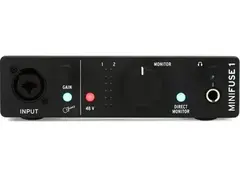
At $99, the Arturia MiniFuse 1 is a bargain for a quality audio interface.
Before buying, I didn’t have much experience with Arturia products, though I had a sense they’re a good brand for software synths and MIDI hardware. But after getting my hands on this device, I’m very satisfied.
You get a unified XLR and 1/4” input jack. So you can only record one thing at a time, like a mic or guitar. That’s good enough for me, though, since I’m currently a one man band (forever alone 😩).
But this interface also has features that few others do at this price point:
• Separate volume knobs for speakers and headphones
• VU meter for OUTPUT (distinct from the input gain knob’s clipping meter), so you can watch for clipping in your mix
• USB port for MIDI controllers
Additionally, you get a nice collection of software including Ableton Live Lite and Arturia’s virtual synth collection Analog Lab Intro.
My previous audio interface was the Scarlett Solo 3rd gen. The Scarlett has separate XLR and 1/4” inputs, but it’s $20 more. And I was personally having some issues such as bugs when trying to sync it with my DAW’s playback. Happily, the MiniFuse and its drivers work fine with my DAW (FL Studio).
Another thing to note is compatibility with AMD Ryzen CPUs. I’ve read reviews for some other interfaces like M-Audio that reported issues with Ryzen (and, more broadly, with Windows PCs as opposed to Mac). Fortunately, my MiniFuse and Ryzen processor seem to get along just fine.
Finally, if you’re looking for an audio interface to replace your computer’s built-in audio, DO IT. It can improve latency for recording, and even stop glitches in your DAW or plugins. At least it did for me. When using onboard output, I had some synth VSTs crashing within my DAW. The MiniFuse seems to have fixed this entirely.
The MiniFuse is my second interface… and hopefully my last. Let’s see how well it holds up over the long haul.

196
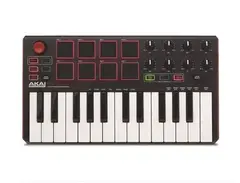
Great MPC-style pads as one might expect, but mediocre keys
Pros:
- Just like the MPC, the MPK pads are responsive, appropriately firm and feel good to hit. They're also bigger than the Arturia Minilab's pads, making finger drumming easier.
- The knobs are smooth and not "jumpy."
Cons: - The synth-action keyboard is stiff and doesn't feel good. Since the keys are hard to press, it's hard to play with even velocity. - The MPK mk2 editor software DOES NOT work on current Macs. It immediately crashes when you try to change anything.
196
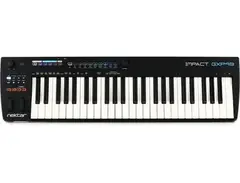
Affordable semi-weighted keyboard with aftertouch
I was looking for a keyboard that had aftertouch and would work with my DAWs. This one met those criteria. It's got DAW integration with programs like FL Studio, Logic, Garageband, and Reaper (Reaper integration only worked on Windows for me). There is no official support for Live and Tracktion Waveform, but Nektar still provides scripts that make the transport buttons work in those DAWs.
196
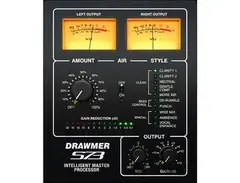
Very simple mastering plugin with a slight flaw
Softube's Drawmer S73 is a simplified version of their Drawmer 1973 Multi-Band Compressor. The S73 is one of those quick and easy mastering/loudening plugins that require little tweaking; similar tools include T-Racks One and iZotope Ozone. Using S73, I could make my mixes hit harder. But unlike those other plugins I mentioned, it lacks a limiter, so unless you have another limiter after the S73 in your signal chain, it's very easy to clip your mix.