

Pricing and availability
We compare 600+ stores and found this item at 3 stores. Prices updated .
Store
Reviews
Price




Price History
Based on price data from 2 merchants for "Insta360 Flow 2 Pro Gimbal". Prices shown reflect NEW condition. Tracking began Apr 2, 2026.
* Product prices and availability are updated by Equipboard every 24hrs and are subject to change. Equipboard may receive compensation for purchases made at participating retailers linked on this site. This compensation does not affect what products or prices are displayed, or the order of prices listed. For more information, please refer to our affiliate disclosure.
Description
Unlock your smartphone's full potential with the Insta360 Flow 2 Pro Gimbal. Designed for creators on the move, this gimbal transforms your phone into a powerhouse of cinematic possibilities. With its AI-powered Deep Track 4.0 technology, you can ensure your subjects stay in frame and in focus, even if they momentarily step out of view. This gimbal is a dream come true for vloggers, travelers, and filmmakers, offering seamless 360° infinite pan tracking for smooth, uninterrupted shots.
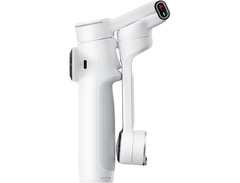
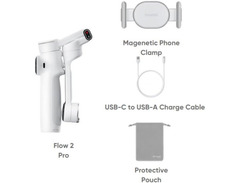
The Insta360 Flow 2 Pro is more than just a stabilizer; it's a comprehensive toolkit for any content creator. With just a single unfold, you're ready to capture professional visuals without the fuss of a power button. Its compact, foldable design means you can take this creative companion anywhere, fitting snugly in your bag or pocket. The built-in selfie stick and tripod legs make it easy to shoot from any angle, while its magnetic phone clamp ensures your device is secure.
The SmartWheel interface provides effortless control over your shooting modes, from Free Tilt to Barrel Roll, letting you experiment with diverse cinematic effects. Plus, the USB-C port allows you to charge your phone while shooting, making sure you never miss a moment. Whether you're capturing a time-lapse of a cityscape or taking a selfie with friends, the Flow 2 Pro has you covered.
Key Features:
- AI-powered Deep Track 4.0 for precise subject tracking
- 360° infinite pan for smooth, seamless panning
- Compact foldable design for easy portability
- Built-in selfie stick and tripod legs
- SmartWheel interface for intuitive control
- USB-C charging port for extended shooting sessions
- Compatible with both iOS and Android devices
- Integrated ring light indicator for tracking mode
- 10-hour battery life with 1100mAh capacity
Product specs
| Type | Flow 2 Pro Smartphone Gimbal, White |
| Compatibility | Devices 0.3" to 0.4" Thick and 2.5" to 3.3" Wide |
| Load Capacity | 4.6 oz to 10.6 oz |
| Rotation Ranges | Pan: 360° (continuous), Roll: -390° to 135°, Roll: -99° to 231° |
| Follow Speed | 120°/s |
| USB | 1 x USB-C |
| Bluetooth | v5.0 |
| Controls | SmartWheel Dial, Trigger |
| Features | DeepTrack 4.0, Multi-person Tracking, Gesture Control, Built-in Selfie Mirror, Tripod, and 8.26" Selfie Stick |
| Remote | Smartphone (via app), Apple Watch Compatible |
| Power Source | Built-in 100mAh Battery, USB Powered Charging |
| Battery Life | 10 Hour Runtime (approx.) |
| Height | 11.1" |
| Dimensions | 3.6" x 7" x 1.4" (folded) |
| Base Spread | 7.4" Diameter (tripod extended) |
| Weight | 13.5 oz |
Videos

Insta360
Introducing Insta360 Flow 2 Pro - Your Pocket AI Filmmaker
Introducing Insta360 Flow 2 Pro - Your Pocket AI Filmmaker
Insta360
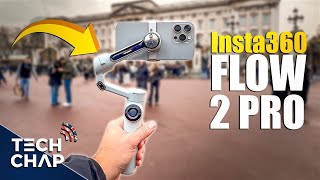
Insta360 Flow 2 Pro - The ULTIMATE iPhone Accessory!

The Tech Chap
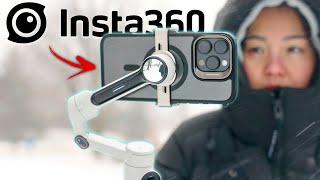
NEW Insta360 Flow 2 Pro - Best AI Smartphone Gimbal??

JSL Review
iPhone 16 Pro: Osaka (ft. Insta360 Flow 2 Pro)

Andy To

How to shoot better iPhone footage - New iPhone Gimbal Insta360 Flow 2 Pro

iJustine
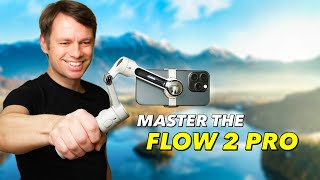
Insta360 Flow 2 Pro Full Tutorial: The Best Features Explained

MountMedia
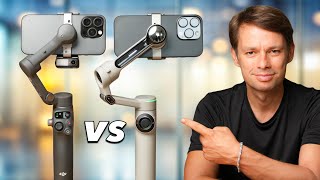
DJI Osmo Mobile 7P vs Insta360 Flow 2 Pro THIS Is The Best Smartphone Gimbal!
MountMedia
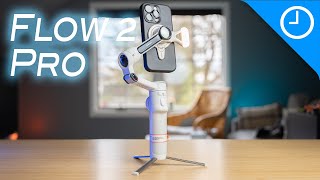
AI gimbals keep getting better! Insta360 Flow 2 Pro Review

9to5Mac
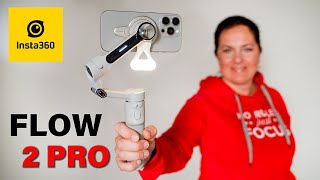
INSTA360 FLOW 2 PRO smartphone gimbal NEW FEATURES & UPGRADES

Zdenka Darula
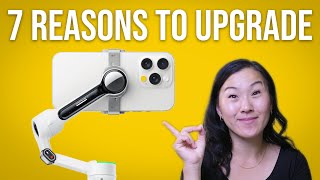
The BEST AI Tracking Smartphone Gimbal? Insta360 Flow 2 Pro: 7 Reasons to Upgrade

Gemini Connect
Reviews
Owner Insights
We analyzed real musician discussions from forums and Reddit to find what players love, question, and tweak about Insta360 Flow 2 Pro Gimbal.
Features and functionality
-
The Insta360 Flow 2 Pro gimbal can track faces using its app, which is useful for capturing dynamic moments with children as they move.
Source -
The gimbal can rest on a flat surface to stabilize recordings, allowing for continuous capture without manual handling.
Source -
Infinite 360-degree panning is a standout feature, uniquely allowing unrestricted movement for dynamic filming.
Source -
The Creator Bundle includes a spotlight, which is effective only when close to the phone for fill light, not for broader illumination.
Source
Use cases and applications
-
Owners find the gimbal beneficial for travel and capturing unique moments, particularly with children, despite not being content creators.
Source -
The Flow 2 Pro's QR code feature allows using another device as a viewfinder, beneficial for solo shooters needing to use the back camera.
Source -
An owner successfully used the gimbal mounted on a golf pushcart as a mobile tripod to track movements for golf video content.
Source
Value and pricing
-
Some owners consider the gimbal a worthwhile investment at $143, suggesting trying it with the option of a 15-day return policy.
Source
Comparisons
-
Users suggest a quadlock phone case with a handle as an alternative for stabilization, providing similar results without electronics.
Source -
The Flow 2 Pro's panning capability surpasses the Osmo Pocket 3, making it preferable for filmmakers needing continuous, circular shots.
Source -
The Flow 2 Pro offers seamless integration with the native phone app for tracking, unlike DJI models that require additional attachments.
Source -
Built-in metal tripod legs on the Flow 2 Pro are reportedly sturdier than those on DJI models, enhancing stability.
Source
Build quality
-
The Flow 2 Pro has a longer handle designed for adult hands, improving grip without needing to extend the tripod.
Source
Software and compatibility
-
Deep Track 4.0 enables object tracking, potentially useful for fast-moving subjects like sports or animals.
Source
User experience
-
Some users find the magnetic mount insufficiently strong for heavier setups, such as larger phones with cases.
Source
Critic Reviews
Based on 0 Reviews and 0 Ratings
Popular Music Gear

$549.99 - $599.99
in Cameras Rank


$362.49 - $424.99
in Video Cameras & Camcorders Rank


$179.00 - $179.99
in Computers & Peripherals Rank

$199.99 - $399.95
in Video Cameras & Camcorders Rank


$30.00 - $59.99
in Uncategorized Rank

$268.22 - $299.99
in Video Cameras & Camcorders Rank


$279.99 - $359.99


Accessories & Related Items


Artist usage


Community setups


Similar


Most Popular Brands
-
Added to Equipboard on by
 equipboard
GearIQ 4934
-



