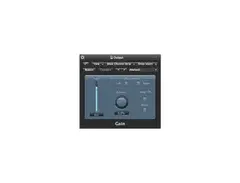

Pricing and availability
We compare 600+ stores and found this item at 1 store. Prices updated .


* Product prices and availability are updated by Equipboard every 24hrs and are subject to change. Equipboard may receive compensation for purchases made at participating retailers linked on this site. This compensation does not affect what products or prices are displayed, or the order of prices listed. For more information, please refer to our affiliate disclosure.


Videos

Ross Steven
The Gain Utility Plugin
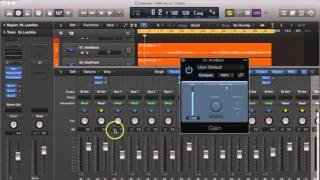
The Gain Utility Plugin
Ross Steven

Recording Vocals In Logic Pro X - Recording Levels Part 2 - Gain Plugin

Steve In The Mix
Reviews
Owner Insights
We analyzed real musician discussions from forums and Reddit to find what players love, question, and tweak about Apple Logic Gain Plugin.
Features and functionality
-
Owners often use the gain plugin at both the start and end of the chain to manage volume automation effectively.
Source -
Some users utilize the gain plugin at the end of summing buses for overall adjustments during extensive automation processes.
Source -
Users find region gain changes hidden, preferring the Gain plugin for visible adjustments, aiding in transparent mix adjustments and avoiding hidden changes.
Source -
The Gain plugin scales linearly, which may lead to issues with automation latency, unlike logarithmic fader controls.
Source -
Gain automation can lag in sessions, causing delays of up to a bar, particularly noticeable during rapid adjustments.
Source -
Volume Relative automation avoids latency but is limited to a -24dB reduction, which may not suffice for fadeouts.
Source
Use cases and applications
-
The gain plugin is frequently used for phase inversion or converting stereo tracks to mono when necessary.
Source -
It's common to automate levels with the Gain plugin instead of faders, ensuring more consistent gain staging across tracks.
Source -
In dynamic vocal processing, some users combine Waves Vocal Rider, 1176, and LA2A plugins before final gain adjustments for smoother control.
Source -
Clip gain adjustments can be more intuitive and faster for volume changes compared to Gain plugin automation, especially for transient management.
Source
Setup and maintenance
-
It's recommended to turn down output levels at the source to maintain a clean signal path, only using the gain plugin at the end as a last resort.
Source
User experience
-
Users appreciate the flexibility of the gain plugin for minor level adjustments without disrupting channel fader settings.
Source
Software and compatibility
-
The Gain plugin is confirmed to never bypass the effects chain unless manually disabled, providing consistent control over signal flow.
Source -
The clip gain feature in Logic, unlike Pro Tools, is static and lacks automation capabilities, affecting workflow for dynamic volume adjustments.
Source -
Sample accurate automation in Logic is critical for precise timing but may require adjustments when toggled during a project.
Source
4.5 out of 5
Based on 2 Reviews and 4 Ratings

157
Super handy.
Although personally I'm not always a fan of stock plugins, The Logic Gain Control is great for when an instrument is too loud even when the valume fader is at near minus infinity. It's a life saver when needing to shave off a couple decibels or even adding some on if it's too quiet.

Artist usage
Add artist

Genre Usage
Based on how artists on Equipboard use this gear, it is most commonly found in the following genres.
Used With
Based on how musicians on Equipboard use Apple Logic Gain Plugin, it is most commonly used with the following gear.


More Apple Gain Plugins


Community setups


Similar


Most Popular Gain Plugins
Most Popular Brands
-
Added to Equipboard on by
 equipboard
GearIQ 4934
-