

Pricing and availability
We compare 600+ stores and found this item at 1 store. Prices updated .
Store
Reviews
Price




* Product prices and availability are updated by Equipboard every 24hrs and are subject to change. Equipboard may receive compensation for purchases made at participating retailers linked on this site. This compensation does not affect what products or prices are displayed, or the order of prices listed. For more information, please refer to our affiliate disclosure.
Description
The Dante Virtual Soundcard is your gateway to transforming any Mac or Windows computer into a Dante-powered audio workstation. Tailored for musicians, live sound engineers, and audio enthusiasts, this software token unlocks a permanent license, enabling seamless integration with all Dante-enabled devices on your network. Whether you’re recording, processing, or playing back audio, the Dante Virtual Soundcard ensures your setup is versatile and future-proof.
Forget the hassle of extra cables and hardware. With the Dante Virtual Soundcard, your computer’s Ethernet port becomes a conduit for up to 64 channels of pristine, bidirectional audio. Its compatibility with Core Audio, ASIO, and WDM means it works effortlessly with popular DAWs like Pro Tools, Logic, and Cubase. Plus, with its support for resolutions up to 32-bit / 192 kHz, you can capture every nuance of your performance or presentation.
Perfect for a variety of applications, from live concerts to corporate presentations, the Dante Virtual Soundcard enhances your audio experience. Share VoIP calls, play sound from any application, and deliver presentations with unmatched clarity and detail. Its ultra-precision time alignment and user-selectable latencies ensure your audio is always in sync, making it an indispensable tool for any serious audio professional.
Key Features:
- Mac and Windows compatible
- Up to 64 bidirectional audio channels at 48 kHz
- Supports audio resolutions up to 32-bit / 192 kHz
- Compatible with ASIO, WDM, and Core Audio
- Uses existing Ethernet port for connectivity
- Supports Dante Domain Manager
- Ultra-precision time alignment of 1 μs
Videos

Offshore Audio
How to use Dante to connect a mixer to a laptop

How to use Dante to connect a mixer to a laptop
Offshore Audio
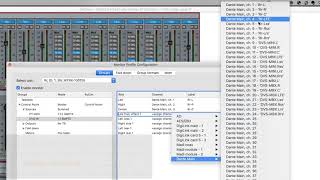
Pro Tools Tech Tip — Dante Virtual Soundcard

Avid
Getting Started with Dante 4 Dante Virtual Soundcard

Genesis Technology
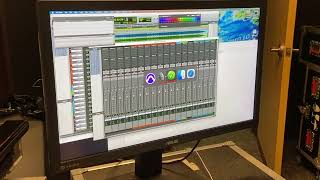
Midas M32 and Dante Virtual Soundcard

Eric Ferguson
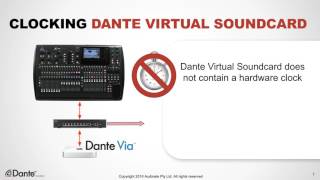
10 Dante Virtual Soundcard

AV TRAINING

Dante Virtual Sound Card: Beginner’s Guide for Live Sound Engineers

Technically Church
Reviews
Owner Insights
We analyzed real musician discussions from forums and Reddit to find what players love, question, and tweak about Dante Virtual Soundcard.
Comparisons
-
Dante Virtual Soundcard (DVS) offers lower latency than USB when used with a Dante PCIe card, achieving around 3-4ms compared to USB's 10-15ms.
Source
Software and compatibility
Features and functionality
-
DVS drivers are generally more efficient than USB drivers, potentially offering lower latency with the right hardware setup.
Source
User experience
5.0 out of 5
Based on 0 Reviews and 1 Rating
Artist usage
Add artist
Genre Usage
Based on how artists on Equipboard use this gear, it is most commonly found in the following genres.
Used With
Based on how musicians on Equipboard use Dante Virtual Soundcard, it is most commonly used with the following gear.


More Recording Snakes


$59.00 - $72.99
in Recording Snakes Rank


$366.50 - $579.00
in Recording Snakes Rank


$184.99 - $199.99
in Recording Snakes Rank


$70.00 - $109.73
in Recording Snakes Rank

$59.99 - $66.00
in Recording Snakes Rank


Community setups


Similar


Gear Guides






Most Popular Brands
-
Added to Equipboard on by
 jonathan_d_cook
GearIQ 190
-

