Every rig tells a story. Start yours.
Catalog your gear, wishlist what's next, and share the setups behind your sound — free.
Create your EquipboardGear 12


-m.webp?v=1783868404)


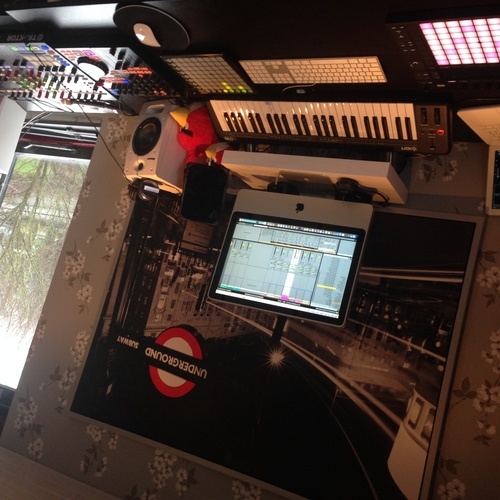
The stems format is easily to use to the fullest. The whole body and structure of the controller is like two F1's combined, but now more easily accessed. I'm really proud to be one of the few actually using the remix decks live on stage, and combined with other live elements and the easy filtering of layers in my tracks that I prerecorded makes this thing a spaceship on it's own. It's definitely something to take notice of, if you never heard of either Remix Decks or Stems. But; 1 but, there's no platter. I really missed these for scratching. But the robust outlook could probably only be maintained with the touch sensitive pad above the transport pads on both the lower sides of the decks.

It's not more than it should be, a modulation wheel and a auto-correcting pitch on the side make tropical house melodies easy. The keys, it must be said though, aren't that velocity sensitive.


To be honest; I directly assumed that the grip I would have on those pretty small knobs wouldn't do it for me. So I directly bought alternative knobs coming from the guys of Coolorcaps. Now that I also upgraded my SX with the new colors, the setup with the same colored LPD8's (got 2) is quite lovely blending in in the end. The pads are very responsive, nothing to say about that. I truly recommend it as a default next to your SX(2) cause samples should be able to be triggered alongside effects that are under the same pads in the SX (under another tab). Getting the facts straight; there is no way to get the 4 features that come on the left side with the LPD8, basically because this is rooted to the default software, which isn't my customized MIDI setup for Serato.

Just, it gets the job done. I combined this with a custom MIDI setup configured with Serato, for an extra feel of loops, and for triggering Serato's Flip; since the software was developed after this controller came to the market, there is no button especially designed to trigger this clearly. (Could be me though.) I'm still working on several colors, but that has something to do with the XML file of my MIDI codes. Just have to change the color of feedback or so, then I'm officially ready to go. Definitely an add-on you're gonna need!

The controller gives you a great insight of what DJ'ing should mean. To me; combining loops, triggering samples in a different deck, doing a little resampling with live-set cue points and make sure the crowd goes wild with the right tracks easily found in the Serato Library. For those who are using the latest Serato (1.8), the mixing techniques for mixing in key is just marvelous with this controller. It's very intuitive. The controller features the possibility to use the beat grid for loop rolls, and you can download a free FX pack featuring some awesome FX that in fact are pretty useable, on one of the two FX decks on the upper side of the controller. The DDJ SX has also a touch-sensitive strip for searching in your track to the right point of start. This all, combined with another tap-device (as I call it) e.a. Launchpad or any other drumpad is just the right setup for an evening filled with originality and great live performances to me.