
Pricing and availability
We compare 600+ stores and found this item at 6 stores. Prices updated .
Store
Reviews
Price







Average Price: $69
Budget/Beginner
$99
$300+
Price Tier
Budget
Standard
High-end
* Product prices and availability are updated by Equipboard every 24hrs and are subject to change. Equipboard may receive compensation for purchases made at participating retailers linked on this site. This compensation does not affect what products or prices are displayed, or the order of prices listed. For more information, please refer to our affiliate disclosure.
Description
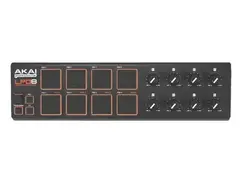
Introducing the Akai Professional LPD8 Laptop Pad Controller, a compact yet powerful USB-MIDI controller designed for the modern music creator. Whether you're a musician, producer or DJ, this controller brings a new dimension of flexibility and control to your creative process.
Based on Akai Professional's legendary MPC line of music production stations, the LPD8 is perfect for those who appreciate the tactile feel of MPC controls and want to incorporate that into their digital workspace. It features eight velocity-sensitive, backlit drum pads that can send note or program change information to your software, allowing you to program rhythmic or melodic parts with ease and precision.
Moreover, the LPD8 offers an array of eight assignable Q-Link knobs. These knobs can be tailored to control virtually any parameters in your software, giving you hands-on control over your sound. Its plug-and-play USB connection requires no driver installation, perfect for both Mac and PC users.
The LPD8's four programmable memory banks allow you to store and recall settings for different software programs, streamlining your workflow. This device is USB bus powered, eliminating the need for an additional power cable and keeping your setup clutter-free.
Key Features:
- USB-MIDI controller compatible with virtually all audio software
- Eight backlit, velocity-sensitive drum pads for note or program change
- Eight assignable Q-Link knobs for hands-on control
- Plug-and-play USB connection, no driver installation needed
- Four programmable memory banks for storing settings
- USB bus powered, no additional power cable required
- Editor software included for both Mac and PC
Product specs
| Brand | Akai |
| Model | LPD8 |
| Finish | Black |
| Year | 2010s |
| Categories | Pad MIDI Controllers |
| MIDI I/O | USB MIDI |
| Number of Pads | 8 Pads |
FAQs
-
How does the Akai Professional LPD8 connect to a computer?
-
The Akai Professional LPD8 connects to a computer via USB, providing a straightforward setup with USB MIDI connectivity.
-
Are the pads on the Akai Professional LPD8 velocity-sensitive?
-
Yes, the Akai Professional LPD8 features 8 velocity-sensitive pads, allowing for expressive and dynamic performance input.
-
Is the Akai Professional LPD8 compatible with popular DAWs?
-
The Akai Professional LPD8 is compatible with most popular DAWs, including Ableton Live, FL Studio, and Logic Pro, making it a versatile choice for producers.
-
Can the Akai Professional LPD8 fit in a laptop bag?
-
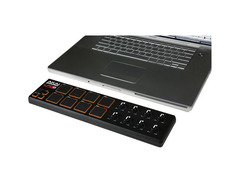
Yes, the Akai Professional LPD8 is compact and lightweight, designed to easily fit into a laptop case or backpack for portability.
-
Does the Akai Professional LPD8 require an external power supply?
-
No, the Akai Professional LPD8 is USB-powered, eliminating the need for an external power supply and enhancing its portability.
Videos

AkaiProVideo
Akai Pro LPD8: Overview
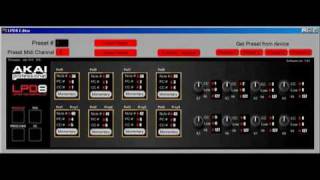
Akai Pro LPD8: Overview
AkaiProVideo
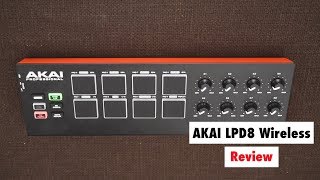
AKAI Pro LPD8 Wireless Review - Best Affordable Beat Production MIDI Controller?

SYNTH ANATOMY
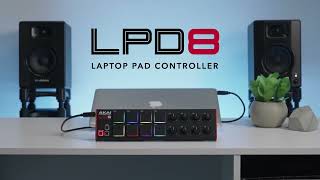
The LPD8 Laptop Pad Controller | Akai Professional
AkaiProVideo
Akai Professional LPD8

Golden Productions
Akai Professional LPD8 Summer NAMM demo

Sweetwater

Akai LPD8 Laptop Pad Controller Overview | UniqueSquared.com

UniqueSquared
Retro pad - Akai LPD8 tutorial: Basic Pad Layout and Basic Beats for Beginners practice

Lockdown Countdown
Akai LPD8 Test: kompakter MIDI Controller

delamar MAX
Unboxing/Demo|Akai LPD8 Laptop Pad Controller

Legendary Music
Reviews
PROS
-
Portable, ideal for mobile setups
-
Sturdy build quality with solid pads and knobs
-
Affordable without sacrificing build quality
-
Plug-n-play capability with reliable response
-
Compatible with a wide range of DAWs and software
-
Responsive pads, great for live performances
-
Light and durable, easy to carry
-
Good for programming rhythms or triggering samples
-
Can be used effectively in studio and live settings
CONS
-
Editing software is confusing; lacks presets for popular DAWs
-
USB plug may break easily, affecting durability
-
Pads can be less sensitive than desired
-
Knobs may feel too small for some users
-
Limited pad sensitivity, affecting dynamic performance
-
Requires harder pad hits than expected for input
-
Lacks advanced features like flam and roll functions
-
Some users find it overly simple or lacking in control options
Owner Insights
We analyzed real musician discussions from forums and Reddit to find what players love, question, and tweak about Akai Professional LPD8 Laptop Pad Controller.
Mods and upgrades
-
Users suggest modding the pads by adding foamy tape on the inside to improve sensitivity, similar to modifications done on the MPK 49.
Source -
Adding two layers of electrical tape to the bottom of the LPD8's rubber pads significantly improves sensitivity without causing adjacent pads to trigger.
Source -
A user successfully tweaked a web editor to accommodate LPD8 Wireless, highlighting SysEx differences like model codes and program/preset message structures.
Source
Build quality
User experience
-
One user returned the LPD8 due to difficulty consistently triggering the pads, suggesting a preference for keyboard-based MIDI drum tracking.
Source -
Some users express frustration with Akai's customer service, reporting a lack of response to issues like broken USB ports, which affects overall satisfaction.
Source
Comparisons
-
It's noted that the LPD8 might not have significant advantages over other controllers if pads are not a priority, though the knobs are functional.
Source
Software and compatibility
-
The LPD8 is considered more useful for its knobs when used with software like Ableton, especially on systems lacking assignable controls.
Source -
Owners using Fruity Loops and Reason 6 have reported successful integration, enjoying the LPD8's compatibility with these DAWs for music production.
Source -
Users have created alternative LPD8 editors for Catalina, with a DIY web-based tool mimicking Akai's functionality, enabling note assignments and MIDI mapping adjustments.
Source -
Wine and Homebrew installations on Mac have enabled some to run older Akai editor software, particularly useful for configuring LPD8 Wireless on newer macOS versions.
Source
Setup and maintenance
-
Directly soldering a USB cable to the board can be a workaround if the female USB port breaks inside the LPD8.
Source
Use cases and applications
Critic Reviews
4.0 out of 5
Based on 24 Reviews and 109 Ratings
.png?v=1784881645)
248
Great controller. Sometimes I use it in my live and DJ sets.
Just a midi keyboard that I play around with sometimes. Since the setup was then inspired by Mujuice setup from 2012, the keyboard played the role of a pocket synth and sampler OP-1 from Teenage Engineering, which firstly Mujuice used as a third sampler, and secondly is damn expensive. I also use this controller together with Native Instruments Traktor S2 MK2 as a second effects block.
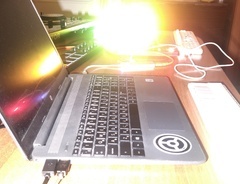

129
Gentle pal next to your controller
To be honest; I directly assumed that the grip I would have on those pretty small knobs wouldn't do it for me. So I directly bought alternative knobs coming from the guys of Coolorcaps. Now that I also upgraded my SX with the new colors, the setup with the same colored LPD8's (got 2) is quite lovely blending in in the end. The pads are very responsive, nothing to say about that. I truly recommend it as a default next to your SX(2) cause samples should be able to be triggered alongside effects that are under the same pads in the SX (under another tab). Getting the facts straight; there is no way to get the 4 features that come on the left side with the LPD8, basically because this is rooted to the default software, which isn't my customized MIDI setup for Serato.

1833
Bought used, rely on heavily for midi triggering
Bought this used for $40, and have used it for every live DJ set since. Also make use of it for midi drumming with Ableton 9, but it's more valuable to me by far in a live setting than a studio one. Bought it as a preliminary step towards eventually owning an MPD, but for now it's doing pretty well. Light-weight and portable. Not the highest quality of pad sensitivity, but it gets the job done.

363
Perfectly Portable!
This is a great and affordable addition to my control surfaces. Works nicely with Ableton Live! Very durable and has a good weight to it (so it isn't moving all around). Extremely responsive pads. Love it!

94
Rock Solid MIDI controller for controlling Ableton, MainStage, etc.
I use the LPD8 to control effects, start loops, etc. on my computer. It's easy to use, plug-n-play and reacts reliably. Don't expect to get a good velocity curve on the drum pads, I just modify the velocity to be at 100%/127 every time.

70
Supreme Pad Controller
Does exactly what it says it will. Never had any issues with it. Excellent build quality in my opinion. Pads are velocity sensitive, but only to a certain degree. I've had no issues mapping this controller in any of my DAWs.

812
Pretty good
I have used this with laptop, iPad, and DAW and it functions as advertised. Nothing extra special but workmanlike.

165
Simple, easy and great
This is a great piece of gear for it's price. Very simple and easy to use. However, I do feel as though the knobs could be a little bit longer and faster to move. Still a good piece of gear

Not very responsive
Have to hit the pads a lot harder than probably necessary. Gets the job done though.
Artist usage
Add artist

This Akai Pro LPD8 Laptop Pad Controller can be seen in the /disclosuremusic Instagram: "This is our live set up. Minus the bass guitar..."


At 1:50 in this video you can see this controller on top of his piano


At minute 1:00 you can see the LPD8 on Brian's desk, next to the computer keyboard. There's some tape near the pads, probably to remind what they control.


can be seen in this post from May 13, 2023


RL Grime can be seen using an AKAI LPD8 in his performance at the Boiler Room in Los Angeles.


In this video we can see Joe Hahn using Akai Professional LPD8




In the image we see him using the LPD8 and also Ableton Live running on the Laptop. The pads most possibly are used to trigger on Ableton


You can see it just for a few seconds at the beginning, on the table.


First I have a keyboard, a laptop and a pad controller - an Akai LPD8, because I saw Ryan Lott from Son Lux use one.


In this video/performance Roosevelt used the Akai Professional LPD8 Laptop Pad Controller.

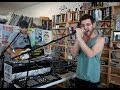
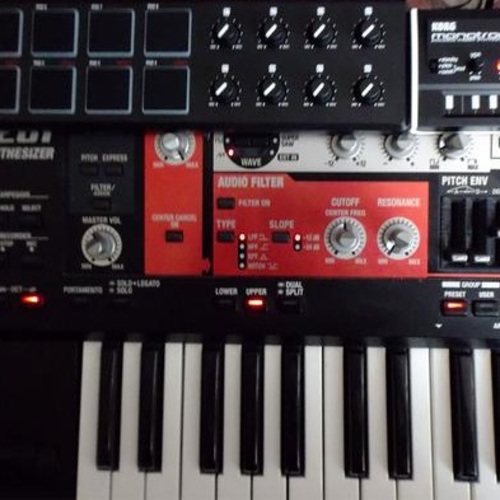
Throughout the live performance, Will Wiesenfeld of Baths can be seen using the Akai LPD8 controller on top of his Korg keyboard. This video was uploaded on September 4th, 2013, but there is evidence from live videos as recent as July 30th, 2015 when Baths played the Echoplex in Echo Parks, Los Angeles, that the LPD8 is still part of their live set up.
Album Usage
The Akai Professional LPD8 Laptop Pad Controller has been featured on the following albums:



Genre Usage
Based on how artists on Equipboard use this gear, it is most commonly found in the following genres.
Used With
Based on how musicians on Equipboard use Akai Professional LPD8 Laptop Pad Controller, it is most commonly used with the following gear.





Community setups
Show yours
More Akai MIDI Pad Controllers

$299.00 - $350.00
in MIDI Pad Controllers Rank


-m.webp?v=1784957890)
$69.50 - $119.00
in MIDI Pad Controllers Rank


$65.53 - $275.77
in MIDI Pad Controllers Rank


$29.95
in MIDI Pad Controllers Rank


$55.81 - $257.00
in MIDI Pad Controllers Rank


$95.32
in MIDI Pad Controllers Rank


$90.00 - $295.00
in MIDI Pad Controllers Rank


$64.00
in MIDI Pad Controllers Rank


$50.00
in MIDI Pad Controllers Rank


$49.72 - $177.00
in MIDI Pad Controllers Rank


-m.webp?v=1784905380)
$119.14
in MIDI Pad Controllers Rank


$119.14
in MIDI Pad Controllers Rank


$39.00 - $59.00
in MIDI Pad Controllers Rank


$39.99
in MIDI Pad Controllers Rank


$100.00
in MIDI Pad Controllers Rank

$249.00 - $299.00
in MIDI Pad Controllers Rank


-m.webp?v=1784905381)
$101.27 - $799.00
in MIDI Pad Controllers Rank

.jpg?v=1784940345)

$407.62
in MIDI Pad Controllers Rank


$238.31 - $349.99
in MIDI Pad Controllers Rank


$23.83 - $215.22
in MIDI Pad Controllers Rank


$150.00 - $229.99
in MIDI Pad Controllers Rank
.jpeg?v=1784917540)

$40.00 - $299.00
in MIDI Pad Controllers Rank


$30.98 - $129.99
in MIDI Pad Controllers Rank


$476.57
in MIDI Pad Controllers Rank


$180.00 - $777.00
in MIDI Pad Controllers Rank


$118.00 - $124.27
in MIDI Pad Controllers Rank


$50.00
in MIDI Pad Controllers Rank


$82.21 - $269.00
in MIDI Pad Controllers Rank


$25.00
in MIDI Pad Controllers Rank


$178.72 - $189.99
in MIDI Pad Controllers Rank


$135.00 - $269.99
in MIDI Pad Controllers Rank


$129.99 - $138.15
in MIDI Pad Controllers Rank


$40.19 - $89.99
in MIDI Pad Controllers Rank


$80.79 - $129.99
in MIDI Pad Controllers Rank


$793.50 - $999.00
in MIDI Pad Controllers Rank


$65.00
in MIDI Pad Controllers Rank


Similar


Gear Guides








Most Popular MIDI Pad Controllers
Most Popular Brands
-
Added to Equipboard on by
 equipboard
GearIQ 4934
-


