
Pricing and availability
We compare 600+ stores and found this item at 1 store. Prices updated .


* Product prices and availability are updated by Equipboard every 24hrs and are subject to change. Equipboard may receive compensation for purchases made at participating retailers linked on this site. This compensation does not affect what products or prices are displayed, or the order of prices listed. For more information, please refer to our affiliate disclosure.
Description
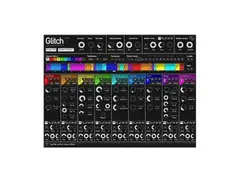
Unleash your creativity with the dBlue Dblue Glitch VST Plugin, a powerhouse in the world of multi-effect plugins. This versatile music software is beloved by electronic musicians and producers for its ability to bring a touch of chaos and unpredictability to your sound. Ideal for those looking to add character and complexity to their tracks, the Dblue Glitch VST Plugin offers an array of effects that can transform any audio input into a unique sonic experience.
The plugin's modular design allows you to mix and match effects such as tape stops, reverses, bit crushers, and more, all within an intuitive interface. Each effect can be sequenced and automated, giving you the power to create dynamic and evolving soundscapes. For those in search of inspiration, the plugin also includes a randomize button, allowing you to discover unexpected combinations and textures at the click of a button.
What sets this plugin apart is its ability to synchronize with your DAW’s tempo, ensuring that your glitches are always in time. Whether you're crafting intricate beats or adding a touch of unpredictability to your melodies, the dBlue Glitch VST Plugin is a must-have tool for any digital producer's arsenal.
Key Features:
- Modular design with a variety of effects, including tape stops, reverses, and bit crushers
- Intuitive interface for easy navigation and effect sequencing
- Automation and synchronization with your DAW’s tempo
- Randomize button for instant inspiration and unique sound combinations
- Compatible with major DAWs and operating systems
Product specs
| Plugin Format | VST, AU |
| Operating Systems | Mac, Windows |
| Downloadable | free |
Videos

Ypsylon
FL STUDIO 11 - Best Free VST Plugins - 1# dBlue Glitch
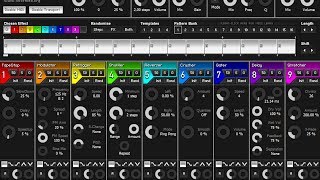
FL STUDIO 11 - Best Free VST Plugins - 1# dBlue Glitch
Ypsylon
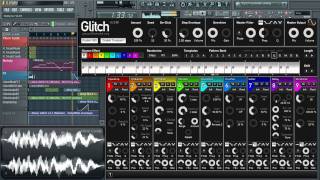
Illformed.org's DBlue Glitch Demo by AudioCollege

AudioCollege

Curso de megamixes, lección 10 (Aprendiendo a trabajar con dBlue Glitch)

Tony Postigo
How to use dBlue Glitch Easy And the Best Way | FL Studio

Manish Karki
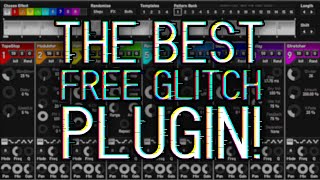
This is dBlue Glitch, the worlds best FREE glitch plugin!

Projektor
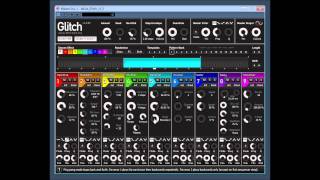
dblue Glitch v1.3 by illformed

UPROAR 24
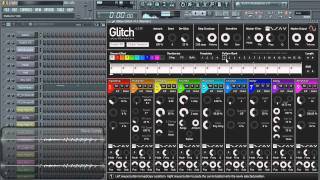
Illformed.org's DBlue Glitch Brief Overview
AudioCollege

Making Glitchy Psytrance Sequences in an Instant with dBlue Glitch!
Projektor
Reviews
PROS
-
Offers a wide range of glitch effects like stutter, delay, reverse, and more
-
Free plugin providing substantial value without cost
-
Unique ability to incorporate complex time signatures in tracks
-
Recognized and used in professional productions for distinctive sound
-
Great for creating unique sound textures and adding variance to tracks
-
Perfect for controlled FX chaining and creative sound manipulation
-
Excellent randomizing features for instant inspiration
-
Ideal for crafting glitch music effortlessly
-
Classic tape stop effect highly praised by users
-
Small sequencer allows detailed audio manipulation
CONS
-
Can be buggy and prone to crashing frequently
-
High CPU usage can be problematic during productions
-
Some users find it non-essential in their setup
-
May produce sounds that are challenging to make listenable
Owner Insights
We analyzed real musician discussions from forums and Reddit to find what players love, question, and tweak about dBlue Glitch VST Plugin.
Features and functionality
-
The plugin's effectiveness improves significantly when users create custom patterns and tweak parameters, rather than relying on default presets.
Source -
Allows for multiple patterns that can be alternated to add variety, enhancing its utility for dynamic music production.
Source -
Glitch 2 lacks the Shuffler effect from the original Glitch, which some users find to be a significant loss.
Source -
Playback start point affects pattern consistency; rendering or freezing tracks may stabilize export results.
Source
Use cases and applications
Comparisons
User experience
-
Initially popular but became overused, leading to a recognizable sound that some find off-putting if not customized beyond default settings.
Source
Software and compatibility
Value and pricing
-
The transition from a free to a paid model for Glitch 2 has sparked debates about value and accessibility, with concerns over the removal of the free version.
Source
4.0 out of 5
Based on 25 Reviews and 118 Ratings

407
A great fx vst
Since I started taking my production seriously under the Semmath moniker, I made the decision to try and create things on an original level because lets face it, With 1,000+ bedroom producers out there, It's even more challenging to do something to stand apart from everyone else. D-Blue Glitch is an amazing program once you begin to understand it's full capabilities, You can create an entire album with this plugin and have a sense of individualism that makes no two tracks exactly the same. I especially like it's ability to incorporate absurd time signatures.

1606
WOW!
This is easily one of the coolest VSTs I have, even if I don't use it a ton. You can do so much with it, make really glitchy sounds, and it's free, too. The only issue is that it can be a little buggy and really jacks up your CPU usage.

1463
best effect plugin
i use it pretty much on my every song, i love the classic tape stop and other effects in it!

143
Great Glitch-Effects Plugin
I was having trouble making a complextro track I was working on sound good, so I looked for effects synths. Glitch popped up and I gave it a shot. Ever since, this has been so useful in my productions. It gives you so many options in one little synth, allowing you to make glitch-effects with ease.

454
Very useful for (surprise) glitch music
For a while this plugin was sitting in my VST folder, going unused. However, one day, I decided to test it out with a new track I was working on, and holy crap, this thing is amazing for glitch music.

6892
Really cool little glitchy VST
If you need to add some glitch effects to a track, throw this on there and sequence the effects. It works a lot better if you sequence specific effects rather than throw random all over it and see what happens.
292
As the name says
It literally does what's it names. It glitch, stutter, delay, reverse, gate, crush and stretch your audio using a small sequencer. A great free plugin
.jpg?v=1773191340)
244
Stellar
Use it most productions, even if just in the background, faintly just for some variance...

297
Awesome!
I've used this little effect plugin since 2007. Definitely does its job well and can be recognized in quite a few professional productions!
Artist usage
Add artist

(Timestamp Edit By Akivix) At 35:29 Avicii Can Be Seen Using Dblue Glitch, "So I have this thing called Glitch, which basically has all of these effects. I'm just using it for the big rush right here. It's really cool if you want to do like glitchy electro and stuff like that because it has a randomizer. It's really fun to play with around with. It gets you that really crispy sound."

Julian Jordan is using Dblue Glitch amongst other plugins in his photo on Twitter.


The DBlue Glitch v1.3 can be seen in the mixer at 04:20 in this In The Studio with Future Music video with Cazzette.

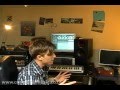
At 16:14, Sub Focus brings up dBlue Glitch onto his screen.


in the video , K391 shows quickly the plugin
i catched the screenshot and its here:



Xilent mentions Dblue Glitch as a plugin used in his glitch-making effects chain.


In this Instagram post, an instance of dBlue's Glitch plugin can be seen on Curbi's laptop.

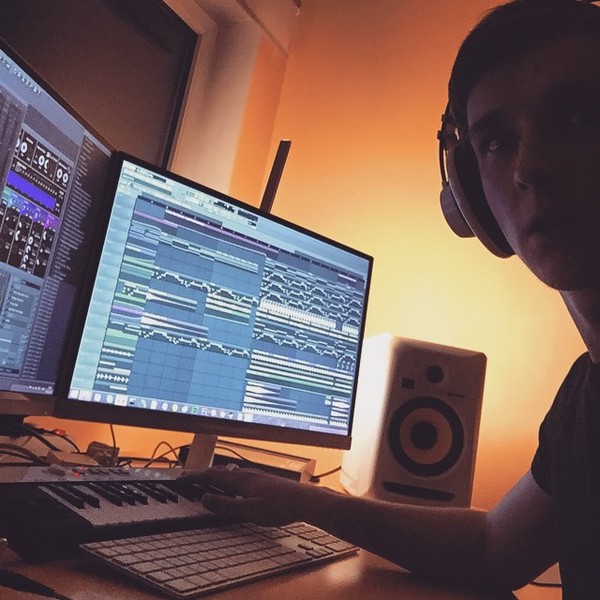

"I don't use dBlue Glitch though, I have in the past, it's cool!"


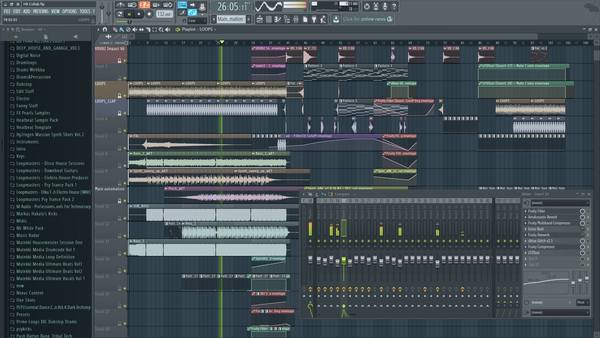
In the video "Blackmill Tutorial #1: One Last Chance (FL Studio 12)" by BlackmillMusic on YouTube, the dBlue Glitch VST Plugin is clearly visible at the 5:42 mark behind several equalizer windows, confirming its use by the artist.

Album Usage
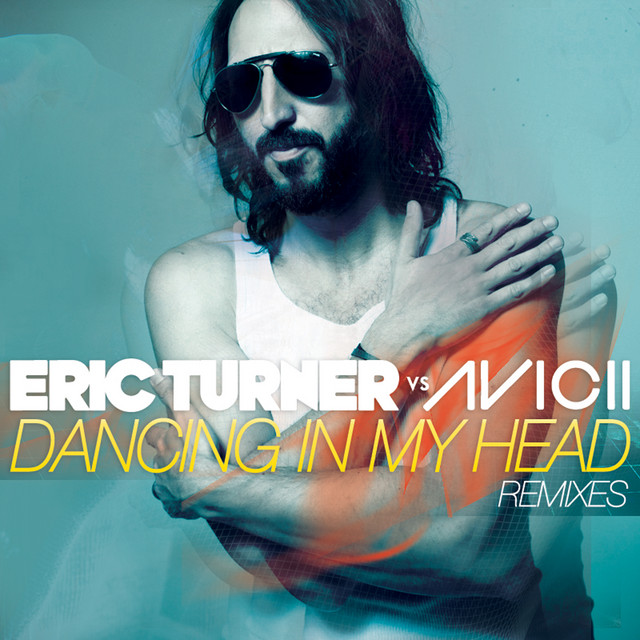
The dBlue Glitch VST Plugin has been featured on the following albums:
Genre Usage
Based on how artists on Equipboard use this gear, it is most commonly found in the following genres.
Used With
Based on how musicians on Equipboard use dBlue Glitch VST Plugin, it is most commonly used with the following gear.



More dBlue Multi-Effect Plugins


$0.00
in Multi-Effect Plugins Rank


$12.00
in Multi-Effect Plugins Rank


$29.99 - $149.00
in Multi-Effect Plugins Rank

$85.00 - $129.00
in Multi-Effect Plugins Rank


$149.00
in Multi-Effect Plugins Rank


$99.00
in Multi-Effect Plugins Rank


$143.00 - $149.00
in Multi-Effect Plugins Rank


$99.00
in Multi-Effect Plugins Rank


$29.99 - $34.99
in Multi-Effect Plugins Rank
.jpeg?v=1784399641)


$29.99 - $65.00
in Multi-Effect Plugins Rank


$76.00 - $129.00
in Multi-Effect Plugins Rank


$29.00
in Multi-Effect Plugins Rank


$39.90
in Multi-Effect Plugins Rank

$66.00 - $69.00
in Multi-Effect Plugins Rank


$49.00 - $55.00
in Multi-Effect Plugins Rank

$28.00 - $63.00
in Multi-Effect Plugins Rank

$79.00
in Multi-Effect Plugins Rank

$12.50 - $50.00
in Multi-Effect Plugins Rank
-m.webp?v=1784273166)
-m.webp?v=1783581614)
$69.00
in Multi-Effect Plugins Rank

$36.00
in Multi-Effect Plugins Rank


$63.00
in Multi-Effect Plugins Rank


$33.00 - $39.99
in Multi-Effect Plugins Rank


-m.webp?v=1784273149)
$79.00
in Multi-Effect Plugins Rank

$39.99 - $124.00
in Multi-Effect Plugins Rank

$59.90
in Multi-Effect Plugins Rank

$39.00 - $39.90
in Multi-Effect Plugins Rank

$0.00
in Multi-Effect Plugins Rank

$99.00
in Multi-Effect Plugins Rank


$39.99 - $149.00
in Multi-Effect Plugins Rank


$33.00 - $34.99
in Multi-Effect Plugins Rank


$99.99 - $299.99
in Multi-Effect Plugins Rank


$24.99 - $49.99
in Multi-Effect Plugins Rank


$15.00
in Multi-Effect Plugins Rank

$139.00 - $199.00
in Multi-Effect Plugins Rank

$49.00 - $50.00
in Multi-Effect Plugins Rank

$59.90
in Multi-Effect Plugins Rank


$9.00 - $79.00
in Multi-Effect Plugins Rank
Community setups


Similar


Most Popular Multi-Effect Plugins
Most Popular Brands
-
Added to Equipboard on by
 equipboard
GearIQ 4934
-