graspee's Reviews
31 reviews Back to graspee's Equipboard
268
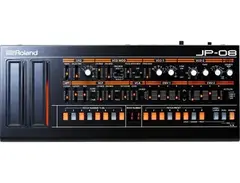
It's fantastic but it could have been better
PROs: Seems well-made and solid; adds 2 waveforms to LFO and a new SIN wave to VCO1 above what the Jupiter 8 had, and expands the VCO range; adds a delay effect that Jupiter 8 didn't have and a step sequencer; it does sound good and is fun to play with. CONs: The sliders are very small and fiddly and they don't send or receive MIDI cc; the delay doesn't have dedicated controls so you will have to keep reaching for the "manual" for a while until you get used to setting that; step sequencer is very basic especially if you are used to the modulation possibilities available on Arturia's Jupiter 8V plugin; Sound is limited to 44.1khz 24 bit; using usb for power rather than a dedicated supply means you're tempted to keep it near your PC which seems silly because you could use a plugin instead; no arpeggiator (unless you count the step seq); no keyboard split; only 4 voice polyphonic.
268
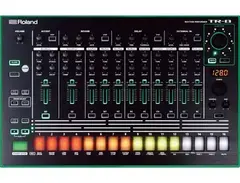
It's great, but...
I love this drum machine ... for the most part. You can go online to any number of sites and find out about how closely the sound resembles the original 808 and 909 and read reviews of the interface and capabilities. As I say, on the whole I love it; I've given it a rating of 4/5 after all. I'm just going to point out a couple of things I don't like about it though:
The lights are crazy insane bright. Seriously. It's like the mothership from Close Encounters flew right up to your face. I really find it quite distracting and annoying. But maybe that's just me.
You don't get flam unless you buy the 7x7 expansion. This should have been a stock feature.

2532
I agree, the default brightness is pretty intense. You can actually dim the lights though. Here's how:
Hold down “PTN SELECT” and turn on the power. Next Hold “DEPTH (scatter)” and turn the “Scatter Wheel” to choose between 6 different color sets. Number 2 is a dimmed version of the original color set. To confirm your change press “START/STOP” to save.
-s.webp?v=1784732398)
268
I'm not saying it's a bad synth but personally I was disappointed
I know lots of people love this and rave about it. It's certainly solidly built with a nicely knobby interface that won't have you menu diving that often (although still sometimes you will have to). I just don't find it that exciting given the price (It does seem to be more expensive in the UK than USA though). Maybe I just don't have enough experience with it yet. It seems a bit boring that all the patches you can make with it seem really smooth and mellow even if you crank up the resonance and drive and open the filter. I suppose I can use it to make smooth mellow sounds... A bit of an expensive option to make GenericPad04JupiterRisingLOLScifi though.
268
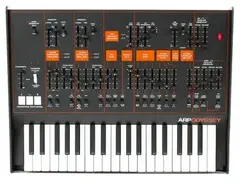
Fantastic sound. Great synth for "musicians"
This synth sounds fantastic. I don't know if it's the quality of the filters, or the oscillators or what but the sound is just amazing. This thing is just the bee's scrotum when it comes to lovely sounding leads. It's not a flexible synth for tweakers and sound designers like say an ms20 is, but this thing is for musicians, as in tweak a few knobs, wow, the sound, then off you go and play lovely lead sounds on it. The only downside I found is the silly squashy push buttons for pitch bend and vibrato/tremolo (whichever one it is): hard to use and who knows how long they will last.
268
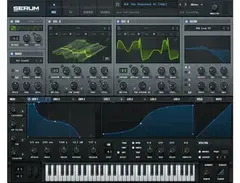
I go back and forth with this. I think it's really good though.
I have gone from thinking this was not as special as people made it out to be to thinking it's great. At the moment I think it's solid and worth it but not, you know, orgasmic or anything.
Cons are: Only 2 main oscillators and the fact that I prefer the Z3TA+2 method of waveshaping which is letting you modulate 16 or so different waveshaping algorithms; serum instead gives you one slider to move between 256 sub waves which you can set up in draw mode, morphing between 2 waves etc.
It is a very clean sounding synth though, although that could be confirmation bias after reading what the author said about "clean oscillators". It's also pretty visual, which is nice, but a lot of synths are these days: showing the modulations on the controls themselves etc.
268
It's ok
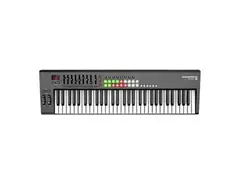
I use this as my master MIDI keyboard. It's not bad and it gets the job done but after a few months some of the keys have a different feel to the others which makes the feel of playing it less nice. I mean basically the resistance of the keys: some feel looser than others: they go down easier while others stay more stiff. The pitch wheel has always been a little clicky and cheap feeling too. I haven't used any other keyboard as much as this one though so I'm not sure if the way it has "worn in" is atypical. It comes with free Ableton Live Lite but I use FL Studio mostly.
-s.webp?v=1784732304)
268
It's excellent
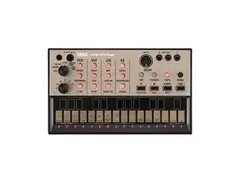
Like I said with the volca keys really: it's cheap, it's good; if you have all 3 volcas you can sync them. I almost feel like my mother though "Why do you need so many keyboards? You can't play them all at once!"
edit: After a lot of use of all three volcas I had to come back and bump up the volca bass to a 5. It's easily better than the keys.I used to have it lower than the keys because you can't key in chords on the bass like you can on the keys, but you still get three note polyphony and it's not really much of a problem. It's not as flexible as most "proper" synths but it's amazing fun and has a great sound. I'm convinced now that this is going to be a future classic. The only thing that will stop this costing the same in the future as 303s cost now is that they have probably made more volcas than they did 303s.
268
It's OK
It is pretty good value for money and you can play chords on it. If this is all you had in your setup for making leads on it I'm sure you'd get a lot of use out of it. For me and maybe other people though, it's a case of "where does this actually fit into my gear setup?" If you have all three volcas you can sync them, which is handy. I think everyone is going to end up with one of these at some point. They will be the space hoppers of the future.
-s.webp?v=1784732304)
268
Excellent but not perfect
Excellent value small factor drum machine. The analog sounds are all good but range from fantastic (kick) to hmmm not so good (snare), although the snare is better "in person" than it seemed on videos of people eager to mod the capacitor onto the circuit board. The PCM sounds are all very quiet compared to the analog ones though which means you would have to turn all the analog sounds down and then turn the main volume up which is fiddly and will probably get noisy. Love the colours of the unit though: feels like a 1970s hot tub, sports car, chocolate fondue set or something!
268
Not sure yet
It came free with my Behringer mixing desk. I haven't gone too far with it yet. It was a bit annoying that you get version 4 free with the brand new desk when version 6 is the latest on their web site. The interface looks a little scrappy in Windows, probably because it does its own anti-aliasing, so no cleartype. (Probably using some ported linux GUI lib). Will report back after using it for a while.
268
Fantastic and cheap plugin
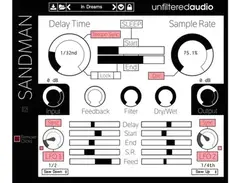
Sandman by Unfiltered Audio is a massively fun delay VST than can be used subtly to add reverb, delay or the odd lo-fi or glitchy effect or can be used wildly such that the effect rather than what you play into it is the focus.
This is a very versatile effect with a lot of different possible uses and more importantly it's a lot of fun to play with such that you end up looking at the clock and realizing that either you have been abducted by aliens or you got carried away and spent far longer than you expected on tweaking sounds.
When I first started playing with the VST I loaded up FL Studio, put a radio into the mic jack on the PC and just tried to learn by twiddling. I had massive amounts of fun but I wasn't really learning the VST's functions properly. Most of my good effects came when I slammed a control hard left or right and caused a cool noise, sounding like a tape speeding up or slowing down, or sometimes like a glitchy percussive noise. I also enjoyed the pitch shifting and speed effects I was able to get from changing the delay time and sample rate.
I poked around and found the manual on the homepage of the software, which is linked on the steam store page: http://sandmanplugin.readthedocs.org/en/latest/controls.html#main-controls
I carefully read the information and then rather than using the radio I used repeating simple sounds so that my changes were easier to understand. I thoroughly recommend this approach.
The main controls I would say are the two big ones: delay time and sample rate. The delay time can be in tempo sync or not. In Sync mode it is synced to the bpm of your DAW and can be selected from 1/64 triplet to 1 whole note (1 bar, as in 2 seconds at 120 bpm). The longest the delay time can be is 5s if using best sample rate; it can be a lot longer if using lo-fi sample rates! 500 secs!
So the most basic effects you can get are a kind of reverb or a delay. You leave the sample rate on 100% and put the delay time on really short for reverb or longer for delay. It's at this point that you will want to investigate the feedback and filter controls: whack each of them up a bit or your delay will only repeat once and your reverb will be a micro one-shot delay rather than a reverb. The dry/wet you will probably want to set somewhere in the middleish so you hear your original sound and the reverb/delay.
At first I was a bit confused about the filter. I read on the main features page or somewhere that it was a low pass filter to reduce hiss and high-pitched artifacts so I was confused when turning it on full even seemed to do nothing. Likewise the feedback on its own seemed to do nothing either. Feedback on its own = nothing, no matter how much I moved it, same with filter, all the way left and right, no effect if feedback was turned off.
I then read in the controls page of the manual that the filter only affected the feedback so it started to make more sense. The last piece of the puzzle fell into place when I worked out (don't think it's in the manual) that double clicking a control returned it to its default setting. The default setting of the filter was all the way to the right, while feedback was all the way to the left. Basically it seems that the filter is counter-intuitively designed such that turning it all the way to the right is "low pass filter is totally off" and turning it all the way to the left is "low pass filter is totally on". So "on" in fact that it completely cancels out any feedback at all if you have it in that position. All now made sense!
The next thing to note and play around with is the sample rate, which controls the sampling rate of the engine, funnily enough. Use it in conjunction with the leftmost "lock" button, which locks the delay buffer at the time specified on the control, either in terms of your tempo, or absolute time. If the lock button is off then the buffer's length will change with the sample rate.
There's a lot of fun to be had even with the controls I've talked about so far. When you move the sample rate and delay time controls you get lovely tape style noises generated before the state settles. Add to this the "dirt" control which adds subtle pink noise into the mix for a bit of retroness , and the two controls that control input and output gain and that would be great value as it is.
But there's more.
The 2 main extra features are sleep mode and the LFO section.
Sleep mode is entered by pressing the sleep button and basically it locks the loop: no new sound will be recorded into the loop. The feedback and filter controls grey out as they have no effect now. The two central bar controls unlock though: they control the start and end position of the loop. Playing just sections of the loop is great fun. If you set the start greater than the end the loop will play backwards!
You can still adjust the sample rate and delay time in sleep mode and now you can use the rightmost lock button which locks the loop so it remains the same length no matter where you set the start and end points.
The LFO controls, lastly, reached by clicking the drop down arrow on the left, under "SANDMAN" allow a whole new dimension of fun. I'm getting near steam's max review size but basically you have two LFOs, settable to 6 different wave types, variable speed or sync to sample rate. Each LFO can modify 5 variables, each one either up or down: delay, start, end, sample rate and feedback.
The LFOs make a good VST great. There is a massive amount of flexibility here.
Another thing you can try: using multiple independent instances of Sandman is great fun You basically use each one as a sampler: you get to wait until you hear something interesting in your input, then lock the loop, move the start and end positions until you isolate the good part and move on to another channel. You end up with a load of cool samples looping and can go roundt tweaking each one and make ambient tunes. You can also connect Sandman in series but things get chaotic pretty quickly that way!
To sum up: this is a fantastic value for money VST that is great fun to play with and has so many uses. I really think you should buy it right away, but try the demo to be sure! (on their website). Bear in mind it will sound worse as it inserts regular noise on purpose.
There are some ways the VST could be improved, mainly in the area of giving feedback to the user.
For example it would be nice to have a visual representation of where abouts in the locked loop is currently playing, to help you when setting start and end points. A small waveform drawn on the locked loop would help too for picking things out you want to include or not when setting end points.
Would be nice to have a display of time elapsed and time remaining since you exited sleep mode, to help when recording long loops (e.g. 60s when samp rate is 8.4%) and/or a visually filling bar.
When in sleep mode would be nice to have a note of what sample rate and delay time were when you were last recording (i.e. out of sleep mode) so you can twiddle the knobs back to that position for accurate playback of the stored loop.
Also show length of stored (frozen) loop when in sleep mode, markers not on very start and end and frozen loop sync is set to off.
Maybe show sample rate in hertz too rather than just as a percentage.
Would be nice to have direct numeric input to set some things particularly delay time.
Ability to export frozen loop as wav would be nice but it can be done in most DAWs with a little more fiddling, e.g. Edison in FL Studio.
Ability to LFO mod the dry/wet setting and filter setting.
Maybe a higher max recording time at max samp rate? 5s seems a bit low and arbitrary?
I'm a bit concerned demo version on website is higher version than one on steam (1.0.2 vs. 1.0.0)
demos
https://soundcloud.com/moop_records/inside-this-shell https://soundcloud.com/moop_records/mary-anne-hobbs-sandman-test
268
I think I'll "grow into" this.
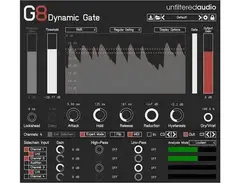
At the moment I don't have any good uses for this gate plugin but it is good and has a lot of options. I think I'll grow into it when I gain more skill as a producer so for now the rating is just set on 3/5 temporarily. It's more of a pain in FL studio than it is in ableton due to the way the audio routing works in each.
268
Great hardware and software
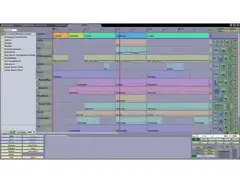
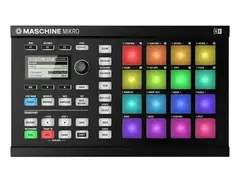
With a bit more polish (mainly to make the keyboard and mouse work better rather than assuming you'll do everything via the hardware buttons) this could be my DAW of choice. The step sequencer is really great. As for the hardware the pads are velocity sensitive and have a nice feel, unlike the clicky on/off pads on a launchpad. You get the Massive synth vst with this deal too and a great set of samples.
268
Disappointingly limited
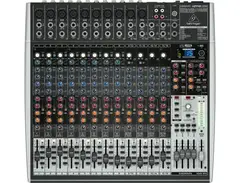
I paid 379 euro for this and you get what you pay for really. In terms of construction it seems fine: pots are solid, buttons are fine, faders are a little wobbly but I think that's just the plastic fader "cap" on top of the actual metal thing that slides (oh I know all the terminology, me!). Note on my mixer the LED effect display near the top right his red not blue.
The problem is that the USB on this desk is not good. It seems like an afterthought rather than an integral part of the design.
1. You can't alter the volume of the audio coming in from USB and it's massively too loud. You have to lower the sound on the PC and hope to god you or an app never turns it back up or you will be deafened.
2. To hear the audio coming in from USB over the main outputs of the desk you have to press the "USB to main" button but doing that means the main mix is no longer sent from the desk over the USB out (to avoid feedback I suppose). This makes the seemingly simple scenario of playing a drum track on your DAW and jamming along to it on a keyboard plugged into the mixer and recording it over the desk's USB output impossible. The only way to do it is to listen on headphones on the desk, the main output of the desk will only be playing the synth you have plugged in (the main mix); the audio coming in over USB (your drum track playing in your DAW) will be muted.
There are other issues I'm having but I've only had the desk I day so I could be doing something wrong.
268
Exceptional
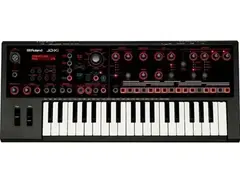
I've only owned it for 30 minutes but already I feel confident giving it a 5 star rating. The ability to lay down drums, 1 analog synth track and 2 digital synth tracks into a little 4 channel track so quickly makes this ideal as a musical sketchpad. It sounds great too! I'm sure I'm not the only person who has considered making a whole track just on the JD-XI. It makes you love it. edit: owned it for longer than 30 minutes now, still like it!
268
Great synths
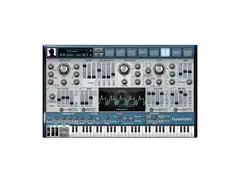
A collection of 3 great synths designed to be combined into MEGA TITAN PATCHES. A good feature is you can scale up the interface, since it's pretty hard to see on my monitor at normal size. It's a shame you haven't got all filters available in each synth though, for example you only have the formant filters in Amber, the string synth and not in Strobe or Cypher. The filters do sound amazing though. I'm not sure if it's somehow psychological, or to do with the mapping of how far you move the control to how far the filter moves, but somehow this sounds the best out of all the filters I have in VSTs.
268
I love it but it abuses me
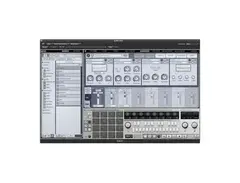
I love Geist. It's fantastic for sampling stuff in, mapping it to pads and whacking out some crazy drum patterns. The interface is a lot better than Tremor, in that it doesn't spaz out and insert multi-hits when you clicked normally not clicked and dragged, and it shows you with numbers the velocity and so on. It also looks very professional and pleasing. So what's wrong with it? It crashes. Preeeeety often. I've lost work to those crashes and I'm bitter.
268
Why do people pour so much hate on this ?
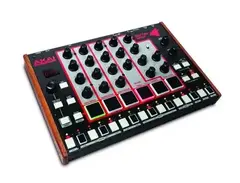
It seems good to me. The drum sounds are not the best and you can't tweak them as much as I'd like but they aren't offensively bad like most people say they are. Another criticism people have is that the percussion sounds the same as the snare which isn't true either.
The unit has a midi in and midi out and you can send note data so you can sequence an external synth. It seems better than a SQ-1 Notes can only range from C0 to Eb3 though.
Basically it's £145 for a pretty sturdy unit that's bigger and easier to turn the knobs on than the tiny volca beats (and the snare probably sounds better). It has fun flashing tricolour LEDs, velocity sensitive pads and I can use it as a sequencer.
I'd test more but the unit I received has a dodgy red LED in the 2nd position so I'm having to return it.
edit: The dodgy LED was probably because I got sent an ex-display unit, so don't take it as a bad sign of unit reliability.
268
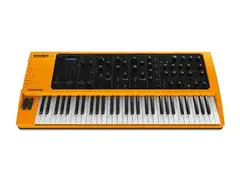
It's yellow
I actually love the colour. It's often mentioned in reviews as a bad thing but it's a lovely cheerful yellow. I have heard people call this cheap feeling too but it doesn't feel cheap to me. It's really heavy for a start, and the plastic it's made out of is pretty rugged. The one worrying thing for me is the headphone jack: sometimes when I put the headphones in it comes out mono. It also makes a nasty loud noise when you turn it off, even with the volume on zero. // I haven't described the sound much because that's something you can preview on youtube and decide for yourself. The synth is not as versatile as a lot of modern VSTs but the hands-on nature of all the knobs make it a lot of fun. If you buy one, make sure you get the "V2" of it as it comes with a licence for the sampling engine, which lets you use a program on pc to import your samples to the machine. If you own a V1 of the sledge you have to pay to get this facility after upgrading the firmware. It's a really good firmware update too, giving you more polyphony, the ability to split the keyboard to play 2 sounds etc.