

Pricing and availability
We compare 600+ stores and found this item at 3 stores. Prices updated .
Store
Reviews
Price


Price History
Based on price data from 3 merchants for "Blue Cat Audio Blue Cat's Re-Head". Prices shown reflect NEW condition. Tracking began Apr 2, 2026.
* Product prices and availability are updated by Equipboard every 24hrs and are subject to change. Equipboard may receive compensation for purchases made at participating retailers linked on this site. This compensation does not affect what products or prices are displayed, or the order of prices listed. For more information, please refer to our affiliate disclosure.
Description
Discover a new dimension in headphone monitoring with the Blue Cat Audio Blue Cat's Re-Head plugin. Designed for audio professionals who need to work with headphones, this plugin transforms your headphone experience by simulating the feel of a real mixing room. Whether you're tracking late at night or on the road, Re-Head equips you with a head response model that replicates how your head and skull naturally influence sound from speakers, allowing for a more authentic listening experience.
Re-Head combats the common pitfalls of headphone monitoring by offering adjustable stereo width and speaker placement, enabling you to recreate your studio monitor setup. The built-in spectrum analyzer and EQ provide further customization, allowing you to tailor the sound to your preferences. With the impulse response loader, you can mimic various listening environments, from professional studios to concert halls, or use your own captured IR of your mixing space. This tool is a game-changer for any audio engineer who relies on headphones, ensuring your mixes are as precise and natural as if you were listening through speakers.
Key Features:
- Advanced "head response" model for natural sound in headphones
- Adjustable stereo width and virtual speaker placement
- Built-in EQ and spectrum analyzer for precise audio customization
- Impulse response loader to mimic various listening environments
- Pre-configured EQ compensation presets for popular headphone models
- No latency with customizable user interface
- Available for Mac and Windows in various plug-in formats
- Full MIDI control and automation support with MIDI Learn
- Smooth Bypass and undo/redo functionality for seamless operation
Product specs
| Software Type | Virtual Mix Room |
| Platform | Mac, PC |
| Upgrade/Full | Full |
| Download/Boxed | Download |
| Bit Depth | 32-bit, 64-bit |
| Format | AAX, AU, VST |
| Hardware Requirements - Mac | Intel Core 2 Duo or higher, 4GB RAM minimum |
| Hardware Requirements - PC | Intel Core 2 Duo / AMD Athlon 64 X2 or higher, 4GB RAM minimum |
| OS Requirements - Mac | OS X 10.9 or later |
| OS Requirements - PC | Windows 7 SP1 or later |
FAQs
-
What is the primary function of Blue Cat Audio Blue Cat's Re-Head plugin?
-
Blue Cat's Re-Head is designed to simulate a virtual mix room, providing a more natural listening experience when using headphones by recreating the acoustic environment of a studio.
-
Is Blue Cat's Re-Head compatible with my DAW?
-
Blue Cat's Re-Head is compatible with DAWs that support AAX, AU, or VST formats, making it versatile for use with popular software on both Mac and PC platforms.
-
What are the system requirements for running Blue Cat's Re-Head on a Mac?
-
To run Blue Cat's Re-Head on a Mac, you need at least an Intel Core 2 Duo processor, 4GB of RAM, and OS X 10.9 or later.
-
Can Blue Cat's Re-Head be used on a 32-bit system?
-
Yes, Blue Cat's Re-Head supports both 32-bit and 64-bit systems, providing flexibility for different computer configurations.
-
How does Blue Cat's Re-Head improve headphone mixing?
-
Blue Cat's Re-Head enhances headphone mixing by simulating the spatial effects of a real room, helping to reduce ear fatigue and improve the accuracy of your mixes.
Videos

bluecataudio
Blue Cat's Re-Head: Mixing Room Experience With Headphone Convenience
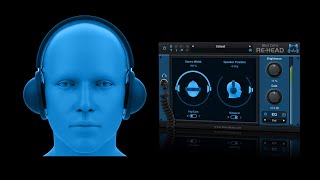
Blue Cat's Re-Head: Mixing Room Experience With Headphone Convenience
bluecataudio

Better Results with Headphones! Blue Cat Audio's RE-HEAD

EytschPi42
MMTV: Blue Cat Audio - Re-Head a new way to experience space | Eric Burgess

Music Marketing TV
Reviews
Owner Insights
We analyzed real musician discussions from forums and Reddit to find what players love, question, and tweak about Blue Cat Audio Blue Cat's Re-Head.
Features and functionality
-
Re-Head significantly alters the high-end profile, aiming to simulate the impact of skull/ear canal acoustics, but doesn't match speakers well for some users.
Source -
Waves Nx has no latency or delay, making it ideal for mixing, whereas other Nx "rooms" introduce some plugin delay compensation latency.
Source -
Using Waves Nx with a webcam enables head tracking, significantly reducing headphone fatigue during extended use.
Source
Comparisons
-
DearVR Micro, a free alternative, lacks EQ profiles for headphones but offers settings like Ambeo Orbit, which some users found less harsh on the low end compared to Re-Head.
Source -
Blue Cat's Re-Head doesn't offer headphone-specific EQ profiles, unlike Acoustica Audio Sienna Rooms, which tailors settings for 180 headphone models.
Source
User experience
-
Users found CanOpener's spatial centering subtle and less drastic, but potentially the most realistic when compared directly with studio monitors.
Source
Software and compatibility
Use cases and applications
-
Re-Head is used for mixing on headphones to simulate speaker sound, but some users prefer DearVR Micro for its realistic soundstage recreation.
Source -
Mixing initially in mono and then finalizing in stereo helps manage density, with stereo-to-mono plugins enhancing headphone mixing experience.
Source
Critic Reviews
Based on 0 Reviews and 0 Ratings
More Referencing Tools

$49.00 - $68.00
in Referencing Tools Rank

$49.99 - $129.00
in Referencing Tools Rank


$66.00 - $80.00
in Referencing Tools Rank

$89.40 - $149.00
in Referencing Tools Rank

$98.00 - $99.00
in Referencing Tools Rank

$0.00
in Referencing Tools Rank

$49.00 - $299.00
in Referencing Tools Rank

$82.00 - $149.00
in Referencing Tools Rank


$65.00
in Referencing Tools Rank


$99.99 - $149.99
in Referencing Tools Rank


$0.00 - $99.00
in Referencing Tools Rank


$91.00 - $719.98
in Referencing Tools Rank

$99.00 - $399.00
in Referencing Tools Rank
-m.webp?v=1784958300)

Accessories & Related Items


Artist usage


Community setups


Similar


Gear Guides










Most Popular Referencing Tools
Most Popular Brands
-
Added to Equipboard on by
 equipboard
GearIQ 4934
-


