

Pricing and availability
We compare 600+ stores and found this item at 3 stores. Prices updated .
Store
Reviews
Price


Price History
Based on price data from 3 merchants for "Sonarworks SoundID Reference for Speakers/Headphones and Apollo Monitor Correction Add-On for Apollo". Prices shown reflect NEW condition. Tracking began Apr 2, 2026.
* Product prices and availability are updated by Equipboard every 24hrs and are subject to change. Equipboard may receive compensation for purchases made at participating retailers linked on this site. This compensation does not affect what products or prices are displayed, or the order of prices listed. For more information, please refer to our affiliate disclosure.
Description
Transform your studio into a precision-engineered sound environment with the Sonarworks SoundID Reference for Speakers/Headphones and Apollo Monitor Correction Add-On. Designed for musicians, producers, and audio engineers who demand accuracy, this software bundle enables you to fine-tune your existing gear, ensuring that what you hear is what the world hears. With over 280 ready-to-use headphone calibration profiles and a straightforward speaker setup process, you can achieve a ruler-flat frequency response, unlocking a truly transparent mixing experience.
Whether you’re working in a home studio or a professional setup, SoundID Reference adapts to your environment by addressing acoustic anomalies and delivering a consistent audio profile. The software supports both DAW plug-in and standalone applications, offering unparalleled flexibility. It integrates seamlessly with Universal Audio's Apollo X interfaces, allowing real-time calibration with zero latency processing—a game-changer for critical listening sessions.
Not just limited to headphones and speakers, SoundID Reference provides a Translation Check feature, letting you audition your mixes across more than 20 different simulated devices, ensuring your sound translates perfectly, no matter where it's heard. The intuitive interface also allows for custom on-the-fly adjustments, saving unlimited profiles for different setups. And with advanced DSP controls like mono, dry/wet, and safe headroom options, you can refine your sound with surgical precision.
Key Features:
- Calibrates speakers and headphones for consistent, accurate monitoring
- Over 280 headphone profiles and swift speaker calibration with a measurement microphone
- Real-time monitoring with zero latency integration for Apollo X interfaces
- Three filter modes: zero latency, mixed, and linear phase
- Translation Check feature for mix auditioning on 20+ simulated devices
- Customizable target curves and unlimited profile saves
- DAW plug-in and standalone application compatibility
- Advanced DSP controls: mono, dry/wet, safe headroom, and MIDI mapping
Product specs
| Software Type | Sound Calibration Software |
| Platform | Mac, PC |
| Upgrade/Full | Full |
| Download/Boxed | Download |
| Bit Depth | 64-bit |
| Format | AAX, VST, AU |
| Hardware Requirements - Mac | Intel Core 2 Duo or higher, 4GB RAM minimum |
| Hardware Requirements - PC | Intel Core 2 Duo / AMD Athlon 64 X2 or higher, 4GB RAM minimum |
| OS Requirements - Mac | macOS 10.14 or later |
| OS Requirements - PC | Windows 10 or later |
FAQs
-
What is the primary function of the Sonarworks SoundID Reference for Speakers/Headphones?
-
The Sonarworks SoundID Reference software provides accurate sound calibration for speakers and headphones, ensuring a flat frequency response for precise audio monitoring.
-
Is the Sonarworks SoundID Reference compatible with Mac and PC?
-
Yes, the SoundID Reference is compatible with both Mac (macOS 10.14 or later) and PC (Windows 10 or later) systems.
-
Can the Sonarworks SoundID Reference be used with DSP-enabled hardware?
-
Yes, the software allows you to apply calibration directly on DSP-enabled hardware, enhancing its integration with various audio interfaces and devices.
-
Does the SoundID Reference support MIDI mapping?
-
Yes, the SoundID Reference app supports MIDI mapping, allowing users to control various functions via MIDI devices.
-
What are the filter modes available in the Sonarworks SoundID Reference?
-
The software offers three filter modes: Zero Latency, Mixed, and Linear Phase, allowing users to choose based on their latency and phase requirements.
-
How does the Translation Check feature of SoundID Reference benefit users?
-
The Translation Check feature simulates over 20 different devices and environments, helping users ensure their mixes sound good across various playback systems.
Videos

SoundID from Sonarworks
The integration with Apollo X interfaces is finally here!
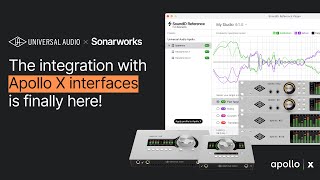
The integration with Apollo X interfaces is finally here!
SoundID from Sonarworks
SONARWORKS x APOLLO! SET UP GUIDE AND REVIEW

Lucas Messore
Sonarworks SoundID & Universal Audio Apollo X Integration: Worth The Hype?

Low End Candy
Reviews
Owner Insights
We analyzed real musician discussions from forums and Reddit to find what players love, question, and tweak about Sonarworks SoundID Reference for Speakers/Headphones and Apollo Monitor Correction Add-On for Apollo.
Features and functionality
-
The Apollo Monitor Correction Add-On allows running multiple headphone profiles along with a monitor profile, except on the Apollo x16, which lacks headphone outputs.
Source -
Owners appreciate the convenience of built-in headphone correction in Apollo, eliminating the need to toggle EQ settings manually between headphones and monitors.
Source
Software and compatibility
-
Users with rack Apollo units can correct both headphone outputs; however, digital mirror (and cue mirrors) is a requested workflow feature yet to be implemented.
Source -
Users report that opening the UAD console automatically launches the SoundID app, potentially interfering with DAW sample rates despite app settings.
Source -
Users can add custom sound profiles to Sonarworks, providing flexibility beyond the default options.
Source -
Frequent software crashes and device recognition issues have been reported, particularly on non-Windows systems, causing frustration during project transitions.
Source
Value and pricing
-
Some owners feel the €79 price for the add-on is excessive, especially when newer Gen2 UAD interfaces include the feature for free.
Source
User experience
-
Owners noted improved stereo image and dynamic bass when using the correction on the Apollo console compared to the SoundID app, attributed to Apollo’s algorithms.
Source -
The integration is highlighted as a game-changer by owners, especially those using PCs, due to its seamless correction capabilities.
Source -
Beneficial for ATH-M50x headphones, providing a flatter response, though frequent software updates can be bothersome to some owners.
Source
Use cases and applications
-
The integration streamlines operations by allowing live inputs monitored in Console to be EQ corrected, eliminating the need to run VSTs in a DAW for the same effect.
Source -
Users with Adam speakers appreciate DSP integration, allowing correction profiles to be loaded directly, eliminating the need for external software.
Source
Setup and maintenance
-
Using a reference mic or one with a similar response is crucial for accurate space measurement; non-matching mics yield random results.
Source
Comparisons
-
Some users prefer IK Multimedia Arc Studio, noting it as a hardware alternative to avoid software headaches and citing its superior sound quality for certain setups.
Source -
Realphones is highlighted as a stable, cost-effective alternative to SoundID, favored for its superior room simulations and lower price point.
Source
Based on 0 Reviews and 0 Ratings
More Sonarworks Referencing Tools

$49.00 - $299.00
in Referencing Tools Rank


$90.00 - $688.48
in Referencing Tools Rank

$49.00 - $68.00
in Referencing Tools Rank

$60.00 - $68.00
in Referencing Tools Rank

$97.00 - $149.00
in Referencing Tools Rank

$0.00
in Referencing Tools Rank

$49.99 - $129.00
in Referencing Tools Rank

$99.99 - $199.99
in Referencing Tools Rank


$0.00 - $99.00
in Referencing Tools Rank


$49.00
in Referencing Tools Rank

$82.00 - $149.00
in Referencing Tools Rank


$65.00
in Referencing Tools Rank


$99.00 - $399.00
in Referencing Tools Rank

$98.00 - $99.00
in Referencing Tools Rank
-m.webp?v=1783432928)

Accessories & Related Items


![Blue Cat's Analysis Pack [Bundle]](https://images.equipboard.com/uploads/item/image/8904/blue-cat-s-analysis-pack-bundle-s.webp?v=1783418408)


Artist usage

Community setups


Similar


Most Popular Referencing Tools
Most Popular Brands
-
Added to Equipboard on by
 equipboard
Gear IQ 4934
-


