

Pricing and availability
We compare 600+ stores and found this item at 2 stores. Prices updated .


Price History
Based on price data from 2 merchants for "Sonarworks SoundID Reference Plug-in for Headphones and Monitor Correction Add-on for Apollo X Interfaces". Prices shown reflect NEW condition. Tracking began Apr 2, 2026.
* Product prices and availability are updated by Equipboard every 24hrs and are subject to change. Equipboard may receive compensation for purchases made at participating retailers linked on this site. This compensation does not affect what products or prices are displayed, or the order of prices listed. For more information, please refer to our affiliate disclosure.
Description
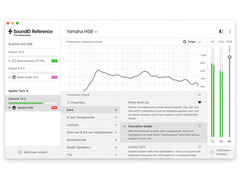
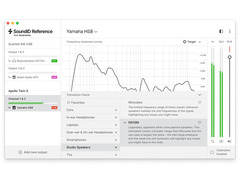
The Sonarworks SoundID Reference Plug-in for Headphones and Monitor Correction Add-on for Apollo X Interfaces is your secret weapon for achieving mixes that translate flawlessly across any playback device. Whether you're in a bustling studio or on the go, this software ensures your headphones deliver a ruler-flat frequency response, emulating the neutral sound of high-end speakers. With over 500 headphone calibration profiles at your disposal, setting up your ideal monitoring environment is as simple as selecting your model from the list.
For Apollo X users, this software offers an effortless integration that allows real-time correction profiles with virtually zero latency, leveraging Apollo's DSP power. Say goodbye to the days of disabling your plug-ins before bouncing tracks; now you can work seamlessly and speed up your workflow. The SoundID Reference not only includes a DAW plug-in but also a standalone desktop application, providing flexibility for any setup. Its Translation Check feature lets you audition mixes on more than 20 simulated devices, ensuring your music sounds impeccable wherever it's played.
Key Features:
- Ruler-flat frequency response for accurate sound reproduction
- Over 500 ready-to-use headphone calibration profiles
- Compatible with DAW plug-in and standalone desktop app
- Three filter modes: zero latency, mixed, and linear phase
- Translation Check for simulating over 20 different playback devices
- Real-time correction for Apollo X interfaces with near-zero latency
- Extra DSP controls including mono, dry/wet, and safe headroom adjustments
- MIDI mapping and user presets for quick setup changes
- Supports all major DAWs via VST, AU, and AAX plug-in formats
Product specs
| Software Type | Sound Calibration Software |
| Platform | Mac, PC |
| Upgrade/Full | Full |
| Download/Boxed | Download |
| Bit Depth | 64-bit |
| Format | AAX, VST, AU |
| Hardware Requirements - Mac | Intel Core 2 Duo or higher, 4GB RAM minimum |
| Hardware Requirements - PC | Intel Core 2 Duo / AMD Athlon 64 X2 or higher, 4GB RAM minimum |
| OS Requirements - Mac | macOS 10.14 or later |
| OS Requirements - PC | Windows 10 or later |
FAQs
-
What does the Sonarworks SoundID Reference Plug-in do for headphones and monitors?
-
The Sonarworks SoundID Reference Plug-in calibrates headphones and monitors to ensure accurate sound reproduction, correcting frequency response issues to deliver a neutral listening experience.
-
Is the Sonarworks SoundID Reference Plug-in compatible with the Apollo X Interfaces?
-
Yes, the SoundID Reference Plug-in includes a monitor correction add-on specifically designed for Apollo X Interfaces, allowing seamless integration and calibration.
-
What system requirements are needed to run the Sonarworks SoundID Reference Plug-in?
-
The plug-in requires a Mac with macOS 10.14 or later or a PC with Windows 10 or later, along with an Intel Core 2 Duo or equivalent processor and at least 4GB of RAM.
-
What formats does the Sonarworks SoundID Reference Plug-in support?
-
The plug-in supports AAX, VST, and AU formats, ensuring compatibility with a wide range of digital audio workstations (DAWs).
-
Can the Sonarworks SoundID Reference Plug-in be used for multichannel setups?
-
Yes, the plug-in supports calibration for stereo, 5.1, and up to 9.1.6 speaker setups, making it versatile for various audio configurations.
Videos

Lucas Messore
SONARWORKS x APOLLO! SET UP GUIDE AND REVIEW
SONARWORKS x APOLLO! SET UP GUIDE AND REVIEW
Lucas Messore
The integration with Apollo X interfaces is finally here!

SoundID from Sonarworks

Sonarworks SoundID & Universal Audio Apollo X Integration: Worth The Hype?

Low End Candy

SONARWORKS SoundID Reference / UA Apollo Integration - Review @SoundIDCreators @UniversalAudio

Ross Hayes Citrullo
Reviews
Owner Insights
We analyzed real musician discussions from forums and Reddit to find what players love, question, and tweak about Sonarworks SoundID Reference Plug-in for Headphones and Monitor Correction Add-on for Apollo X Interfaces.
Software and compatibility
-
Users experience frequent software crashes and glitches, particularly when transitioning between projects in DAWs, which may require force closing the software.
Source -
Sonarworks integration is limited to Apollo X models, with an expected release in November 2024, leaving older Apollo interfaces unsupported.
Source -
In Logic, audio can be set to go directly to Mac speakers, bypassing SoundID unless the system output is set to SoundID.
Source
Features and functionality
-
The software lacks a Linux version, limiting its usability across different operating systems.
Source -
Sonarworks effectively smooths out harshness and corrects frequency bumps in the 40-125 Hz range on Yamaha H80m monitors.
Source -
Using Sonarworks at the system level prevents the need to disable it before exporting mixes, affecting all audio including Spotify and iTunes.
Source
Comparisons
-
Some users prefer IK Multimedia Arc Studio for its hardware integration, which avoids dealing with systemwide software or plugins.
Source -
Realphones is favored by some users for its superior stability and room simulation capabilities, offering a better experience than Sonarworks for headphone use.
Source
Use cases and applications
-
Owners of the Apollo x8 interface use Sonarworks on the master bus for effective monitoring, while some prefer to monitor through virtual tracks.
Source -
Sonarworks is recommended for rooms that cannot be acoustically treated, offering significant sound improvement even without Apollo integration.
Source -
Employing separate Sonarworks plugins for monitors and headphones on different buses allows seamless switching by muting one bus instead of changing presets.
Source
User experience
-
Frequent software updates are noted as a minor inconvenience but are seen as necessary for optimal performance.
Source -
Users express willingness to pay for Sonarworks integration on older Apollo models if Universal Audio enables it, citing the feature's promising demo performance.
Source -
Mapping a key in Ableton to toggle Sonarworks' on/off function enhances workflow efficiency by eliminating the need to navigate the master channel each time.
Source
Based on 0 Reviews and 0 Ratings
More Sonarworks Referencing Tools

$49.00 - $299.00
in Referencing Tools Rank

$90.00 - $688.48
in Referencing Tools Rank


$49.00 - $68.00
in Referencing Tools Rank

$60.00 - $68.00
in Referencing Tools Rank

$97.00 - $149.00
in Referencing Tools Rank

$0.00
in Referencing Tools Rank

$49.99 - $129.00
in Referencing Tools Rank

$99.99 - $199.99
in Referencing Tools Rank


$49.00
in Referencing Tools Rank

$82.00 - $149.00
in Referencing Tools Rank


$65.00
in Referencing Tools Rank


$99.00 - $399.00
in Referencing Tools Rank

$98.00 - $99.00
in Referencing Tools Rank
-m.webp?v=1783519215)

Accessories & Related Items


Artist usage


Community setups


Similar


Most Popular Referencing Tools
Most Popular Brands
-
Added to Equipboard on by
 equipboard
Gear IQ 4934
-


