Best DAWs: The Complete Guide to Choosing Your DAW



By Gear Experts

By Gear Experts
Table of Contents

Equipboard
Equipboard is the world's largest community of artists and their gear. Read our review process.
We are reader-supported. When you buy through links on our site, we may earn an affiliate commission. Learn more.
Our Picks


-l.webp?v=1784973641)

The idea that entire recording studios would be available at one's fingertips would've been considered absurd twenty years ago, but that's precisely what has happened. With the rise of prominence of the Digital Audio Workstation - often shortened to DAW - what once took hundreds of thousands of dollars, lots of space, and hours of work from multiple staff members, now takes a few minutes, a computer with a few gigabytes of available hard drive space, and a couple hundred dollars.
What’s a DAW, and Why Is It So Important?
A DAW is important to a recording musician like a canvas is important to a visual artist. And yes, that means it's pretty essential if you want to get your music from your head onto your computer. At its most basic level, a DAW is a program that you install on your computer which allows you to record music into it from a variety of sources (microphones, guitars, electronic keyboards, etc.), and then lets you export your project into an audio track (MP3 or WAV format for example) that can be played or uploaded wherever you want. The main layout of most DAWs is a time-based musical grid that runs left to right, with several tracks stacked on top of each other (each track being a different instrument). You can treat a DAW session or project as a simple scratch pad, or a super complicated arrangement with hundreds of tracks and instruments; The beauty is that it's completely up to you.
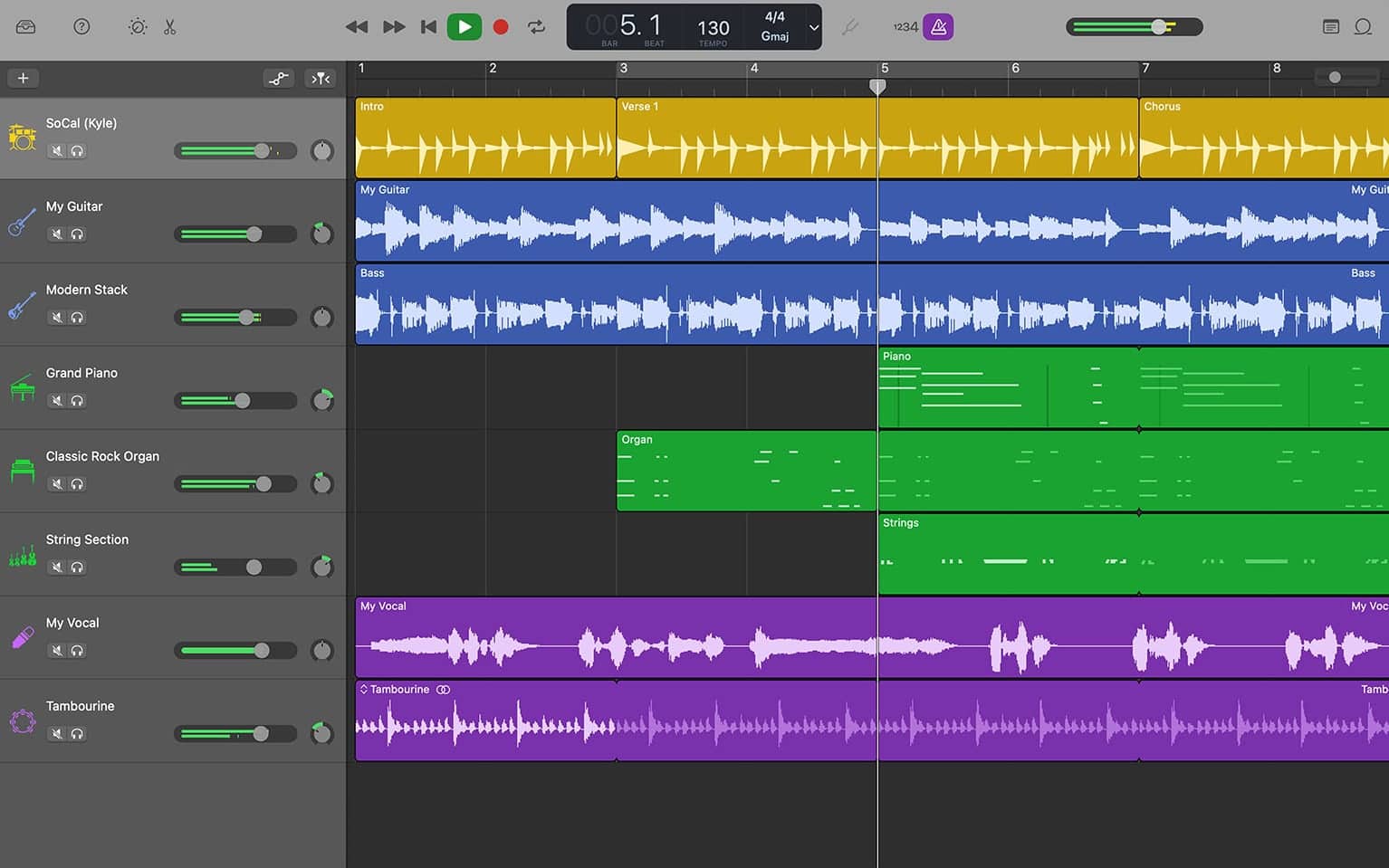
On one hand it's a pretty simple concept, just like Photoshop can be thought of as a relatively simple “digital canvas” for web designers or photographers. But, just like proficient with Photoshop can tell you, a DAW has quite a bit of depth when it comes to features. Aside from the multitude of things you need to consider before you buy one (which we'll get to in a minute), once you install it and get it going there are several different workflows and views you need to get used to. How to use a DAW is beyond the scope of this guide, but there are TONS of resources online to help you figure that out (Equipboard even recommends a few in our How To Make Electronic Music article). In this article, the goal is to walk away with a good idea of what options you have when selecting the best DAW for you, and some reasons you should go with one over another.
How to Pick the Best DAW for You
OK, so now that you understand what a DAW is, how do you go about evaluating which one to get? There are dozens of DAWs out there, with about 5 being considered the bigger, more popular ones (as measured by things like number of artists using them, big communities for support, number of online tutorials, and so forth). Like a lot of software, most are downloadable from the manufacturer's website or an online music store, but a few are still available as a physical boxed copy.
Let's discuss some of the things to think about when evaluating which DAW is the best one for your needs:
Operating System: The Operating System (OS) of your computer could make certain DAWs unavailable to you. Namely, Logic Pro only works on macOS. So unless you're willing to make the switch to a different OS for the sake of using a different DAW (which some people certainly do), definitely keep this limitation in mind. To make it easy, for each DAW we recommend we'll list the supported Operating System(s).
Computer Specs: A DAW is a pretty hefty computer program, capable of bringing even a powerful computer to its knees, especially on a fully-loaded project. It'll tax your memory (RAM), CPU, and can take up a good bit of hard drive space. If you're able to upgrade individual components of your computer, those are the three to focus on. There are tips and tricks out there to ease the load a DAW will have on your machine, but just be aware that if your computer is already sluggish and old, you might not have a great time working on your music with a DAW that freezes or crashes because you're too low on RAM or hard disk space.
Your Budget: An ever-important thing, you budget determines how much you can spend on a DAW. Most DAWs have different packages or editions. Ableton Live for instance comes in three editions - Intro, Standard, and Suite, which range from $99 to about $750. That's a HUGE price difference! In some cases, the most basic (and least expensive) edition is good enough to get going with. The more expensive packages typically include more features, more instruments, effects, etc. As you get deeper into producing or recording music, chances are you'll want to buy different plugins (instruments and effects) to enhance your capabilities. So you need to decide if you want to start simple and expand little by little as you go, or invest in a bunch of extras up front. We recommend different strategies depending on the DAW, so make sure to read our full reviews below.
Plugin Formats: If you're a painter and the DAW is your canvas, plugins are like your paints. They're bits of software within your DAW that "plug-into" it (so to speak). A plugin can be an effect like a special type of distortion, reverb or Auto-Tune, or an instrument like a synth or virtual piano. Lots are available all over the Web as free downloads, but some of the higher quality ones need to be purchased. Unfortunately, plugins come in different formats which can be confusing. Some of the formats you'll come across are VST, AU, AAX, and RTAS. If you're just starting out, don't worry about this too much, as most popular plugins can be used with most DAWs. You should worry about this only if you have a specific plugin in mind that you can't live without, and the DAW you choose doesn't support its format.
Intangibles: There might be some reasons very personal to you as to why you should choose one DAW over another. Maybe as you were browsing Equipboard you noticed Mat Zo uses Ableton, so that's what you want to use. Or maybe you found a YouTube channel that teaches how to make your favorite genre of music and they use FL Studio, so that's the same DAW you want. The relationship between you and your DAW is important, and potentially long-term; whether you're a hardcore music producer or casual hobbyist, the DAW is likely the first program you'll fire up, and inevitably you'll spend hours wrestling with issues or researching how to accomplish a certain task. If you've got some crazy reason in your gut as to why you should pick a certain DAW, go for it! The important thing is that you enjoy it.
How Did We Make This List?
This is an important question, since a buying guide is no good if you have no idea where the information came from. A few times we say best DAW, but that's a little misleading, as it's very difficult to compare them feature by feature and come up with an absolute BEST. Best DAW for you would be a more appropriate way to think about it. Having said that, some DAWs are thought to be better at some functions than others.
To make this list, we crunched the data from tens of thousands of musicians on Equipboard who have indicated what DAW they use, and we looked at the top DAWs by their Equipboard Gear Score. We scoured dozens of forum discussions where people ask, “What DAW should I get?” and took note of any trends we could spot in why certain DAWs receive more recommendations over others. We also employed experts - full-time music producers - who gave us a rundown of each DAW's ins and outs.
Which DAW Edition to Get
We put all this research together, and came up with a list of the top DAWs which we feel like are absolutely stellar choices, no matter if you're a beginner, or advanced user looking to switch to a new one. While their starting price points can differ quite a bit, even if you go for the most basic (i.e. least expensive and sometimes free) edition available, you'll get plenty of built-in tools so you have everything you need to take a song from start to finish at a reasonable price.
NOTE: You might be surprised that the version numbers on the DAWs we recommend are so high. The reason for this is that DAWs have been around for a long time - decades in some cases - and their makers have been improving the software with every version. For you, the good thing about getting into the DAW game now is that you're getting versions of these DAWs that are pretty fantastic, as they've have years to work through bugs and growing pains, and incorporating user feedback. Suffice it to say getting the latest available version of your DAW ensures you're getting the best it has to offer.
Apple Logic Pro
4.5 (1707)


- Intuitive interface with seamless iPad integration for on-the-go music creation
- Advanced MIDI capabilities and robust audio editing features
- Comprehensive stock plugins and sound library, including Alchemy synth
- Regular free updates enhance functionality without additional cost
- See 6 more
- MacOS exclusivity limits cross-platform compatibility
- Lack of 32-bit plugin support can be a hurdle for legacy users
- Automation editing can be cumbersome with limited grid snap options
- Proprietary AU plugin format restricts third-party plugin availability
- See 6 more
| Operating Systems | Mac |
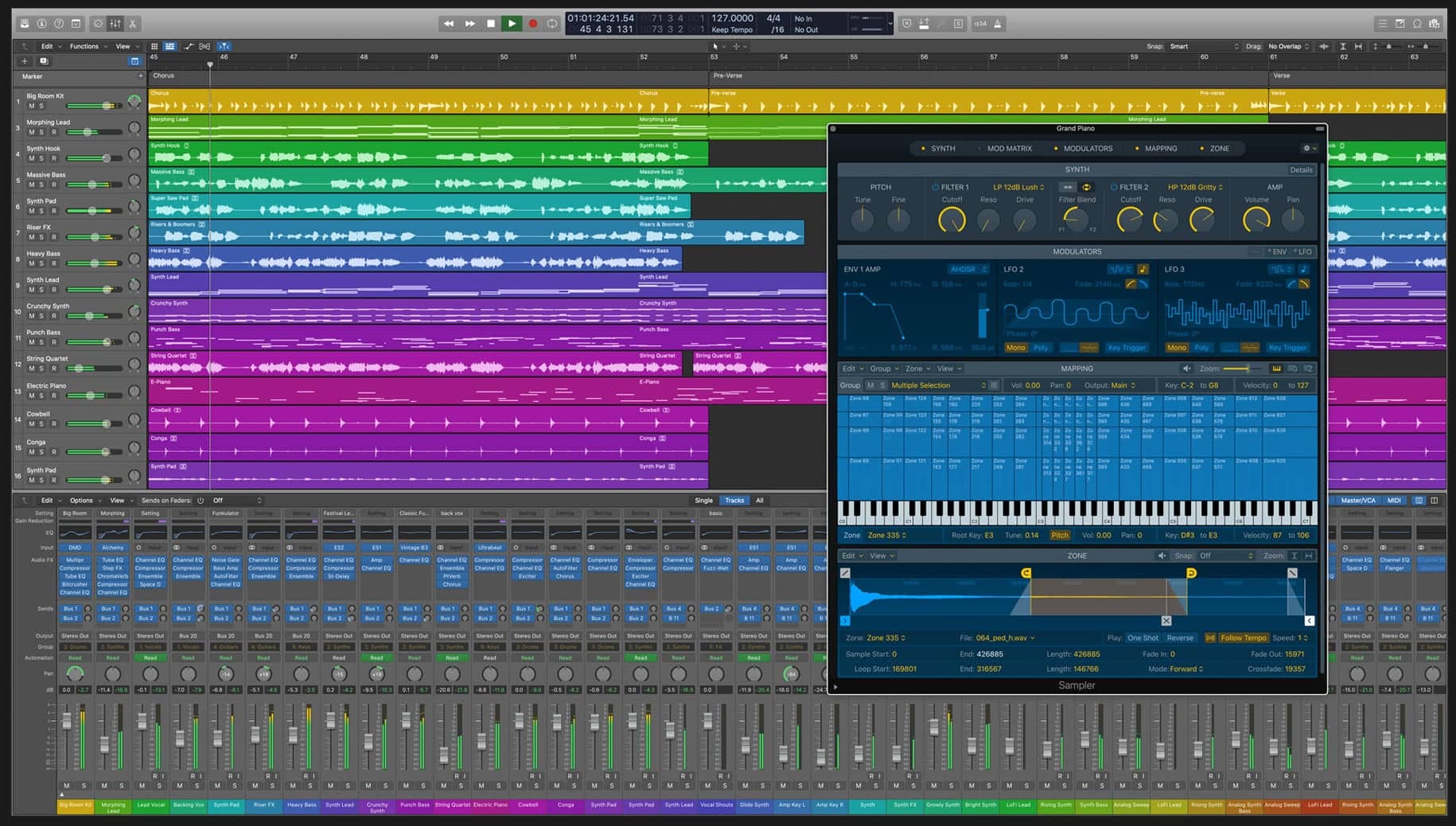
The Short Version: It's only available on Mac, so provided you're into the Apple ecosystem, per the quality and price no other DAW really beats Logic. MIDI and Audio tasks are intuitive, and the built-in plugins are plentiful and stellar (many famous producers have gotten very far with just stock Logic plugins). Recent updates include a more loop-based workflow catered to hip-hop and electronic musicians, and more of a focus on live performance which traditionally Ableton was known for. Other benefits are:
- It's an easy transition from GarageBand, and
- There's only a single Logic edition available which includes everything, so you don't have to waste time comparing features & prices.
Operating Systems: macOS
Editions Available: Just a single edition, $199.99.
Where to Get It: Install it from the Mac App Store
Apple Logic Pro: Full Review
It might come as a surprise to some folks that one of the most capable, full-featured DAWs is also one of the most reasonably priced. Even more surprising might be that it doesn't come from a dedicated audio company - it comes from the same people who make your computers and smartphones. Apple's Logic Pro does not disappoint in the least; It's a powerful and feature-packed piece of software that can be configured to work with just about any setup, from the bedroom studio to a fully stocked production house. Furthermore, if you started out with GarageBand but are ready to move to something more professional, then Logic will make you feel right at home and you won't feel lost in the new environment.
Over the course of its existence, Logic has grown from a computer based MIDI sequencer to a full on multi-track production suite where you can record and edit audio, play virtual instruments, route sound through effects, and finally end up with a file ready for sharing or further refinement somewhere else. Basically, Logic lets you go from blank slate to fully mastered final product completely within one piece of software.
For recording and playing back audio, Logic will work with any audio interface that your computer supports. You can get by with just headphones and a laptop mic, or use an external interface. It's fairly simple to choose which inputs you want to record from and how you want to monitor everything. This ends up being a really powerful feature that grows with you as a producer - you can set up to record a single track to get ideas going quickly, or configure your routing to allow for very complex multi-track setups with lots of live musicians, pre-recorded tracks coming from Logic itself, even separate output buses going out through physical hardware, then routed back into Logic if needed. No matter how complicated, you'll be able to set Logic up to route your multi-track audio exactly how you want.
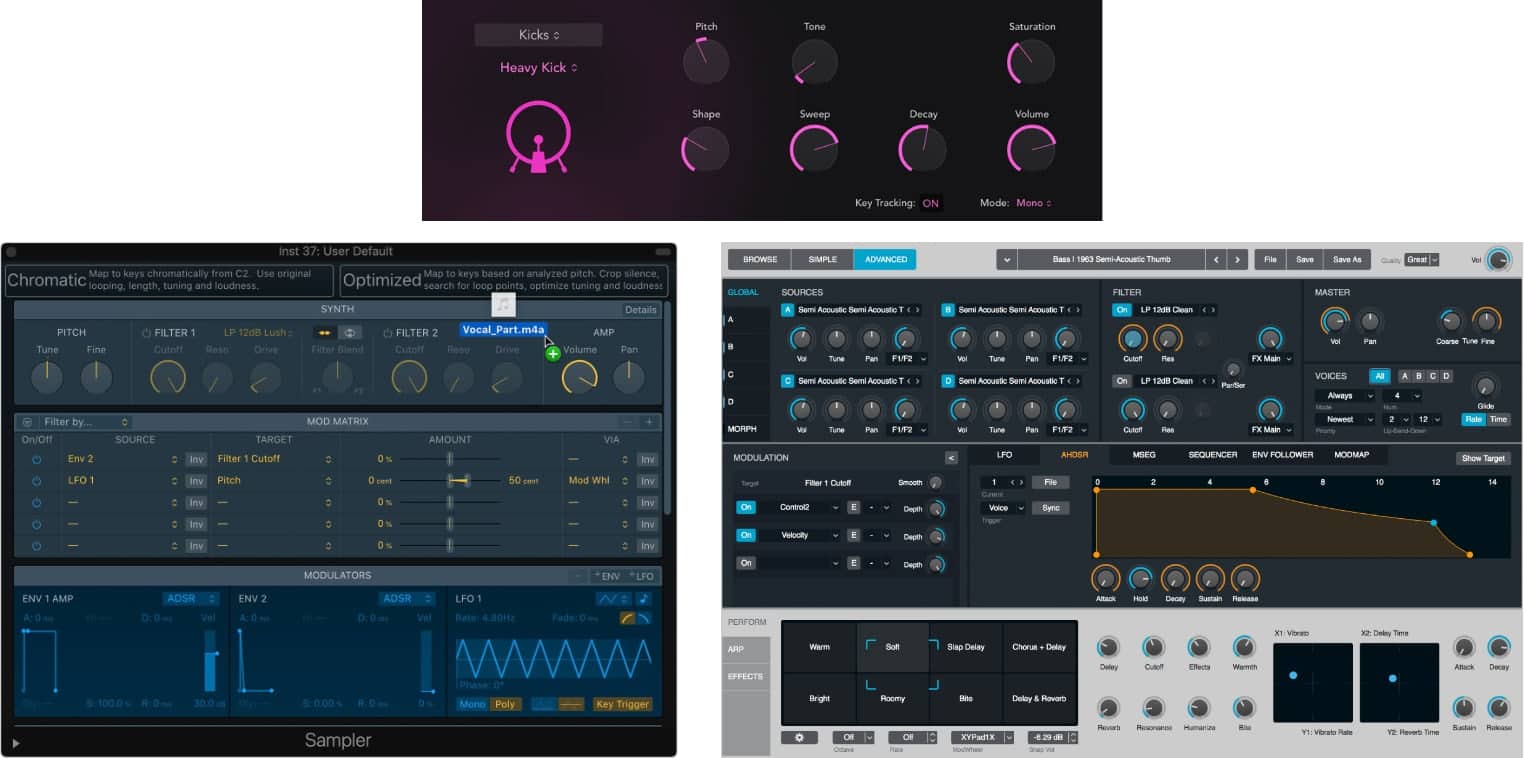
Logic is already worth the price just using it like a digital tape recorder. Like any modern DAW, it of course supports 3rd party plugins, but part of what producers like the most about Logic is the variety and quality of the built-in plugins that come included. For generating sound, there are quite a few options covering a wide range of synthesis styles from virtual analog like the ES2 subtractive synth, FM, acoustic instrument emulations, Drum Synth 808/909-style drum machine, Sampler (formerly EXS24) or Quick Sampler which are excellent and can keep up with Kontakt and HALion, even into the relatively untouched world of physical modeling via the innovative Sculpture synth.
So you've got your bread and butter sounds covered, but what really sets Logic apart is the level of detail you can go into editing these sounds. These aren't just stripped down versions of synths crammed into the software to tick a box claiming they have this functionality... for example the Alchemy synth actually started out as a very popular piece of software in its own right that retailed on its own for as much as the entire Logic package does. It covers a wide range of sample-based synthesis itself - from basic sampling with filters, envelopes, LFOs, fx, etc - to more experimental things like granular synthesis, spectral analysis, and resynthesis of pre-recorded audio. This lets you take in any audio sample and mangle it in any number of ways, stretching time, changing pitch, jumping around in time - and this is just one built-in instrument.
We seriously can't emphasize enough how good the stock Logic plugins are. Not just the synths and instruments, but the effects are also top-notch. You've got everything you need from delays, reverbs, compressors, distortions, amp simulators, equalizers, pitch correction and modulation type effects such as chorus and tremolo. As with the included synths, nothing here really seems stripped down or sub-par - each effect is as tweakable as you'd expect, and most importantly, sounds great. Coupled with the bussing and aux-send capabilities, you can really configure your virtual studio to be almost anything you want.
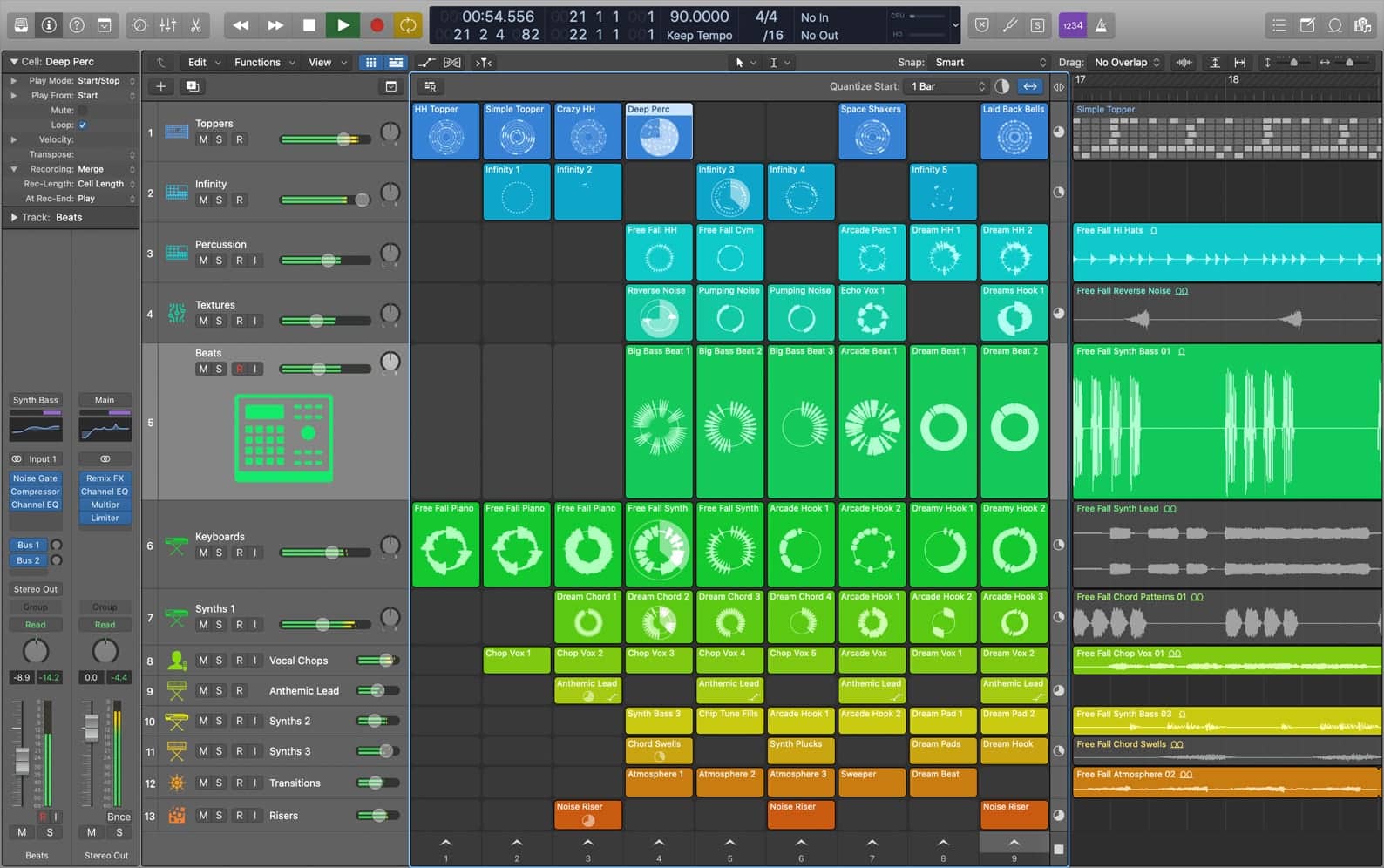
Live Loops is a perfect example of how Apple is keeping up not only with other leading DAWs (mainly Ableton in this case), but also responding to the non-linear method in which some hip hop and EDM producers like to work. It's basically a grid of boxes or cells that can accommodate loops/samples/instruments/audio recordings, that can then be triggered in whatever order you please as you play around. When you find something that works, you can move it over into the traditional linear Tracks area and keep working on your piece.
Then there's Remix FX which turns Logic into a DJ-like interface with all sorts of effects and transitions. To really make this work well, pair it up with the Logic Remote app for iPad or iPhone. Or if you prefer, a Novation Launchpad is fully supported.
This guide to DAWs isn't the place to go into great depth on all these features, but Apple is not being subtle here about going after Logic Pro's competitors in the arenas of loop-based composition and live/DJ use.
Finally, the audio and MIDI editing of Logic is not to be overlooked. For audio, you've got independent control over timing and pitch of pre-recorded material, so fixing timing issues or even re-pitching out-of-tune notes is possible. As for MIDI editing, whether triggering external devices or internal instruments, there's an array of built-in functions for editing time, velocity, pitch, and one of the most comprehensive quantization editors we've ever seen. You can record or program in notes as you wish, then make them sound as rigid or as varied and natural as you want.
One caveat that you have to consider with Logic is the deep integration within the Apple ecosystem - it is a Mac only product, and it only supports plugins in Apple's Audio Unit format (check if your favorite VSTs also have AU versions available - most should). In addition to this, Logic X only accepts 64-bit versions of these plugins, so if you have any old plugins that have not been updated out of 32-bit (most have), you will need some sort of wrapper / converter software. So while not compatible with all the plugins under the sun, this will only be an issue for a tiny percentage of users.
Bottom Line: Logic is a traditional DAW in that it comes from the classical paradigm of a multi-track recording studio, but it has evolved with the times and continues to innovate with every release. It sits somewhere at the intersection of a lot of other DAWs - it can do linear recording, it can do pattern based beat-making, it can do wild audio manipulation, it can serve as a tool for live performance - and it does all these things well. You've got the power to be as professional as you'd like, at a price point that is within reach of almost any budget. Unless you simply refuse to work on a Mac, it's really hard to not recommend Logic Pro.
See how artists use this


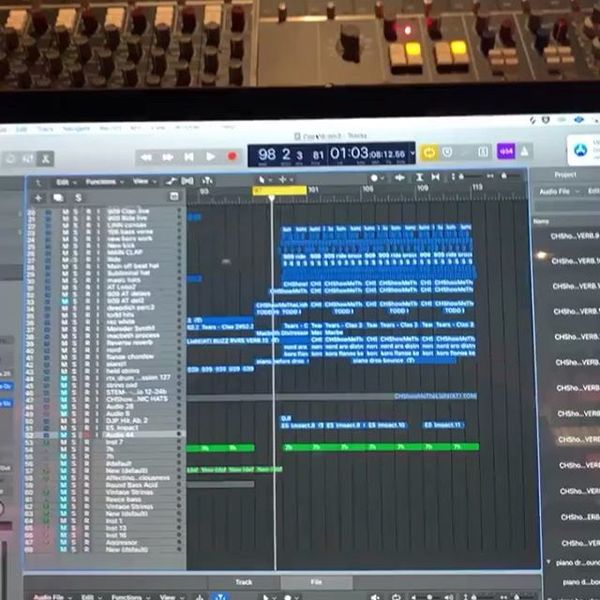

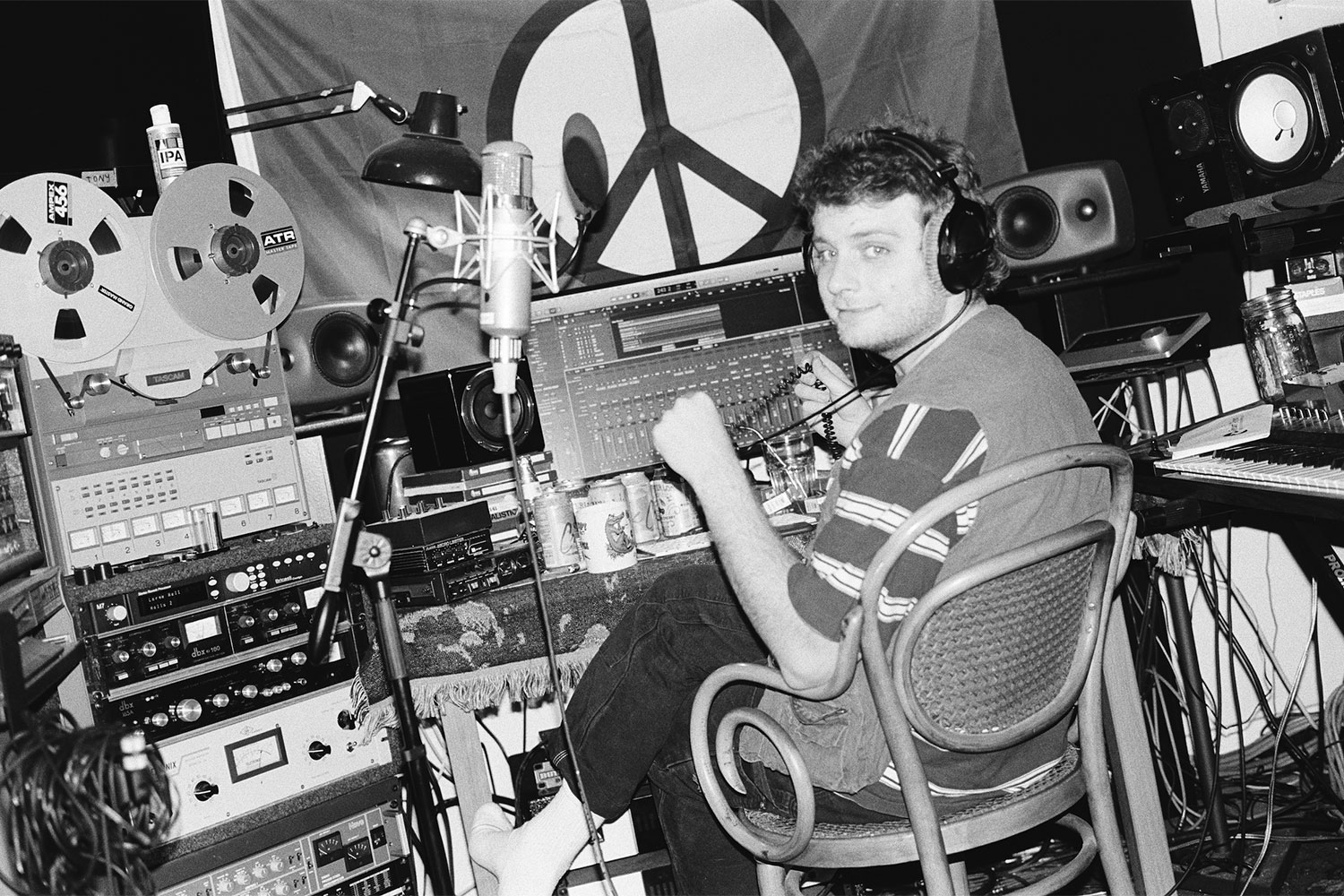

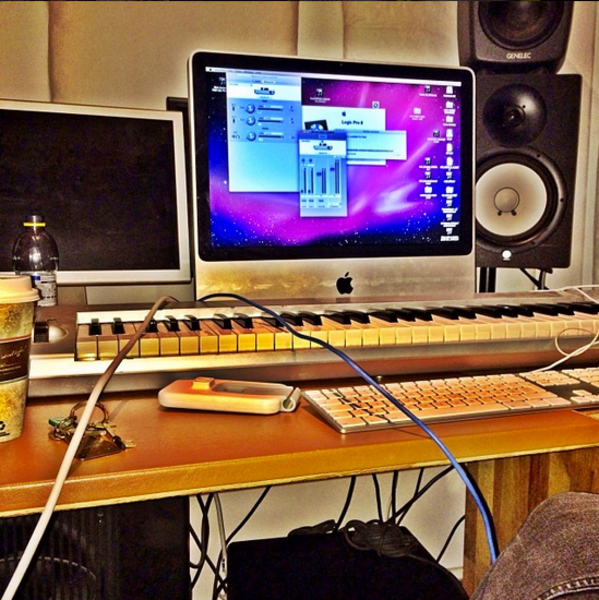
Ableton Live
4.5 (2673)
- Unmatched flexibility for live performances and improvisation with clip-based Session View
- Intuitive workflow with drag-and-drop simplicity
- Packed with creative tools like Wavetable and Operator synths
- Seamless integration with controllers like Push for live shows
- See 6 more
- High price point, especially for the Suite version
- Some users report performance issues and sluggishness on high-end systems
- Learning curve can be steep for new users
- Stock instruments and sounds may not appeal to everyone
- See 3 more
| Operating Systems | Mac, Windows |
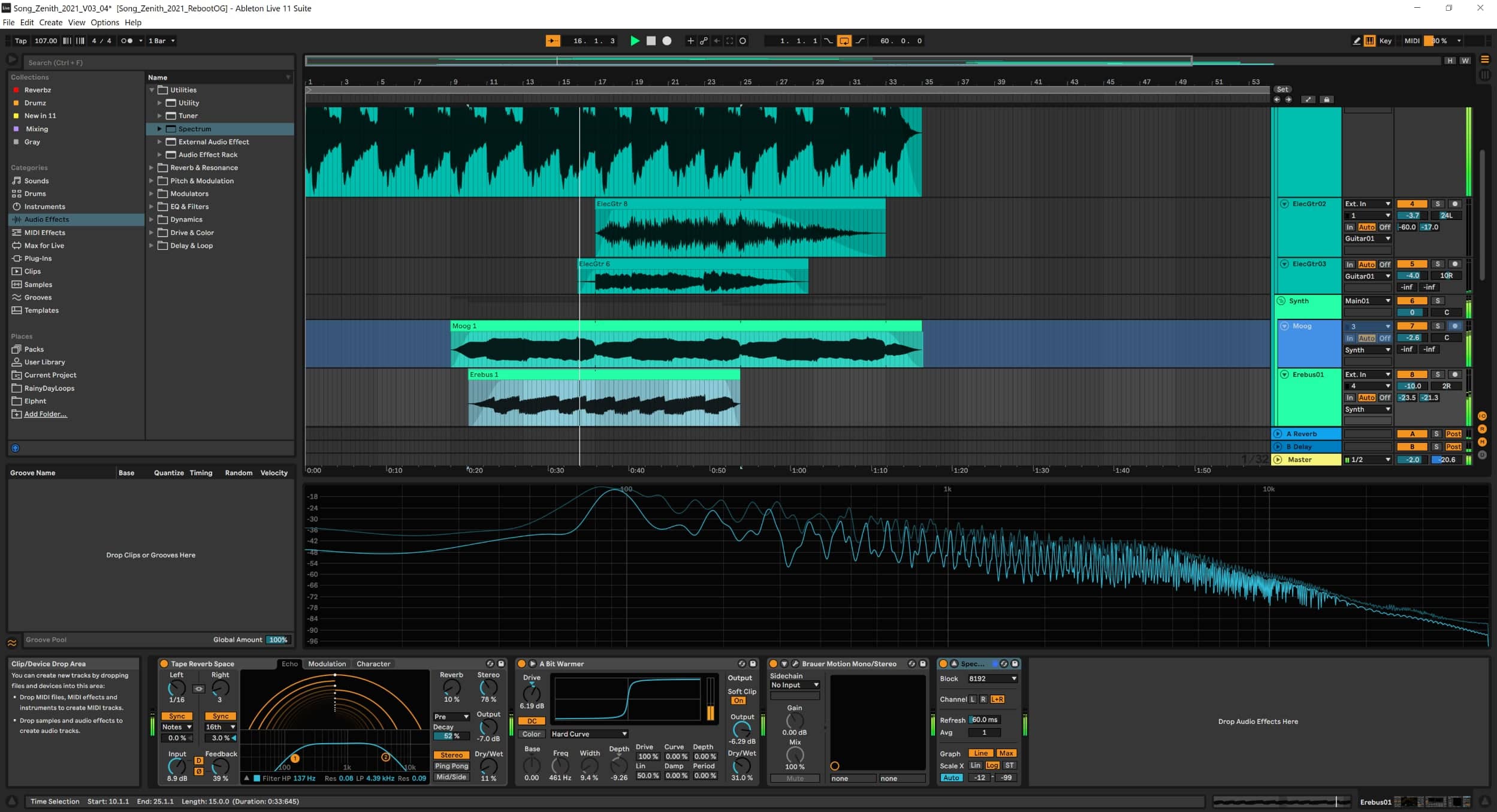
The Short Version: Founded in 1999, Ableton have cemented themselves as an indispensable tool for an untold number of artists/musicians, producers and DJs alike and as of February 2021 brought us Ableton Live 11. It's still the hallmark DAW for electronic musicians, and Live 11 brings just enough new features to make upgrading from Live 10 an intriguing proposition. Ableton's biggest flaw might be its initially complicated-looking interface, but after a few weeks of use it becomes second-nature to navigate. Another drawback is the jump from the limited Intro edition to Standard or Suite is a steep price jump. However, as far as live performance functionalities Ableton is far and above its competitors.
Operating Systems: macOS, Windows
Editions Available: Intro ($99), Standard ($449), Suite ($749)
Where to Get It: Intro Edition, Standard Edition, Suite Edition
Ableton Live 11: Full Review
Ableton officially released their first revision of Live back in 2001. Embraced by the likes of Daft Punk, Aphex Twin and deadmau5 and even tipped early on to have huge potential by none other than Hans Zimmer, Ableton have gone on to become one of the most successful DAWs to date.
Before we delve deep into what's new with Live 11 and whether it's worth the purchase or upgrade, here's a brief overview of notable points of Ableton's evolution to where it is now.
Unlike the pre-existing DAWS of the time, Ableton gained traction in the music-tech market by branding themselves as a live performance tool. Their innovative technology paved the way for many "in-the-box" producers and opened musically fascinating new doors and directions for us all to appreciate, beginning with a superb algorithm that enabled loops to be sped up without any change of pitch, a revolutionary and ever strong clip-based system, and flawless beat quantize/sync.
They stood out from competing DAWs, which until recently mostly mimicked real-world mixers with too many faders for some click intense navigation. Ableton has instead maximized screen real estate by presenting a fresh take on routing configurations, altering the way in which auxiliary, bus and send channels are presented... dividable signal paths in one track lane, anyone? How about a simple return track that automatically drops a send knob in each track? Tidy "groups" within groups that enable even more free space??
So, what's Live 11 actually like to make music with, and how does it stack up against the competition?
Classically, Live's interface has always been a clean and minimalistic one, though if new or migrating from an alternate no doubt can still look daunting. However, rest assured the learning curve need not be steep, the best way to approach it is to hover your mouse over the various buttons because a description of what they do will appear in the bottom left-hand corner. Live is comprised of a session view (geared toward live performance) and an arrangement view (for creating fully fledged tracks), and it's easy to switch between the two.
The session view is comprised of multiple little rectangles (these are the aforementioned clips), which can be used for triggering midi, audio and automation variations - add a MIDI controller - an Akai APC40, Ableton Push or a Novation Launchpad - and get ready to take on the world.
Want to compose something fast? Ableton's new scale highlighting makes composing master melodies far too easy; just don't forget to consider velocities if you want it to sound more organic.
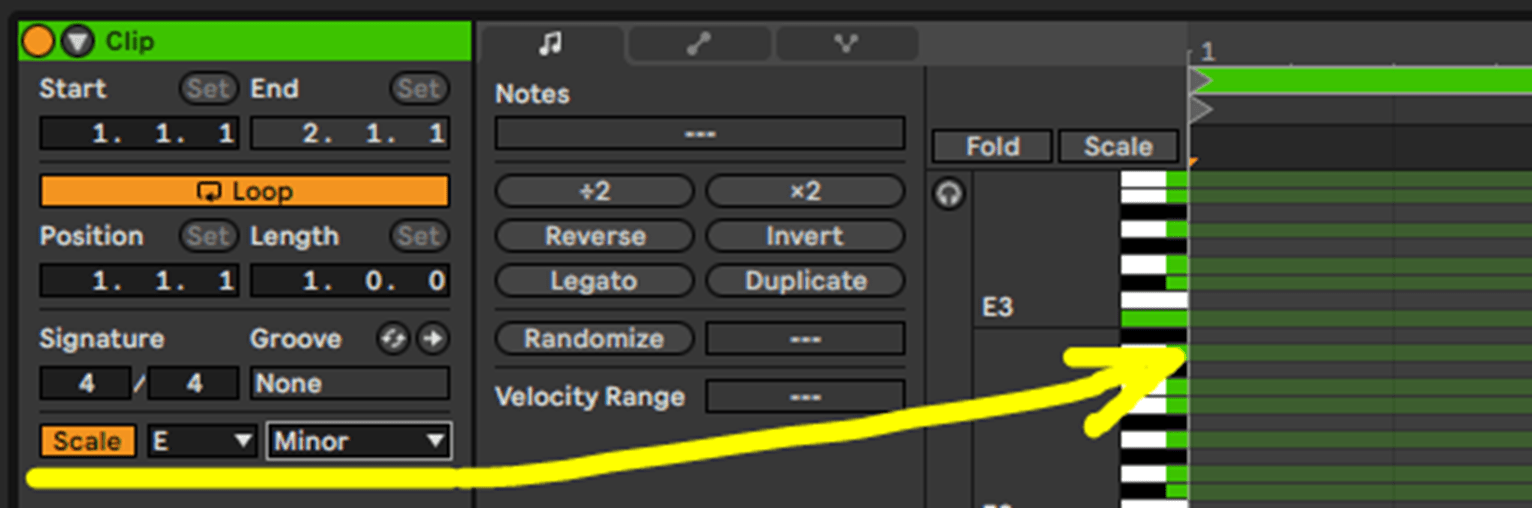
Alternatively throw in your choice of synth, followed by midi tools: pitch, chord or arp tool, scale and a shaper. Simply mess with the knobs with bar length in mind because you'll quickly strike melodic gold. It's a lot of fun, especially if you add on the revised Convolution Reverb, which enables different reverbs on each side.

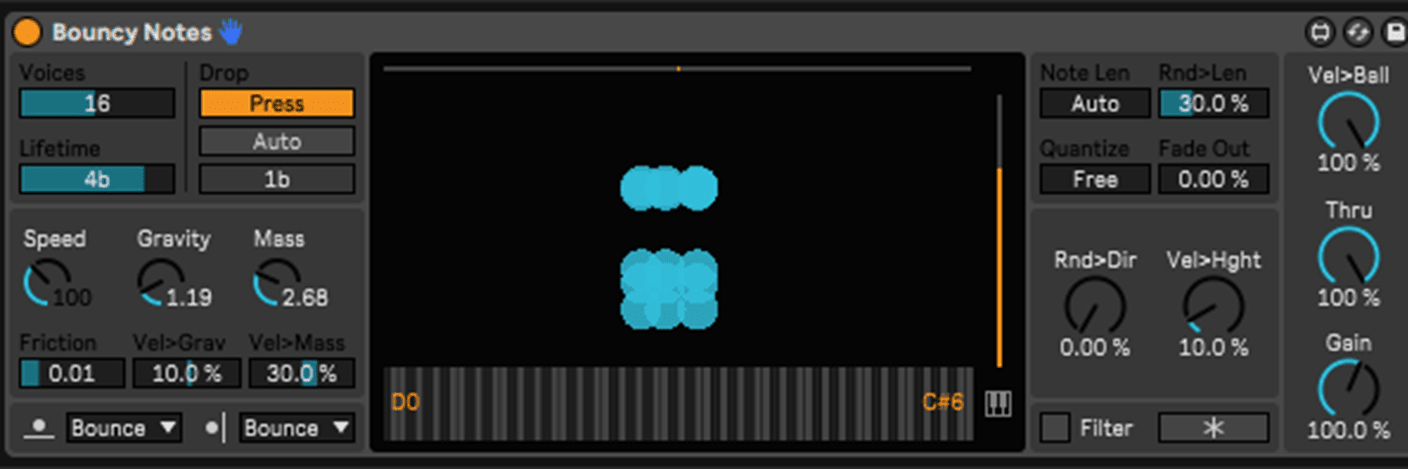
One of our personal favorite new features of Live 11 comes from the Suite's Max for Live tools: Bouncy Notes, a gravity-based MIDI sequencer. Mess with the gravity, speed, and mass knobs to unleash some seriously whacky rhythms.
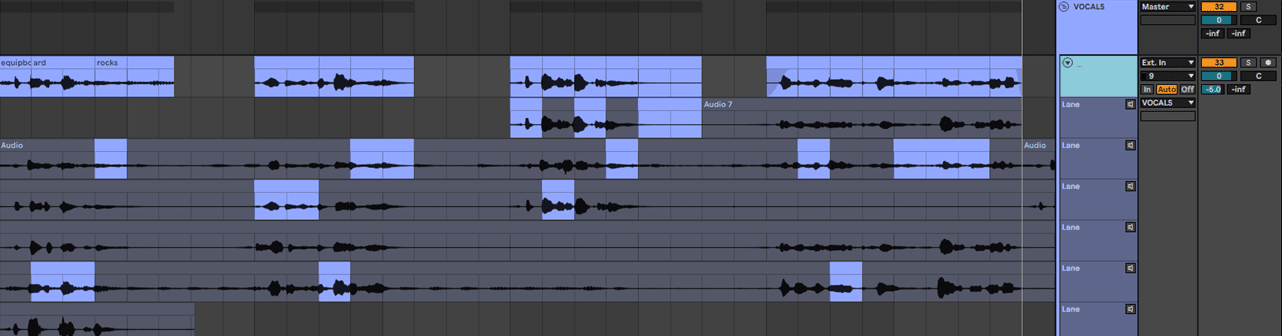
One of the biggest overhauls in Live's workflow is its tracking / comping system, which until recently was one of its weaker areas. This is no longer the case and you can now set a loop and record track after track. Use the cursor to highlight your favorite sections and hit enter to switch the audio around.
If you wish to future-proof yourself, Live 11 now offers the new update to MIDI technology - MPE (MIDI Polyphonic Expression) - enabling synths to now behave more like acoustic instruments with a little biotic behavior.
For the acoustic instrumentalists (particularly drummers) out there, Tempo Following will keep Live 11 in-sync with direct audio in.
Not specific to Ableton Live 11 but worth mentioning are the impressive software instruments you get if you opt for the pricey Suite edition. Sampler (updated for Live 11) is Ableton's beastly sampling plugin that allows users to easily manipulate large multi-sampled instrument libraries, with velocity splits being a key feature. Sampler includes options for messing with pitch envelopes, oscillation, filters, and LFOs. Pioneers of FM synthesis will have fun with Ableton's powerful Operator synth. Combining frequency modulation and subtractive synthesis, Operator allows you to truly create new sonic landscapes. Four FM oscillators, predefined routings, various filters, LFOs, and waveforms open the door to a fun yet commanding way to play with sound.
If you have Ableton Live 10, is Live 11 worth the upgrade?
Well, that depends on your budget. Ultimately Live 11 brings several substantial updates to Live 10, more of an evolution as opposed to a revolution. That being said, should you purchase the Suite edition, you'll be getting access to a multitude more Max for Live devices such as the aforementioned Bouncy Notes.
If you are new to Ableton and looking to buy, know that Ableton offers 3 editions to choose from:
- Intro (99 USD) - 21 effects, 4 instruments, 11 MIDI effects and 5+ GB of sounds
- Standard (449 USD) - 36 effects, 6 instruments, 13 MIDI effects and 10+ GB of sounds
- Suite (749 USD) - 59 effects, 17 instruments, 15 MIDI effects and 70+ GB of sounds
We would advise that whichever version you decide be based on your individual level of ability; Intro would make sense if you are a beginner and Standard or Suite if you are more advanced. Either way Ableton offer a free 90 day trial so if you think you'd love it, download the trial and find out.
Bottom Line: While there is no one size fits all when it comes to DAWs, they all have strengths and weaknesses. FL Studio's channel rack makes Hip-Hop a breeze, Reaper and Pro Tools are great for bands, and as for Ableton, if you make any kind of electronic music or want to focus on live performance, this is the DAW for you.
See how artists use this

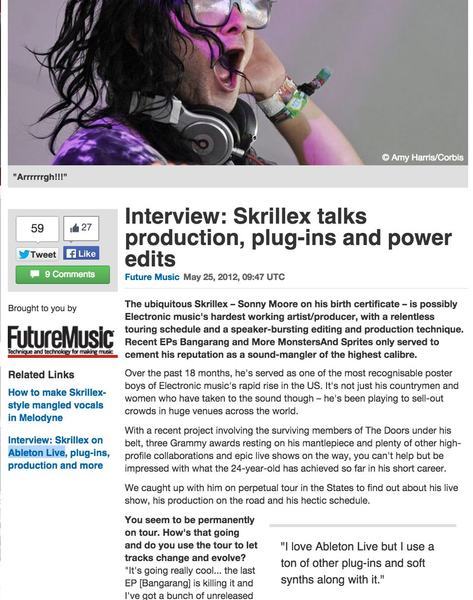


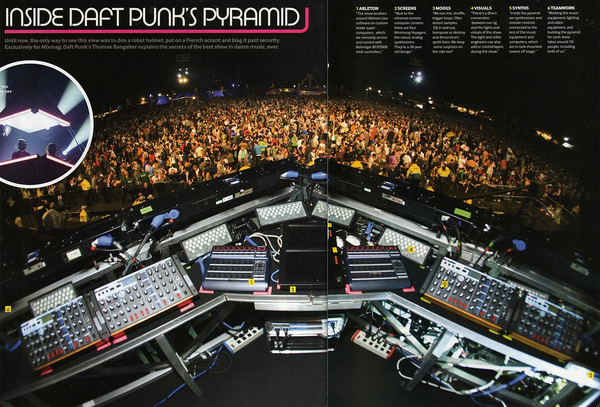
Image-Line FL Studio
4.5 (2062)


Average Price: $166
Standard/Professional
$149
$400+
Budget
Standard
High-end
Available Stores
Average Price: $166
Standard/Professional
$149
$400+
Budget
Standard
High-end
- Intuitive interface caters to beginners and pros alike
- Lifetime free updates eliminate upgrade costs
- Rich stock plugins and sound packs included
- Highly praised piano roll for seamless MIDI editing
- See 6 more
- Recording capabilities deemed primitive by some users
- Struggles with integrating external sound modules
- High CPU usage reported with large projects
- Limited MIDI support, complicating collaboration
- See 6 more
| Operating Systems | Mac, Windows |
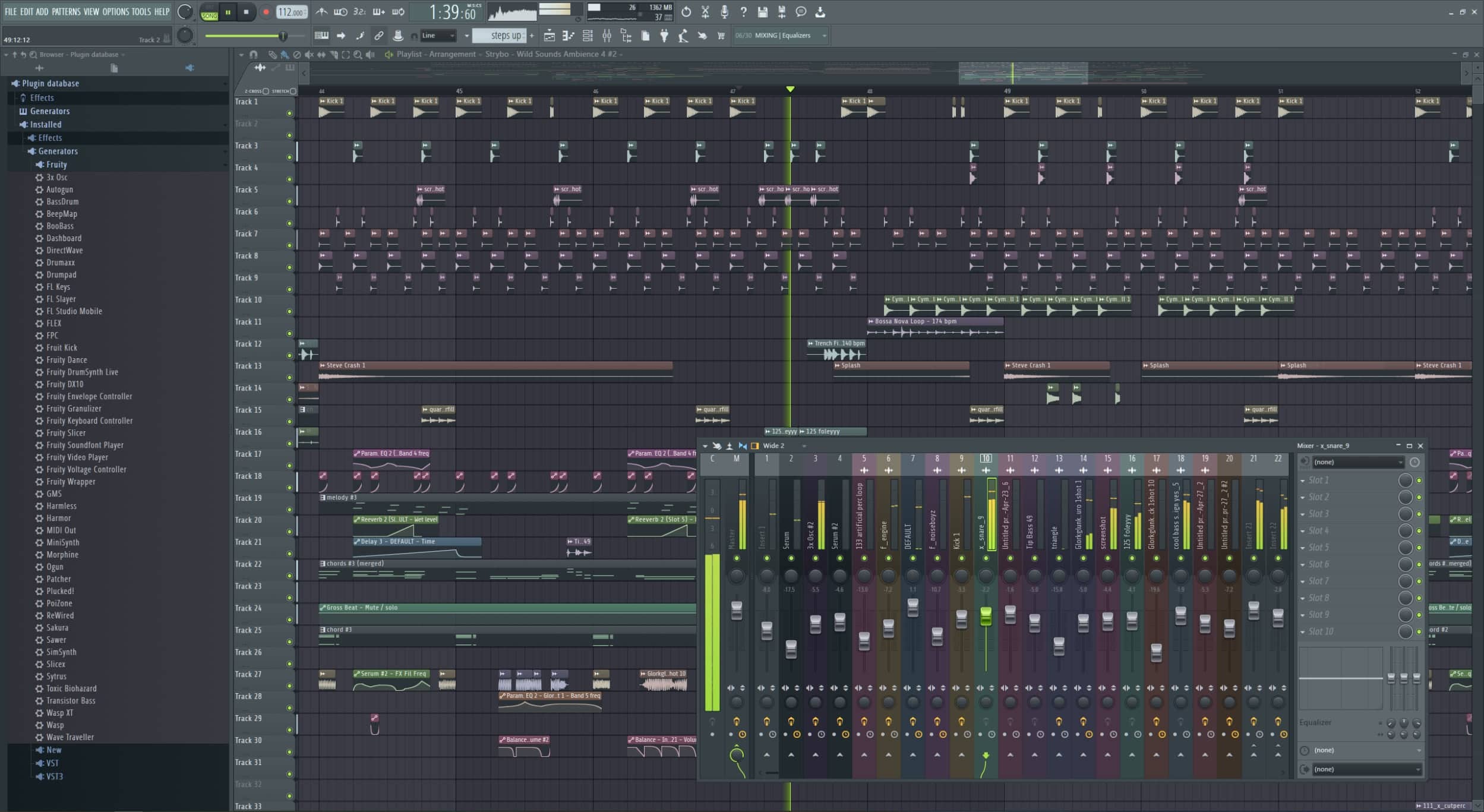
The Short Version: FL Studio has become a much beloved program used by industry leaders and promising greenhorns alike. It's sturdy and dependable, and has built a reputation for being the best DAW to put ideas together quickly and intuitively. In a world where it's easy to get bogged down by complex interfaces, this alone gives FL a huge edge. The included plugins range from competent to superb, however to get all the instruments and effects you'll need to shell out a decent amount of cash for the higher editions. Free updates for life certainly sweeten the deal.
Operating Systems: macOS, Windows
Editions Available: Fruity ($99), Producer ($199), Signature ($299), All Plugins Edition ($499)
Where to Get It: Compare editions on the Image Line website
FL Studio 20: Full Review
FL Studio 20 is one of the more popular DAWs used today, especially among independent musicians. While often favored for its intuitive workflow, which is notably well-suited for the composition and production of original works, it's all-around a great choice when it comes to almost any aspect of production.
Whether you already have experience under your belt in the realm of music production, or are new to the field and are just looking for a place to get started, FL Studio 20 is easily one of the best and most accessible options out there.
FL Studio is also one of the more affordable DAWs, especially in the long run, since Image Line has offered free updates for about 12 years now, and shows no signs of stopping. Once you buy FL, you own the version you paid for; however, any update from that point forward is yours for free.
Despite its many advantages, one major downside to FL Studio's pricing model is that the cheapest available option, Fruity Edition, lacks some essential features, such as the ability to place any audio clips in the playlist at all (which is a feature you'll find yourself in need of quite often). If you're looking for a fully-featured DAW, we would recommend staying away from Fruity Edition, and considering Producer Edition as the cheapest viable option. For a price of about $200 USD, FL Studio Producer Edition stands out as a great option for those on a tighter budget.
Since the release of FL Studio 12 in 2015, the DAW has seen numerous major workflow improvements, the introduction of entirely new instruments and effects, and a complete vectorized rework of the interface.
Speaking of instruments and effects, no FL Studio review is complete without mentioning some of the standouts. Excellent synths such as 3x OSC, Sytrus, Harmless, and Harmor are extremely capable, though unfortunately you'll need the Producer edition or higher to have them all. Luckily most of the effects are included in all editions.
The online community behind FL Studio has also grown substantially over the years, and if you're looking to learn how to use it, any questions you have are almost certain to have an answer. Because one of Image Line's selling points of FL Studio is its free updates, most of the information you'll find - whether through myriad video tutorials or through online forums - should be up-to-date with the latest version of the software.
One important thing to note, however, is that if you have any amount of experience with other DAWs, FL Studio may generally be a bit confusing at first. While it is just as capable as any other DAW, when comparing FL to its competitors, its set of features can seem rather unconventional at times. As we've had the time to get to know FL Studio over the years, we would consider its quirks to be much less of hindrances, and rather important facets of its unique but powerful workflow. As an example, unlike most industry-standard production software, FL allows you to place audio clips, patterns (which often contain MIDI sequences), and automation clips on any playlist track; tracks within your arrangement aren't bound to one specific sound or clip type.
The mixer in FL is flexible in a similar way, with each channel open to be used for whichever or however many elements of a composition you wish. While this does mean that in FL, most organization has to be done manually, in our experience this workflow has been a great deal of help with getting ideas down quickly and is been an essential asset to a musician's creative process.
At the time of writing, FL Studio 20 requires at least Windows 8.1 or macOS High Sierra to run and Image Line recommends at least 4GB of RAM. Whether or not you can run the software mostly depends on how many instruments and effects you intend to add to your projects. We've installed FL on many computers over the years, and can attest to its ability to run pretty well on some lower-end machines. In any case it's a good idea to download the demo version of FL and trying it out yourself.
Bottom Line: FL Studio should do the job for almost any use case within the realm of music and audio production. However, by nature, it is best suited for musicians looking to write, compose, mix, and master their own music, especially for those new to the trade. While a professional mix engineer could use FL Studio 20 as their DAW of choice for commercial work, FL is truly built with getting ideas down quickly in mind.
See how artists use this



PreSonus Studio One
4.5 (344)
-s.webp?v=1784973641)
- Intuitive and user-friendly workflow with drag-and-drop capabilities
- Great GUI that is visually pleasing and easy to navigate
- Wide range of undo/redo capabilities and plugin chain management
- Comprehensive mastering and CD formatting features
- See 6 more
- Stock plugins may not rival high-end third-party options
- Requires time to learn and remap key commands for efficient use
| Operating Systems | Mac, Windows |
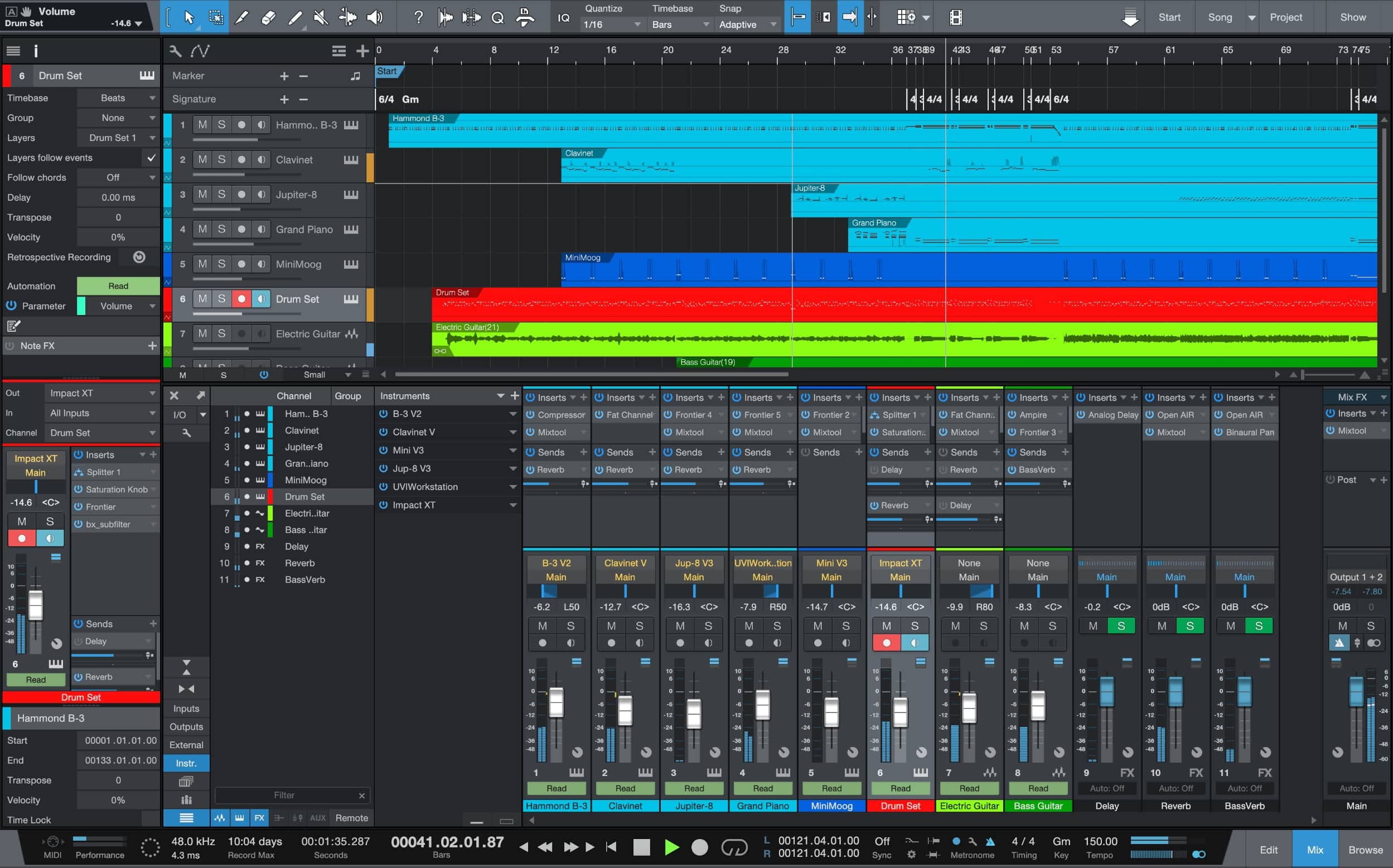
The Short Version: PreSonus hasn't been developing their DAW nearly as long as competitors, but they sure did learn quickly. By listening to the community and adding user-requested features, Studio One has become a bona fide contender for the DAW crown, and can go toe-to-toe with the likes of Logic and FL Studio, and with version 5 even rivals Ableton for usage in a live context.
Operating Systems: macOS, Windows
Editions Available: Prime (free), Artist ($99.95), Professional ($399.95), Sphere ($14.95/mo membership)
Where to Get It: Prime Edition (free), Artist Edition, Professional Edition, Sphere Membership
PreSonus Studio One 5: Full Review
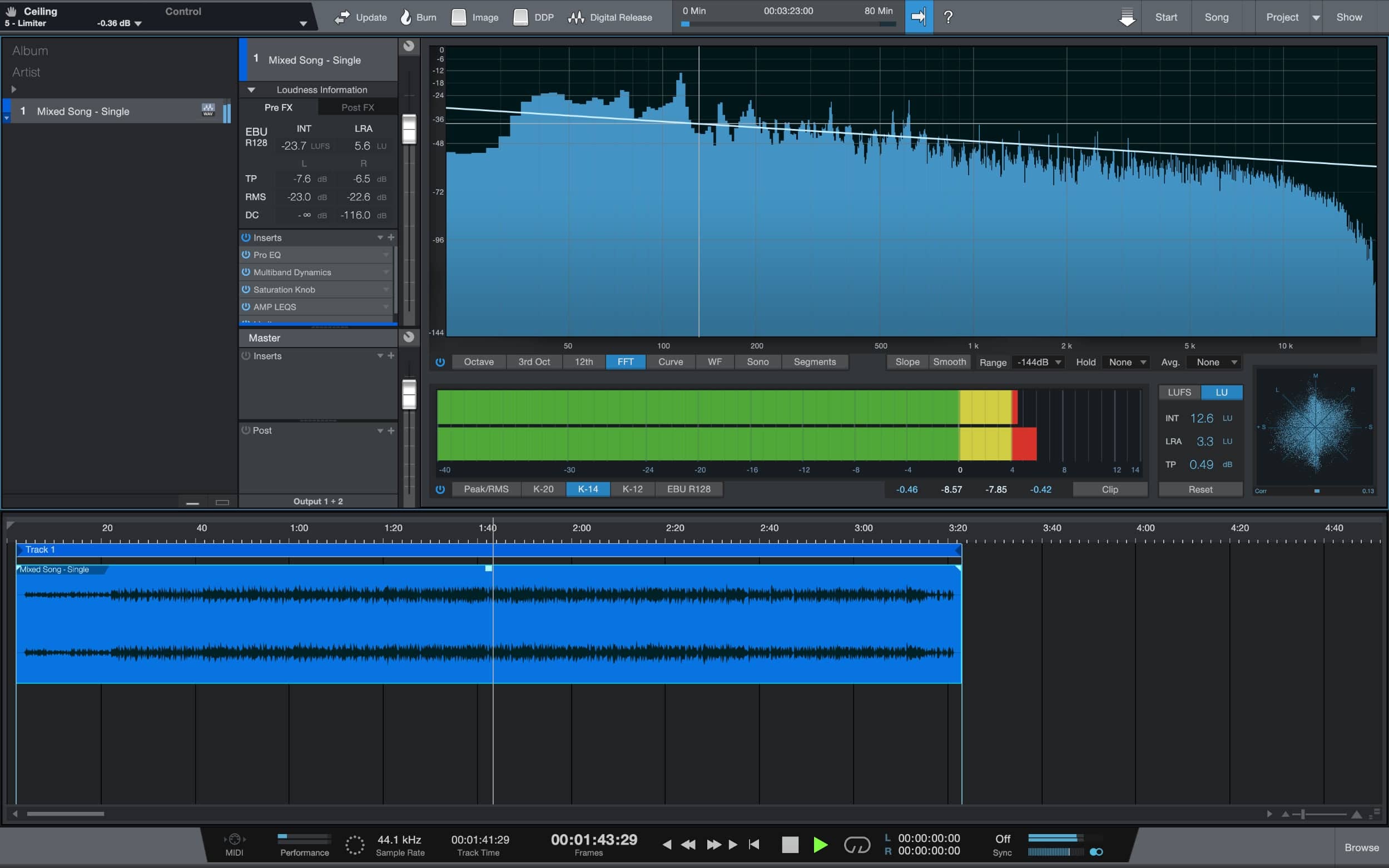
PreSonus' DAW software, Studio One, is packed with brilliant features. Its close integration to their StudioLive Series III Mixers, which can be used as control surfaces after you're done tracking, gives Studio One a hands-on feel so you can mix with your ears, rather than all with your eyes, through numbers on a computer screen.
It has separate mixing and mastering windows both of which are very effective, intuitive to work with, and now the "Show" page too (new in version 5), which encourages performance using its great plugins, software instruments and workflow.
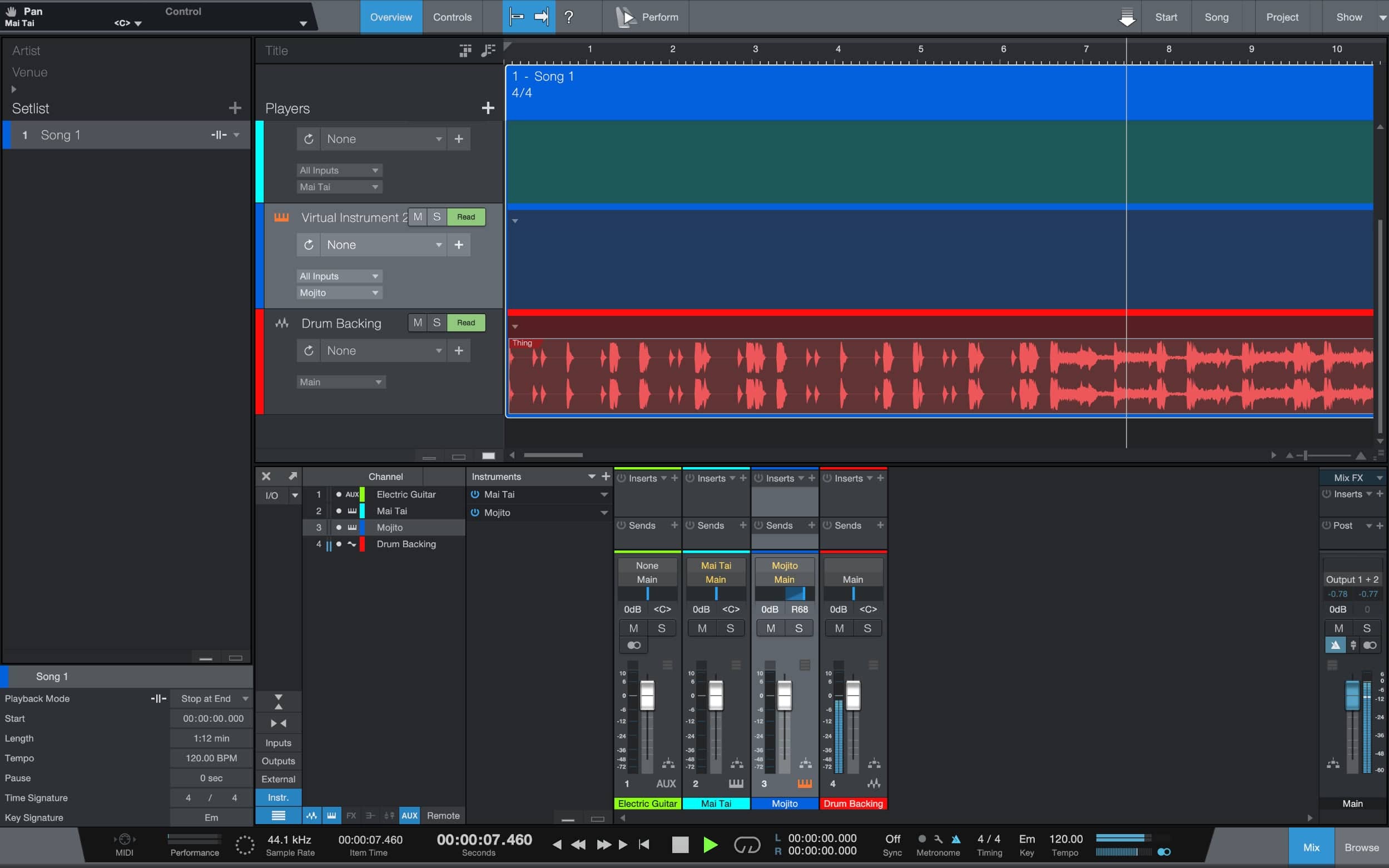
If coming from another DAW, making the switch to Studio One is very, very easy. It has a built-in setting to change all keyboard shortcuts to be identical to that of Logic, Ableton, or wherever else you may be coming from. Studio One is great for the artist that wants to do it all. It has brilliant stock software instruments for electronic writing as well as useful plugins for processing analogue audio sources.
You then have the above horsepower and flexibility to perform within the "Show" page, adding Ableton-like elements with PreSonus' Atom hardware having similar functionality as Ableton's Push DAW controller. There's also the mastering (or Project as it's named in Studio One) page to tie your mix all together and format it correctly, to then burn onto a CD or digitally release it. Now, let's dive into the nitty-gritty of Studio One.
PreSonus' DAW initially launched as a solid and efficient tool for those who stumbled across it, and in part, earned PreSonus a loyal and optimistic user base. By refraining from being over-ambitious with their first version, they covered everything a DAW should, achieved it in a very efficient way, and allowed PreSonus to "get their foot in the DAW" (pun intended).
Studio One 2 bought integration with Celemony Melodyne, transient detection and quantisation, folder tracks, multi-track comping, MIDI editing, and new plugins. PreSonus and Celemony also worked together to make a new plugin extension called Audio Random Access (ARA) which allowed a standalone audio plugin to appear as an integrated part of the application (still a great feature to have access to today). Version 3 brought yet more new plugins, an arranger track, MIDI note effects, and the ability to chain together effects and software instruments. Version 4 added the chord track with chord detection, dedicated drum editing interface, expanded drum machine and sampler plugins, AFF format import/export to allow data exchange between other DAWs, and version 2 of ARA.
The growth of Studio One since its launch has been ever-accelerating thanks to paying close attention to what its users are asking for. Version 5 now has a full score editor, a "Show" page for performance using all of Studio One's excellent instruments, plugins and workflow efficiency, MIDI support enhancements, and support for the 64-bit, floating-point WAV format, making it one of the highest-resolution DAWs available.
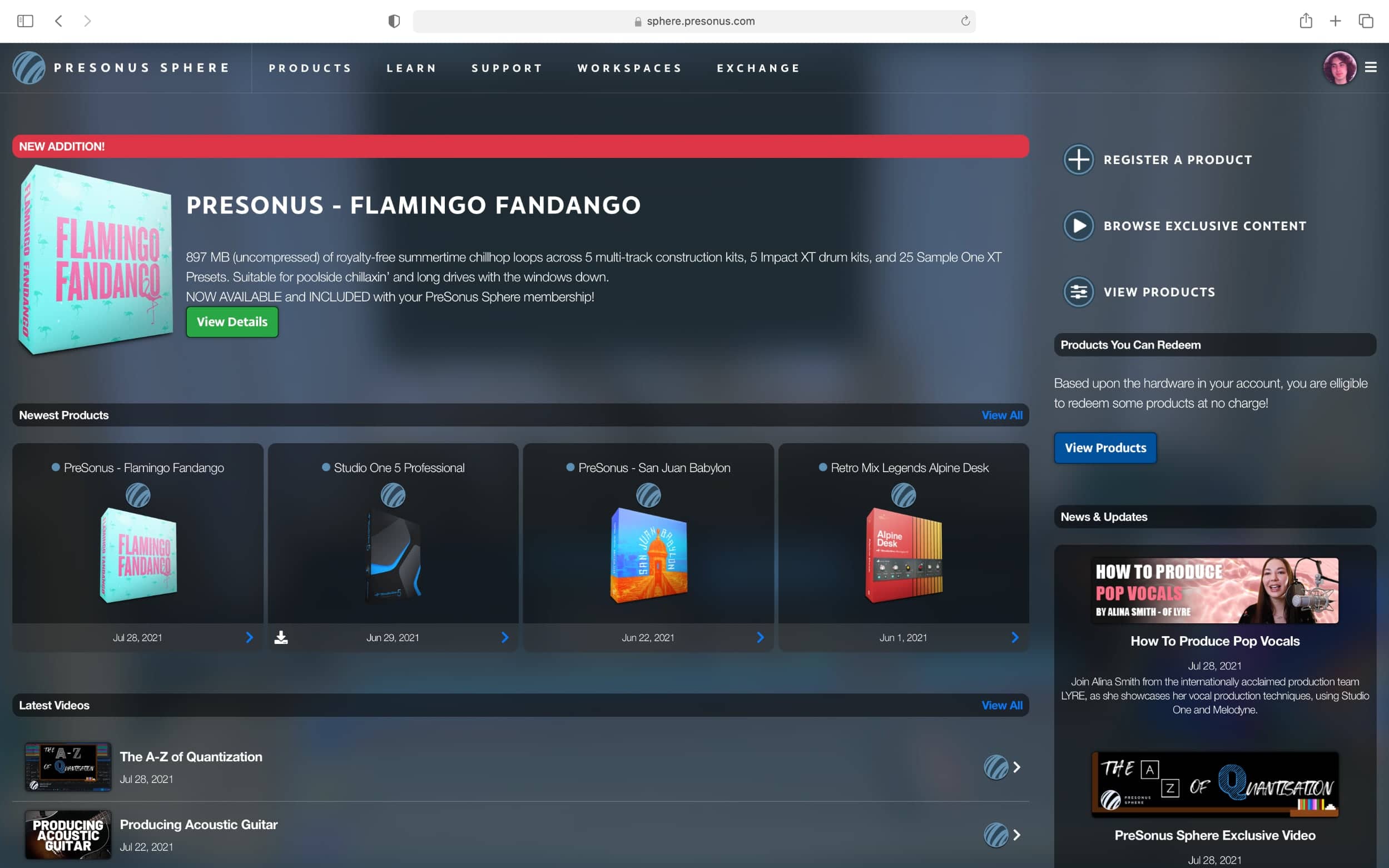
Things you should be aware of before buying Studio One, however, include the fact that every new major version of the software requires an upgrade payment which is a fraction of the price of the new version if you were to buy it without an upgrade. This can be overcome by subscribing to PreSonus Sphere, which gives you access to nearly all of PreSonus' software, masterclass videos, cloud storage, collaboration tools, and more. However, it may be best for more serious users.
It runs on Windows or macOS and has three available versions. Prime is the entry-level edition and is completely free. Then there's the Artist edition which is just slightly stripped-down, feature-wise, from the top-line Professional edition.
It is an absolute joy to create music in Studio One. One of PreSonus' main focuses is to allow for the most efficient workflow possible, with "drag and drop" functionality everywhere you look, to endless audio routing options. And if you love getting overly technical, you'll certainly love Studio One. An example of this is that for once, mid-side processing has been made straightforward. You can have completely different effects chains processing the mid and sides of your stereo channels, allowing you to finesse every last detail of your tracks.
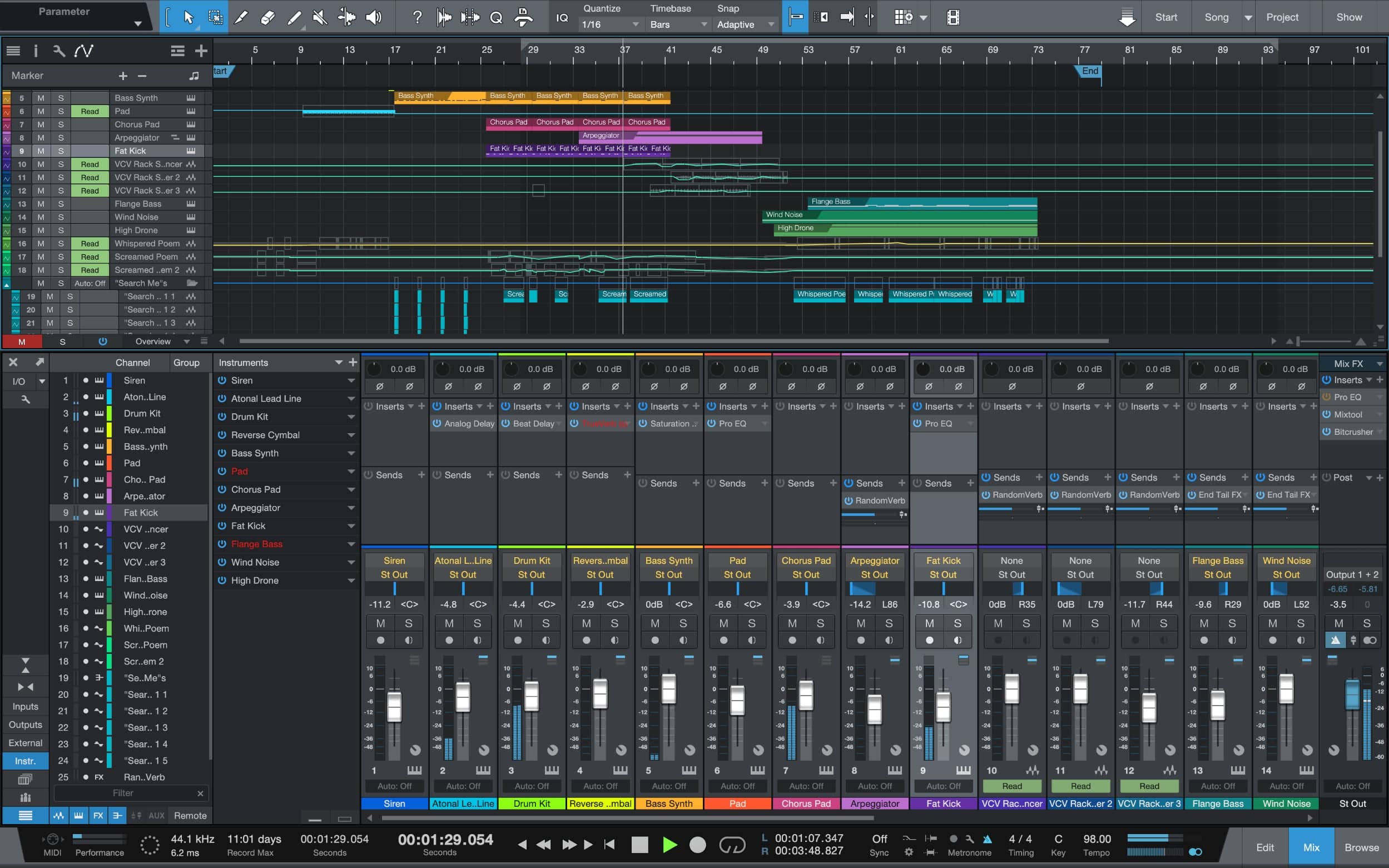
Like any software, Studio One is not without its drawbacks:
You have to enter specific information when you start a new song such as time signature, duration, tempo, etc. which is a barrier between opening the app and jumping into the recording/mixing page quickly.
Some annoyances can add up. For example, say you're trying to make a choice between 3 software instruments, so you create a track for each one and start playing around. When you do decide on the one you want and delete the unwanted channels, the instruments are still open in the instruments tab, just not assigned to any channel, so you technically have to delete them twice.
The sample library - Although extensive, it is rather cluttered and hard to find what you want. There is really good stuff in there, but finding it can be a real pain if you don't know exactly where to look.
Bottom Line: The Prime and Artist editions are excellent ways into Studio One and into music production as a whole. If you're transitioning from GarageBand or Logic, the shift will take about 3 days before you've fully grasped the difference in features and workflow. In essence Studio One doesn't strike you as being particularly revolutionary at first. However, everyone develops a different way of using it, and going back to your previous DAW you realize just how much you've made Studio One your own.
See how artists use this






Steinberg Cubase
4.5 (539)

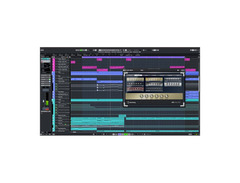

- GUI improvements make it more Retina display-friendly and cohesive
- New channel tab enhances workflow with inspector tab
- Simplified MixConsole integrates pre-channel controls into EQ
- ASIO Guard increases plugin load capacity
- See 6 more
- Complex for beginners; steep learning curve
- Requires audio interface for optimal latency
- Inconsistent UI/UX; frustrating for some users
- Lacks gapless audio engine, unlike competitors
- See 6 more
| Operating Systems | Mac, Windows |
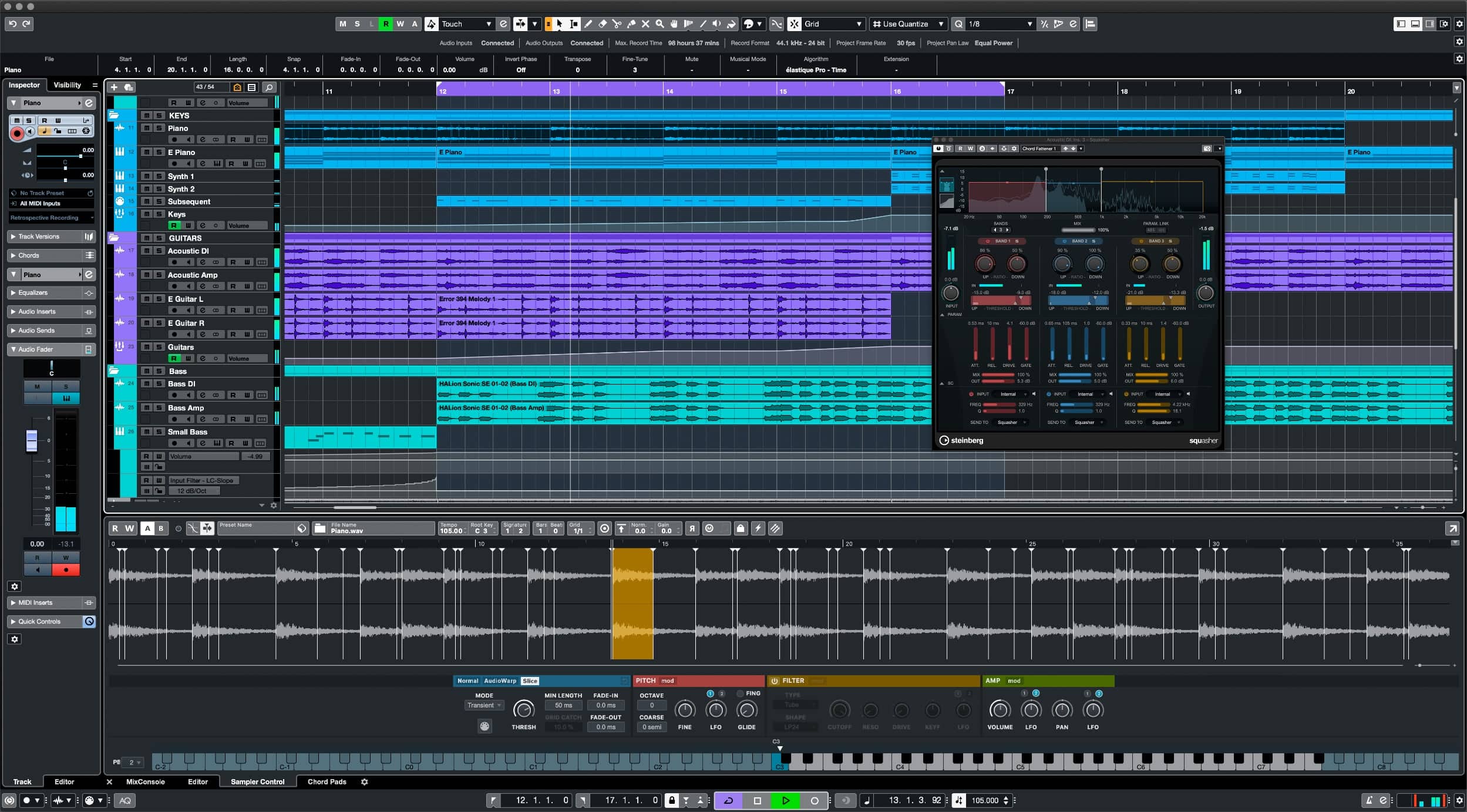
The Short Version: An oldie but a goodie, Cubase continues to keep pace amongst the top DAWs out there. While it doesn't do any one thing spectacularly well, it's rock solid all-around. Its plugin integration is super strong (Steinberg invented the VST standard after all), and Cubase is powerful when it comes to manipulating audio, metering and spectral analysis. The eLicenser dongle is a bit of a drag, but it's a minor annoyance.
Operating Systems: macOS, Windows
Editions Available: Elements ($99.99), Artist (about $300), Pro (about $550)
Where to Get It: Elements Edition, Artist Edition, Pro Edition
Steinberg Cubase 11: Full Review
The truth is that most DAWs have now reached a point where they are somewhat comparable in terms of functionality and sound quality, and in the right hands any DAW can be used to create great music. While some sequencers have changed dramatically, Steinberg Cubase has evolved steadily since its first release in 1989. While maybe not as commonplace as it once was, Cubase's rigorous virtual instrument integration and ability to non-destructively manipulate audio still present it as a top contender in today's competitive digital audio market for both Mac and PC users.
Given Cubase's long history, it's obvious to see that the tool has developed first and foremost as music production software - that is to say, it does not excel at live performance or cueing (such as Ableton Live or Logic). However, over the years Cubase has refined its toolset to accomplish the things that it is built for - mixing, mastering and recording audio.
The primary arrangement view is one which will be familiar to users familiar with most other DAWs, and all track information is displayed sequentially. This may be to your taste if you enjoy seeing the overall structure of your project, although is very different stylistically from the Performance view of Ableton Live - which for some users can be creatively liberating.
Plugins - Effects, Virtual Instruments & Synthesizers
Plugin integration with Cubase is incredibly solid. Steinberg introduced the VST plugin format in 1996, and subsequently VST Instruments in 1999, and as a result almost all plugin developers offer their software in the VST format. Cubase's bundled effects, synthesizers and drum tools are also no slouch and will allow the new user to begin working completely in the box after purchase should they not wish to splurge on additional software.
Keeping pace with Logic's Sampler is Cubase's Sampler Track which excels in ease of use. Simply drag and drop some audio in there and it gets mapped out across the keyboard, with tons of editing options at your disposal. Hip hop and electronic music producers will love dropping drum loops into Sampler Track, and with one click on AudioWarp you can change the pitch of the loop but keep the same tempo.
Spectral editing in Cubase 11 is next-level thanks to the SpectraLayers One plugin which gives you fine-grained control. SpectraLayers One's understanding of frequency is so good that it can extract a vocal from a piece of music fairly flawlessly - a remixer's dream.
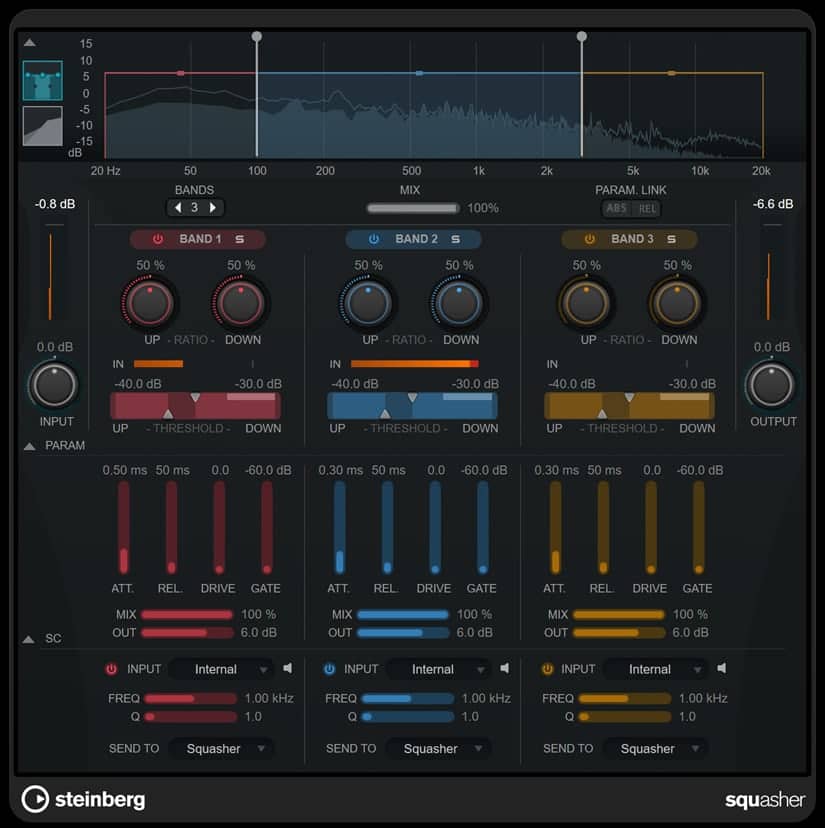
Another plugin aimed at EDM producers which is included in all Cubase verisons is Squasher. While musicians who rely on a wide dynamic range might cringe at this one, it's actually implemented very well and when this 3-band compressor is applied to electronic dance music the results are pretty impressive.
These are some of the newer highlights but you of course still have some classics like Steinberg's Retrologue 2 synth, which does a good job of replicating the warmth and sound of classic analog synthesizers.
Audio
Cubase has fairly robust audio editing capabilities. Most audio processes are non-destructive - meaning that changes made to the source files are not permanent and may be reversed by the user at a later time, while the included Media Bay allows for the easy navigation of and previewing of samples prior to project import.
Two notable strengths of Cubase's audio functionalities lie in Render in Place and VariAudio. Render in Place allows for the rapid conversion of tracks down into audio. This is handy when wanting to save CPU overhead and makes it incredibly straightforward to resample back into Cubase for further audio manipulation. VariAudio is Cubase's integrated pitch and timing correction tool, where audio files can be chopped into segments and individually treated. While noticeable at extreme settings, VariAudio is a fantastic tool to use in a pinch and when subtle clean-up is needed.

MIDI
Cubase's integration with MIDI is somewhat different than that of competitors, and it truly excels when dealing with virtual instruments. VST Expression Maps are completely unique to Cubase and are an alternate view for seeing note MIDI data. MIDI modifiers can be tweaked on a per note basis, which can be particularly useful when working with performance sample libraries (such as orchestral samples and the like, which benefit from considerable expressive automation).
Scale Assistant lets you choose a key and omit any notes that don't belong in the scale. It can even prevent you from playing notes into it that are out of the scale, thus eliminating wrong notes. It's a neat feature that keeps pace with Ableton's scale highlighting.
Bottom Line: Cubase is a powerful DAW with a very impressive overall package. While it doesn't have the flexibility in real-time audio manipulation or live-performance features of some competitors, the advancements in spectral analysis, sampling, and compression aimed at electronic musicians and hip hop artists keep it solidly in the running for top DAW.
Cubase also still requires the use of an eLicenser dongle, which may be a frustration if looking to use the software on the road. Although somewhat small and unobtrusive, the dongle will take a USB slot and is required for the software to start.
See how artists use this



Other Noteworthy DAWs
There are actually a LOT of DAWs out there. For our top choices, we selected the ones that have the most robust usage and existing user communities, a good mix of features, value for the money, and accessibility to beginners. However here are a few more DAWs that deserve an honorable mention:
Avid Pro Tools
Operating Systems: macOS, Windows
We would wager the layperson who knows nothing of music production has heard the name Pro Tools at some point. Avid Pro Tools is somewhat of an “industry standard” DAW, and is found in pro studios the world over. You know all those top-40 songs everyone likes? There's a pretty good shot they've all been through Pro Tools at one point.
The thing is, it's not exactly a beginner-friendly DAW. Its depth is unmatched by most other DAWs, but you won't see many budding producers choose it for music production, electronic/dance/house music or otherwise. If you want to try it for yourself, there's a very limited, but free, Pro Tools Intro edition.
Bitwig
Operating Systems: macOS, Windows, Linux
Bitwig feels like the dark-horse DAW. Some of the same folks that worked on Ableton are responsible for Bitwig, so the two DAWs tend to draw numerous comparisons. Born in 2014, Bitwig has had more than enough time to mature and become its own powerful beast, able to go head-on with the "big" DAWs in just about everything except the sheer size of the community (which translates in fewer discussions, tutorials, YouTube videos, etc).
Bitwig's interface is great, and tends to be more interesting than Ableton's austere look and feel. It has a phenomenal midi editor, and the latest version Bitwig Studio 4 has brought comping for audio clips, as well as tools for adding some very fun randomization to notes or audio events.
Bitwig is well-loved for The Grid, which is a modular platform that allows you to build synths and effects - it's insanely good. Another stand-out feature is per-plugin crash protection, which means if you push a plugin to the point of crashing, just that plugin goes away, not your whole project.
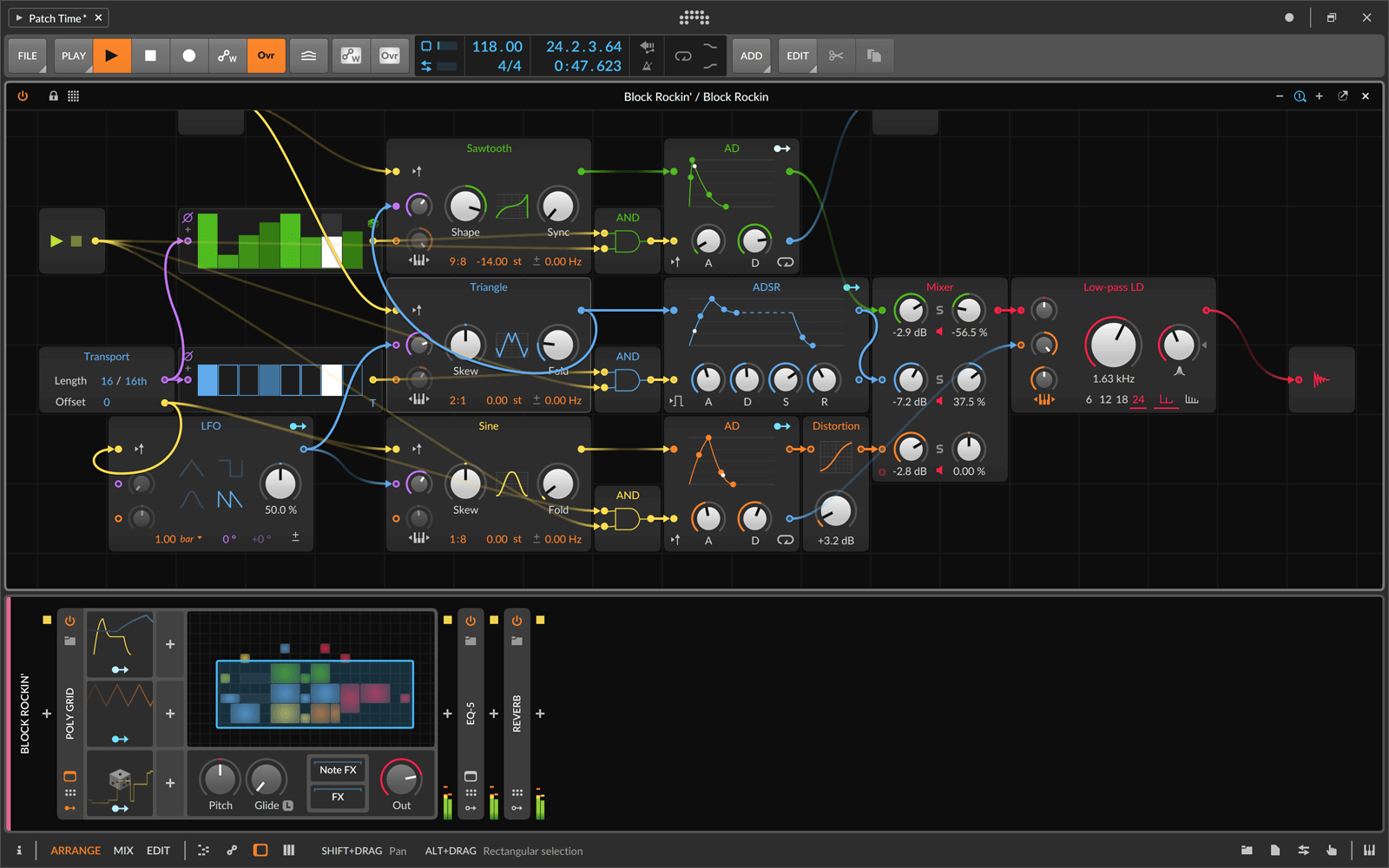
As for its limitations, while its included synths and effects are great and plentiful (especially for beginners), there's still not the depth of effects and instruments as there is in Ableton Live or Logic. Also as we mentioned, while community support is certainly out there and growing, it's still not to the scale of FL Studio, Logic, et al.
There's a stripped-down intro version called Bitwig Studio 16-Track, but the main version is simply called Bitwig Studio. It's not cheap but it's priced comparatively with the middle edition of other DAWs. Before you commit, try the free demo version so you can test out if Bitwig's workflow will work for you.
Reason Studios Reason
Operating Systems: macOS, Windows
Reason's peculiar workflow is focused around a rack design, and much of what comes included with Reason is based on existing studio hardware (and is replicated as such in each module). Instead of leaning more towards a digital-emphasized workflow, Reason makes itself a realistic companion for existing hardware buffs who already know their way around a studio - or are willing to learn the ropes.
The rack system may confuse many early starters who just want to begin adding notes and making music right away, and after a few rack modules begin to stack up it may appear as intimidating as the real thing (that is, a large mess of wires), but the engineering and studio-inclined aspiring producer can start getting the hang of Reason with a free trial, and will develop skills applicable across any studio or DAW.
Cockos REAPER
Operating Systems: macOS, Windows
REAPER - which stands for Rapid Environment for Audio Prototyping and Efficient Recording (say that five times quickly) - is a scrappy DAW that has won over a lot of users extremely quickly. It's really good and flexible, and does a combination of borrowing tried-and-true concepts from other well-established DAWs, and doing things its own way.
This DAW is also innovating when it comes to pricing structure. They keep things simple by only offering one edition (like Logic Pro does), you get “60 days of evaluation free, with full functionality, and no strings attached,” and after that the discounted license is only $60.
Cakewalk by BandLab
Operating Systems: Windows
Formerly known as Cakewalk SONAR, this powerful Windows-only DAW has changed hands a few times but seems to have settled nicely in the hands on BandLab. Cakewalk by BandLab is now completely free, which is an awesome option provided you're on Windows. Cakewalk has always lagged a little in popularity compared to Ableton, Logic, and FL, partially due to it being only available on Windows (even though FL was Windows-only for a while, its workflow caught on with electronic music producers more than Cakewalk did).
Let's not take too much away from Cakewalk here. It's still a full-fledged DAW and its MIDI editing is really, really, good. Best of all it's 100% free so testing it out will cost you nothing but time.
The Best FREE DAWs to Get You Started
If you don't have a couple hundred dollars handy to get into one of the industry leading DAWs, there are quite a few options that won't cost you a thing! And even some of the industry leaders offer the starter or a stripped-back version for free... how great is it to be a musician these days??
Are free DAWs any good? Simply put, yes, especially the ones from popular manufacturers like Apple, Steinberg, or PreSonus who offer a "light" version of their more expensive offerings. Of course, these companies eventually want your business, so their free offerings might be very light on features, specifically when it comes to included plugins like instruments and effects. Their hope is to get you comfortable with their workflow and ecosystem, so you'll be more likely to choose their DAW when you decide to upgrade.
The more obscure free DAWs are good too - the drawback there is you won't find as much support out there in online communities. Ableton is going to have a thousand times the tutorials, forum posts, YouTube videos, and expert users that SoundBridge does. Of course they might not have all the latest and greatest MIDI and audio manipulation features, but they are certainly good enough for any aspiring producer to get their feet wet and figure out if this hobby is worth their time.
>> PLEASE HELP US MAINTAIN THIS LIST! <<
If we missed any free DAW worthy of inclusion, or if the link for any of these changes, please leave a comment at the bottom and let us know!
Popular Free DAWs
| DAW | Operating Systems | Where to Download |
|---|---|---|
| Apple GarageBand | macOS | Download |
| Cakewalk by BandLab | Windows | Download |
| Steinberg Cubase LE | macOS, Windows | Download |
| Audacity | macOS, Windows, Linux | Download |
Lesser-Known Free DAWs
| DAW | Operating Systems | Where to Download |
|---|---|---|
| Tracktion Waveform Free | macOS, Windows, Ubuntu | Download |
| Ardour | macOS, Windows, Linux | Download |
| Akai MPC Beats | macOS, Windows | Download |
| SoundBridge | macOS, Windows | Download |
| LMMS | macOS, Windows, Linux | Download |
| Zynewave Podium | Windows | Download |
DAW Wars - DAW Usage by Genre
Equipboard has the largest database of artists and the gear they use, as well as a pretty in-depth genre mapping for every artist. As we introduced Genre Affinity to music gear pages on Equipboard, we noticed the huge amount of data we have around DAWs made for some very interesting findings.
We asked our talented designers to graph the usage by artist genres for most of the major DAWs, and this was the result.
Click below to view the full-size infographic guide

First, let's be clear - we're not advocating anyone should use a certain DAW, nor stay away from one, based on the music they make. Sure, certain gear/genre pairings might not be the most intuitive. A Korg Minilogue for metal? A Jackson guitar for ambient? But it's the unexpected gear pairings that often make for the best results.
Having said that, there is something to be said for the influence professional artists have based on the gear they use. The late, great Avicii was never secretive about working in FL Studio, and his meteoric rise from bedroom producer to the biggest festival stages led legions of his fans with an inclination to make music to follow in his footsteps and try FL. Same thing goes for hip hop producers watching Mike WiLL Made It produce a mega hit on a certain DAW.
While we're firm believers that any DAW can be used for any genre, there's no denying certain trends have emerged. Electronic music producers lean heavily toward Ableton Live. Logic and Cubase have a more even distribution. We theorize many budding producers spanning all genres start on GarageBand which is freely available on a Mac, and end up graduating to Logic. Cubase has been around forever, and though plenty of superstar artists rely on it, it's never really had the Avicii/FL Studio effect as we mentioned. And speaking of FL Studio, it tends to attract the largest number of hip hop producers, as it excels in getting ideas down quickly which helps when collaborating with multiple producers and rap vocalists. PreSonus Studio One is interestingly very strong with guitar and band-centric genres like rock, metal, jazz, blues, etc. Last but certainly not least, Avid Pro Tools unsurprisingly has the least amount of EDM producers of all the DAWs, due to it being traditionally used in large-scale commercial studios and less oriented towards bedroom producers.
Agree? Disagree? Does our data match what you thought, or the DAW you use? Let us know in the comments at the bottom of this post. You can also help contribute to this data! Sign up for Equipboard, fill out what genres of music you make, and save the DAW you use to your Equipboard.
Top Ranked DAW Software on Equipboard


-m.webp?v=1784973641)


About the authors
Giulio Chiarenza is the co-founder of Equipboard and a lifelong multi-instrumentalist with a deep passion for music gear. Born in Italy and raised in the U.S., he holds a Computer Science degree from The University of Texas at Austin and blends technical acumen with decades of hands-on experience across guitar, piano, drums, and electronic production. Early in his career, Giulio was signed to a San Francisco-based EDM label, releasing both remixes and original tracks. These days, he helps steer Equipboard’s vision while personally testing and reviewing gear. He's never too far from his go-to guitar: a vintage 1978 Fender Telecaster Custom. Read more
Aaron J Hopkins is a ghost producer, DJ, engineer and soon to be commercial studio owner. He holds a BSc in Music-Technology from the University of Kent and dons circa 15 years experience in and around the music industry (various roles). Read more
Frederick Felgate is a mastering engineer from Rowhedge, Essex, England. He has a love and appreciation for music’s technical side, combining his musical and creative skills, with his devotion to accurate and pristine engineering practices. Starting out as an electric guitarist, Fred quickly became comfortable with optimizing signal chains and manipulating effects to achieve the desired emotional response. Read more
Comments
Sign Up or Log In to add comments
2
Renoise is without a doubt the best ever i love it and the price is phenomenal the other thing is its not CPU intensive at 79 dollars you cant beat it.

627
After "chasing" different DAWs, found out that Reaper suits me the best. It's a combination of Logic Pro, Cubase, Studio One, Sonar , FL Studio. Stock FX plugins are very good. It's price ( only 60$) and the CPU multithreading management can't be beaten.

45
I am a big fan of Reaper! Very easy to use and has all the features you need to be productive!
30
As pr. FL Studio's own website, it supports both macOS and Windows
"Once upon a time, the answer was no. Now the answer is YES! Never say never we suppose. This is a native 64 Bit macOS application that works on macOS 10.11 and later."
https://support.image-line.com/action/knowledgebase?ans=114
And also it is now on version 20, you mention version 12 in your article :-)

It's an old article but very informative. For example, Cakewalk is now free. New owners and a new focus, but easy to get going with.

131
The links to Ableton lead to FL Studio pages. 😂
New in DAWs


$398.00
in DAW Software Rank

$899.00 - $999.99
in DAW Software Rank

$479.00 - $528.00
in DAW Software Rank

$199.99
in DAW Software Rank
.jpg?v=1785029339)


$99.00 - $138.00
in DAW Software Rank


$379.00 - $458.00
in DAW Software Rank

$79.00
in DAW Software Rank

$99.00 - $139.00
in DAW Software Rank

$59.99
in DAW Software Rank


$90.00 - $99.00
in DAW Software Rank

$129.00 - $179.00
in DAW Software Rank


$522.00 - $580.00
in DAW Software Rank

$88.00 - $99.99
in DAW Software Rank


$106.00 - $119.00