
Pricing and availability


* Product prices and availability are updated by Equipboard every 24hrs and are subject to change. Equipboard may receive compensation for purchases made at participating retailers linked on this site. This compensation does not affect what products or prices are displayed, or the order of prices listed. For more information, please refer to our affiliate disclosure.
Description
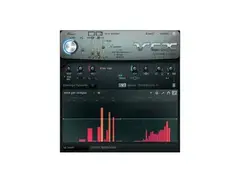
Dive into the world of expressive sound manipulation with Image Line's Vocodex, a cutting-edge vocoder plugin that transforms your audio into rich, textured soundscapes. Whether you're aiming to recreate the iconic robot voices from sci-fi movies or infuse your tracks with unique harmonic layers, Vocodex delivers with precision and flair.
Vocodex stands out with its intuitive interface that makes complex vocoding simple. It takes the frequency band activity from one sound, the Modulator, and applies it to another, the Carrier, allowing you to morph your audio with stunning clarity. This means you can make a synthesizer speak or give your vocals a futuristic twist, all with a few clicks.
Perfect for both novices and seasoned producers, Vocodex offers unparalleled control over your sound design. From intricate voice transformations to lush, ambient textures, this plugin is your key to unlocking new sonic dimensions. Its flexibility and depth make it a staple in any digital audio workstation, empowering you to push the boundaries of creativity.
Key Features:
- Real-time modulation with precise frequency control
- Advanced band-unlinking for enhanced sound clarity
- Support for advanced MIDI control for dynamic performance
- Integrated noise reduction to maintain sound integrity
- User-friendly interface for seamless workflow integration
- Compatible with a variety of DAWs for versatile application
Videos

FL Studio
Image-Line | Vocodex Vocoder Effect
Image-Line | Vocodex Vocoder Effect
FL Studio
Image Line Vocodex - Basic Setup and Usage
FL Studio
Image Line Vocodex - Creative Routing
FL Studio
Image Line Vocodex - Basic Use of Vocodex as a VST Plugin
FL Studio
How To Use VOCODEX by Image-Line | Ghosthack Sound Design Tutorials

Ghosthack
Image Line Vocodex - Advanced Routing Part One
FL Studio
Image Line Vocodex - Advanced Routing Part Two
FL Studio
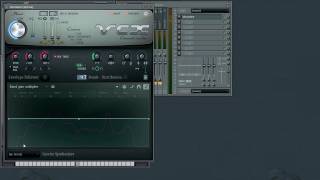
Image Line Vocodex - Parameters: Envelope & Band Distribution
FL Studio
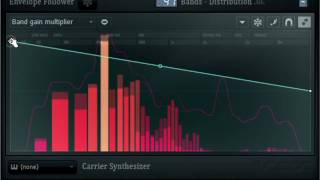
Image Line Vocodex - Curve Editor One: Band Distribution
FL Studio

ANDI VAX REVIEWS 010 ENG - Image-Line Vocodex

andivax
Reviews
PROS
-
Deep and fully featured vocoder with built-in carrier tones
-
Unique vocoder engine capable of producing diverse sounds
-
Excellent control over vocoding for creative experimentation
-
Great tool for transforming vocal effects, from cute to creepy
-
Subtle yet interesting ambience manipulation
-
Effective for achieving robotic vocal effects
-
Allows innovative morphing and sound design
-
Fun and useful for spontaneous vocal experimentation
CONS
-
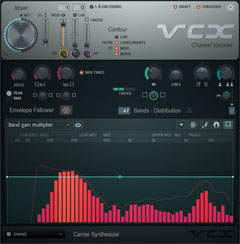
Band distribution display is unintuitive
-
Initial complexity may be daunting for beginners
-
Some users prefer the ease of use of other vocoders like Ableton's
Owner Insights
We analyzed real musician discussions from forums and Reddit to find what players love, question, and tweak about Image-Line Vocodex.
Software and compatibility
Comparisons
-
MVocoder by MeldaProduction is mentioned as a quicker, better alternative to Vocodex, often found at 50% off.
Source
User experience
-
Using FL Studio as a plugin with Vocodex in another DAW is described as clunky and cumbersome.
Source
Features and functionality
Use cases and applications
-
Vocodex excels in creating watery textures in percussion with the 96 band semitone preset.
Source -
Combining chords and dubstep bass with Vocodex can effectively produce color bass.
Source -
Vocodex is powerful when used with unconventional signals, such as running traffic or laughter through a synth.
Source -
Adjusting bands and filters on Vocodex can transform a voice into thick bass sounds suitable for dubstep and DnB.
Source
Critic Reviews
4.5 out of 5
Based on 18 Reviews and 67 Ratings

183
Much better than Ableton's!
When I first got into experimenting with vocoders, I wasn't really happy with Ableton (or it's Grain Delay). It wasn't bad, but it just wasn't what I was after. Checking out Vocodex however left me very impressed! it's easy to think of FL Studio being filled with bloatware that you never touch, but Vocodex is a fantastic and deep vocoder!
Although I have NI Razor now and it can do incredible vocal effects, I'm definitely holding onto Vocodex :).

41029
this VST is really fun
What can I say? Its a more-than fully featured vocoder with its own built in carrier tones. You need to experiment with the vowel filter and all these other wild features to really dig deep enough to enjoy this plugin! I really like putting this on vocal echoes to mud them up a bit as well as tune the carrier signal to match an interesting guide tone in the song I'm working on. Its subtle but it really is an interesting thing to do with ambience! Heck try it before a reverb plugin on a send, then add an expander to get the verb to pump with the drum groove.... but I digress. Super fun and super useful!

71
Great vocoder with advanced features
There's something to the vocoder engine that makes it unique and can produce all sorts of sounds. Destined primarily from my experience towards voice vocoding (from the labeling to the different options offered), this can also be a great morphing tool, when used right.
41029
I use this plugin all the time to process echo sends and reverbs to add unique timbres to my ambience. Vocoders are NOT just for robot voices, especially this plugin. Super versatile if you know what all the features are for and what to expect fro them.

193
Splendid
Definitely a great product, but I tend to reach for the Ableton vocoder instead. Ease of use and integration are important to me. Why use this when I can grab something stock and run with it?


109
Transforming cute sounds into creepy growls with ease
I used it on a track called "Pikaboo." I used it to turn the cute Pika Pika sound from Pokemon and turned it into a growly creepy monster. Thanks to Vocodex.


454
A great vocoder
Whenever I need to get robotic vocals, I record them and run them through Vocodex. I often use Harmor as the carrier.

Ummm....
This came with my copy of FL Studio producer edition. I don't use this plugin but I own it
Artist usage
Add artist

In this video posted in his Instagram account we can see the processing for one of his sounds, and we can see Vocodex in two of the effect slots


"gutslyoir: Hey Alex! I'm a HUGE fan of yours, ever since the release of your first EP on Monstercat.
The Follower is my absolute favourite track of yours, and I wanted to ask if you could give me just some basic idea of how you made the main bass in it. I love your sound design, and that bass is so unique and layered. I'm not at all trying to perfectly mimic it, but I'd really like to have some idea of how you put it together just for the sake of learning and experimenting a bit.
Also, is there anything you do in your mixdowns that gives you that exceptionally crisp quality that you have in your tracks? Your high end sounds (plucks etc) are consistently very clear and open and it's just very sonically pleasing.
7MD: Thank you! I have a special place in my heart for the Follower, haha. One of my favorite tracks to make.
That bass was made with FM8, Vocodex, and lots and lots of automation and fine tuning to get the right sound. And I mean very fine tuning, because FM synthesis can be incredibly touchy with drastic changes from the smallest adjustments, and then further shitloads of automation through Vocodex.
Sound design is 95% sounding like shit, 5% stumbling upon something magical.
I try to balance my mixes as much as I possibly can, and I make sure my mixes sound as great as I can get them to sound with nothing on the master. Once that's done, the mastering is pretty simple. One EQ8 and Slate Digital FG-X, or sometimes EQ8 + Glue Compressor + Fab Filter Pro-L Limiter. But the most important thing is getting your mix perfect. You can't really polish a turd."

TehCarterPSpartan uses Image Line's Vocodex plugin exclusively for processing vocals, as noted on the FL Studio website.


Album Usage
The Image-Line Vocodex has been featured on the following albums:


Genre Usage
Based on how artists on Equipboard use this gear, it is most commonly found in the following genres.
Used With
Based on how musicians on Equipboard use Image-Line Vocodex, it is most commonly used with the following gear.


-s.webp?v=1754871182)
More Image-Line Vocoder Plugins
-m.webp?v=1754870151)


$33.00 - $34.99
in Vocoder Plugins Rank


$149.00
in Vocoder Plugins Rank


$42.99 - $55.00
in Vocoder Plugins Rank


$29.00 - $49.00
in Vocoder Plugins Rank


$32.00 - $159.00
in Vocoder Plugins Rank


$89.00 - $149.00
in Vocoder Plugins Rank

$32.00 - $199.00
in Vocoder Plugins Rank


$0.00
in Vocoder Plugins Rank


$149.00 - $199.00
in Vocoder Plugins Rank


Community setups


Similar


Most Popular Vocoder Plugins
Most Popular Brands
-
Added to Equipboard on by
 equipboard
Gear IQ 4934
-


