

Pricing and availability
We compare 600+ stores and found this item at 4 stores. Prices updated .
Store
Reviews
Price


Price History
Based on price data from 1 merchant for "Stagecraft Software Scratch Track". Prices shown reflect NEW condition. Tracking began Jun 23, 2026.
* Product prices and availability are updated by Equipboard every 24hrs and are subject to change. Equipboard may receive compensation for purchases made at participating retailers linked on this site. This compensation does not affect what products or prices are displayed, or the order of prices listed. For more information, please refer to our affiliate disclosure.
Description
Unleash your inner DJ with the Stagecraft Software Scratch Track, a versatile plugin designed to bring your scratching capabilities to the digital realm. Whether you're looking to scratch samples, loops, tracks, or even live inputs, this tool is your gateway to adding dynamic and creative scratching effects to your music projects. With live input scratching, it's the only software of its kind that supports all types of timecoded vinyl, allowing for a seamless integration into any DAW or audio plugin host.
Imagine the freedom to scratch a live MC's audio or any stream of incoming sound, taking your performances to the next level. Scratch Track also empowers you with programmable cue points and a professional-grade crossfade, giving you precision control over your mixes. The MIDI learn feature further enhances your experience by enabling you to map controls to your favorite MIDI devices, ensuring that your setup is as unique as your sound.
Perfect for both studio environments and live performances, Scratch Track isn't just another plugin—it's a revolution in sound manipulation.
Key Features:
- Interprets timecoded vinyl for authentic scratching
- Scratch loops, samples, and tracks with ease
- Real-time recording and scratching of live inputs
- Supports MIDI learn for tailored control
- Compatible with MIDI platter controllers and CDJs
- Works with most MIDI controllers
System Requirements:
Mac:
- macOS 10.13 or newer (Intel / M1 Apple Silicon supported) (64-bit only)
- Formats: AAX, AU, VST3, Standalone
Windows:
- Windows 7 or newer (64-bit only)
- Formats: AAX, VST3, Standalone
Videos

Lab Life-Pro (LabLifePro)
Stagecraft's Scratch Track Plugin Setup
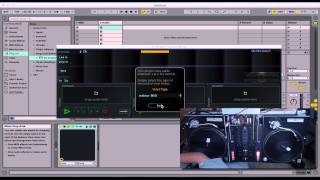
Stagecraft's Scratch Track Plugin Setup
Lab Life-Pro (LabLifePro)
Scratch Track | MIDI controller setup | Stagecraft Software

Stagecraft Software
Updates to Scratch Track! (Turntable scratch plugin) | Stagecraft Software
Stagecraft Software
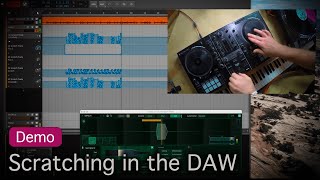
Scratching in the DAW | Scratch Track | Stagecraft Software
Stagecraft Software
Scratch Track | Vinyl tune-up | Stagecraft Software
Stagecraft Software
Reviews
Owner Insights
We analyzed real musician discussions from forums and Reddit to find what players love, question, and tweak about Stagecraft Software Scratch Track.
Software and compatibility
-
Stagecraft Software Scratch Track has been noted as unreliable, with issues like failing to recognize timecode and producing feedback, making it unsuitable for live use.
Source
Setup and maintenance
-
Users have found that integrating a separate laptop running Mixx with a mixer and turntable is a more reliable solution for live scratching in Ableton.
Source -
Using MIDI controllers with knobs simplifies creating scratch effects; without knobs, automating is necessary to achieve a 'scratchy' sound.
Source
Features and functionality
-
Live scratching can be simulated using a delay set to repitch mode with mapped controls, offering an alternative to dedicated plugins.
Source -
Scratch macros created for audio files in Ableton can be effectively controlled with MIDI controllers, particularly those with knobs like the Korg NANOKontrol 1.
Source
Comparisons
Critic Reviews
Based on 0 Reviews and 0 Ratings
More Stagecraft Software DJ Tools Plugins


$149.00
in DJ Tools Plugins Rank


$47.00 - $49.00
in DJ Tools Plugins Rank
Artist usage


Community setups


Similar


Gear Guides









Most Popular DJ Tools Plugins
Most Popular Brands
-
Added to Equipboard on by
 equipboard
GearIQ 4934
-