
By Gear Experts
Table of Contents

Equipboard
Equipboard is the world's largest community of artists and their gear. Read our review process.
We are reader-supported. When you buy through links on our site, we may earn an affiliate commission. Learn more.
Our Picks


Bogren Digital 100 Years Of Beyerdynamic IR Pack
Beyerdynamic's centennial IR pack celebrates 100 years of microphone innovation, featuring rare vintage mics and modern classics in an extensive collection curated by legendary producers.
Read more

Two Notes Audio Engineering Rock ‘n Roll Classics | DynIR Cabinet Collection
Two Notes' Rock 'n Roll Classics DynIR Collection delivers ten meticulously captured iconic cabinets that shaped the sound of rock history.
Read more
Two Notes Metal Essentials DynIR Cabinet Collection
Two Notes' Metal Essentials DynIR Collection delivers ten precisely captured modern cabinets that define contemporary heavy guitar tones, from djent to death metal.
Read more
Bogren Digital Jens Bogren Signature IR Pack: Lead + Clean
Jens Bogren's expertise in crafting distinctive lead and clean guitar tones comes to life in this meticulously crafted IR collection designed for solos and melodic passages.
Read more
Hertz Instruments Perfect Match Impulse Responses
A compact but powerful collection of 12 mix-ready IRs crafted specifically for contemporary heavy music production.
Read more
Bogren Digital Kristian Kohle IR Pack: Rainbows and Chainsaws
28 versatile IRs delivering everything from pristine modern metal clarity to raw, aggressive textures for extreme genres.
Read more
IK Multimedia's Total Studio 4 combines virtual instruments, guitar processing, and studio effects into an integrated music production toolkit.
Read more
Two Notes Audio Engineering Torpedo Wall of Sound | Plugin Boutique Edition
Two Notes Wall of Sound transforms IR usage from simple cabinet simulation into a complete virtual recording environment with unprecedented control and flexibility.
Read more-l.webp?v=1783834744)
Native Instruments Guitar Rig 7 Pro
Native Instruments Guitar Rig 7 Pro transcends traditional amp simulation, offering an expansive playground for guitar processing and creative sound design.
Read more
Every guitarist knows that moment of truth: the red recording light comes on, and suddenly that monster tone you spent hours crafting sounds thin, boomy, or just wrong. The sweet spot you heard in the room somehow vanishes in your recordings, or worse, your neighbors start banging on the walls because your cab's sweet spot happens to be at volumes that could wake the dead. While seasoned engineers might make mic placement look effortless, it can be a handful for most people.
Enter impulse responses (IRs) - the game-changing technology that's revolutionizing how guitarists capture and recreate their ideal tones. At its core, an IR is a precise digital capture of how a speaker cabinet, microphone, and room interact with sound. Think of it as a sonic photograph that captures every nuance of your favorite speaker cabinet setups, from vintage 4x12s to modern boutique offerings.
What makes IRs particularly compelling is their ability to deliver consistent, professional-grade tones without the traditional hassles of microphone placement, room acoustics, or volume constraints. Whether you're recording at home, performing live, or practicing silently, IRs offer the flexibility to switch between meticulously captured cabinet sounds at the click of a button.
The impact of IRs on modern guitar tone is profound - they've become an essential tool for everyone from bedroom players to touring professionals. We'll explore the best options available today, from premium collections to affordable alternatives, helping you find the perfect IR solution for your setup.
What Are Impulse Responses?
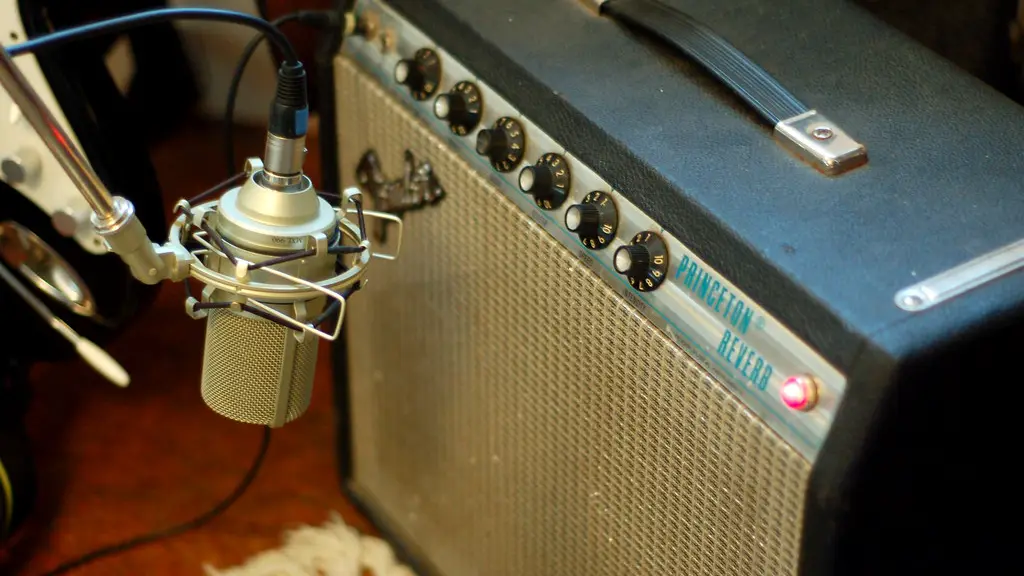
Think of an impulse response as a snapshot that captures exactly how sound behaves in a specific environment or through specific equipment. For guitarists, this primarily means capturing how their tone changes when it comes out of a speaker cabinet. Let's break this down in detail.
Understanding the Basics
Here's a breakdown of the factors that affect your guitar tone:
- Speaker: Different speakers (like a Celestion Vintage 30 or a Greenback) have their own unique character that colors the sound.
- Cabinet: The wood and construction of the cabinet affect how the sound resonates.
- Microphone: The microphone used to capture the sound, its position relative to the speaker, and the room's acoustics all contribute to the final tone.
An IR captures all of these elements by sending a short burst of sound (like a sonic photograph flash) through this entire signal chain. This burst contains all frequencies across the audio spectrum. By measuring exactly how each frequency is altered by the cabinet, microphone, and room, the IR creates a precise mathematical model of how that setup affects any sound passing through it.
For example, if your cabinet naturally boosts certain mid-frequencies while slightly reducing some high frequencies, the IR will contain this exact information. When you later run your guitar signal through this IR, it applies these same frequency modifications to your tone, effectively recreating what your guitar would sound like if it were played through that exact cabinet setup.
A More Technical Look
Understanding the underlying technology can help you make better decisions when using IRs. Here's a deeper dive into how IRs work:
- Convolution: IR processing uses convolution, a mathematical process that combines your dry guitar signal with the IR's frequency and phase information. Imagine it as overlaying a sonic "fingerprint" of a speaker cabinet onto your guitar signal.
- Real-time processing: The convolution process happens in real-time through thousands of complex calculations per second. When you play through an IR, each frequency component of your guitar signal is modified according to how that same frequency behaves in the IR.
- IR resolution: Higher resolution IRs (24-bit/96kHz) provide more detailed frequency and phase information, resulting in more accurate cabinet simulation, but this comes at the cost of processing power. The best IRs strike the perfect balance of efficiently using the processing power available to them to create the most accurate recreation.
Real-World Applications
Modern guitarists are increasingly turning to IRs for several compelling reasons:
- Professional recording: IRs eliminate common issues like microphone bleed and inconsistent room acoustics.
- Live performance: They provide reliable, identical tones night after night, regardless of venue acoustics.
- Home recording: IRs enable home recording enthusiasts to achieve studio-quality cabinet tones at any volume level.
Essential Equipment
To harness the power of impulse responses, you'll need specific hardware or software solutions:
- Hardware modelers: Devices like the Fractal Audio Axe-FX, Neural DSP Quad Cortex, or Line 6 Helix have built-in IR capabilities and often include their own IR collections.
- Software-based solutions: Most modern amp simulation platforms support IR loading.
- Dedicated IR loaders: These are available as pedals for live use or as plugins in your recording software.
Technical Requirements
Getting started with IRs is straightforward, but understanding a few technical aspects can help you make better choices:
- Resolution: Modern IRs typically come in 24-bit/96kHz resolution, ensuring exceptional sound quality.
- Format: Most IR files use the standard WAV format, making them widely compatible across different platforms.
- Storage: Storage requirements are minimal – even large IR collections take up relatively little space on your device.
Features to Look for in IR Options
When shopping for impulse responses, it's essential to focus on certain key characteristics that separate the exceptional from the average. Understanding these features will help you make informed decisions and find IRs that best match your playing style and recording needs.
Sound Resolution and Quality
Sound resolution is determined by two fundamental components: bit depth and sample rate.
Bit depth: Measures the precision of volume levels we can capture.
- 16-bit: 65,536 possible volume levels.
- 24-bit: Over 16 million levels of precision.
Sample rate: Determines how many times per second we measure the sound.
- 44.1kHz: 44,100 measurements each second.
- 96kHz: 96,000 measurements each second.
Resolution levels:
- 16-bit/44.1kHz: CD quality, captures basic character but may miss subtle nuances.
- 24-bit/96kHz: Professional standard, captures extremely fine variations and high-frequency content.
- 32-bit/192kHz: Exceptional detail, captures fine phase relationships and transient responses.
- Capture equipment: High-end converters and precisely calibrated microphones ensure clean, accurate IR captures.
- Microphone positions: Professional IR captures often include various mic placements (close to distant, on-axis to off-axis) for blending different perspectives.
- Processing techniques: Proprietary algorithms for noise reduction, phase alignment, and resonance enhancement.
- Non-linear speaker behavior: Capturing dynamic response characteristics requires more processing power.
Ownhammer
5.0 (6)
The Industry Standard Bearer


Few names carry as much weight in the IR world as OwnHammer, and for good reason. Their cabinet captures form the backbone of countless professional guitar tones across genres. At the core of OwnHammer's appeal is their meticulous attention to capturing the true character of each cabinet. Their Core library features industry-standard cabinets like the venerable Mesa 4x12 and Marshall 1960, each captured with multiple microphone options that sound remarkably true to their physical counterparts.
What sets OwnHammer apart is their consistent ability to deliver IRs that simply work in a mix. Their Heavy Hitter collection, particularly favored by modern metal producers, exemplifies this with cabinets that cut through dense mixes while maintaining clarity and depth. Even their room captures add natural space without muddying the fundamental tone.
Sound Character
The company's approach to microphone selection and placement shows deep understanding of real-world recording scenarios. Each cabinet collection includes industry-standard dynamics and condensers in positions that recording engineers actually use, from close-mic'd aggression to roomier, more organic captures. Their IRs particularly excel at preserving the low-end clarity that many other captures miss, making them especially suitable for down-tuned instruments.
Best Use Cases
OwnHammer IRs shine brightest in professional recording scenarios where accuracy and mix-ready tones are paramount. The Heavy Hitter collection excels for modern metal and hard rock, while their vintage cab selections deliver authentic classic rock and blues tones. Live performers particularly appreciate their stage-optimized collections, which maintain clarity and punch through front-of-house systems.
Organization and Workflow
Beyond the sound quality, OwnHammer's attention to organization makes working with their IRs notably efficient. Files are logically named and categorized, making it easy to find exactly what you need whether you're tracking at home or performing live. Their mixing-focused approach is evident in how they group complementary IRs together, helping users achieve professional-quality tones with minimal experimentation.
Technical Specifications
The OwnHammer IR collection supports all major formats used in modern audio production. Files are delivered in standard WAV format (24-bit/96kHz), ensuring compatibility with any IR loader. Core requirements include 2GB storage space for the base library, with larger bundles requiring up to 8GB. The IRs work seamlessly with popular loaders like Axe-FX, Helix Native, Neural DSP plugins, and Two Notes Wall of Sound.
Supported Environments:
- DAW Compatibility: Works with all major DAWs including Pro Tools, Logic Pro, Cubase, Studio One, and Reaper
- Hardware Integration: Compatible with Fractal Audio, Line 6, Neural DSP, and Kemper profiling platforms
- Sample Rate Support: Files available in both 44.1kHz and 96kHz versions
- Format Support: Standard WAV format ensures universal compatibility with IR loaders
Bogren Digital 100 Years Of Beyerdynamic IR Pack
The Microphone Heritage Collection

This unique collaboration between Beyerdynamic and renowned producers Kristian Kohle and Jens Bogren represents far more than just another IR collection. The comprehensive pack features 235 distinct IRs, making it Bogren Digital's largest collection to date. What sets this pack apart is its unprecedented access to Beyerdynamic's century-old microphone archive, from rare 1930s dynamics to smooth 1960s ribbons.
The collection's development involved meticulous capture of historical microphones that rarely leave Beyerdynamic's archives. Their archival treasures include the M19b Dynamic from the early days to modern classics like the M88, each bringing its unique character to the IR captures. This project marks a rare intersection of historical preservation and modern guitar tone crafting.
Sound Character
These IRs showcase the distinctive sonic signatures of Beyerdynamic's microphone evolution. Each capture preserves the unique characteristics of these legendary microphones, from the edgy character of 1930s dynamics to the smooth response of vintage ribbon mics. The technical captures focus on a 2002 Celestion V30 speaker, offering up to 13 discrete mic positions per microphone, providing unprecedented tonal flexibility.
Best Use Cases
The collection serves both practical and historical interests. The 32 Producer IRs, crafted by Kohle and Bogren, deliver mix-ready tones for immediate use. The technical IRs, featuring nine carefully selected microphones, provide deep tone-crafting possibilities. Studio professionals particularly value the historical captures, which offer access to rare microphone characters otherwise unavailable in the digital domain.
Organization and Workflow
The pack is logically organized into three main sections: Producer IRs (32), Technical IRs (118), and Historic IRs (85). Their systematic approach enables users to easily navigate between mix-ready solutions and deep tone-crafting options. Detailed documentation accompanies each IR, providing historical context and technical specifications of the original microphones.
Technical Specifications
The collection represents Bogren Digital's most extensive IR pack to date, featuring 235 individual IRs across various categories. Each capture maintains professional-grade standards, ensuring compatibility with modern production environments while preserving the authentic character of historical microphones.
Supported Environments:
- DAW Compatibility: Universal support for all major DAWs and IR loaders
- Microphone Coverage: 18 historic models plus 9 technical capture microphones
- Organization: Separated into Producer, Technical, and Historic IR sections
- Position Options: Up to 13 discrete mic positions per technical capture
- Documentation: Comprehensive historical and technical information included
- Format Support: Industry-standard IR formats for maximum compatibility
Two Notes Audio Engineering Rock ‘n Roll Classics | DynIR Cabinet Collection
The Classic Rock Arsenal

Two Notes has assembled a definitive collection of rock's most legendary cabinets, each captured using their advanced DynIR technology. The collection spans from chimey Vox-inspired cleans to thunderous Ampeg-style bass cabinets, offering a comprehensive palette of classic rock tones. This curated selection focuses on cabinets that have appeared on countless legendary recordings, from British Invasion sounds to modern rock standards.
Each cabinet has been captured with extraordinary attention to detail at Two Notes HQ, where their proprietary DynIR technology enables unprecedented control over virtual microphone placement. The collection provides power equivalent to 160,000 traditional IR files through its dynamic modeling system, offering flexibility that would be impossible with static IRs.
Sound Character
These DynIR captures deliver remarkable authenticity, from the distinct chime of the VOICE 30 (inspired by the Vox AC30) to the authoritative punch of the BRIT 60A (based on the Marshall 1960A). The tonal palette spans decades of rock history, with each cabinet maintaining its distinctive character while offering modern flexibility through the DynIR system. The collection particularly excels at capturing the unique resonances and power amp interactions that made these cabinets legendary.
Best Use Cases
Perfect for producers and guitarists seeking authentic classic rock tones with modern convenience. The collection excels in both studio and live applications where classic cabinet sounds are essential. Professional users appreciate the ability to blend characteristics from different eras, combining, for example, British and American cabinet characters in ways that would be impractical with physical gear.
Organization and Workflow
Each cabinet includes eight microphone options with comprehensive positioning control, including front and back mic placement with 10,000 possible positions. The control system allows for dual-mic setups and room acoustics adjustment, all manageable through the Wall of Sound or GENOME interfaces.
Technical Specifications
- Cabinet Collection: 10 DynIR virtual cabinets
- Microphone Options: 8 mics per cabinet with dual-mic capability
- Position Control: 10,000 possible mic positions (front & back)
- Processing Features: Includes power amp simulation and post-effects
- Integration: Full compatibility with Two Notes ecosystem
- Additional Features: 8 room acoustics, 6-band EQ, 2-band exciter, studio compressor, and reverb
Supported Environments:
- Platform Requirements: Wall of Sound or GENOME (required)
Two Notes Metal Essentials DynIR Cabinet Collection
The Modern Metal Machine




The Metal Essentials collection represents Two Notes' dedication to capturing the cabinets that shaped modern metal's sonic landscape. The collection spans from tight, djent-ready responses to massive, full-spectrum metal tones, with each cabinet carefully selected for its role in contemporary heavy music. These captures draw from the most revered names in high-gain amplification, including Engl, Mesa Engineering, Diezel, and Bogner.
Their meticulous capture process ensures each cabinet's unique characteristics are preserved, from the aggressive midrange punch of the CALIF STDC to the tight, controlled low-end of the KEROZEN. The development team's attention to detail extends to capturing the specific speaker break-up characteristics that give each cabinet its distinctive voice under high-gain conditions.
Sound Character
These DynIR captures excel at delivering the articulation and punch essential for modern metal production. Each cabinet brings its own specialized character, from the surgically precise response of the ANGL VINTC to the aggressive growl of the XTCAB. The tonal foundation particularly shines in capturing the complex harmonic interactions that occur under high-gain situations, preserving the distinctive "chug" and note definition metal players demand.
Best Use Cases
The collection proves invaluable for modern metal production, particularly excelling in situations requiring precise articulation and controlled low-end response. Professional producers appreciate the ability to blend different cabinet characteristics, creating hybrid tones that would be impractical or impossible with physical cabinets. These IRs particularly shine in down-tuned and extended-range guitar applications.
Organization and Workflow
Each cabinet includes comprehensive control over eight microphones with dual-mic capability, offering 10,000 possible positioning combinations. The virtual mic system allows for precise placement adjustments in both distance and angle, enabling users to dial in everything from aggressive close-mic'd tones to more spacious room captures.
Technical Specifications
- Cabinet Collection: 10 DynIR virtual cabinets
- Microphone Options: 8 mics per cabinet with dual-mic capability
- Position Control: 10,000 possible mic positions (front & back)
- Processing Features: Includes power amp simulation and post-effects
- Integration: Complete compatibility with Two Notes ecosystem
- Additional Features: 8 room acoustics, 6-band EQ, 2-band exciter, studio compressor, and reverb
Supported Environments:
- Platform Requirements: Wall of Sound or GENOME (mandatory)
Bogren Digital Jens Bogren Signature IR Pack: Lead + Clean
The Lead Tone Specialist

Jens Bogren, renowned for his work on countless influential metal productions, brings his signature approach to lead and clean tones in this focused collection. The pack comprises 61 purpose-built IRs, with 41 dedicated to lead tones and 20 for clean sounds. Unlike traditional IR captures, these represent Bogren's complete signal chain, including his mixing and EQ decisions that have shaped modern metal production.
What sets this collection apart is its specialized focus on non-rhythm guitars. Their production philosophy recognizes that lead and clean tones require fundamentally different treatment than rhythm guitars to achieve proper separation in dense mixes. Each IR encapsulates Bogren's years of experience in crafting distinct voices for different guitar parts.
Sound Character
These IRs are characterized by their exceptional clarity and ability to cut through dense mixes without becoming harsh or piercing. The lead captures provide the perfect balance of presence and body, while clean IRs deliver crystalline clarity with natural harmonic detail. All IRs come pre-EQ'd, reflecting Bogren's professional mixing decisions and eliminating the need for extensive post-processing.
Best Use Cases
The collection excels in professional metal and rock productions where distinct lead and clean tones are crucial. Perfect for solos that need to soar above thick rhythm sections and clean passages that demand clarity. Studio professionals particularly value these IRs for their mix-ready character and ability to maintain separation in complex arrangements.
Organization and Workflow
Bogren's IRs are meticulously phase-aligned, enabling perfect blending between different captures. Their practical organization separates lead and clean applications clearly, making it easy to find appropriate tones for specific parts. The pre-processed nature of these IRs streamlines the production workflow, requiring minimal additional tweaking.
Technical Specifications
Guitar Rig 7 Pro requires modern hardware for optimal performance across both standalone and plugin operation. System requirements for Mac users include macOS 11 through 13 (latest updates), Intel Core i5 or Apple Silicon processor, and 4GB RAM (6GB recommended). Windows users need version 10 or 11 (64-bit), Intel Core i5 or equivalent, with similar RAM requirements. Both platforms require graphics hardware supporting OpenGL 2.1 or higher.
The software operates in all major plugin formats including VST, AU, and AAX, while also functioning as a standalone application. Internet connection is required only for initial setup, after which the software runs completely offline. The platform ensures comprehensive DAW integration and incorporates ICM-powered amp modeling technology alongside premium IR integration from multiple vendors. Advanced features include sophisticated signal routing architecture, integrated loop machine capabilities, and professional-grade limiting through iZotope integration. The learning curve is smoothed by a context-sensitive help system that adapts to user interaction.
Supported Environments:
- Hardware Compatibility: Works with Quad Cortex, Axe-FX, Kemper, Line 6, Boss, Strymon, and more
- Software Integration: Compatible with all IR loader plugins and DAWs
- Format: Standard IR format for universal compatibility
Hertz Instruments Perfect Match Impulse Responses
The Modern Metal Essentials

Drawing from hundreds of album productions at the legendary Hertz Studio, Woytek Wieslawski has distilled his expertise into a focused collection of IR captures. These twelve IRs represent the culmination of recording sessions with metal's elite, including Behemoth, Decapitated, and Vader. Each IR has been specifically selected through extensive testing with bass and drums, ensuring real-world mix compatibility.
The collection embodies Wieslawski's signature approach to modern metal production. His selection process focused on finding IRs that consistently deliver in full-band contexts, rather than just sounding good in isolation. This practical approach stems from his experience recording over 300 albums at Hertz Studio.
Sound Character
These IRs capture the aggressive yet controlled character that defines modern European metal production. Each IR demonstrates exceptional low-end control while maintaining the critical midrange bite essential for heavy music. The tonal palette particularly excels at delivering the tight, focused sound that has become Hertz Studio's trademark.
Best Use Cases
Perfect for producers seeking professional-grade metal tones that work in dense mix situations. The collection particularly shines in extreme metal productions where clarity and power are essential. Studio engineers value these IRs for their ability to sit perfectly with modern drum and bass tones, requiring minimal additional processing.
Organization and Workflow
Though compact at 12 IRs, each capture has been chosen for its specific utility in professional production scenarios. The focused selection eliminates decision fatigue, providing essential tools that consistently deliver results. Each IR has been tested extensively in real recording situations, ensuring reliability under professional conditions.
Technical Specifications
The collection provides professional-grade captures ready for immediate deployment in any modern production environment. Format compatibility ensures seamless integration with all major platforms. The package contains twelve meticulously selected IRs, each extensively validated with full band arrangements to ensure real-world performance. Each capture comes mix-ready, requiring no additional processing, and has been specifically optimized for modern heavy music production. The IRs maintain consistent quality across all major hardware and software platforms, ensuring reliable performance whether used in a DAW environment or with hardware processors.
Supported Environments:
- Hardware Support: Compatible with all IR-capable hardware units
- Software Integration: Works with all IR loader plugins
- DAW Compatibility: Universal compatibility across platforms
- Format: Industry-standard IR format
Bogren Digital Kristian Kohle IR Pack: Rainbows and Chainsaws
4.0 (1)
The Genre-Spanning Metal Arsenal

This unique collection splits into two distinct categories: 13 studio-grade IRs for modern metal production and 15 specialized IRs for more extreme sonic territories. The comprehensive range spans 14 different speakers across four distinct cabinets, offering remarkable tonal variety in a single package. Each IR captures specific speaker characteristics that define different metal subgenres, from polished modern metal to raw black metal textures.
Their development approach focused on creating a versatile toolkit that covers both conventional and experimental metal tones. The collection stands out for its ability to deliver both pristine clarity and intentionally aggressive, raw characteristics, making it particularly valuable for producers working across multiple metal subgenres.
Sound Character
The collection divides distinctly between the polished, modern studio IRs and the more aggressive "filthy" captures. The studio IRs deliver the clarity and punch essential for contemporary metal production, while the extreme selection offers carefully crafted abrasiveness perfect for black metal, death metal, and doom. Each speaker and cabinet combination has been chosen to excel in specific subgenres.
Best Use Cases
These IRs prove invaluable for producers working across multiple metal styles. The modern captures excel in contemporary metal production requiring clarity and definition, while the specialized IRs deliver authentic character for extreme metal genres. Studio professionals particularly appreciate the ability to switch between polished and raw tones within a single collection.
Organization and Workflow
The collection maintains clear separation between modern and extreme IRs, making it easy to find appropriate tones for different projects. Their logical organization by speaker type and intended application helps users quickly locate the right IR for specific genre requirements. The mix-ready nature of these IRs streamlines the production process.
Technical Specifications
The pack delivers 28 professional-grade IRs designed for immediate integration into any production setup. Format support ensures broad compatibility across hardware and software platforms. The collection encompasses 13 studio-grade and 15 extreme-focused IRs, captured across 14 different speakers housed in four distinct cabinet types. Each IR comes with mix-ready optimization, specifically tailored for applications ranging from modern metal to extreme metal genres. The comprehensive processing ensures immediate usability while maintaining flexibility for further customization in professional production environments.
Supported Environments:
- Hardware Integration: Compatible with Quad Cortex, Axe-FX, Kemper, Line 6, Boss, Strymon, and more
- Software Support: Works with all IR loader plugins
- DAW Compatibility: Universal compatibility
- Format: Standard IR format for maximum compatibility
IK Multimedia Total Studio 4
The Comprehensive Production Package

Total Studio 4 represents IK Multimedia's approach to providing a comprehensive music production environment. The collection brings together eight core applications spanning virtual instruments, guitar processing, and mixing tools. Each component has been selected to cover essential production needs, from the guitar-focused AmpliTube 5 SE to the detailed control of MODO BASS 2 SE and MODO DRUM 1.5 SE.
Beyond the core applications, the suite includes an extensive library of additional content. Their content curation reflects real-world production needs, incorporating everything from classic drum collections by Billy Cobham and Neil Peart to specialized electronic music sound banks covering multiple genres.
Sound Character
The suite maintains professional sound quality across its diverse toolset. The virtual instruments demonstrate particular attention to detail, especially in the physically-modeled MODO series. The included mixing processors, derived from classic hardware, deliver the characteristic warmth and behavior of vintage equipment. Each component, whether dealing with guitar tones through AmpliTube or acoustic instruments via SampleTank 4 SE, maintains consistent, professional-grade sound quality.
Best Use Cases
Total Studio 4 excels in project studio environments where versatility is essential. It's particularly valuable for producers who need a wide range of tools without the complexity of managing multiple vendors. Musicians and producers find it especially useful for handling entire productions, from initial tracking through final mastering with the Lurssen Mastering Console.
Organization and Workflow
The suite organizes its tools into three logical categories: Virtual Instruments, Guitar & Bass Tone, and Mixing & Mastering. The interface design maintains consistency across applications while allowing each tool to retain its specialized features. The unified installation and authorization system simplifies setup and management of the extensive content library.
Technical Specifications
Total Studio 4 requires modern hardware to support its comprehensive toolset. The minimum System requirements emphasize stable performance across all included applications.
Mac:
- Intel Core i3 or higher (i5 recommended)
- Apple Silicon M1 supported
- macOS 11 or later
- 8GB RAM minimum
- 680GB hard drive space
Windows:
- Intel Core i3 or equivalent (i5 recommended for Modeler)
- Windows 10 or later
- 8GB RAM minimum
- 680GB hard drive space
- NVIDIA GPU with Maxwell architecture or newer recommended for TONEX
- OpenGL 2 compatible graphics adapter for certain applications
Supported Environments:
- Mac: Audio Units, VST 2, VST 3, AAX
- Windows: VST 2, VST 3, AAX (64-bit only)
- Internet connection required for authorization and ToneNET access
- CPU must support AVX instructions for MODO Drum and ARC 3 on Intel platforms
Two Notes Audio Engineering Torpedo Wall of Sound | Plugin Boutique Edition
The Complete Virtual Environment

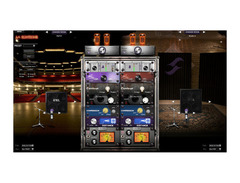
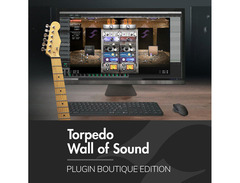
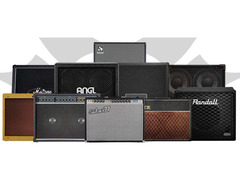
Two Notes Wall of Sound represents a significant evolution in IR technology, moving beyond basic cabinet simulation into full virtual recording environment creation. Having established themselves with hardware solutions, Two Notes translated their expertise into a comprehensive software platform. Their development approach integrates traditional IR functionality with advanced room simulation and microphone modeling capabilities. The platform builds upon years of research into how professional engineers capture guitar cabinets, incorporating these techniques into an intuitive virtual environment.
The software emerged from Two Notes' deep understanding of both studio and live sound requirements. Their design philosophy emphasizes practical usability while providing deep control over every aspect of cabinet and room simulation. This has resulted in a platform that serves both straightforward cabinet simulation needs and complex virtual mic setup scenarios that would be challenging or impossible in the physical world.
Sound Character
Wall of Sound distinguishes itself through its exceptional room modeling capabilities combined with detailed cabinet responses. The platform's ability to simulate different microphone characteristics and placements adds a level of realism that goes beyond traditional IRs. The sonic architecture allows for nuanced control over every aspect of the virtual recording chain, from power amp characteristics to room reflections, resulting in remarkably organic and spatially convincing tones.
Best Use Cases
The platform excels in professional recording scenarios where complete control over the virtual recording environment is essential. It's particularly valuable for producers who need to create consistent, repeatable guitar tones across multiple projects. Studio professionals appreciate its ability to recreate complex multi-microphone setups while maintaining the flexibility to adjust every parameter after recording.
Organization and Workflow
The user interface strikes a balance between accessibility and depth, organizing features in logical layers that reveal themselves as needed. The preset system allows quick access to common setups while maintaining deep editability. The control layout follows a signal-chain approach that makes sense to both recording engineers and guitarists, facilitating intuitive operation regardless of technical experience.
Technical Specifications
Wall of Sound operates as both standalone application and plugin, requiring modern hardware for optimal performance. System requirements include Windows 10/11 (64-bit) or macOS 10.13 or higher, minimum 4GB RAM (8GB recommended), and Intel i5/AMD Ryzen 5 or higher processor. Initial installation needs 500MB storage for the base plugin, with additional space required for cabinet expansions.
Supported Environments:
- Plugin Formats: VST2, VST3, AU, AAX Native
- Hardware Integration: Enhanced functionality with Two Notes Torpedo hardware
- Sample Rate Support: Up to 192kHz operation
- CPU Architecture: Intel, AMD, and Apple Silicon native support
- Authorization: Online activation required; offline mode available after initial setup
Native Instruments Guitar Rig 7 Pro
4.5 (11)
The Creative Sound Design Laboratory
-s.webp?v=1783834744)




Average Price: $192
High-end/Boutique
$49
$150+
Budget
Standard
High-end
- Seamlessly integrates with audio interfaces like Scarlett2i2 and DAWs such as Studio One
- Powerful sound presets with the ability to quickly create and save custom sounds
- Wide range of sounds from Jazz to Metal, closely mimicking famous guitar tones
- Intuitive interface for managing effects chains with drag-and-drop functionality
- See 3 more
| Plugin Format | VST, AU |
| Operating Systems | Mac, Windows |
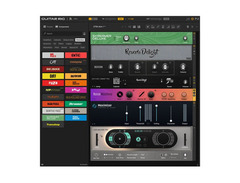
Guitar Rig 7 Pro represents a significant evolution in Native Instruments' approach to guitar processing. The platform introduces four new ICM-powered amp models alongside an extensive collection of creative effects and tools. Moving beyond simple amp simulation, this version embraces broader sound design possibilities with its new lo-fi components and Loop Machine Pro.
Their development philosophy emphasizes creativity and experimentation while maintaining authentic tone. The integration of premium IR captures from Ownhammer and 3 Sigma Audio, combined with machine learning-based modeling, demonstrates their commitment to both traditional tone and modern innovation. The addition of iZotope's Ozone Maximizer and creative tools like the Noise Machine shows their vision of Guitar Rig as a comprehensive sound design platform.
Sound Character
The suite delivers exceptional tonal range through its new amp models and effects. The ICM-powered amplifiers provide remarkable authenticity, from the high-gain versatility of the Super Fast 100 to the vintage warmth of the AC Box XV. The new effects collection, particularly the lo-fi modules, adds distinctive character that extends beyond traditional guitar processing. Each component, whether vintage-inspired or modern, maintains professional sound quality while offering unique sonic possibilities.
Best Use Cases
Guitar Rig 7 Pro excels in both traditional guitar recording and creative sound design scenarios. It's particularly valuable for producers who need versatile processing tools beyond conventional amp simulation. Sound designers appreciate its expanded creative toolkit, while guitarists benefit from authentic amp modeling and comprehensive effects processing. The Loop Machine Pro makes it equally suitable for live performance and studio production.
Organization and Workflow
The redesigned interface introduces a new sidebar and improved signal flow visualization. The streamlined layout makes complex routing intuitive, while the context-sensitive help system supports both beginners and experienced users. The preset system organizes over 100 new rack presets logically, facilitating quick access to inspiration while maintaining deep editability.
Technical Specifications
Guitar Rig 7 Pro operates as both standalone application and plugin. System requirements focus on stability across modern production environments.
Mac: - macOS 11, 12, or 13 (latest update) - Intel Core i5 or Apple Silicon - 4GB RAM (6GB recommended) - OpenGL 2.1 or higher support
Windows: - Windows 10/11 (64-bit, latest Service Pack) - Intel Core i5 or equivalent - 4GB RAM (6GB recommended) - OpenGL 2.1/Direct3D 11.1 or higher support
Technical Features:
- 4 New ICM-powered amps with matching cabinets
- 5 New virtual effects pedals
- Cabinet IR Loader with premium IR library
- Loop Machine Pro for performance and creation
- Creative effects including Noise Machine, Vintage Vibrato, Tape Wobble
- iZotope Ozone Maximizer integration
Supported Environments:
- Plugin Formats: VST, AU, AAX
- Standalone Operation: Yes
- Internet Required: Only for installation and activation
- Additional Features: Context-sensitive help system, new signal flow visualization


How to Use IRs Effectively
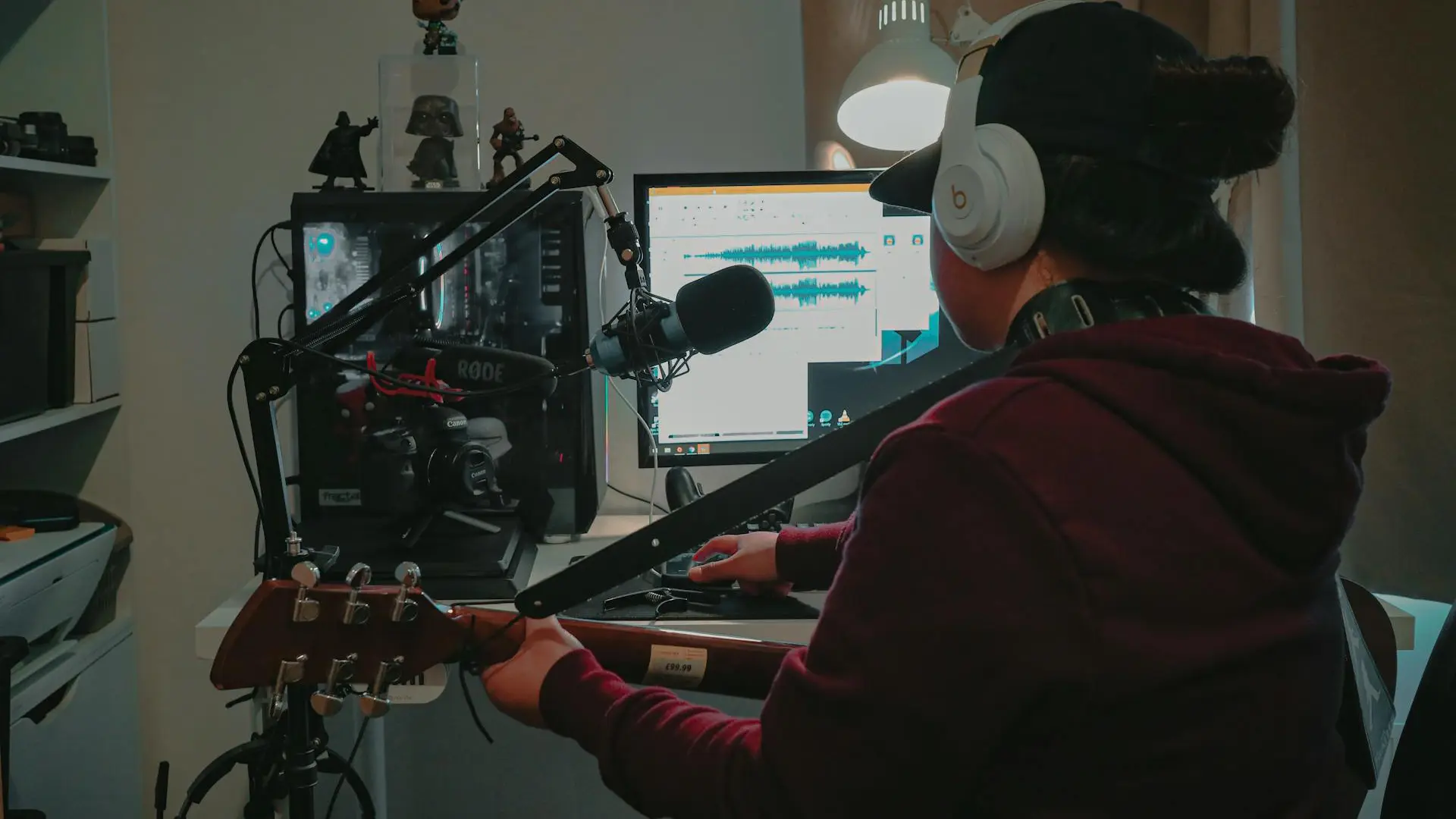
Creating great guitar tones with impulse responses requires understanding several key concepts that separate professional results from amateur attempts. Let's dive deep into the techniques that will elevate your IR usage.
Matching IRs to Your Sound
Selecting appropriate IRs requires thinking about the entire signal chain. For heavy modern tones using high-gain amps, the Jens Bogren Signature Pack and Kristian Kohle IR Pack offer precisely tailored options for aggressive sounds. Clean and edge-of-breakup tones benefit particularly from the Jens Bogren Lead + Clean pack and the versatile cabinet selections in the Perfect Match collection or the Rock 'n Roll Classics DynIR Cabinet pack.
The Art of Microphone Selection
Understanding microphone types in IRs is as crucial as cabinet selection. Dynamic mic IRs (based on SM57s, MD421s) typically provide aggressive mids and controlled highs – perfect for rock and metal rhythm tones. Large-diaphragm condenser IRs offer extended frequency response and enhanced detail, making them excellent for clean tones and lead work.
Multiple positions create distinctly different sounds: - On-axis close mics (0-1 inch) capture maximum punch and presence - Off-axis close mics (15-45 degrees) reduce harsh frequencies while maintaining impact - Edge-of-cone positions emphasize high-end detail and pick attack - Dust cap positions capture more low-end and smoother highs
Advanced Blending Techniques
Professional IR users rarely rely on a single cabinet or mic position. The key lies in understanding how to layer IRs effectively:
- The foundation blend: Combine a close SM57-style IR (80%) with a condenser IR (20%) to add air and dimension
- The rock standard: Mix a center-cone dynamic mic IR with an off-axis ribbon mic IR for thickness
- The modern metal approach: Layer a close V30 IR with a slightly off-axis Greenback IR for added growl
- The spatial enhancement: Add 5-15% of a room mic IR to create depth without losing punch
Technical Optimization
Understanding the technical aspects ensures optimal IR performance:
Sample Rate Management
Sample rate matching forms the foundation of clean IR implementation. Your IR's sample rate should always match your project settings to avoid unnecessary conversion artifacts. While higher sample rates like 96kHz can preserve more high-frequency detail, they also demand more processing power. Professional studios often find 48kHz provides an optimal balance between quality and efficiency, especially when running multiple instances of IRs across different tracks.
Phase Relationships
Understanding and controlling phase relationships becomes crucial when working with multiple IRs. Even slight phase misalignments can create unwanted frequency cancellations, particularly in the low end. When blending different IR positions, start by checking their phase correlation. Small time adjustments between IRs, typically no more than 1-2 milliseconds, can significantly improve the solidity of your guitar tone while maintaining natural transient response.
Post-IR Processing
The signal chain after your IR requires careful consideration. Gentle high-pass filtering around 100Hz can clean up unwanted low-end buildup, especially when using room IRs. EQ treatments should focus on surgical adjustments rather than broad strokes – look for specific problem frequencies rather than applying sweeping changes. Many engineers apply subtle compression (with ratios around 2:1) after the IR stage to even out dynamic variations while preserving the natural feel of the cabinet simulation.
CPU Resource Management
As projects grow, managing CPU resources becomes increasingly important. Consider printing tracks with finalized IR chains once you're confident in the tone. This approach frees up processing power for mixing while preserving the ability to recall the original IR setup if needed. Strategic bouncing of IR-processed tracks can significantly improve your DAW's performance without compromising sound quality.
Genre-Specific Selection
- Modern Metal: The Jens Bogren Signature Pack and Kristian Kohle IR Pack excel at delivering tight, focused tones with controlled resonances.
- Classic Rock: The Rock 'n Roll Classics DynIR Cabinet collection captures authentic vintage cabinet characteristics.
- Blues/Jazz: The Perfect Match Impulse Responses and Jens Bogren's Clean IR selections include carefully curated options that preserve natural dynamics.
IRs vs. Traditional Mic'ing: A Practical Comparison
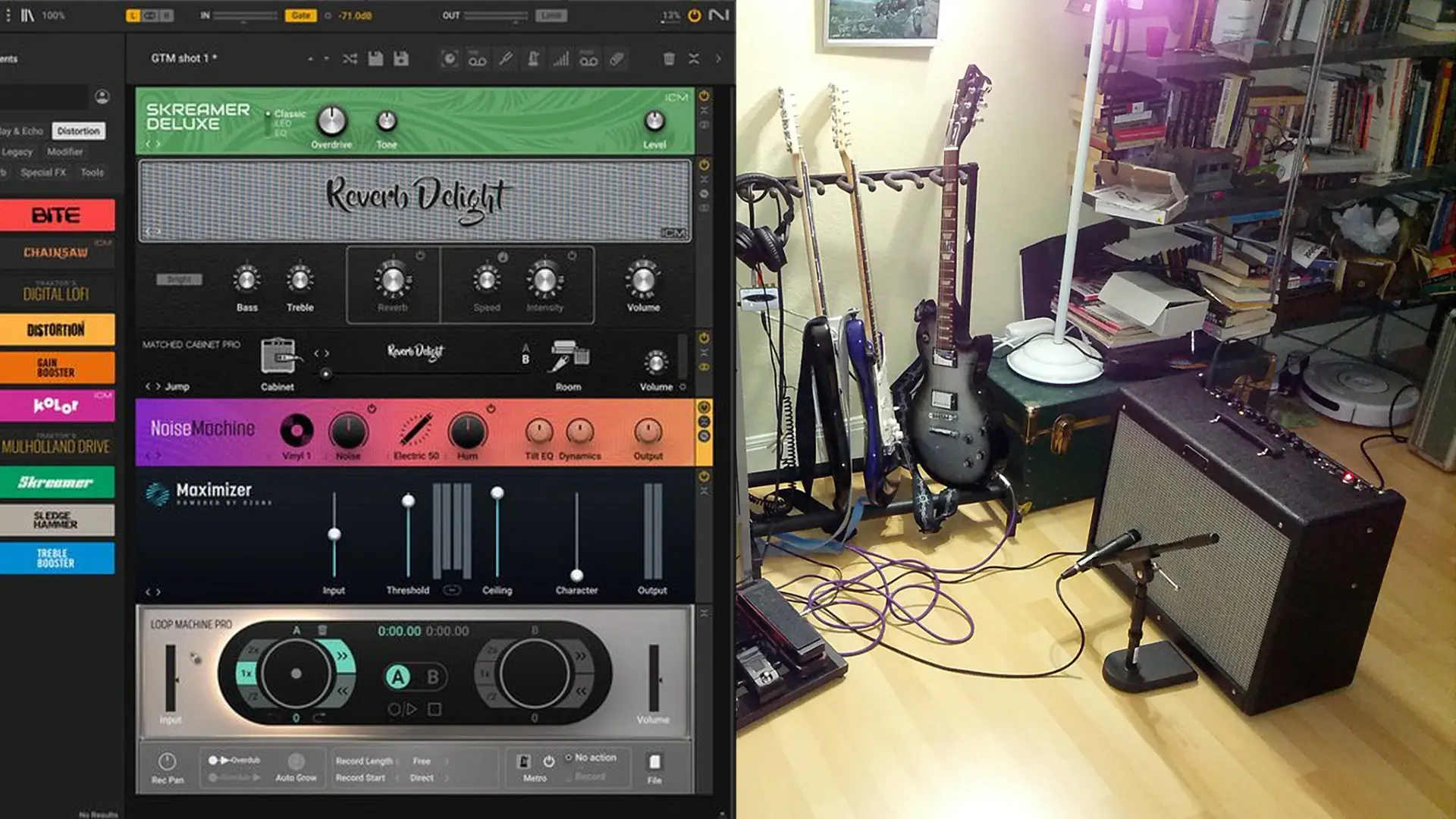
The debate between traditional microphone techniques and IR-based cabinet simulation often sparks passionate discussion among recording engineers and guitarists alike. Each approach offers distinct advantages and challenges in capturing great guitar tone. Both methods have earned their place in modern recording, and understanding their relative strengths helps make informed decisions for different recording scenarios. Let's examine how these approaches compare in real-world applications.
Consistency and Repeatability
Traditional mic'ing excels at capturing unique moments and happy accidents that can make recordings special. However, IRs offer unmatched consistency. Studio professionals often blend both approaches – using IRs for consistent rhythm tracks while capturing leads with traditional mic techniques for added personality.
Room Considerations
Physical cabinets interact with your room acoustics, which can be either beneficial or problematic. IRs eliminate room interaction entirely, allowing you to add precisely controlled virtual room characteristics. This makes IRs particularly valuable in untreated rooms or less-than-ideal recording spaces.
Flexibility and Workflow
Mic'ing cabinets requires commitment to choices made during tracking. IRs allow infinite experimentation during mixing without the need to re-record. Post-production flexibility becomes particularly valuable when working with clients remotely or when projects require frequent tone revisions.
Conclusion
Impulse responses have fundamentally transformed how guitarists capture and create their signature tones. From professional studios to bedroom recording setups, IRs offer unprecedented access to high-quality cabinet simulation that was once available only to those with extensive equipment collections and dedicated recording spaces.
Premium collections from developers like OwnHammer and Beyerdynamic continue to push the boundaries of what's possible with digital cabinet simulation, while innovative approaches from Two Notes and IK Multimedia are reshaping how we think about speaker response and microphone placement. Value-focused options like the Jens Bogren Signature Pack and Perfect Match IRs demonstrate that professional-quality guitar tone is accessible at various price points.
The key to success with IRs lies in understanding both their capabilities and limitations. Proper implementation requires attention to technical details and a willingness to experiment with different combinations of cabinets and microphone positions. Whether you're recording demos at home or producing professional albums, taking the time to master IR usage will significantly elevate your guitar tones.
The future of IR technology looks particularly promising as developers continue to innovate. From dynamic response modeling to machine learning integration, these advancements suggest we're still discovering new ways to capture and recreate the essence of great guitar cabinets. For the modern guitarist, IRs have become not just a convenient alternative to traditional cabinet recording, but a creative tool that opens up new sonic possibilities.
Moving Forward with IRs
Whether you choose to invest in premium collections or start with value-focused options like the Jens Bogren Signature Pack, remember that great tone comes from understanding how to use your tools effectively. The best IR collection for you isn't necessarily the most expensive, but rather the one that best fits your musical needs and workflow.
We encourage you to explore beyond your comfort zone – try blending unexpected IR combinations, experiment with different mic positions, and challenge conventional approaches to cabinet simulation.
Share your experiences with fellow guitarists, whether through online communities or local musician networks. Consider starting your own IR collection, documenting what works for different musical situations. Most importantly, let your ears guide you rather than relying solely on conventional wisdom.
The future of guitar tone is both digital and analog, with IRs playing a crucial role in bridging these worlds. Your journey with IRs is limited only by your creativity and willingness to experiment.
Top Ranked Amp Simulator Plugins on Equipboard


About the authors
Juan Spinelli is a multi-instrumentalist musician, but more of a guitarist than anything else. Based in Buenos Aires, Argentina, he started playing at a very early age and learned various instruments such as flute, clarinet, percussion, didjeridoo, cavaquinho, bass and more. Today, he also works as a music producer and sound engineer, collaborating in several projects in his city and with artists from all over the world. Read more
New in Amp Simulator Plugins


$0.00 - $287.00

$49.00
in Amp Simulator Plugins Rank

$49.00
in Amp Simulator Plugins Rank


$29.00 - $349.00
in Amp Simulator Plugins Rank


$29.00 - $329.00
in Amp Simulator Plugins Rank








.webp)


.webp)
.jpg)