Finding Your Perfect Studio Compressor: From Vintage to Digital

By Gear Experts
By Gear Experts
Table of Contents

Equipboard
Equipboard is the world's largest community of artists and their gear. Read our review process.
We are reader-supported. When you buy through links on our site, we may earn an affiliate commission. Learn more.
Our Picks

Waves Renaissance Compressor Plugin
Best Budget-Friendly Software for Beginners - Option 1: The Waves RComp combines straightforward operation with versatile compression characteristics, making professional-grade dynamic control accessible and understandable.
Read more


Best Budget-Friendly Software for Beginners - Option 2: The TDR Molot GE combines aggressive character with precise control, delivering professional-grade dynamics processing with a unique sonic signature.
Read more

Best All-Purpose Software Compressor for Professional Mixing - Option 1: The FabFilter Pro-C 2 combines pristine sound quality with unmatched visual feedback, making it an essential tool for precise dynamic control across any source material.
Read more

UAD UA 175B & 176 Tube Compressor Collection
Best All-Purpose Software Compressor for Professional Mixing - Option 2: The UAD UA 175B & 176 Collection authentically captures the aggressive punch and musical compression characteristics of two historic FET-based hardware units.
Read more
Best Hardware Compressor Under $1000 - Option 1: The Warm Audio WA-2A brings the revered sound of electro-optical compression to modern studios, capturing the essence of its legendary inspiration with remarkable authenticity.
Read more

FMR Audio RNC1773 Really Nice Compressor
Best Hardware Compressor Under $1000 - Option 2: The FMR Audio RNC1773 Really Nice Compressor packs professional-grade compression into a compact, no-frills package that delivers consistent results across a wide range of sources.
Read more


Best High-End Studio Hardware Compressor - Option 1: The Manley Variable Mu masterfully combines vintage tube warmth with modern precision, delivering sophisticated compression that enhances any source it touches.
Read more
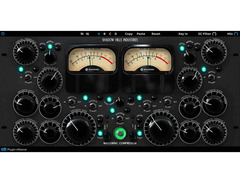
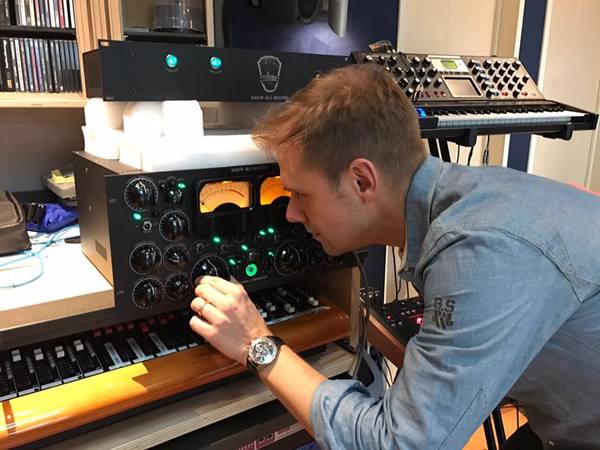
Shadow Hills Mastering Compressor
Best High-End Studio Hardware Compressor - Option 2: The Shadow Hills Mastering Compressor brings military-grade engineering to professional audio, combining two distinct compression stages with switchable output transformers for unparalleled sonic flexibility.
Read more

Best Unique & Creative Compressor: The Oeksound Spiiff reimagines dynamic control with its innovative approach to transient processing, offering unprecedented control over attack and sustain characteristics of any source.
Read moreEver wondered why commercial tracks hit harder, sound fuller, and feel more polished than home recordings? The secret sauce is one of music production's most powerful tools: compression. When a raw recording transforms into a professional track that demands attention, compression is the unsung hero making it happen. That vocal that floats effortlessly over the mix, the snare that punches through with authority, the bass that stays consistently powerful - it's all compression at work.
Beyond Volume Control
Most producers start their journey thinking compression just controls volume. They couldn't be more wrong. Compression is an artist's tool as much as a technical one, capable of adding character, attitude, and life to any sound it touches. It's why the drums in modern hip-hop knock so hard, why rock guitars sustain for days, and why pop vocals cut through even on tiny phone speakers. When you understand compression, you start hearing music differently - noticing how it shapes every hit song you've ever loved.
The Genre Connection
Listen to a trap beat, then switch to a jazz recording, and you'll hear radically different approaches to compression. That aggressive, in-your-face sound of modern rap? That's heavy compression working overtime. The natural, breathing quality of a jazz ensemble? That's compression applied with a lighter touch, preserving the dynamic interplay between musicians. Some producers even build their signature sound around specific compressors - treating them like instruments rather than just tools.
Irrespective of where you are in your studio recording journey, understanding compression is non-negotiable. Today's producers have access to an incredible range of options, from faithful recreations of vintage hardware to innovative digital designs that push the boundaries of what's possible. This guide wades through the complexity, giving you the knowledge to choose and use compressors with confidence.
Deconstructing the Compressor: Essential Controls & Core Concepts
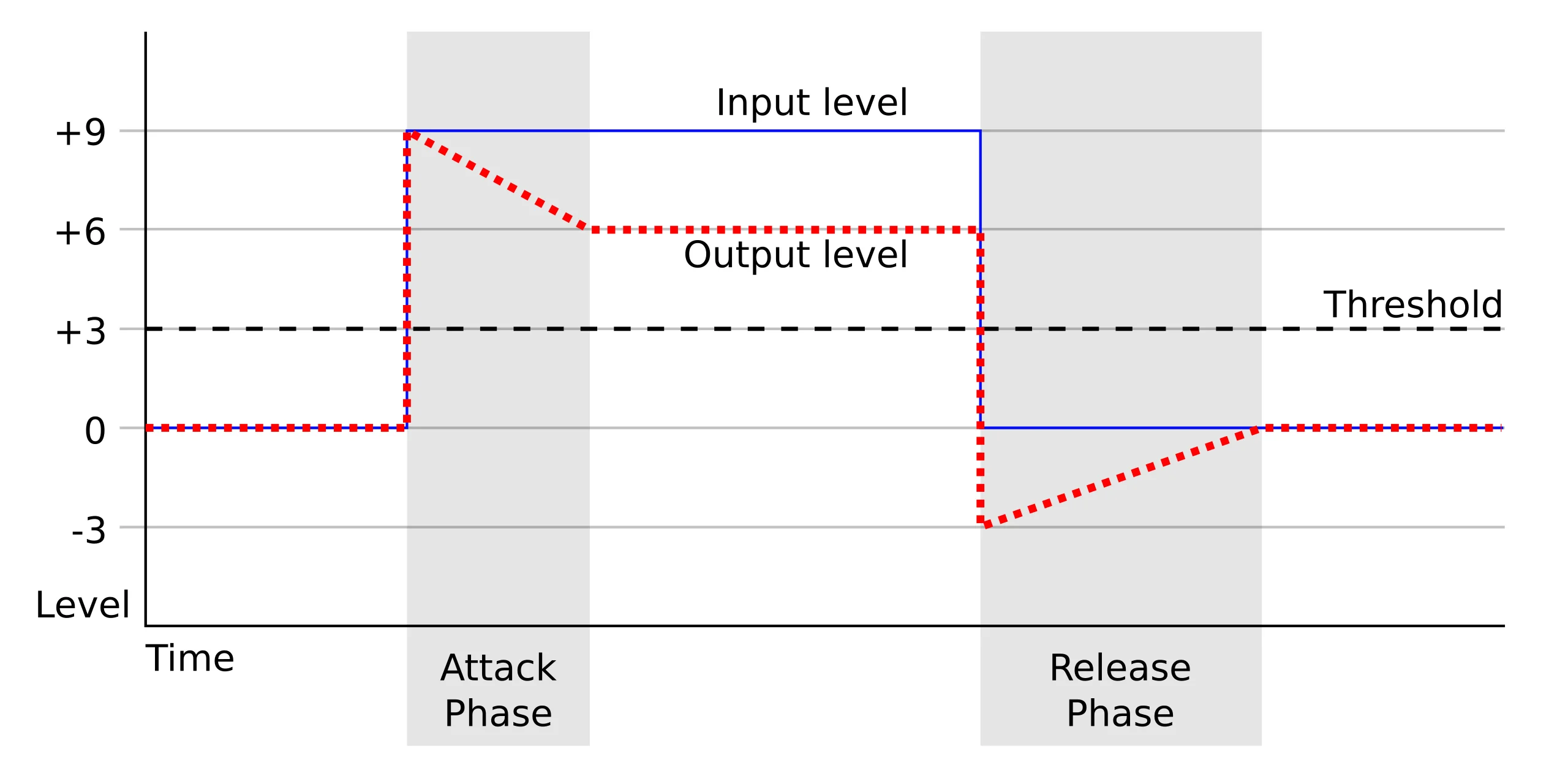
Behind every polished track is a compressor working its magic. While the interface might seem daunting, each control serves a clear purpose. Mastering these fundamentals will transform how you approach mixing, turning confusion into confidence.
Threshold
The threshold setting determines the volume level at which compression begins to take effect. Any signal above this level gets compressed, while signals below it pass through unchanged. Think of it like a nightclub's capacity limit - just as a bouncer starts controlling entry when the club gets too full, the compressor activates when audio exceeds your threshold. When mixing vocals, you might set the threshold to catch just the loudest phrases, allowing natural dynamics in quieter sections while preventing the powerful chorus moments from overwhelming the mix.
Ratio and Gain
The ratio determines how much compression is applied once a signal exceeds the threshold. A 4:1 ratio means that for every 4 dB the input goes above the threshold, the output only increases by 1 dB. It's like setting rules for crowd control - with a 4:1 ratio, it's similar to allowing only one person in for every four trying to enter. Gentle ratios (2:1 to 4:1) work well for subtle control on vocals or acoustic guitars, while higher ratios can dramatically control drums or create special effects.
Threshold and ratio work together to reduce the volume of loud parts in your audio. This creates a more consistent sound, but also makes the overall signal quieter than your original. This is where makeup gain comes in.
Makeup gain is a simple amplifier that boosts the entire signal after compression. Think of it like an additional volume knob that turns everything up by the same amount. If your compression reduced the loudest parts by 6 dB, you might add 6 dB of makeup gain to restore the overall volume while keeping the benefits of compression.
Here's a simple example:
- Original vocal: Some words at -6 dB, louder words at 0 dB (6 dB difference)
- After compression: Quieter words still at -6 dB, but louder words reduced to -3 dB (only 3 dB difference)
- After makeup gain: Quieter words now at -3 dB, louder words at 0 dB (still 3 dB difference)
The result is a more consistent sound at a volume that sits well in your mix. Most modern compressors include an "auto-gain" feature that automatically applies the right amount of makeup gain based on your threshold and ratio settings.
Timing Controls
Attack time controls how quickly the compressor responds once a signal crosses the threshold. Release time determines how quickly it stops compressing once the signal falls below the threshold. These are like your bouncer's reaction times - a fast attack clamps down immediately on loud sounds, while a slower attack lets the initial transient through before compression kicks in. For drums, a slower attack preserves the initial impact while controlling the overall decay. The release time needs careful setting - too fast can cause distortion, too slow can make your audio pump unnaturally.
Advanced Features
Modern compressors often include knee control, which determines whether compression starts abruptly at the threshold (hard knee) or gradually around it (soft knee). Sidechain compression lets you trigger compression based on a different audio source - this is the secret behind many EDM pumping effects where the bass ducking follows the kick drum. Many units also offer parallel processing options, letting you blend compressed and uncompressed signals for perfect control.
Compressor Types Demystified
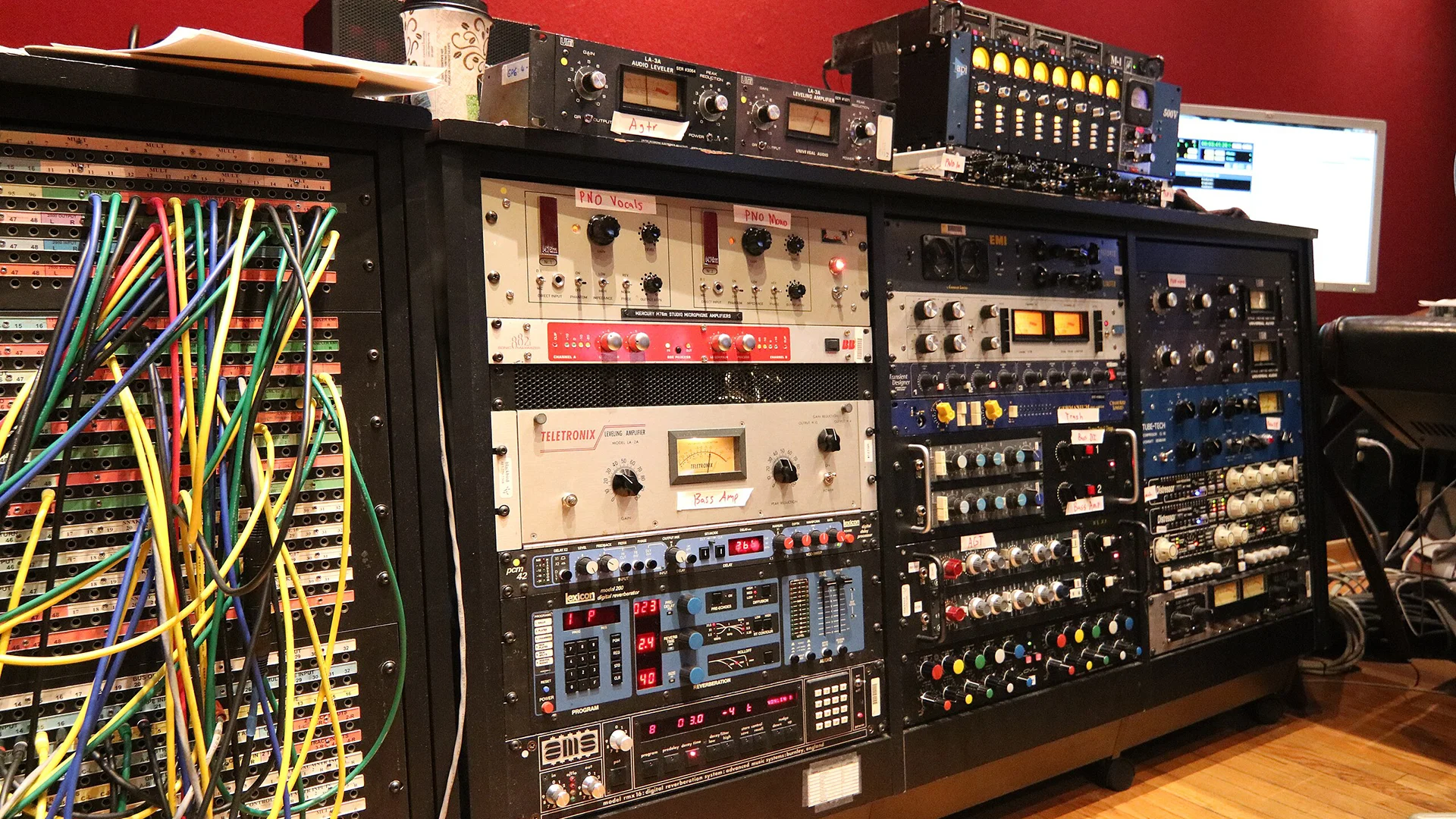
Just as different guitar amplifiers produce distinct tones based on their internal circuitry, compressor types create their unique character through specific electronic designs. Understanding how these compressors work internally helps explain their distinct sonic personalities and ideal applications.
VCA Compressors
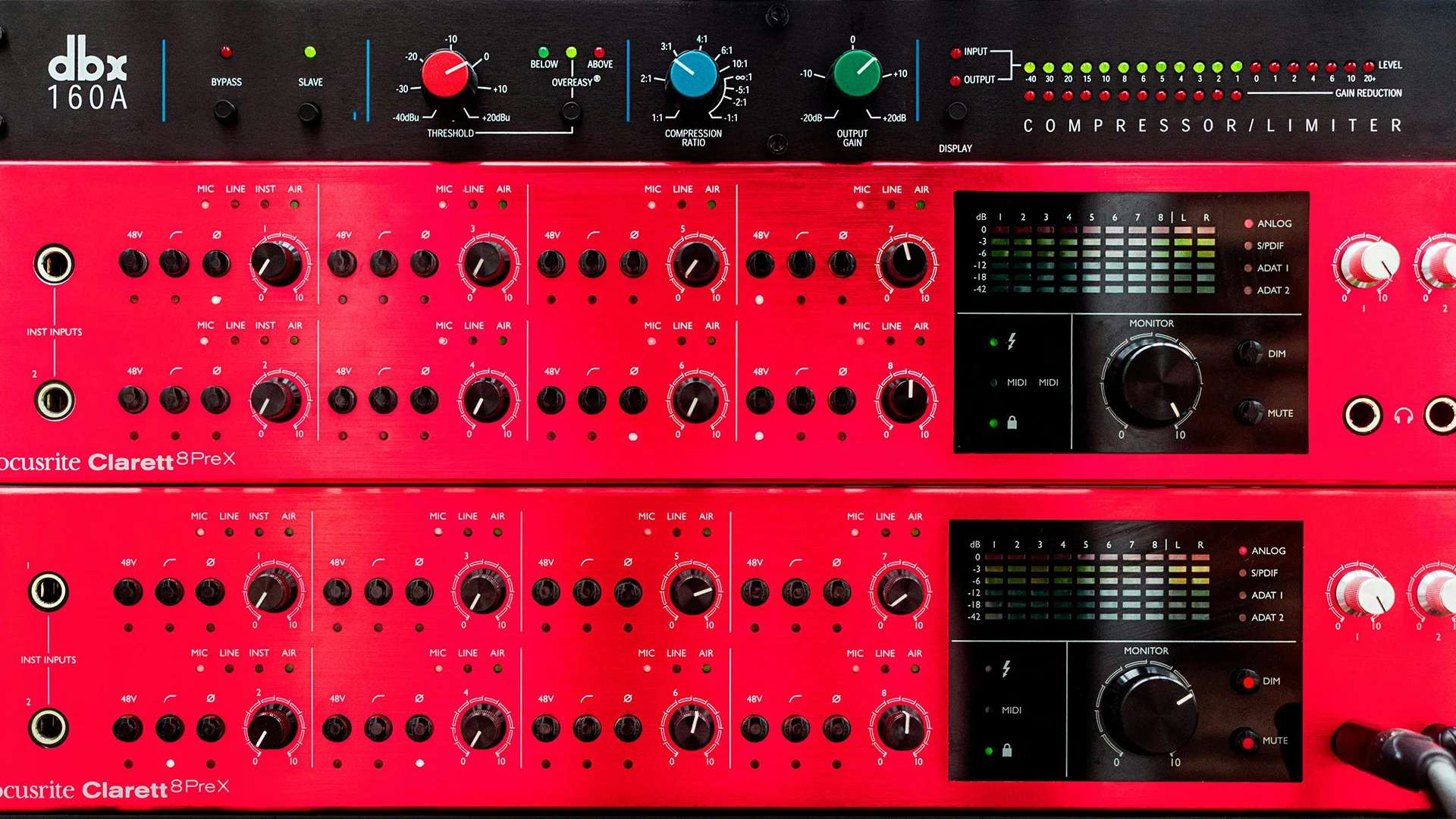
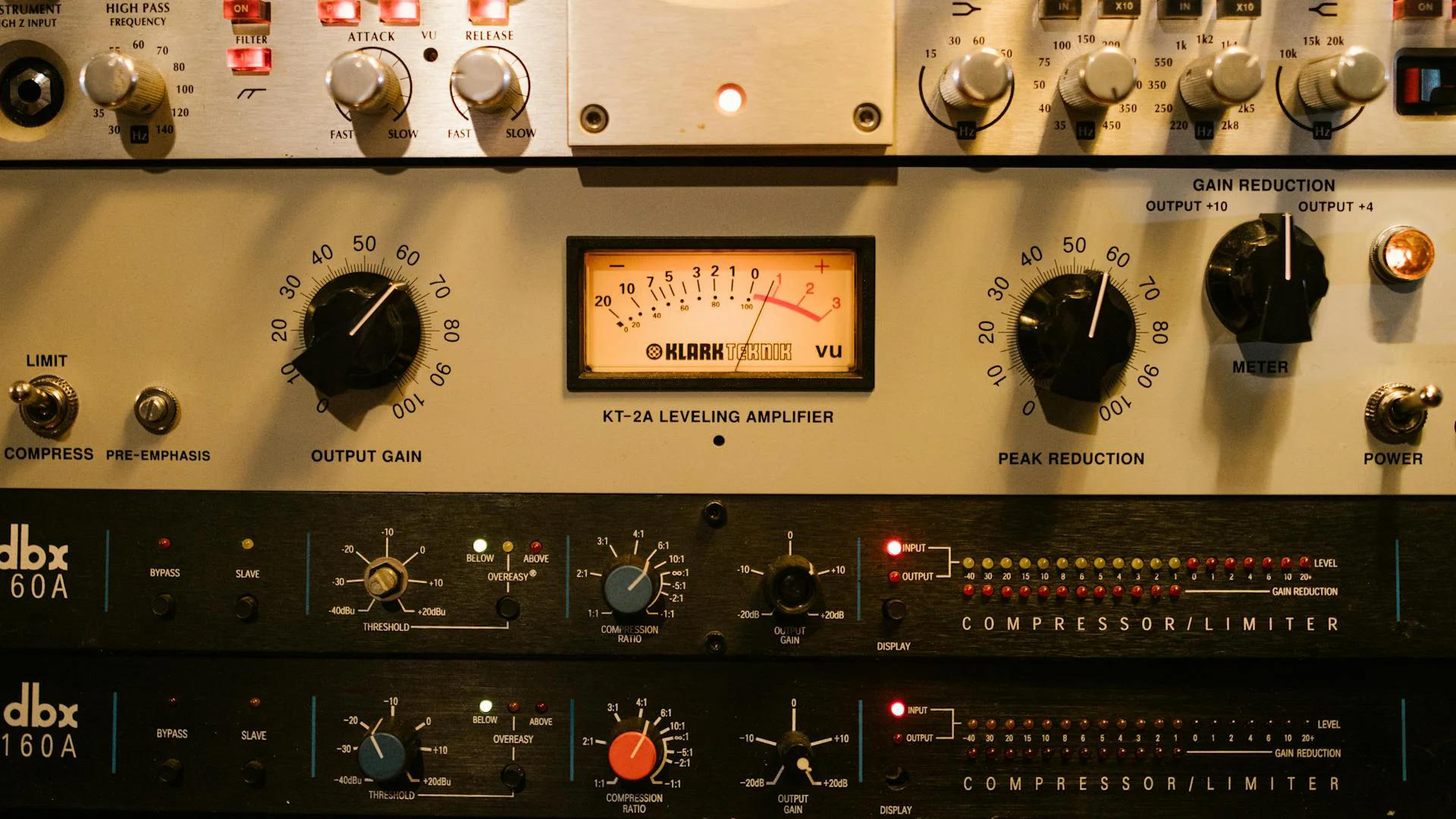
Voltage Controlled Amplifier compressors use solid-state electronics with precise control over gain reduction. The core component is an integrated circuit that responds to control voltage changes, allowing for extremely accurate and repeatable compression settings. This precise control and fast response makes them incredibly reliable for technical tasks. When you need consistent, predictable compression across various sources, VCA compressors deliver. Their clean, punchy sound works particularly well on drums, bass, and full mixes. The SSL G-Series Bus Compressor is the quintessential VCA design, defining the sound of modern mixing. Other notable examples include the dbx 160 series, praised for their precision on bass and drums, and the API 2500, known for adding punch without losing clarity. Modern units like the Smart Research C2 carry this legacy forward with enhanced features for contemporary production needs.
FET Compressors
Field Effect Transistors revolutionized compressor design by emulating tube behavior with solid-state components. These transistors react to input signals in a way that creates subtle harmonic enhancement, especially when driven hard. The FET's natural behavior includes an ultra-fast attack time and program-dependent release, which explains their aggressive yet musical character. Their ability to respond almost instantaneously to transients makes them invaluable for controlling peaks in drums and adding excitement to vocals. The UREI 1176 revolutionized the industry with its lightning-fast FET design. The Universal Audio reproduction continues this legacy, while units like the Warm Audio WA76 make this coveted sound more accessible. The Purple Audio MC77 offers its own take on this classic design, adding modern reliability to vintage character.
Optical Compressors
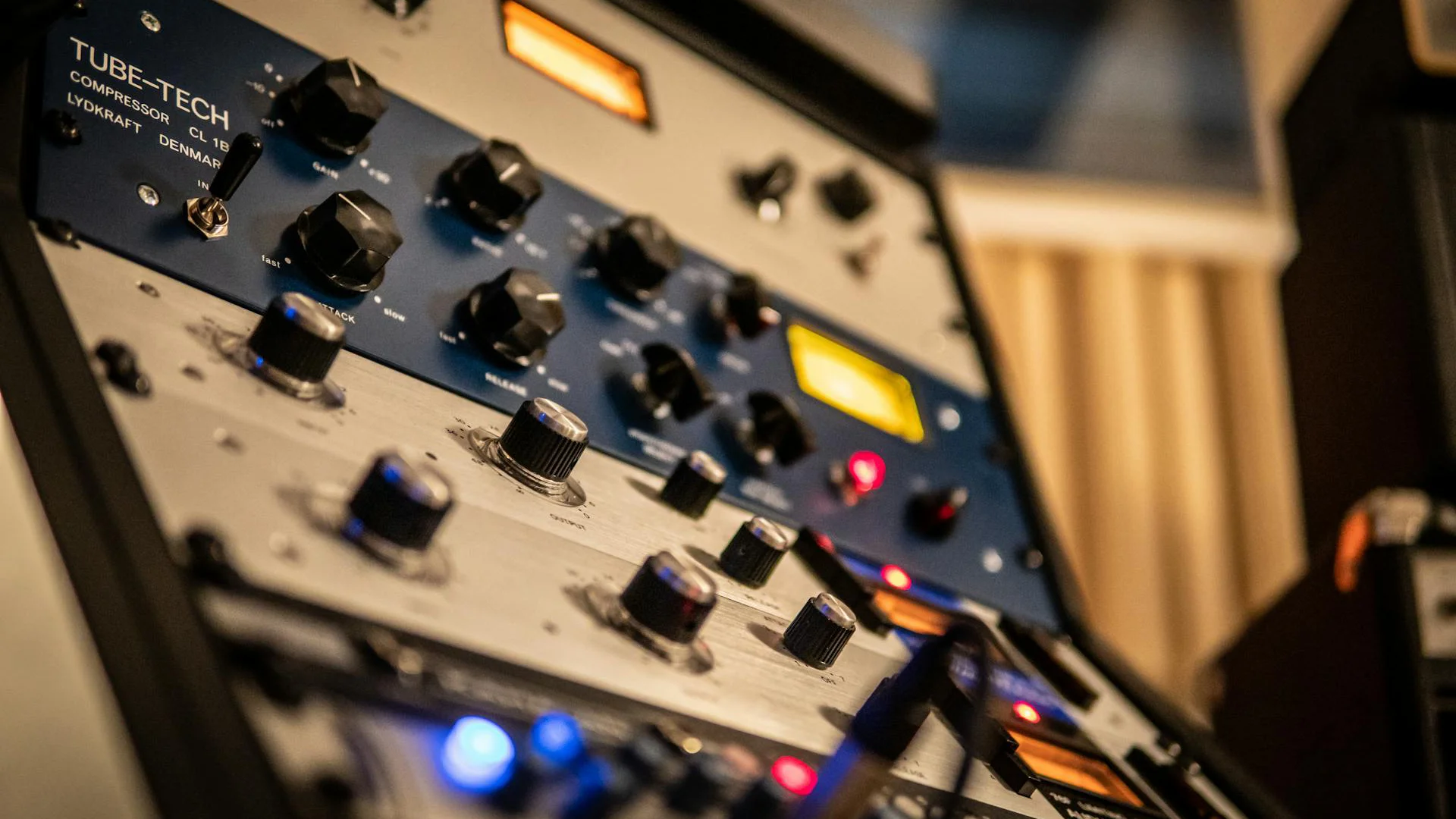
At the heart of an optical compressor is a light-dependent resistor paired with an electroluminescent panel. As the input signal gets louder, the panel shines brighter, causing the resistor to attenuate the signal. This photocell's natural response creates inherently musical compression with a slight delay in both attack and release. The physical properties of the components create program-dependent timing that's nearly impossible to replicate digitally. This design explains their natural handling of vocals and acoustic instruments. The Teletronix LA-2A remains the gold standard of optical compression. The Tube-Tech CL1B brings a modern interpretation to this design philosophy. The Summit Audio TLA-100A adds its own character to the optical landscape with a more aggressive response.
Vari-Mu Compressors
These tube-based designs achieve compression by exploiting the natural behavior of vacuum tubes when overdriven. The term "variable-mu" refers to how the tube's amplification factor changes based on signal level. As input levels increase, the tube gradually reduces gain in a non-linear fashion, creating progressively stronger compression at higher levels. This variable ratio behavior, combined with the tubes' natural harmonics, produces a particularly smooth and musical form of compression that's especially suited for program material. The legendary Fairchild 670 defined this category, with prices reflecting its mythical status. The Manley Variable Mu offers a more attainable entry into tube compression excellence, while the Retro Instruments Sta-Level brings its own musical character to the format. The Tube-Tech CL-1B, though technically a hybrid design, captures much of the Vari-Mu's tube magic.
Modern Digital Implementations
Today's software compressors use complex algorithms to recreate these analog behaviors. While purists might debate the exact equivalence, advanced modeling techniques have made it possible to capture the subtle nuances of each compression type. Many digital compressors even model the behavior of specific electronic components, offering the character of classic hardware with the convenience of software.
Hardware vs. Software Compressors
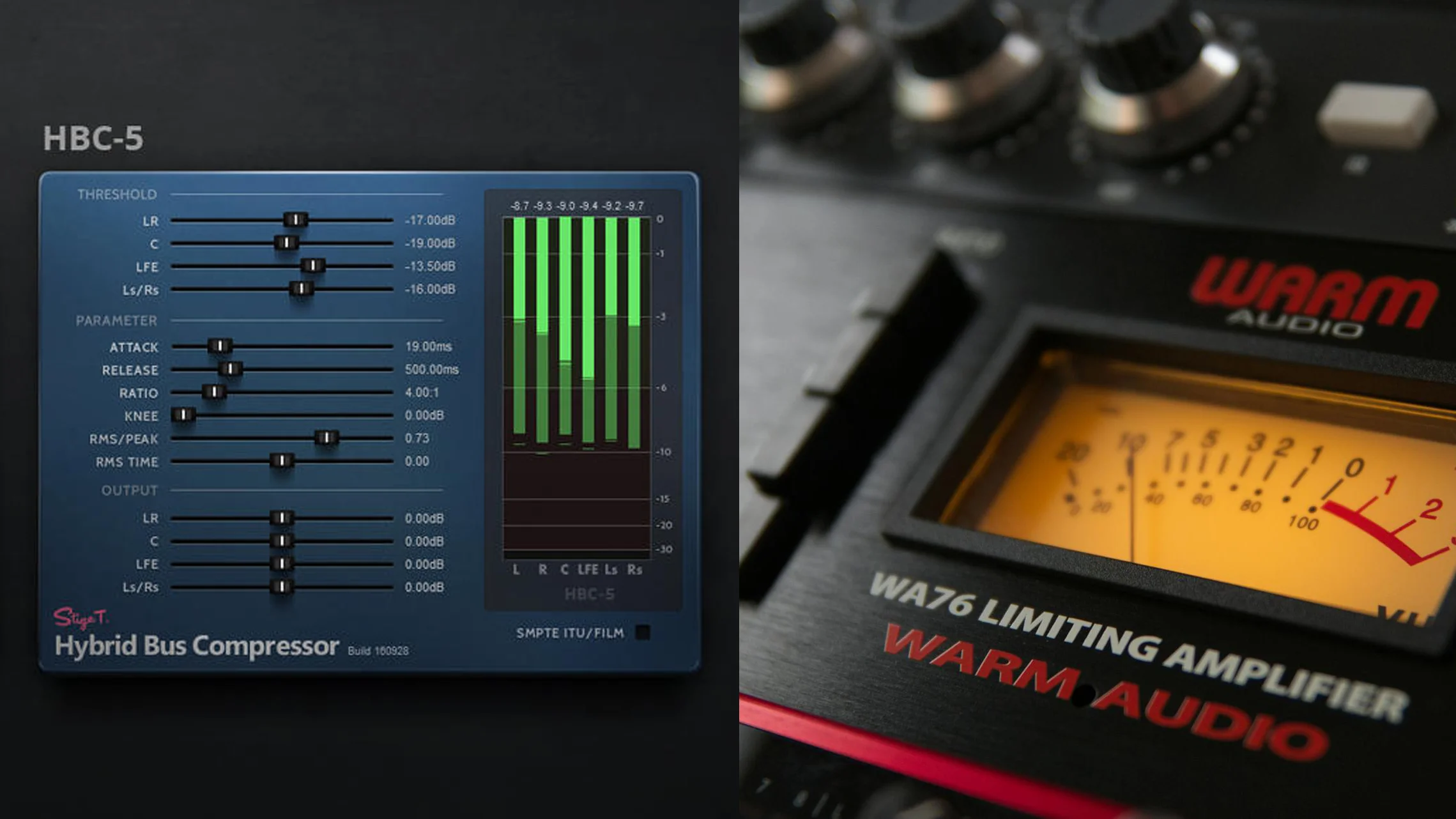
Choosing between hardware and software compressors is one of the most significant decisions you'll make for your studio. This choice affects not just your sound, but your entire workflow and mixing approach. While the debate once centered on sound quality, modern technology has shifted the conversation to focus more on practical considerations, workflow preferences, and specific sonic characteristics. Whether you're building your first studio or expanding your existing setup, understanding the strengths and limitations of each approach will help you make informed decisions about where to invest.
Hardware Compressors
Physical compression units that process audio through real electronic components. Each unit consists of carefully designed circuits incorporating transformers, tubes, transistors, or optical cells. The interaction between these components creates unique sonic characteristics through natural harmonic generation, subtle saturation, and complex dynamic responses. The physical nature of these units means each develops its own subtle personality over time through component aging and inherent manufacturing variations, contributing to their prized individual characters.
Pros
Hardware compressors offer immediate tactile control through physical knobs and switches, providing genuine analog warmth through their transformers and circuits. Their zero-latency processing and unique sonic character make them irreplaceable for many engineers. The physical signal path often responds more musically when pushed to extremes, while offering superior headroom and noise performance compared to digital systems.
Cons
Hardware units require significant financial investment upfront and ongoing maintenance costs. They lack the ability to perfectly recall settings between sessions and are limited to processing one source at a time. The need for proper studio wiring, rack space, and integration with digital workflows through AD/DA conversion adds complexity. Most units require warmup time for optimal performance.
Best For
- Professional recording studios
- Mastering facilities
- Analog purists and collectors
- Engineers prioritizing tactile workflow
- Genres where hardware character is essential
- High-budget productions
- Live sound applications
Software Compressors
Modern software compressors range from precise mathematical implementations to detailed emulations that capture the subtle nuances of classic hardware. These plugins utilize complex DSP (Digital Signal Processing) to replicate not just the compression itself, but also the character-contributing elements like transformer saturation, tube harmonics, and even component aging.
Pros
Software compressors offer unprecedented flexibility with unlimited instances, perfect recall of settings, and complete automation capabilities. Their significantly lower cost provides access to emulations of rare and expensive hardware. The ability to save and recall presets, undo changes, and make precise adjustments gives users powerful creative control. Integration with modern DAWs enables seamless workflow and precise visual feedback.
Cons
While high-quality plugins sound excellent, they may lack some of the subtle organic qualities found in hardware. They rely on computer processing power and can introduce latency in some cases. The lack of physical controls means less immediate tactile interaction, and some engineers find the endless options and visual interfaces can lead to mixing with eyes rather than ears.
Best For
- Home studio owners
- Modern producers working in-the-box
- Projects requiring extensive automation
- Engineers needing quick recall
- Budget-conscious studios
- Mobile production setups
- Collaborative projects requiring session sharing
The Hybrid Approach
A strategic combination of hardware and software compression that leverages the strengths of both worlds. This approach typically involves using software for everyday mixing tasks while reserving select hardware units for specific applications where their unique character is desired. Modern studios often integrate hardware through dedicated interfaces or patch points, allowing seamless switching between digital and analog processing chains.
Pros
The hybrid approach offers maximum flexibility in processing options while maintaining the character and inspiration of hardware. Integration of favorite hardware pieces alongside unlimited software instances enables creative signal chains otherwise impossible. This setup allows engineers to choose the perfect tool for each task while maintaining modern workflow efficiency and recall capabilities.
Cons
Setting up a hybrid system requires additional investment in both hardware and infrastructure. Proper integration demands careful attention to gain staging, latency compensation, and signal routing. The complexity of the setup can slow down workflow if not well-organized, and maintaining both hardware and software systems increases overall system complexity.
Best For
- Professional studios seeking maximum flexibility
- Mix engineers handling diverse projects
- Studios with existing hardware investment
- Productions requiring both analog character and digital precision
- Engineers who value both traditional and modern workflows
- High-end mixing and mastering facilities
- Project studios looking to expand capabilities
Expert Recommendations
The world of studio compressors is vast, and choosing the right one can feel overwhelming. Instead of chasing the latest hype or stretching your budget on a tool you might not need, let's focus on compressors that consistently deliver results across different production scenarios and budgets. Whether you're building your first home studio or expanding your professional setup, these selections represent genuine value and proven performance.
From software plugins that punch way above their price point to hardware units that justify their investment through versatility and sound quality, each recommendation here comes from extensive real-world use. We've organized these picks by specific production needs rather than just price brackets, because the best compressor for you depends more on your production goals than your budget.
Waves Renaissance Compressor Plugin
5.0 (15)
The Studio Workhorse


- Intuitive and user-friendly interface
- Delivers phenomenal transparency for clean audio processing
- Features a "warm" parameter for added audio flavor
- Suitable for both small and large audio productions
- See 1 more
The RComp maintains transparency at moderate settings while introducing subtle coloration when pushed harder. Its compression curve responds particularly well to transient-rich material, preserving the initial impact while controlling the sustained portions of sounds. At extreme settings, it can add pleasant harmonics that work especially well on drums and bass. The behavior is consistent across sample rates and buffer sizes, making it reliable for both tracking and mixing.
Best Applications Where this compressor truly excels is on individual tracks rather than full mixes. Its quick response and adaptive release times work exceptionally well on vocals, keeping them consistent without pumping artifacts. The RComp handles bass guitar with remarkable clarity, maintaining low-end punch while preventing peaks from dominating the mix. For drums, it offers enough speed to catch fast transients while its "warm" mode adds subtle density to room mics and overheads.
Notable Features The ARC (Auto Release Control) system automatically adjusts release times based on input material, making it harder to create unwanted compression artifacts. The behavior section offers three distinct characters - Classic, Modern, and Warm - each with its own ratio curve and harmonic profile. The comprehensive metering includes both peak and RMS level detection, while the mix control enables parallel compression without additional routing.
User Experience Every control serves a clear purpose, with well-calibrated ranges that make it difficult to get unusable results. The floating peak meter shows both input and output levels simultaneously, helping users understand gain reduction in real-time. The interface layout follows analog hardware conventions, making it an excellent learning tool for understanding traditional compressor topology. The CPU load remains consistently low even when running multiple instances, essential for larger mixing sessions.
See how artists use this







Tokyo Dawn Labs Molot GE
The Digital Dynamo


The Molot GE's processing algorithm adds distinctive coloration that sets it apart from typically clean digital compressors. Its saturation characteristics become progressively more musical as you push the input, similar to hardware units. The compression curve has a notably aggressive character that can range from subtle enhancement to dramatic pumping effects. The unit excels at adding density and excitement while maintaining clarity, even under heavy processing.
Best Applications On drums, the Molot GE shines by adding impact and aggression without losing definition. It's particularly effective on room mics, where its character can enhance ambient excitement. For bass and guitars, it excels at creating thick, powerful tones while maintaining note definition. The compression characteristics work exceptionally well for parallel processing on drums and vocals, where its colorful character can add energy and excitement to tracks.
Notable Features The sophisticated filter section includes both high and low-pass filters in the detection circuit, enabling frequency-conscious compression without external routing. The adjustable saturation stages let you dial in harmonic content independently of the compression. The unique "Pressure" parameter influences the compression curve's behavior, offering additional sound-shaping possibilities. The comprehensive metering includes both peak and RMS detection modes, while the mix control enables parallel processing within the plugin.
User Experience Despite its sophisticated processing capabilities, the interface remains approachable. Every major control features detailed tooltips explaining its function, making it an excellent learning tool. The clear visual feedback helps users understand how each parameter affects the signal. The preset system includes detailed descriptions of each setting's intended use, while the ability to save and recall custom presets streamlines workflow.
FabFilter Pro-C 2
4.5 (108)
The Mixing Powerhouse




- Highly versatile with multiple presets for easy application across various uses
- Visual interface allows for intuitive understanding and adjustment of compression
- Unique Audition Triggering option to hear specific signal triggering
- Offers up to 4x oversampling for high-quality sound processing
- See 6 more
- -
The Pro-C 2 delivers remarkably clean compression that can range from subtle to aggressive without introducing unwanted artifacts. The eight compression algorithms each have distinct personalities - from the punch of the Classic VCA to the program-dependent response of the Opto setting. The Clean mode achieves transparency even under heavy gain reduction, while the Punch mode adds weight to drums without losing impact. The harmonics introduced at higher drive settings remain musical, particularly in the Bus and Opto modes.
Best Applications On the mix bus, the Pro-C 2 excels at creating cohesion without sacrificing depth or stereo imaging. Its precision makes it invaluable for vocal processing, where the Auto Release function consistently delivers natural-sounding results. The Mastering algorithm handles full program material with exceptional finesse, maintaining transient detail while controlling dynamic range. For drums, the Punch mode's adaptive timing preserves impact while adding density, and the parallel compression options create powerful room sounds without the need for external routing.
Notable Features The real-time waveform display transforms compression from a listening-only process to a visual one, showing exactly how the signal is being affected. The adjustable knee control offers unprecedented precision, ranging from hard-knee for precise peak control to smooth compression curves for transparent leveling. The side-chain EQ section includes multiple filter shapes and a spectrum analyzer, enabling frequency-conscious compression without external plugins. The oversampling options ensure clean processing even on sensitive material like mix bus or mastering applications.
User Experience The workflow focuses on efficiency without sacrificing depth. Every parameter can be fine-tuned via numerical input or through intuitive dragging. The MIDI learn function allows hardware control of any parameter, while the extensive preset library provides useful starting points without being overwhelming. The extensive metering section shows gain reduction, input, output, and side-chain levels simultaneously, making it easy to understand exactly how the compression is affecting your signal.
See how artists use this




.jpg)




UAD UA 175B & 176 Tube Compressor Collection
5.0 (1)
The LA Legend Reborn


These emulations nail the distinctive fast attack times and program-dependent release behavior of the original hardware. The 176's FET compression circuit adds unmistakable attitude to any source it touches, while the 175B offers a slightly more refined take on the same architecture. The all-button mode's famous crushing effect is perfectly recreated, delivering everything from subtle excitement to explosive parallel compression effects. The modeled input and output transformers contribute additional harmonics that become more pronounced as you drive the input stage.
Best Applications On drums, these compressors excel at adding explosive energy and controlling dynamics without killing impact. The 176 particularly shines on rock vocals, where its aggressive character can help tracks cut through dense mixes. The 175B provides exceptional control over bass instruments, maintaining punch while adding musical sustain. The all-button mode has become legendary for parallel drum compression, capable of creating massive room sounds while maintaining detail in the original signal.
Notable Features Both units feature the characteristic ultra-fast attack times that made the originals famous. The modeled bias control affects compression onset and harmonic content, providing additional tone-shaping possibilities. The support for high sample rates ensures clean processing even under extreme settings. The units include accurate recreations of the original hardware's meter ballistics, helping users familiar with the hardware feel immediately at home.
User Experience The straightforward control set masks sophisticated processing capabilities. The input and output controls interact musically, making it easy to dial in appropriate amounts of compression and coloration. The alternate interface views provide additional metering options while maintaining the classic look. The preset library includes well-designed starting points for common applications, though these compressors reward users who learn to adjust them by ear.
Warm Audio WA-2A
5.0 (9)
The Optical Legend




Average Price: $856
High-end/Boutique
$100
$501+
Budget
Standard
High-end
- Improves vocal performance and control
- Transparent output without altering the original sound
- Enhances bass presence significantly
- Noticeable improvement with very little compression applied
- See 6 more
- Some units experienced malfunctions after a few months
- Repair process costly and did not restore original quality
- Pre-emphasis knob inconveniently located on the back
- Customer service response inconsistent after purchase
- See 1 more
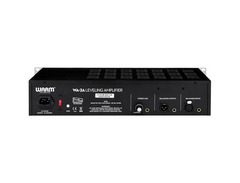
The WA-2A's all-tube and transformer signal path delivers the natural, program-dependent compression that made the original LA-2A famous. The custom optical cell provides genuinely musical gain reduction, responding differently to various input levels and frequencies. The output transformer adds subtle saturation that becomes more pronounced as you drive the input, while the tube stage contributes to its characteristically warm top end. Even under heavy compression, vocals retain their natural breath and presence.
Best Applications On vocals, the WA-2A's gentle compression curve and natural attack characteristics make it nearly impossible to get harsh results. Its program-dependent behavior excels on bass guitar, where it controls dynamics while enhancing the natural sustain of the instrument. The unit particularly shines on acoustic instruments, where its slow attack preserves transients while smoothing out longer sustained notes. The fixed attack time and manually adjusted release work seamlessly for traditional styles like jazz, folk, and classical recordings.
Notable Features The T4B optical cell closely mirrors the original's timing characteristics, including the distinct dual-stage release behavior that makes this type of compression so musical. The stepped input and gain controls enable precise recall of settings between sessions. The integrated VU meter offers both gain reduction and output level monitoring, with a carefully calibrated response that matches vintage units. The selectable compress/limit modes provide two distinct compression curves, expanding its versatility.
User Experience The simplified control set masks a sophisticated compression engine. The interaction between the peak reduction and gain controls creates a broad range of compression characteristics without complex settings. The unit requires proper gain staging to achieve optimal results, but the metering makes this process intuitive. The build quality inspires confidence, with robust switches and smooth-turning potentiometers that feel substantial. The unit warms up in about 15 minutes, after which its performance remains consistent throughout long sessions.
See how artists use this




FMR Audio RNC1773 Really Nice Compressor
4.5 (32)
The Compact Champion


Average Price: $210
Standard/Professional
$100
$501+
Budget
Standard
High-end
- Exceptionally transparent sound, does not color the audio
- Super Nice mode offers nearly invisible compression
- Low self-noise compared to other budget compressors
- Versatile, effective on vocals, acoustic guitars, and main bus
- See 6 more
- Fast attack and release times may cause distortion on bass heavy instruments
- Lacks a built-in gate, making it less ideal for drums or percussion
- Requires a workaround (HPF to the sidechain) for optimal performance on certain instruments
- Some users notice a slight high frequency drop on hats and cymbals
- See 1 more
The RNC1773 offers two distinct compression modes that dramatically affect its personality. In Normal mode, it delivers remarkably clean, transparent compression that maintains the source's original character. Super Nice mode enables a unique multiple-stage compression that handles extreme gain reduction without pumping artifacts. The signal path remains neutral until pushed hard, where it can add subtle density without obvious coloration.
Best Applications This compressor excels at bread-and-butter compression tasks across multiple sources. On vocals, the Normal mode provides reliable dynamic control while maintaining clarity and presence. The Super Nice mode particularly shines on full mixes and submixes, where its multiple compression stages help achieve significant gain reduction without obvious processing artifacts. For acoustic instruments, it controls dynamics while preserving natural attack characteristics and detail.
Notable Features The dual-mode compression architecture sets it apart from comparably priced units. The continuously variable ratio control allows fine-tuning of compression intensity rather than limiting users to fixed steps. The unit includes both balanced XLR and unbalanced ¼" connections, making it versatile for different studio setups. The logarithmic gain reduction meter provides accurate visual feedback even with subtle compression settings.
User Experience Despite its compact size, every control is easily accessible and clearly labeled. The gain reduction meter responds quickly and accurately, making it easy to dial in appropriate settings. The build quality exceeds expectations for its price point, with smooth potentiometers and robust switches. The unit requires no warm-up time and maintains consistent performance during long sessions. While the interface might appear basic, the processing capabilities rival much more expensive units.
See how artists use this






Manley Variable Mu
5.0 (3)
The Mastering Authority

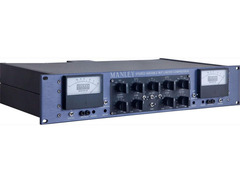
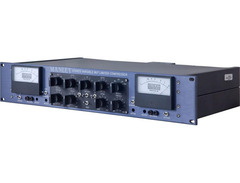

Average Price: $4,918
High-end/Boutique
$100
$501+
Budget
Standard
High-end
The Variable Mu's all-tube signal path creates a uniquely musical compression character that stems from its custom-wound transformers and carefully selected tubes. The compression becomes progressively more aggressive at higher input levels, a characteristic behavior of variable-mu design that makes it practically impossible to achieve unmusical results. The harmonic enhancement varies with gain reduction, adding richness to the sound without ever becoming aggressive or harsh. Even under substantial compression, the unit maintains exceptional stereo imaging and depth.
Best Applications On the mix bus, the Variable Mu demonstrates why it's an industry standard, bringing individual elements together while expanding the apparent size of the mix. Its program-dependent compression curve works magic on full mixes during mastering, controlling dynamics while maintaining the natural breath of the music. The unit particularly excels on acoustic sources, from orchestral recordings to jazz ensembles, where its natural compression characteristic preserves the performance's dynamic subtleties. For vocal processing, it adds a dimensional quality that makes tracks sit perfectly in complex mixes.
Notable Features The recovered audio side chain circuit provides exceptional control over compression onset, while the adjustable high-pass filter prevents low frequencies from dominating the compression response. The switchable feedback/feedforward topology offers two distinct compression characteristics - classic feedback for traditional tube compression and feedforward for more modern control. The precision-stepped controls enable exact recall between sessions, crucial for professional environments. The mastering version includes additional features like stereo linking, high-resolution metering, and expanded threshold ranges.
User Experience Despite its sophistication, the Variable Mu remains remarkably intuitive to operate. The unit requires about 30 minutes of warm-up time for optimal performance, after which it exhibits excellent stability. The high-resolution metering provides accurate visual feedback, though experienced engineers often work primarily by ear given the unit's forgiving nature. The build quality is exceptional, with every control feeling substantial and precise. The stepped input and output controls make session recall straightforward, while the continuously variable threshold and attack/release controls offer fine adjustment of compression characteristics.
See how artists use this






Shadow Hills Mastering Compressor
5.0 (12)
The Two-Stage Titan

Average Price: $9,238
High-end/Boutique
$100
$501+
Budget
Standard
High-end
This dual-stage compressor combines an optical stage for smooth initial control with a discrete VCA section for precise peak limiting. The three switchable output transformers - Nickel, Iron, and Steel - each impart distinctly different tonal characteristics to the signal path. The optical stage captures the natural, program-dependent response of classic designs, while the VCA section offers the precision of modern compression. When both stages are engaged, the unit creates a uniquely controlled yet musical dynamic response.
Best Applications On the mix bus, this unit excels at creating cohesion while its transformer options add different flavors of analog character. The optical stage works beautifully on vocals and bass, where its natural compression characteristic maintains musicality. The VCA section provides exceptional control over peaks and transients, making it invaluable for mastering applications. The ability to run both compression stages simultaneously, combined with transformer switching, makes it particularly powerful for adding density and character to full mixes.
Notable Features Each compression stage features independent controls and metering, allowing precise adjustment of both gentle overall compression and peak control. The transformer switching system represents a unique approach to tonal control, effectively providing three distinct sonic signatures in one unit. The mastering-grade stepped controls ensure precise recall between sessions. The comprehensive metering includes both peak and average level detection, with separate gain reduction meters for each compression stage.
User Experience Despite its complexity, the unit remains intuitive to operate. Each section is clearly laid out with logical signal flow. The build quality is exceptional, with military-spec components throughout. The stepped controls make session recall straightforward, while the individual bypass switches for each section enable easy comparison of processing effects. The unit requires minimal warm-up time and maintains consistent performance throughout long sessions. The metering is particularly well-implemented, providing clear visual feedback of complex gain reduction behavior.
See how artists use this





oeksound spiff
4.5 (5)
The Transient Sculptor

Unlike traditional compressors, Spiiff's processing focuses specifically on the attack and sustain portions of sounds independently. The algorithm recognizes and separates transient information from sustained content, allowing precise control over each element. The processing remains remarkably transparent even with extreme settings, never introducing unwanted artifacts or phase issues. The unit's detection circuit adapts to different source material, maintaining consistent results across various input types.
Best Applications For drums, Spiiff offers unparalleled control over attack and room characteristics, capable of dramatically reshaping hits without triggering unwanted pumping effects. It excels at controlling problematic resonances in acoustic instruments while preserving their natural attack characteristics. On guitar and bass, it can enhance pick attack or tame aggressive strumming patterns without affecting sustain. The processor proves invaluable for post-production work, letting you reshape dialogue and sound effects with surgical precision.
Notable Features The frequency-dependent processing allows targeting specific ranges for transient manipulation, making it possible to control low-end punch independently from high-frequency snap. The adaptive release algorithm continuously adjusts to the input material, preventing common compression artifacts. The Delta mode isolates the processed signal, making it easier to identify and address problem frequencies. The real-time visualization shows exactly how the processing affects both transient and sustained content, taking the guesswork out of parameter adjustment.
User Experience The interface presents complex processing options in an intuitive layout. The frequency-selective tools work in conjunction with the spectrum analyzer, making it easy to identify and process specific ranges. The extensive preset library provides excellent starting points while encouraging experimentation. The ability to solo the detection circuit helps users understand exactly what the processor is targeting, while the mix control enables parallel processing without external routing. Despite its sophisticated processing, CPU usage remains remarkably efficient.
See how artists use this




.jpg)
Common Compression Mistakes
Understanding compression is one thing - using it effectively is another. Even experienced producers can fall into habits that compromise their mixes. Getting great results isn't about following rigid rules, but about understanding why certain approaches work better than others.
Compressing Everything Too Hard
The most common mistake is simply using too much compression. When every track is heavily compressed, mixes lose their natural dynamics and become fatiguing to listen to. The key is to preserve the natural ebb and flow of the music while controlling only the problematic peaks. Start with less compression than you think you need, then gradually increase it until you achieve the desired control.
Setting Incorrect Attack and Release Times
Inappropriate timing settings can destroy the natural character of your sounds. Fast attack times can rob instruments of their impact, while slow release times can create unwanted pumping effects. Listen carefully to how your source material breathes naturally. On drums, try slower attack times to preserve the initial transient. For vocals, match the release time to the natural decay of phrases.
Neglecting Proper Gain Staging
Poor gain staging before and after compression often leads to subpar results. A compressor performs best when it receives appropriate input levels. Too much input can result in excessive compression, while too little might mean the compressor barely works. Always set proper input levels and use makeup gain to maintain consistent output volume.
Setting Thresholds Too Low
Many users set their threshold too low, forcing the compressor to work too hard on parts that don't need control. Focus on catching the peaks that actually cause problems rather than compressing everything. Use your ears and the gain reduction meter together - if you're seeing more than 6-8dB of constant reduction, you might be compressing too aggressively.
FAQ
What's the difference between compression and limiting?
While both reduce dynamic range, compression offers a more gradual response based on your ratio setting. A limiter is essentially a compressor with an infinite ratio, creating a hard ceiling that the signal cannot exceed. Think of compression as volume control and limiting as placing an absolute maximum level.
Do I need both hardware and software compressors?
No, you don't need both to create professional-sounding mixes. Many world-class records are made entirely with software compressors. Hardware can add unique character and workflow benefits, but modern plugins offer excellent sound quality and more flexibility for most users.
When should I use multiple compressors instead of just one?
Using multiple compressors in series often yields more natural results than trying to achieve all your dynamic control with a single unit. For instance, you might use one compressor for gentle overall control, followed by another catching peaks, rather than forcing one compressor to do too much work.
Should I compress individual tracks before the mix bus?
This depends on your mix goals, but generally, it's better to address obvious dynamic issues on individual tracks first. The mix bus compressor should focus on gluing elements together rather than fixing problems that could have been solved earlier in the chain.
What's the ideal amount of gain reduction?
There's no universal rule, but most engineers aim for 2-6dB of gain reduction on average for natural-sounding compression. More aggressive genres might use more, but if you're regularly seeing more than 10dB of reduction, you might want to reconsider your settings.
What's parallel compression and when should I use it?
Parallel compression involves blending compressed and uncompressed signals together. It's particularly useful for adding power and sustain while maintaining transient detail. This technique works especially well on drums and vocals, where you want to add energy without losing the natural dynamics of the performance.
How do I know if I'm over-compressing?
Listen for loss of transient impact, unnatural pumping effects, or if your mix sounds lifeless and fatiguing. A good test is to bypass your compressor occasionally - if the uncompressed signal consistently sounds more lively and natural, you might be compressing too heavily.
Conclusion
Let's cut to the chase - compression isn't rocket science, but it can make or break your mixes. After all these years, the fundamental truth remains: great compression should enhance your music, not suffocate it.
Key Takeaways
You don't need a wall of vintage hardware or every plugin under the sun to get solid results. What matters is understanding the tools you have and developing the judgment to know when and how to use them. Some of the most impactful compression techniques are also the subtlest - like using just enough to make a vocal sit perfectly in the mix without sounding obviously compressed.
The hardware versus software debate? It's pretty much settled. Both can sound incredible in the right hands. Whether you're using a meticulously modeled plugin or a boutique hardware unit, what matters is how well you understand your tools and trust your ears.
Looking Forward
The technology keeps evolving, giving us more options than ever before. Smart plugins are getting better at suggesting settings, and modeling technology is becoming increasingly sophisticated. But at the end of the day, there's no substitute for experience and good judgment.
Remember, compression isn't about following rules or chasing someone else's sound. It's about serving your music in the way it needs. Sometimes that means being bold and aggressive, other times it means being so subtle that nobody notices the compression at all. The key is knowing the difference.
Top Ranked Compressor Plugins on Equipboard
-m.webp?v=1783835406)
-m.webp?v=1783834560)

$144.00 - $199.00
5.0 (60)
5.0 (60)


About the authors
Juan Spinelli is a multi-instrumentalist musician, but more of a guitarist than anything else. Based in Buenos Aires, Argentina, he started playing at a very early age and learned various instruments such as flute, clarinet, percussion, didjeridoo, cavaquinho, bass and more. Today, he also works as a music producer and sound engineer, collaborating in several projects in his city and with artists from all over the world. Read more


-m.webp?v=1783581656)

-m.webp?v=1781674358)

-m.webp?v=1781674204)