The Complete Free Mixing and Mastering Plugins Arsenal for 2026 That Actually Works

By Gear Experts
By Gear Experts
Table of Contents

Equipboard
Equipboard is the world's largest community of artists and their gear. Read our review process.
We are reader-supported. When you buy through links on our site, we may earn an affiliate commission. Learn more.
Our Picks

TDR Nova processes up to four frequency bands simultaneously with independent attack and release controls, making it more powerful than many commercial dynamic EQs that cost hundreds of dollars.
Read more
VladgSound Molot brings vintage Soviet-inspired character with its tube and transformer modeling.
Read more

DC1A's algorithm automatically adjusts its attack and release times based on the incoming audio signal, which is why it sounds musical with just two simple controls.
Read more


Supermassive can create reverb tails that last over 60 seconds while maintaining clarity and avoiding the muddy buildup that plagues most algorithmic reverbs.
Read more
TAL-Togu Audio Line TAL Reverb 4
TAL-Reverb-4's plate algorithm is modeled after the EMT 140, the same reverb plate used on countless classic recordings from Abbey Road Studios.
Read more
IVGI features three distinct tape machine characteristics that can be blended together, allowing you to dial in everything from subtle tube warmth to aggressive tape saturation.
Read more
Ozone Imager 2 uses the same stereo imaging algorithms found in iZotope's flagship Ozone mastering suite, which costs over $400 for the full version.
Read more
Limiter No.6: Limiter No.6 features five different limiting algorithms in a single plugin, including vintage tube and modern transparent modes that adapt to different musical styles.
Read more
LoudMax was specifically designed as a lightweight alternative to complex limiters, featuring zero-latency processing that makes it ideal for real-time monitoring during recording sessions.
Read more
TDR Nova's linear phase mode eliminates the phase shifts that occur with traditional EQs, making it safe for mastering applications where stereo image integrity is critical.
Read more
SPAN provides the same spectrum analysis capabilities used in professional mastering studios, with display options that match expensive hardware analyzers costing thousands of dollars.
Read moreLet's be honest: the world of audio production can feel like an expensive club where entry requires dropping hundreds or even thousands of dollars on plugins. You've probably scrolled through endless lists of "must-have" tools, only to find price tags that make your wallet weep. But here's the thing that many articles won't tell you upfront: professional-quality mixes and masters are absolutely achievable without spending a dime.
The key difference between mixing and mastering might seem obvious, but it's worth clarifying. Mixing involves balancing individual tracks, adding effects, and creating cohesion within your song. Mastering takes that finished mix and polishes it for final release, ensuring it sounds great across all playback systems and matches commercial loudness standards.
This guide isn't just another shallow list of "free stuff you can download." Instead, we're diving into a curated collection of genuinely free plugins that can handle serious production work. No demos, no nagging screens, no hidden costs.
Tokyo Dawn Labs TDR Nova
4.5 (48)
Mixing: EQ


- Freeware with robust features including a dynamic EQ and de-esser
- Dynamic bands act like a compressor without affecting the whole signal
- Built-in analyzer in the free version aids precise adjustments
- Matches output gain well to avoid unwanted volume increases
- See 3 more
- User interface can be unintuitive for beginners
- De-esser preset may darken vocals, requiring further adjustments
- Some users find it hard to work with initially
| Plugin Format | AU, VST |
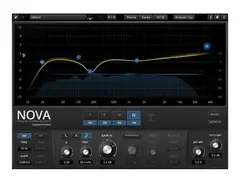
When it comes to equalization, TDR Nova stands in a league of its own among free options. This isn't your basic three-band EQ that barely scratches the surface. Nova brings dynamic EQ capabilities that respond to your audio in real-time, making surgical corrections that static EQs simply can't match.
What makes Nova special is its four-band dynamic EQ design with both dynamic and static modes. You can set it to only engage when certain frequencies hit specific thresholds, making it perfect for taming harsh sibilance on vocals or controlling resonant frequencies that only appear during loud passages. The interface feels clean and professional, avoiding the cluttered mess that plagues many free plugins.
In practice, Nova excels at de-essing vocals without affecting the overall brightness, controlling boxy midrange frequencies on drums, and providing transparent tonal shaping across entire mixes. The plugin's ability to show real-time frequency analysis helps you make informed decisions rather than just twisting knobs and hoping for the best.
See how artists use this





VladgSound Molot
4.5 (21)
Mixing: Compressor
- Extensive control set for precise adjustments
- Built-in dry blend knob enhances versatility
- Variable sidechain HPF for tailored sound shaping
- Midrange control adds tonal flexibility
- See 4 more
- Cannot type in precise values for controls
| Operating Systems | Mac, Windows |
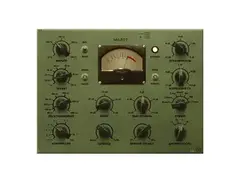
Molot shines on drum buses and anything needing punch. Its four different compression curves provide everything from gentle leveling to aggressive slam. The plugin's harmonic saturation adds warmth and glue that modern digital recordings often lack. When you need drums that hit hard or bass that sits perfectly in the pocket, Molot delivers that analog-inspired cohesion without the analog price tag. There is a caveat though. It has a steep learning curve but once you get accustomed, it is an invaluable tool.
Klanghelm DC1A
4.0 (2)
Mixing: Compressor

The DC1A keeps it incredibly simple with its interface. Two knobs and a switch might seem limiting, but this simplicity becomes its strength. The plugin provides musical compression that's nearly impossible to mess up, making it perfect for vocals, acoustic guitars, or any source that needs gentle control. Its internal makeup gain and smart timing characteristics mean you can focus on the music instead of wrestling with parameters.
Valhalla Supermassive
5.0 (27)
Mixing: Reverb
- Comparable sound quality to expensive boutique reverb pedals
- Free, making it accessible for any budget
- Combines delay and reverb with unique algorithms
- Great for creating massive, atmospheric synths and guitars
- See 6 more
- Can dominate the mix if feedback is too high
- Not suitable for simple or tape delay effects
- May sound metallic due to algorithmic approach
- Not ideal for emulating small room acoustics
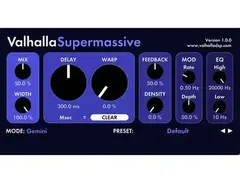
Supermassive excels at creative reverb textures that go far beyond typical room simulations. Its feedback and delay controls create evolving soundscapes perfect for synth pads, guitars, and vocal throws. The plugin can generate everything from subtle ambient spaces to infinite, otherworldly dimensions. When you need reverb that becomes part of the musical arrangement rather than just adding space, Supermassive delivers.
See how artists use this










TAL-Togu Audio Line TAL Reverb 4
4.5 (14)
Mixing: Reverb

TAL-Reverb-4 handles the bread-and-butter reverb duties with its faithful recreations of classic hardware units. The plate settings provide that smooth, dense character perfect for vocals and snare drums, while the hall algorithms create natural-sounding spaces for acoustic instruments. Its simple interface and CPU efficiency make it ideal for multiple instances across a full mix.
Use TAL-Reverb-4 when you need transparent space and dimension.
See how artists use this






Klanghelm IVGI
4.0 (14)
Mixing: Saturation and Distortion
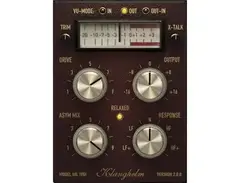
Harmonic saturation adds the warmth and character that purely digital processing often lacks. [Klanghelm IVGI] provides tape-inspired saturation that ranges from subtle analog warmth to more obvious harmonic coloration. What sets IVGI apart from abandoned freebies is its active development and consistent updates.
The plugin's three different saturation modes cover various vintage tape characteristics. The clean mode adds subtle harmonics that glue mix elements together, while the more aggressive settings provide obvious coloration perfect for creative effects. IVGI's dual-stage processing lets you shape both the saturation character and the final output level independently.
IVGI works beautifully on drum buses where it adds cohesion and punch without overwhelming the transients. Guitar tracks benefit from its tape-like compression and harmonic enhancement, while subtle applications on the mix bus provide that final touch of analog warmth. The plugin's low CPU usage means you can use multiple instances without taxing your system.
A quick note about CamelCrusher: while this plugin appears in many free lists, it's been discontinued and should be used with caution on newer systems. IVGI provides more reliable performance with better ongoing support.
iZotope Ozone Imager V2
4.5 (2)
Mixing: Stereo Imaging

| Plugin Format | VST, AU, AAX |
| Operating Systems | Mac, Windows |
Width and stereo placement often determine whether a mix sounds professional or amateur. [Ozone Imager 2] provides safe, musical stereo enhancement with the visual feedback needed to make informed decisions. Unlike many free stereo plugins that can create phase issues, Imager 2 maintains mono compatibility while expanding your stereo field.
The plugin's four-band processing allows different stereo treatments across the frequency spectrum. You can widen the high frequencies of a pad while keeping the low mids centered, or create focused stereo effects on specific frequency ranges. The real-time correlation meter shows exactly how your adjustments affect mono compatibility and phase relationships.
Practical applications include widening background vocals without affecting lead vocal clarity, expanding guitar parts to create space for other instruments, and ensuring bass frequencies remain centered for maximum impact. The plugin's vectorscope display helps visualize stereo information in ways that your ears might miss during extended mixing sessions.
Ozone Imager 2 proves that effective stereo processing doesn't require expensive tools, just smart design and proper implementation.


VladgSound Limiter No6
5.0 (13)
Mastering: Limiters
| Operating Systems | Mac, Windows |
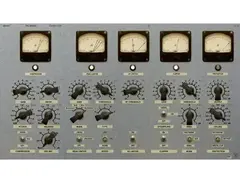
Limiter No.6 offers comprehensive control over the limiting process with its multiple limiting stages and extensive metering. The plugin's ISP (Intelligent Sound Processing) algorithm analyzes incoming audio to apply limiting in the most musical way possible. Its multiple stages allow for gentle limiting that preserves dynamics while achieving competitive loudness levels.
The plugin's advanced metering suite includes everything needed for modern mastering: LUFS measurement for streaming platforms, peak detection for preventing clipping, and stereo correlation analysis for mono compatibility. The automatic gain compensation helps you make level-matched comparisons between processed and unprocessed audio. However, it's worth noting that Limiter No.6 is no longer actively supported, though it remains available for download and generally works well on current systems.


LoudMax Plugin
4.5 (10)
Mastering: Maximizer
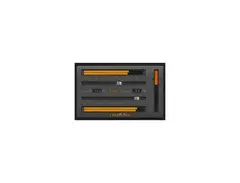
LoudMax takes a simpler approach with its single-knob interface, but don't mistake simplicity for lack of sophistication. The plugin's transparent limiting algorithm provides clean loudness increases without obvious pumping or distortion. Its extremely low latency makes it perfect for real-time applications or when CPU efficiency matters.


Tokyo Dawn Labs TDR Nova
4.5 (48)
Mastering: EQ
- Freeware with robust features including a dynamic EQ and de-esser
- Dynamic bands act like a compressor without affecting the whole signal
- Built-in analyzer in the free version aids precise adjustments
- Matches output gain well to avoid unwanted volume increases
- See 3 more
- User interface can be unintuitive for beginners
- De-esser preset may darken vocals, requiring further adjustments
- Some users find it hard to work with initially
| Plugin Format | AU, VST |
TDR Nova returns in the mastering chain because its capabilities extend far beyond typical mixing applications. When mastering, you're making broad tonal adjustments that affect the entire frequency spectrum, and Nova's dynamic EQ functionality becomes even more valuable at this stage.
The plugin's mastering-grade transparency allows for subtle corrections without introducing unwanted artifacts. Its ability to make frequency-dependent adjustments means you can address issues that only appear during loud sections, or add presence that responds to the musical content. The linear phase mode eliminates phase distortion concerns when making broad EQ moves across the entire mix.
Mastering applications include correcting frequency imbalances that become apparent when comparing your mix to commercial references, adding air and presence to vocals that get buried in dense arrangements, and controlling problematic resonances that weren't noticeable during mixing but become obvious during mastering playback levels.
See how artists use this
Voxengo SPAN
4.5 (71)
Mastering: Metering

- Exceptional visual aid for mastering and mixing
- Helpful for checking and adjusting low-frequency levels
- Free to use, offering great value
- Effective in analyzing and perfecting sound quality
- See 2 more
| Plugin Format | AU, VST |
| Operating Systems | Mac, Windows |
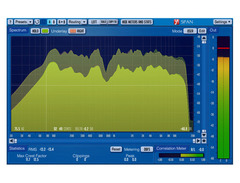
Professional mastering requires professional metering, and Voxengo SPAN provides industry-standard spectrum analysis capabilities that rival expensive dedicated hardware. This plugin isn't just nice to have; it's absolutely essential for making informed mastering decisions.
SPAN's real-time spectrum analysis shows exactly what's happening across your frequency spectrum with multiple display modes and averaging options. The plugin's correlation meter reveals stereo information and phase relationships that affect how your master translates to mono playback systems. Its peak and RMS metering provide the level information needed for proper gain staging throughout the mastering chain.
The plugin's flexibility allows customization for different mastering tasks. You can adjust the analysis resolution for detailed frequency work or faster response times, choose between different windowing functions for various types of program material, and save analyzer presets for consistent workflow across multiple projects.
Without proper metering, mastering becomes guesswork. SPAN provides the visual information needed to make confident decisions about EQ moves, dynamic processing, and final output levels.
See how artists use this






Building a Free Workflow
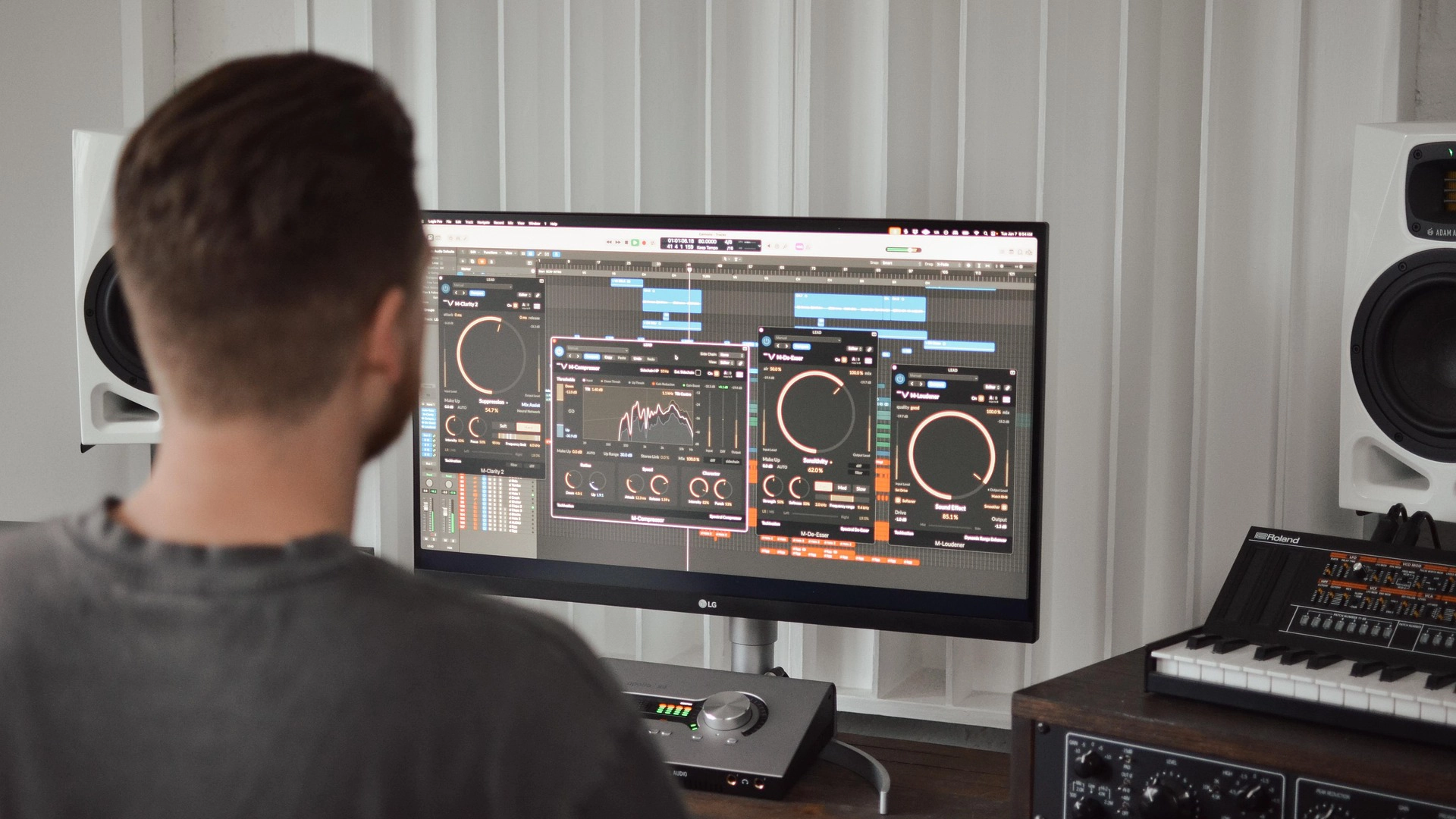
Understanding individual plugins means nothing without knowing how to combine them into an effective workflow. The following approach provides a systematic method for approaching any mix or master using only the free tools we've discussed.
The Mixing Process
Start with individual track processing using this signal chain: EQ first to remove problematic frequencies and shape tone, followed by compression to control dynamics, then effects like reverb or saturation for character. This order ensures that each processor receives the cleanest possible signal while building complexity gradually.
TDR Nova handles corrective EQ tasks on individual tracks, removing muddy frequencies from guitars, controlling harsh midrange on vocals, and cleaning up low-end buildup on bass instruments. Follow this with compression using either Molot for character or DC1A for transparency, depending on the source material and desired sound.
Add spatial processing with TAL-Reverb-4 or Supermassive for traditional or creative reverb effects. Apply IVGI when tracks need harmonic glue or analog-style saturation. Use Ozone Imager 2 strategically on elements that benefit from stereo width without compromising the mix's mono compatibility.
The Mastering Chain
Master bus processing follows a specific order: corrective EQ, compression if needed, harmonic enhancement, stereo processing, and finally limiting. This sequence ensures that each process receives the most appropriate signal while building toward the final commercial master.
Begin with TDR Nova in linear phase mode for broad tonal adjustments that affect the entire frequency spectrum. Make subtle corrections rather than dramatic changes, always referencing commercial tracks in your genre for perspective. Monitor your changes with SPAN to visualize the frequency response alterations and ensure balanced response across the spectrum.
Apply final limiting with either Limiter No.6 or LoudMax depending on your needs for control versus simplicity. Aim for loudness levels appropriate to your genre and intended platform, always checking mono compatibility and avoiding excessive limiting that destroys musical dynamics.
Complete Workflow Summary
Here's a visual breakdown of the complete free workflow that combines all the tools we've discussed into a systematic approach:
| Processing Stage | Plugin Choice | Primary Function | Key Application |
|---|---|---|---|
| Individual Tracks | TDR Nova | Corrective EQ | Remove mud, control harshness |
| Molot / DC1A | Dynamic Control | Character vs. transparency | |
| TAL-Reverb-4 / Supermassive | Spatial Processing | Traditional vs. creative spaces | |
| IVGI | Harmonic Saturation | Analog warmth and glue | |
| Ozone Imager 2 | Stereo Width | Strategic width enhancement | |
| Master Bus | TDR Nova (Linear Phase) | Mastering EQ | Broad tonal corrections |
| VOXENGO SPAN | Analysis & Metering | Visual feedback and monitoring | |
| Limiter No.6 / LoudMax | Final Limiting | Commercial loudness control | |
| VOXENGO SPAN | Final Analysis | LUFS and spectrum verification |
This workflow table shows how each free plugin serves a specific purpose in the production chain, from individual track processing through final mastering. The key is maintaining signal flow logic where each stage prepares the audio appropriately for the next process.
Critical Listening Practices
Successful mixing and mastering depends more on listening skills than plugin collections. Take regular breaks to prevent ear fatigue, check your work on multiple playback systems, and compare your results to commercial references in your genre. These practices matter more than any specific plugin choice or processing technique.
Conclusion
The path to professional-sounding mixes and masters doesn't require emptying your bank account or subscribing to expensive plugin services. These carefully selected free tools provide everything needed for serious music production, from basic corrective processing to creative sound design applications.
Remember that great mixes come from great decisions, not great gear. Your ability to listen critically, make musical choices, and understand how these tools serve the song will always matter more than having the latest expensive plugins. The professionals using thousand-dollar plugin suites aren't necessarily making better music than someone with a thoughtful approach and these free tools.
Download these plugins and start experimenting today. Spend time learning each tool's strengths and characteristics, build templates that streamline your workflow, and most importantly, trust your ears above all else. Your next great mix is waiting, and it won't cost you anything but time and creativity.
Top Ranked EQ Plugins on Equipboard


-m.webp?v=1784872079)

$1,015.75 - $1,195.00
5.0 (20)
5.0 (20)

About the authors
Giulio Chiarenza is the co-founder of Equipboard and a lifelong multi-instrumentalist with a deep passion for music gear. Born in Italy and raised in the U.S., he holds a Computer Science degree from The University of Texas at Austin and blends technical acumen with decades of hands-on experience across guitar, piano, drums, and electronic production. Early in his career, Giulio was signed to a San Francisco-based EDM label, releasing both remixes and original tracks. These days, he helps steer Equipboard’s vision while personally testing and reviewing gear. He's never too far from his go-to guitar: a vintage 1978 Fender Telecaster Custom. Read more








.webp)