

Pricing and availability
We compare 600+ stores and found this item at 1 store. Prices updated .
Store
Reviews
Price




Price History
Based on price data from 1 merchant for "Producertech Complete Guide to Stereo Width By Rob Jones". Prices shown reflect NEW condition. Tracking began Jun 1, 2026.
* Product prices and availability are updated by Equipboard every 24hrs and are subject to change. Equipboard may receive compensation for purchases made at participating retailers linked on this site. This compensation does not affect what products or prices are displayed, or the order of prices listed. For more information, please refer to our affiliate disclosure.
Description
A thorough understanding of the width of different elements in a mix is a crucial skill for any producer wanting to create huge, wide-sounding tracks that will translate onto any sound system. On this course by Producertech Senior Tutor Rob Jones, you'll be armed you with all the knowledge you need to achieve this, whether through basic panning and application of various effects, more complex adjustment of phase and frequency, or independent processing of mid and side signals, both on individual sounds, return tracks and the master bus.
Each module discusses a different area of stereo mixing, with in-depth explanations of every technique and examples of how to apply them to drums, synthesisers, vocals and other instruments. Once a multitude of techniques have been thoroughly explored, there are 3 bonus lessons, including a lengthy tutorial that puts everything into practice whilst mixing an actual track. Throughout the tutorials, various Effects Racks are made, which come bundled with the course, so students not only learn about the inner workings of these advanced effects setups but also have instant presets to load up and apply to their mixes.
Alongside the streamed video lessons, accessible on any online devices, students can also download comprehensive written notes that accompany each module, featuring clear explanations to aid with the learning process. With feedback and assistance always available via the Producertech website, this course will truly take your stereo mixing abilities to the next level. For more information and to see an example of the course content, check out the sample module movie, featured below:
Module 1: Panning and the Utility Effect
Beginning with an explanation of what the stereo width of a signal is, this module then goes on to demonstrate how panning can be used to achieve a wider signal. The lesson also shows how the utility effect can be used to gain greater control over mid and side signals.
Module 2: Delay
This lesson shows how simple delay, ping pong delay, and filter delay can all be used to widen a signal.
Module 3: Chorus
This lesson shows how the chorus effect can be used to generate stereo width, and how this can be shaped by a filter to clean up the mix.
Module 4: Reverb
The module begins with a guide on using utility to check the processing on samples. Then, Live's reverb effect is explored, with each parameter's effect on the stereo width of a signal clearly demonstrated.
Module 5: Detuning
The effect of detuning on stereo width is explored in detail, and there is a guide on detuning a synth patch to thicken it, as well some tips on detuning a vocal sample to widen it.
Module 6: Adjusting Phase
There is an explanation of what phase is, and its impact on a signal. Then, the module teaches how to adjust the phase of a signal using the utility effect.
Module 7: Mid/Side EQ
This lesson teaches how to EQ left and right, and mid and side signals differently to increase the width of a signal.
Module 8: Other Mid/Side Processing
A variety of other effects used to process the side signal are demonstrated, including compression, frequency shifter and grain delay.
Module 9: Rack Presets
This lesson goes though the effect racks built throughout the course so far, and shows how to use them in Live.
Bonus Module 1: Building a Chorus Rack
A step by step guide to constructing a fully customisable chorus rack using simple delay and other live devices.
Bonus Module 2: Stereo Plugins
A brief look at some 3rd party stereo width plugins.
Bonus Module 3: Putting it all Together
A detailed look at the stereo considerations of individual tracks, return tracks and the master channel in a real life mixdown scenario.
Streamed lessons - access 24/7/365
Over 2 hours of detailed tutorials
Comprehensive written module notes
10 included Live effect racks
Live project from the course
Product specs
| Contains | Courses |
Videos

Producertech
Making a Modulating Stereo Comb Filter to add Width
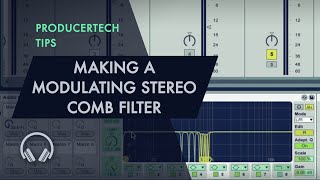
Making a Modulating Stereo Comb Filter to add Width
Producertech
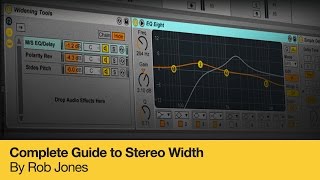
Complete Guide to Stereo Width - Course Trailer
Producertech
Reviews
Critic Reviews
Based on 0 Reviews and 0 Ratings
More Producertech Music Courses

$9.50 - $19.00
in Music Courses Rank


$24.50 - $49.00
in Music Courses Rank

$36.00
in Music Courses Rank


![Producertech Part 2: Adding Foley and Developing the DnB Groove with colo[r]](https://images.equipboard.com/uploads/item/image/39757/producertech-part-2-adding-foley-and-developing-the-dnb-groove-with-colo-r-m.webp?v=1782069297)


$36.00
in Music Courses Rank

$38.34 - $45.00
in Music Courses Rank


$45.00 - $51.14
in Music Courses Rank

$7.50 - $15.00
in Music Courses Rank

$36.00
in Music Courses Rank

$25.00
in Music Courses Rank


$22.50 - $45.00
in Music Courses Rank

$59.00 - $63.94
in Music Courses Rank


$25.00
in Music Courses Rank


$24.50 - $49.00
in Music Courses Rank

$29.50 - $59.00
in Music Courses Rank

$19.00
in Music Courses Rank


![Producertech Creating A Drum & Bass Groove with colo[r]](https://images.equipboard.com/uploads/item/image/39717/producertech-creating-a-drum-bass-groove-with-colo-r-m.webp?v=1770235772)


Artist usage


Community setups


Similar


Gear Guides




.jpg)



Most Popular Music Courses
Most Popular Brands
-
Added to Equipboard on by
.jpg?v=1784931632) gchiaren
gchiarenGearIQ 37855
-

