By Gear Experts
Table of Contents

Equipboard
Equipboard is the world's largest community of artists and their gear. Read our review process.
We are reader-supported. When you buy through links on our site, we may earn an affiliate commission. Learn more.


Before diving into the full review, it’ll help if you take a look at this 3 minute video to whet your appetite for what the Novation Circuit is capable of, and get a feel for what it looks and sounds like:
Novation’s Circuit is a portable groovebox with synth and drum machine/sample playback capabilities packed into a small, portable, and attractive package. The Circuit is a device that seems built more as an entry-level synth, but digging into it reveals some interesting features that will also inspire those in the more professional market. Let’s take a look at what the Circuit has to offer.
Build Quality & Interface
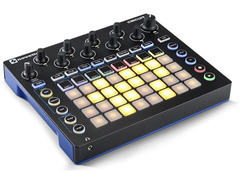
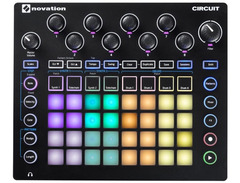
The Novation Circuit’s interface is composed of 32 Launchpad style pads (the Launchpad is a popular grid-based MIDI pad controller also made by Novation), eight continuous encoder knobs, a Master Volume knob, a large dual mode highpass/lowpass Filter knob, as well as a number of function buttons arranged logically across the face. The pads have a good bouncy feel and are very responsive even with very soft playing. I feel it’s important to note this because many manufactures, from Akai to Elektron, have had a hard time achieving a good feel with these kinds of pads. It’s refreshing to have this kind of responsiveness on the Circuit’s pads.
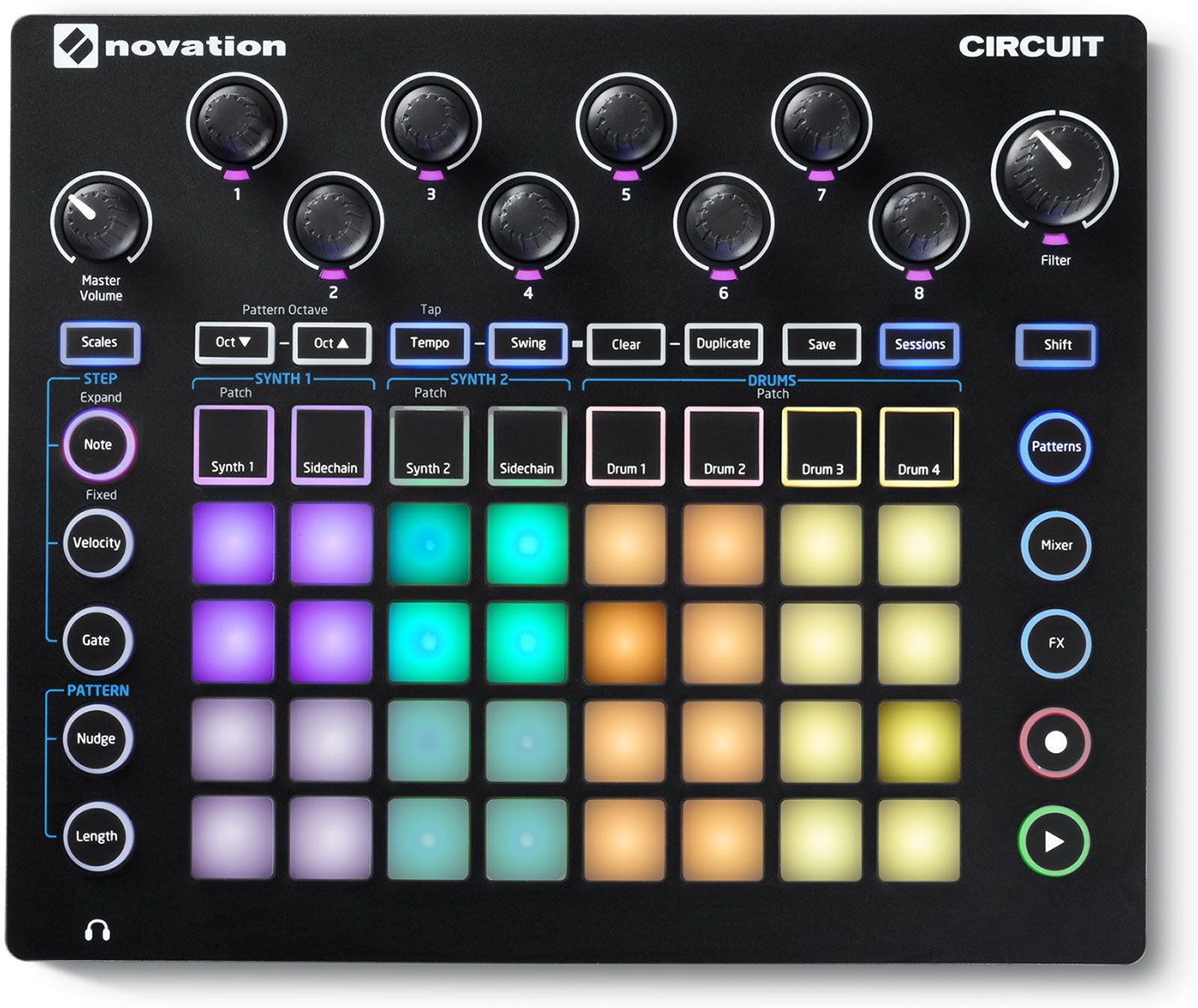

The case itself is plastic but feels very solid. Putting pressure on the pads doesn’t cause the case to creek and the device gives the general impression that it can take a beating. The Circuit comes with a power supply of the typical wall wart variety but it can be powered with six AA batteries as well. As for getting sound out of the Circuit, you can use the built in speaker on the underside of the case, plug in your headphones or connect the dual 1/4” outputs to a mixer or audio interface. There is also the requisite MIDI handled either with USB or mini jacks. The minijack-to-MIDI adapters are included in the box and are compatible with Arturia’s adapters. So if you find yourself in a pinch you can borrow a Beatstep’s adapters, though if you only have Korg’s MIDI-to-mini adapters you are out of luck as they use a different pin configuration.
Functionality & Sound
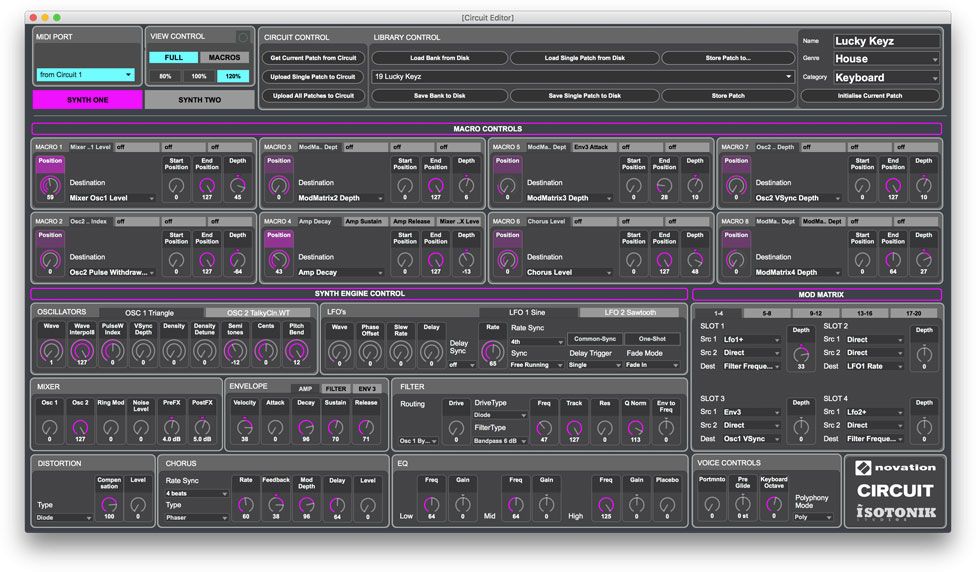
The brain of the Circuit has two hemispheres. Let’s start with the left side, being the two synth parts. Each of the Circuit’s synth parts has six voices of polyphony (which means you can play 12 notes simultaneously when you combine both parts). These synth parts can be controlled externally with MIDI, so if you want to hook up a MIDI keyboard or trigger the synth from your computer you can. The synth engine is based on Novation’s Nova line which sounds great. You can get some really crisp digital, crystalline sounds, though it may take a bit of work to get fairly convincing analog type sounds. When the Circuit was initially released the only way to manipulate your sounds was with the eight macro knobs along the top of the unit. All the sounds were pre-programmed and the Circuit really had no way of diving into and editing the patches. But thankfully soon after the initial release Novation paired up with Isotonik to release a Circuit Editor software for PC and Mac. The Editor allows you to edit every parameter in the synth engine, of which there are many. This is one of the areas that the Circuit really shines. It is well beyond the scope of this article to get into the intricacies of programming synth patches but I will just say this, there are 20 mod matrix slots which can be applied to eight macros in various ways.
The right hemisphere of the Novation Circuit’s brain is composed of a four part drum machine. Now, Novation calls this section the DRUMS - hence why it’s part groovebox/drum machine - but really you can load pitched samples in (via Novation’s Components site, more on that later) and play them melodically, though this requires a good amount of tweaking as you can’t play the samples chromatically. For each of the sample parts there are four parameters that you can modify with the knobs on the face of the unit: pitch, decay/end, distortion and filter. The sequencer can record these parameter changes in real time and they can also be edited per step when not playing, which is also true for all the synth and FX parameters. A new addition in the 1.3 version of the firmware introduced the “sample flip” feature which allows you to record in and automate the changing of sample selection. This feature seems to be more than a nod to the well regarded parameter lock feature in Elektron’s Octatrack sampler. Basically it allows you to stack a number of different sounds into each of the sample parts, limiting you to one sound per step rather than one sound per part.
Keeping with the brain analogy I would think the sequencer would be the cerebellum of the Circuit. The sequencer ties the whole unit together by queuing up to eight bars of sixteenths for each of the synth and sample/drum parts. The bars can all be linked together, linked to just a few bars, or selected individually. The length of the pattern can be set to less than 16 for the synth parts which can lead to some interesting polyrhythms, though sadly you can’t change the length on the drum parts. Note, velocity, gate length, FX parameters, and each of the eight parameter controls can all be recorded into the sequencer in realtime or edited in per step. Novation has also included sidechaining for each of the synth parts, routed to the Drum 1 part. The sequencing of the synth parts is particularly powerful. When live recording into the sequencer each note gets its own gate time recorded, allowing you to get the most out each voice. Each voice is allowed to ring out and isn’t affected by the decay or cutoff of other notes in the sequence. This is something that even more expensive and capable sampler/sequencers can’t do. For example, the previously mentioned Octatrack is only capable of handling four notes per step and the gate times are linked. You can also send MIDI out from the sequencer to MIDI channels one and two, respective to synth parts one and two. Of course being able to control external gear or record your MIDI parts into a DAW allows you to expand upon your ideas once you get your Circuit back home.
Taking It Online
Novation has set up a Web interface called Circuit Components to handle the management of the Circuit. Here you can backup and load projects, import samples, and update your firmware. You can also download the synth editor here, but that runs separately and isn’t run in browser like the Components site itself. Everything here functions as expected and has a nice, logical interface. Although, the fact that Novation decided to do this all through a web interface begs the question, what will happen to all our patches and backups if Novation decides to no longer keep the Components site up and running? Surely they would let you export everything you’ve made, but it would be a shame to not have this Web interface anymore.
Pros & Cons
Of course no bit of hardware is perfect and the Circuit is no exception. Though few, there are still some issues with the interface and the way the device was programmed. The Circuit has stereo outputs but there is no way to adjust the panning of the parts. Everything is straight up the middle and the only sort of stereo image is imparted by the built in delay and reverb FX. Also the unlabeled parameter knobs can be quite confusing. For the synth parts each knob controls a macro assigned to various parameters. For the most part what these macros do is a total mystery (though this appears to be by design, since the point is to simply use your ears to sculpt the sounds). The default patches have no consistency as to how they were programmed so you will never be able to just grab a particular knob and know you are adjusting the filter cutoff. If you are the type that is keen on diving in and making your own patches this will be much less of an issue. Personally I set five of the knobs to all do basic functions and leave the last three as unique modifiers for all the patches I program so I always know the first knob is filter cutoff. I would also like to see a native Ableton export feature similar to what the new Electribes offer. Having to go through and solo each part just to multitrack into your DAW is a bit of a pain. As I touched on before though the Web interface for patch and sample management is neat, I wonder just how long the Components site will be up and functioning. Though it’s of no concern right now, perhaps at some point Novation will no longer support such functions and I will be left with a Circuit that I can no longer swap samples or back up.
Bottom Line
All things considered, I think Novation did quite a remarkable job with the Circuit. When you weigh the feature set of the Circuit against the price point it is hard to hold the few very minor drawbacks against Novation. The immediacy of the interface, the playability of the pads, and the ability to just throw it in your backpack and scratch out some beats whenever you have a spare moment all add up to make for one killer groovebox. As a “scratch pad,” it’s fantastic, as it lets you quickly lay down ideas no matter where you are due to its extreme portability. The beauty of its workflow is that you’ll start with one idea, and never know where you’ll end up with it. It’s absolutely inspirational. Then again, the Novation Circuit can also play very nicely with a larger studio gear setup; It’s deep enough to keep the synth wizards busy while still being simple enough for anyone to just pick up and jam.

Novation Circuit
4.5 (80)






Average Price: $291
Budget/Beginner
$399
$900+
Budget
Standard
High-end
- Intuitive sequencer enhances musical creativity
- Allows loading of personal mono samples for customization
- Offers deep sound design with two oscillators, filters, LFOs, and more
- Highly customizable with programmable sounds and eight macros per patch
- See 6 more
- Noticeable digital whine in output audio
- Internal synth sounds may not appeal to everyone
- Limited project space for complex songs without external devices
- Synth editor required for in-depth sound editing, can be cumbersome
- See 4 more
See how artists use this






Top Ranked Tabletop Synthesizers on Equipboard


About the authors
Michael R. Pierce is the co-founder of Equipboard and a lifelong musician with over 25 years of experience as a guitarist and gear enthusiast. He blends solid music theory chops (thanks to formal training in guitar, piano, and trumpet) with real-world experience, always exploring and experimenting across genres like rock, blues, and hip-hop. Michael launched Equipboard in 2013 after graduating from The University of Texas at Austin, leveraging his unique blend of musical passion, technological acumen, and community building. His current go-to rig features a Fender American Original ‘50s Telecaster, Analogman King of Tone, Strymon Flint, and a Fender ‘57 Custom Champ. Read more




.webp)