This page about Apple Motion 5 is a stub. You can help improve it:


Pricing and availability


* Product prices and availability are updated by Equipboard every 24hrs and are subject to change. Equipboard may receive compensation for purchases made at participating retailers linked on this site. This compensation does not affect what products or prices are displayed, or the order of prices listed. For more information, please refer to our affiliate disclosure.
Description
Take your video projects to new heights with Apple Motion 5, an advanced video editing software designed specifically for musicians and creative professionals. Seamlessly integrate into your Apple ecosystem and enhance your workflow with real-time performance that lets you see your edits as you make them. Whether you're crafting music videos or promotional clips, Motion 5 offers powerful tools to bring your vision to life with unparalleled precision.
With its intuitive interface, Apple Motion 5 is ideal for both beginners and seasoned video editors. The software provides a vast library of customizable templates and effects, allowing you to effortlessly add dynamic titles, professional transitions, and captivating visual effects to your projects. The GPU-accelerated rendering engine ensures your edits are smooth and efficient, even with complex compositions.
Apple Motion 5’s advanced features include motion tracking, advanced color grading tools, and 360° video support, giving you comprehensive control over every aspect of your production. Pair Motion 5 with Final Cut Pro for a seamless editing experience, enabling you to easily import and export your projects without losing quality or time.
Key Features:
- Real-time design engine for immediate feedback
- Intuitive user interface with customizable templates
- GPU-accelerated rendering for fast performance
- Advanced motion tracking capabilities
- Professional-level color grading tools
- Extensive library of effects, transitions, and titles
- Integrated 360° video editing support
- Seamless integration with Final Cut Pro
- Comprehensive support for third-party plug-ins
Enhance your creative projects with the professional capabilities of Apple Motion 5, and let your music visuals captivate audiences like never before.
Videos

Dylan Bates • The Final Cut Bro
Learn Motion 5 in 12 Minutes! Beginner Tutorial

Learn Motion 5 in 12 Minutes! Beginner Tutorial
Dylan Bates • The Final Cut Bro
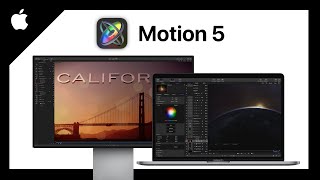
Apple Motion 5 (Grundkurs für Einsteiger) Einfach Animationen erstellen

Simon
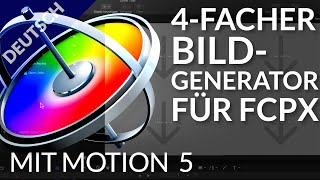
Motion 5 | Erstellung eines 4er Bild-in-Bild Generators mit Motion zur Verwendung in Final Cut Pro X

POST-PROfessionals-E

Awesome Sport Clash Motion Template for FCPX & Apple Motion 5

motionvfx
Reviews
Owner Insights
We analyzed real musician discussions from forums and Reddit to find what players love, question, and tweak about Apple Motion 5.
Features and functionality
-
Motion offers smooth, real-time playback, making it ideal for experimenting and designing, especially on M1 hardware.
Source -
Motion can export video independently without needing Final Cut, providing flexibility in project workflows.
Source -
Apple Motion's keyframe window is considered overly complicated, making revisions cumbersome and less efficient than After Effects.
Source -
Motion's particle system is noted as complex and challenging to master, with some users finding it frustrating compared to other aspects of the software.
Source -
The dual set of layer controls and limited speed graph editor are seen as drawbacks, making the workflow less intuitive for some users compared to After Effects.
Source
Use cases and applications
-
Motion is effectively used for creating network game/info show graphics, showcasing its capability in professional settings.
Source -
Apple Motion is seen as sufficient for basic motion graphics, titles, and transitions for users primarily working in Final Cut Pro, especially when compositing isn't a priority.
Source -
Motion is recognized for its real-time video and audio playback, which can be beneficial for simple projects where precomps are not preferred.
Source -
For Final Cut Pro clients, Motion is used to create and modify graphics packages, although some prefer hiring freelancers for precise adjustments.
Source
Comparisons
Value and pricing
-
Motion's one-time $50 purchase is favored over Creative Cloud's $50 monthly fee for occasional use.
Source
Software and compatibility
-
Motion's performance is optimized when integrated with Final Cut Pro, highlighting Apple's hardware-software synergy.
Source -
Users find DaVinci Resolve's nodal workflow a significant shift from Apple Motion, affecting efficiency in project management and execution, though updates have improved it since version 16.
Source
4.5 out of 5
Based on 0 Reviews and 5 Ratings
Artist usage
Add artist
.jpg)
Genre Usage
Based on how artists on Equipboard use this gear, it is most commonly found in the following genres.
Used With
Based on how musicians on Equipboard use Apple Motion 5, it is most commonly used with the following gear.


-s.webp?v=1784645889)


More Apple Video Editing Software

in Video Editing Software Rank


$259.00 - $325.00
in Video Editing Software Rank


$263.88
in Video Editing Software Rank


$229.99 - $249.00
in Video Editing Software Rank


.png?v=1784615088)


$699.95
in Video Editing Software Rank


$146.00
in Video Editing Software Rank


$239.00 - $539.99
in Video Editing Software Rank


Community setups


Similar


Most Popular Video Editing Software
Most Popular Brands
-
Added to Equipboard on by
 luna_papa
GearIQ 106
-


