
Pricing and availability
We compare 600+ stores and found this item at 3 stores. Prices updated .
Store
Reviews
Price


Price History
Based on price data from 2 merchants for "Blackmagic Design DaVinci Resolve Studio Color Correction and Video Post-production Suite". Prices shown reflect NEW condition. Tracking began Apr 2, 2026.
* Product prices and availability are updated by Equipboard every 24hrs and are subject to change. Equipboard may receive compensation for purchases made at participating retailers linked on this site. This compensation does not affect what products or prices are displayed, or the order of prices listed. For more information, please refer to our affiliate disclosure.
Description
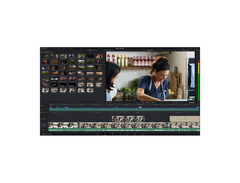
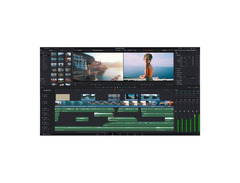
Unleash your creative potential with the Blackmagic Design DaVinci Resolve Studio, the all-in-one post-production suite that’s a favorite among filmmakers, video editors, and content creators worldwide. Seamlessly blending powerful color correction capabilities with a robust nonlinear editing system, this software is your ticket to crafting stunning visual narratives. Whether you're polishing up your latest music video or collaborating on a feature film, DaVinci Resolve Studio offers a streamlined, tab-based workflow designed to keep your projects organized and efficient.
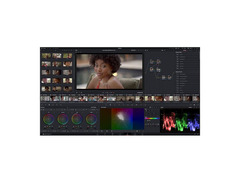
From color grading to audio editing, DaVinci Resolve Studio’s intuitive interface makes it easy to focus on what matters most: your vision. The software supports advanced features such as 4K output, node-based color grading, and scene detection, enabling you to handle complex projects with ease. It even supports multi-GPU setups for those who crave extra processing power. Collaborative timelines allow multiple editors to work on the same project simultaneously, making it ideal for large teams or solo artists looking to expand their production capabilities.
DaVinci Resolve Studio stands out with its one-time purchase model, freeing you from the chains of subscription fees. Compatible across Mac, Windows, and Linux, and capable of importing projects from other popular NLEs, it offers limitless possibilities for creative collaboration and efficiency. Get ready to tell your story with unprecedented clarity and style.
Key Features:
- Permanent software license with no subscription fees
- Comprehensive post-production tools for video and audio editing
- Advanced node-based color grading
- Multi-GPU support for enhanced processing power
- Seamless integration with other editing software, including Premiere Pro and Final Cut Pro X
- Collaborative tools for simultaneous multi-user editing
- Compatible with Mac, Windows, and Linux systems
Product specs
| Software Type | Video Editing |
| Platform | Mac, PC |
| Upgrade/Full | Full |
| Download/Boxed | Download |
| Hardware Requirements - Mac | 8 GB RAM (16 GB when using Fusion), Apple Silicon CPU or GPU that supports Metal |
| Hardware Requirements - PC | 16 GB RAM (32 GB when using Fusion), GPU with 4 GB VRAM |
| OS Requirements - Mac | macOS 14 or later |
| OS Requirements - PC | Windows 10 or later |
Videos

Tom Antos
10 Insane AI Tools in DaVinci Resolve Studio!

10 Insane AI Tools in DaVinci Resolve Studio!
Tom Antos

Davinci Resolve Free vs Studio - Why You Should Upgrade NOW!

Dunna Did It
This is why you buy Davinci Resolve Studio...

MrAlexTech
5 Tools & Effects That Make DaVinci Resolve 18 STUDIO Worth Buying!

Joris Hermans

Davinci Resolve Studio vs Free Version - die Top 10 Unterschiede

Andreas Abb
Reviews
PROS
-
Comprehensive audio and video editing capabilities in one suite
-
Unlocks advanced features not available in the free version
-
Integrates video processing akin to Premiere Pro with audio power of Audition
-
Highly regarded for professional-grade color correction tools
-
Seamless upgrade from the free version for enhanced functionality
CONS
-
May have a steep learning curve for beginners
-
Requires a robust computer for optimal performance
Owner Insights
We analyzed real musician discussions from forums and Reddit to find what players love, question, and tweak about Blackmagic Design DaVinci Resolve Studio Color Correction and Video Post-production Suite.
User experience
-
Users transitioning from Adobe Premiere to DaVinci Resolve Studio notice smoother editing without the need for proxies, especially with Canon clog3 footage on laptops.
Source -
Some users report the Speed Editor gathers dust due to limited functionality outside of specific editing tasks, while others find it invaluable for rapid editing.
Source
Use cases and applications
-
The Studio version's upscaling feature is praised for making 1080p footage appear nearly indistinguishable from 4K, especially in mixed-resolution projects.
Source -
Studio version's de-flicker function is highlighted as a time-saver for users dealing with inconsistent lighting conditions.
Source -
Users praise Magic Mask for quick effect solutions, though acknowledging it isn't perfect, it offers a functional shortcut in specific editing scenarios.
Source
Value and pricing
-
Owners recommend purchasing the Speed Editor bundle, which includes two Studio licenses, as a cost-effective option for those needing multiple installations.
Source -
Users emphasize the cost-effectiveness of DaVinci Resolve Studio's one-time payment model compared to Adobe's subscription plans, considering the long-term savings and feature set.
Source -
Purchasing the Speed Editor with DaVinci Resolve Studio offers a cost-effective upgrade path, essentially providing the studio version for free.
Source
Software and compatibility
-
DaVinci Resolve Studio is optimized for M1 and M2 Mac chips, providing noticeably smoother performance and better hardware utilization compared to non-Apple systems.
Source -
Studio version offers superior noise reduction and full-resolution encoding, enhancing video quality for users with lower-end cameras.
Source -
The Speed Editor primarily functions on the cut page, with limited usability on the edit page, and lacks customization for other software.
Source
Features and functionality
-
The Studio version allows multi-monitor support with clean feed, enhancing workspace efficiency for detailed editing tasks.
Source -
The Speed Editor jog wheel is praised for its physical inertia and precision, aiding in footage selection and reducing repetitive strain injury.
Source -
Voice isolation excels with single voice tracks but may struggle with mixed files, where it might prioritize one voice over others.
Source -
GPU acceleration significantly improves workflow efficiency, particularly for FX and exports, making it a crucial feature for users with heavy processing needs.
Source -
The Speed Editor's jog wheel excels in scrubbing long timelines, especially useful for spotting and quick edits.
Source
5.0 out of 5
Based on 1 Review and 1 Rating

928
the best audio + video editor so far
the best audio + video editor so far combining the processing of Premiere Pro and the Audio Processing power of Adobe Audition
boom, you got this, DaVinci Resolve Studio
Artist usage
Add artist

In the video titled 500K Subscriber Q&A.. by narrow on YouTube, at 7:50 narrow confirms using DaVinci Resolve Studio as his editing software. He mentions,
For all my editors out there who are asking for my editing app, it's called DaVinci Resolve 20. It's a really complicated editing app so I just recommend Capcut if you're just like new to editing.
Genre Usage
Based on how artists on Equipboard use this gear, it is most commonly found in the following genres.
Similar
Add recommendation1 alternative for Blackmagic Design DaVinci Resolve Studio Color Correction and Video Post-production Suite, curated by the Equipboard community.

More Blackmagic Design Video Editing Software


$263.88
in Video Editing Software Rank


$229.99 - $249.00
in Video Editing Software Rank


in Video Editing Software Rank


$699.95
in Video Editing Software Rank


$146.00
in Video Editing Software Rank


$239.00 - $539.99
in Video Editing Software Rank


Accessories & Related Items


Community setups


Most Popular Video Editing Software
Most Popular Brands
-
Added to Equipboard on by
 equipboard
Gear IQ 4934
-