

Pricing and availability
We compare 600+ stores and found this item at 3 stores. Prices updated .
Store
Reviews
Price




Price History
Based on price data from 2 merchants for "Logitech MX Brio Webcam". Prices shown reflect NEW condition. Tracking began Apr 2, 2026.
* Product prices and availability are updated by Equipboard every 24hrs and are subject to change. Equipboard may receive compensation for purchases made at participating retailers linked on this site. This compensation does not affect what products or prices are displayed, or the order of prices listed. For more information, please refer to our affiliate disclosure.
Description
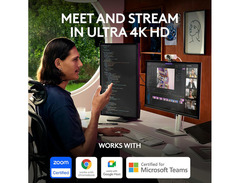
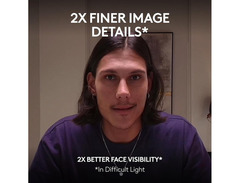
For musicians and content creators who demand the highest quality, the Logitech MX Brio Webcam is your go-to device for impeccable video clarity. Whether you’re live streaming a concert or conducting an online music lesson, this 4K resolution powerhouse ensures every note and nuance is captured with precision. Designed to enhance your virtual presence, the MX Brio offers superb face visibility, making it an ideal companion for professional environments and creative projects alike.
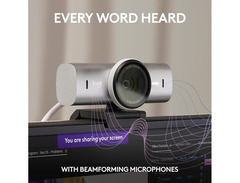
Embrace the power of customization with the Logi Options+ and G Hub software, allowing you to tweak lighting, white balance, and more to suit your artistic vision. The Show Mode feature is particularly useful for those in educational roles, providing a seamless way to share desktop content in real-time. Dual built-in microphones with noise reduction technology ensure your message is heard loud and clear.
Whether you’re collaborating on a new track or sharing your latest masterpiece with the world, the MX Brio’s RightLight technology will keep you looking your best by reducing shadows and enhancing brightness. With its built-in privacy shutter, 4x digital zoom, and compatibility with major video platforms like Zoom and Microsoft Teams, this webcam is packed with features to support your creative journey. Secure it on your favorite tripod using the standard 1/4-inch thread mount and let your creativity shine.
Key Features:
- 4K ultra-sharp resolution for superior video clarity
- Dual microphones with noise reduction for clear sound
- Customizable imaging settings via Logi Options+ and G Hub
- Show Mode for easy sharing of desktop content
- RightLight technology to enhance image brightness
- Built-in privacy shutter for added security
- Compatible with major video communication platforms
- 4x digital zoom for detailed close-ups
- Standard 1/4-inch thread for tripod use
Product specs
| Type | UHD Webcam, Black |
| Video Resolution | 4K (up to 30fps), 1080 (up to 60fps) |
| Photo Resolution | 8.5MP |
| Lens | Autofocus, 90°/78°/65° FoV |
| Connectivity | 1 x USB-C (5' cable included) |
| Features | Privacy Shutter, Built-in Mic, 4x Digital Zoom |
| Power Supply | USB Powered |
Videos

Logitech
INTRODUCING MX BRIO | Meet. Stream. Master.
INTRODUCING MX BRIO | Meet. Stream. Master.
Logitech
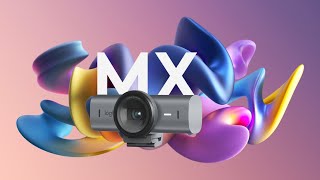
MX BRIO | Fine Controls and Show Mode
Logitech
How to set up your Logitech MX BRIO webcam

Logitech Support
GAMECHANGER : Logitech MX Brio ist die beste Webcam!

TechFloyd
Logitech MX Brio 4K Webcam Ersteindruck & Kurztest mit Apple iSight Vergleich | TechnikLoft

TechnikLoft
Reviews
PROS
-
Excellent picture quality, especially in 4K resolution
-
Adjustable field of view enhances versatility for different settings
-
Secure mounting options for monitors and tripods
-
Easy-to-use shutter for privacy and automatic camera deactivation
-
Compatible with multiple Logitech software suites for customization
-
Good build quality with an aluminum body
-
Seamless integration with popular video conferencing tools like Microsoft Teams and Zoom
CONS
-
Built-in microphone quality is subpar, sounding hollow and compressed
-
Initial software setup can be complicated with firmware update issues
-
Logitech software interfaces can be counterintuitive and confusing
-
High price point may deter budget-conscious buyers
Owner Insights
We analyzed real musician discussions from forums and Reddit to find what players love, question, and tweak about Logitech MX Brio Webcam.
Features and functionality
-
The MX Brio features microsuction tape for mounting, providing a secure hold without leaving residue on surfaces.
Source -
The MX Brio lacks Windows Hello, which some users find crucial for seamless login experiences, especially with the increasing shift towards passkeys.
Source -
The webcam offers extensive image adjustments, including HDR and impressive low light performance, enhancing video quality significantly.
Source -
The business edition of the MX Brio 705 is certified for Microsoft Teams Rooms and features "Intelliframe" for auto-framing participants in small to medium rooms.
Source -
Removing the magnetic monitor mount clip reveals threads for tripod and other mount attachments, offering flexibility in mounting options.
Source
Comparisons
-
The Brio 4K is favored for superior audio quality with dual omnidirectional, noise-canceling microphones, unlike the MX Brio's basic single mic with noise reduction.
Source
User experience
Software and compatibility
Critic Reviews
Based on 0 Reviews and 0 Ratings
Artist usage
Add artist

Genre Usage
Based on how artists on Equipboard use this gear, it is most commonly found in the following genres.
Used With
Based on how musicians on Equipboard use Logitech MX Brio Webcam, it is most commonly used with the following gear.


Popular Music Gear

$149.95 - $179.99
in Computers & Peripherals Rank

$119.98 - $119.99
in Computers & Peripherals Rank


$32.99 - $189.95
in Computers & Peripherals Rank


$69.99
in Speakers & Accessories Rank


$88.17 - $127.91
in Computers & Peripherals Rank


$119.99 - $129.99
in Computers & Peripherals Rank

$89.99 - $119.99
in Computers & Peripherals Rank


$22.99 - $29.99
in Computers & Peripherals Rank


$99.99 - $119.99
in Portable Recorders Rank


$13.99 - $22.99
in Computers & Peripherals Rank


$63.49 - $69.99
in Portable Recorders Rank


$75.00 - $129.99
in Portable Recorders Rank


$151.99 - $179.99
in Computers & Peripherals Rank


$206.70 - $239.99
in Computers & Peripherals Rank


$84.00 - $169.99
in Portable Recorders Rank
.jpg?v=1783065525)

$26.99 - $40.99
in Computers & Peripherals Rank


$34.99 - $69.99
in Computers & Peripherals Rank


$119.99 - $129.99
in Computers & Peripherals Rank


$90.00
in Speakers & Accessories Rank

$44.90 - $59.99


$34.99
in Speakers & Accessories Rank


$49.99 - $95.95
in Portable Recorders Rank


$74.99
in Speakers & Accessories Rank

Accessories & Related Items


Community setups


Similar


Most Popular Brands
-
Added to Equipboard on by
 equipboard
Gear IQ 4934
-



