


Pricing and availability
We compare 600+ stores and found this item at 3 stores. Prices updated .
Store
Reviews
Price




Price History
Based on price data from 1 merchant for "Logitech MX Keys for Mac". Prices shown reflect NEW condition. Tracking began Apr 2, 2026.
* Product prices and availability are updated by Equipboard every 24hrs and are subject to change. Equipboard may receive compensation for purchases made at participating retailers linked on this site. This compensation does not affect what products or prices are displayed, or the order of prices listed. For more information, please refer to our affiliate disclosure.
Description
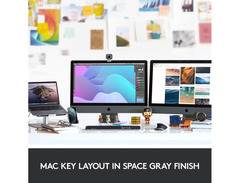
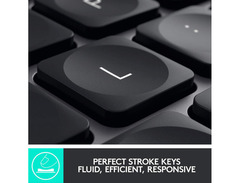
Crafted specifically with the Mac aficionado in mind, the Logitech MX Keys for Mac harmonizes your music production setup with seamless elegance and uncompromised functionality. This keyboard transcends the ordinary, blending perfectly into the Apple ecosystem with its sleek design and Mac-optimized keys. The rounded key edges and spherically dished key faces, coated in a matte finish, promise an ergonomic typing experience that complements the aesthetic and workflow of any musician or producer.
The MX Keys stand out with their intelligent backlighting feature. The keys illuminate based on ambient light conditions and user proximity, ensuring optimal visibility while conserving battery life when not in use. When fully charged, expect up to 10 days of tireless performance, or stretch it up to five months by simply turning off the backlight. For those who thrive in multi-device environments, this keyboard smoothly integrates with the MX Master 3 mouse, facilitating a unified workflow across your devices with ease.
Whether you're editing tracks, mixing, or jotting down your next big idea, the Logitech MX Keys for Mac ensures that every keystroke is a step towards perfection in your creative journey.
Key Features:
- Backlit keys with ambient light detection and proximity sensors for energy efficiency
- Compatible with MX Master 3 for seamless cross-device workflow
- Specially designed for Mac with laser-printed keys and a sleek form factor
- Easy-Switch technology allows connection to up to 3 devices simultaneously
- Ergonomic key design with a matte finish for comfort
- Long battery life: 10 days with backlight on, up to 5 months with backlight off
- Wireless connectivity options include Unifying USB Receiver and Bluetooth low energy
- Includes USB-C to USB-C cable for convenient charging
Product specs
| Type | Wireless Keyboard |
| Compatibility | macOS 10.15 or later, iPadOS 14 or later, iOS 13.4 or later |
| Keyboard Layout | Mac |
| Computer Connectivity | USB-C/Bluetooth/USB Receiver |
| Power Source | Rechargeable battery, USB bus power |
| Dimensions | 5.18" x 16.94" x 0.81" |
Videos

Terren Rule
Logitech MX Keys For Mac Review: Beautiful, But NOT For Everyone! (Long Term Review)
Logitech MX Keys For Mac Review: Beautiful, But NOT For Everyone! (Long Term Review)
Terren Rule
Logitech MX Keys for Mac & iPad Pro: Productivity Done Right

Michael Caputo
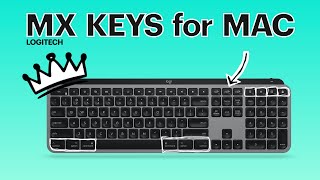
Don't Waste Money on Apple! Logitech MX Keys for Mac Review

Ricardo Cardona 2
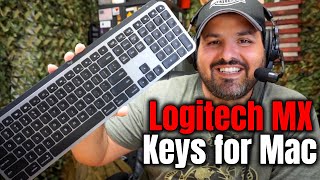
Logitech MX Keys for Mac: Unboxing & Setup

Content Creator Tools
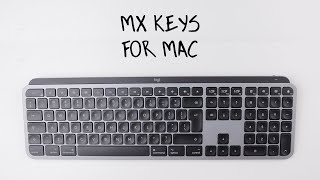
Logitech MX keys for Mac 2022 Review! And the crazy price I got it for!

Zoonster
Reviews
Owner Insights
We analyzed real musician discussions from forums and Reddit to find what players love, question, and tweak about Logitech MX Keys for Mac.
Features and functionality
-
The backlight activates only when proximity is detected, which can be annoying in low-light conditions, requiring additional lighting.
Source -
Switching between Mac and Windows requires manual switching of both keyboard and mouse when using Bluetooth.
Source -
Owners wish for built-in volume wheels or rollers, a feature typically found in gaming keyboards.
Source
Software and compatibility
-
Logitech Flow software can seamlessly switch between systems via a key combination, given Logitech Options Plus is installed on both systems.
Source
User experience
-
Connection via the dongle is generally more stable on Mac, while Bluetooth performs better on multiple Windows systems.
Source -
After two years of heavy use, frequent keys may wear off, but many still find the typing experience enjoyable.
Source -
Despite being non-mechanical, the MX Keys for Mac is praised for its typing comfort, even by mechanical keyboard enthusiasts.
Source
Setup and maintenance
Comparisons
-
Users have reported connectivity issues with the MX Keys Mini, leading some to switch to alternatives like the Keychron K3 Pro for better reliability.
Source
Critic Reviews
4.5 out of 5
Based on 0 Reviews and 2 Ratings
Genre Usage
Based on how artists on Equipboard use this gear, it is most commonly found in the following genres.
More Logitech Computers & Peripherals

$149.99 - $179.99
in Computers & Peripherals Rank

$118.73 - $119.99
in Computers & Peripherals Rank


$32.99 - $189.95
in Computers & Peripherals Rank


$99.99 - $119.99
in Computers & Peripherals Rank


$24.99 - $29.99
in Computers & Peripherals Rank


$99.99 - $179.99
in Computers & Peripherals Rank


$119.99 - $129.99
in Computers & Peripherals Rank

$15.99 - $18.99
in Computers & Peripherals Rank


$206.70 - $244.00
in Computers & Peripherals Rank


$157.00 - $179.99
in Computers & Peripherals Rank


$34.99 - $69.99
in Computers & Peripherals Rank


$54.99
in Computers & Peripherals Rank


$44.90 - $59.99


$69.99 - $89.90


$59.99 - $64.99


Accessories & Related Items


Artist usage


Community setups


Similar


Gear Guides







.jpg)
Most Popular Computers & Peripherals
Most Popular Brands
-
Added to Equipboard on by
TtrackjackfrostGearIQ 67
-



