


Pricing and availability
We compare 600+ stores and found this item at 3 stores. Prices updated .
Store
Reviews
Price




Price History
Based on price data from 1 merchant for "Logitech MX Ergo". Prices shown reflect NEW condition. Tracking began Apr 2, 2026.
* Product prices and availability are updated by Equipboard every 24hrs and are subject to change. Equipboard may receive compensation for purchases made at participating retailers linked on this site. This compensation does not affect what products or prices are displayed, or the order of prices listed. For more information, please refer to our affiliate disclosure.
Description
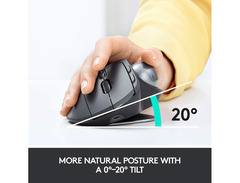
Discover a new level of creativity and comfort with the Logitech MX Ergo, a revolutionary trackball mouse designed for musicians and digital artists who demand precision and flexibility in their craft. Say goodbye to wrist strain and hello to seamless control with its unique adjustable hinge, allowing you to tilt the device at either a 0° or 20° angle to match your arm’s natural posture. This feature alone can reduce muscle fatigue by up to 20%, making those long studio sessions a breeze.
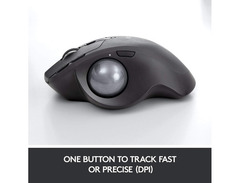
The MX Ergo is more than just a trackball; it's a powerhouse of functionality tailored for the modern creative entrepreneur. With Flow-enabled technology, you can effortlessly switch between two computers, making multitasking across devices smoother than ever. The precision and speed tracking modes provide the exact level of cursor control you need, whether you're tweaking the finest details of a mix or designing the next big album cover.
With up to four months of battery life on a single charge, this trackball is built to travel. Whether you're composing in your home studio, editing on the go, or connecting with your community at a coffee shop, the MX Ergo ensures you stay productive without missing a beat. Join the eCommerce and musician community and elevate your workflow with this innovative tool that brings ergonomic comfort and advanced technology to your fingertips.
Key Features:
- Wireless trackball mouse with ergonomic design
- Adjustable hinge for 0° or 20° tilt angles
- Flow-enabled for seamless use between two computers
- Precision and speed tracking modes
- 8 customizable buttons for tailored control
- Scroll wheel with tilt and middle click
- Rechargeable battery lasts up to 4 months
- Compatible with both Windows and Mac systems
Product specs
| Type | Wireless Trackball Mouse |
| Compatibility | Windows 10/11, macOS 10.15 or later, ChromeOS, Linux |
| Computer Connectivity | Bluetooth, USB Reciever (included) |
| Power Source | Built-in Li-Po Battery, 500mAh |
| Dimensions | 5.22" x 3.93" x 2.02" |
Videos

Mike Wat
Still THE BEST Ergonomic Mouse!! Logitech MX Ergo vs MX Vertical - Comparison Review
Still THE BEST Ergonomic Mouse!! Logitech MX Ergo vs MX Vertical - Comparison Review
Mike Wat
60 Days With The MX ERGO - Long Term Review

MW Technology

Logitech MX ERGO Advanced Wireless Trackball
Logitech
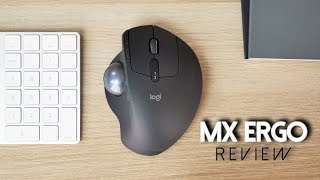
LOGITECH MX ERGO REVIEW | A Trackball for Creators? BIG GIVEAWAY!!

JBTech17
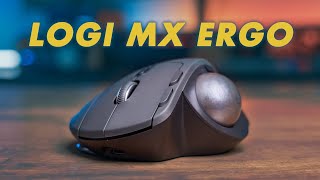
Should You buy the Logitech MX Ergo Trackball Mouse?

Adam Talks Tech
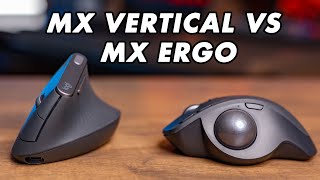
Logitech MX Vertical vs MX Ergo: Which Ergonomic Mouse to Buy?
Adam Talks Tech
Reviews
Owner Insights
We analyzed real musician discussions from forums and Reddit to find what players love, question, and tweak about Logitech MX Ergo.
Features and functionality
Mods and upgrades
-
Owners recommend Perixx glossy finish replacement balls in various colors, noting smoother performance compared to the stock ball.
Source -
A user converted an older MX Ergo Plus to USB-C and swapped switches with Omron 20m, noting the swap requires minimal casing filing and results in quieter clicks.
Source
Build quality
-
Some users report the MX Ergo's stock ball as scratchy, suggesting a defect in newer batches compared to the smoother M570 balls.
Source
Software and compatibility
-
Windows users occasionally experience unresolvable lag with the MX Ergo, affecting performance.
Source
User experience
-
The MX Ergo's design accommodates larger hands better than the M570, reducing pinky strain and increasing comfort.
Source -
Some users note that the MX Ergo S can connect to only two devices, unlike other models like the Protoarc EM01, which can connect to three.
Source -
The scroll wheel and ball initially sound and feel woodier and scratchier, potentially due to different casing materials, but this may change over time with use.
Source
Critic Reviews
5.0 out of 5
Based on 0 Reviews and 1 Rating
Genre Usage
Based on how artists on Equipboard use this gear, it is most commonly found in the following genres.
More Logitech Computers & Peripherals

$159.99 - $179.99
in Computers & Peripherals Rank

$115.46 - $119.99
in Computers & Peripherals Rank


$32.99 - $189.95
in Computers & Peripherals Rank


$78.90 - $119.99
in Computers & Peripherals Rank


$99.99 - $127.91
in Computers & Peripherals Rank


$23.99 - $24.99
in Computers & Peripherals Rank


$119.99 - $129.99
in Computers & Peripherals Rank

$13.99 - $18.99
in Computers & Peripherals Rank


$206.70 - $239.99
in Computers & Peripherals Rank


$157.00 - $159.99
in Computers & Peripherals Rank


$34.99 - $69.99
in Computers & Peripherals Rank


$26.99 - $40.99
in Computers & Peripherals Rank


$119.99 - $129.99
in Computers & Peripherals Rank


$44.90 - $59.99


$69.99 - $89.90


$59.99 - $64.99


Accessories & Related Items


Artist usage


Community setups


Similar


Gear Guides









Most Popular Computers & Peripherals
Most Popular Brands
-
Added to Equipboard on by
 anzhumal
GearIQ 71
-



