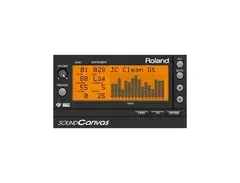

Pricing and availability


* Product prices and availability are updated by Equipboard every 24hrs and are subject to change. Equipboard may receive compensation for purchases made at participating retailers linked on this site. This compensation does not affect what products or prices are displayed, or the order of prices listed. For more information, please refer to our affiliate disclosure.
Description
Unlock the iconic sound of the '90s with the Roland Cloud Sound Canvas VA, a modern virtual instrument that faithfully recreates the legendary Sound Canvas series. Perfect for composers and producers seeking that classic PCM-based sound module experience, this software delivers a vast palette of over 1,600 high-quality sounds and 63 versatile drum kits. Whether you're scoring for film or crafting the next chart-topping hit, the Sound Canvas VA ensures your compositions have the rich, authentic texture they deserve.
Embedded with a robust Tone Editor, this plugin offers you the creative freedom to fine-tune your sounds with filters, envelopes, and numerous GS sound parameters, allowing for seamless customization. The intuitive interface also lets you explore a plethora of 64 insert effects and global effects like reverb, chorus, and EQ, giving your projects that professional polish.
Designed to cater to both legacy users and modern creators, the Sound Canvas VA includes sound maps from historic models such as the SC-8820 and SC-88 Pro, enabling you to revisit and reimagine older MIDI files with ease. Compatible with both Mac and PC, this virtual instrument integrates seamlessly into your existing DAW setup, supporting automation for a streamlined workflow.
Key Features:
- Virtual reproduction of classic PCM sound modules
- Compatible with GS, GM2, and GM MIDI formats
- Over 1,600 preset instruments and 63 drum kits
- Includes SC-8820, SC-88 Pro, SC-88, and SC-55 sound maps
- Supports VST2 and AU on Mac/PC; 64-Bit only
- Extensive sound editing and automation capabilities
- Powerful Tone Editor for custom sound creation
- 64 insert effects plus global effects like reverb and EQ
Product specs
| VST instruments (VSTi) version | VST 2.4 compatible |
| Audio Units (AU) version | V2 Audio Units compatible |
FAQs
-
What is the Roland Sound Canvas VA used for?
-
The Roland Sound Canvas VA is a virtual instrument plugin that emulates the classic Roland Sound Canvas series, offering a wide range of sounds suitable for various music styles, from pop to orchestral compositions.
-
How many tones and drum sets does the Roland Sound Canvas VA include?
-
The Roland Sound Canvas VA includes 1,600 preset tones and 63 drum sets, providing a comprehensive palette for music production across different genres.
-
Is the Roland Sound Canvas VA compatible with my DAW?
-
The Roland Sound Canvas VA is compatible with DAWs that support VST 2.4 or Audio Units (AU) plugins, making it versatile for use in most modern digital audio workstations.
-
Can I use the Roland Sound Canvas VA on both Windows and Mac systems?
-
Yes, the Roland Sound Canvas VA is available in VSTi 2.4 64-bit for both Windows and Mac systems, with a 32-bit version available for Windows only.
-
Does the Roland Sound Canvas VA support polyphony, and if so, how many voices?
-
The Roland Sound Canvas VA supports up to 64 voices of polyphony, allowing for complex and layered sound arrangements.
Videos

VST'S SOUNDS
Roland Sound Canvas Module VST 1.10 2017
Roland Sound Canvas Module VST 1.10 2017
VST'S SOUNDS
Roland SOUND CANVAS virtual vs vintage SHOOTOUT!

Woody Piano Shack
Roland Cloud SoundCanvas for Desktop - Demo / Tutorial

SoundForMore Tutorials
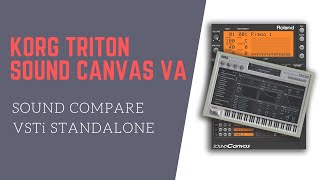
KORG TRITON | ROLAND SOUND CANVAS VA | COMPARISON

Echay Official
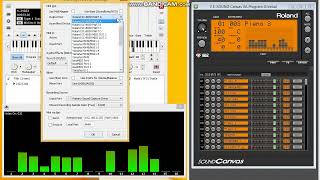
Roland SC-8850 vs Roland SC-8820 (SOUND Canvas VA)

Maven P. Kim
Reviews
Owner Insights
We analyzed real musician discussions from forums and Reddit to find what players love, question, and tweak about Roland Cloud Sound Canvas VA.
Software and compatibility
-
Ableton Live only recognizes VSTs from a single folder; ensure Roland Sound Canvas VA is installed in the designated VST folder for detection.
Source -
Creating a shortcut to the Sound Canvas VA folder and placing it in the Ableton VST folder can resolve recognition issues on Windows.
Source -
Installing the ODRF_UPR-Regular.otf font from the plugin's resources folder on macOS can fix display issues in newer OS versions.
Source -
Installing HelveticaLTStd-Roman.otf can resolve issues with the tone-list window display on macOS.
Source -
Sound Canvas VA is not officially supported on macOS 12, 13, or Apple silicon, but users have reported partial functionality with workarounds.
Source -
Sound Canvas VA crashes when closing the sound browser window on macOS 13, though it can still run under Rosetta.
Source -
Users repeatedly have to log out and log back into Roland Cloud Manager on macOS to maintain authorization for Sound Canvas VA.
Source -
Roland Cloud plugins generally function on newer macOS versions, except for Sound Canvas VA, which struggles with authorization problems.
Source
User experience
-
Users find that manually moving files into the custom VST folder rectifies recognition problems when merely toggling options doesn't suffice.
Source -
Users report that Roland Cloud Sound Canvas VA may stop authorizing unexpectedly on newer macOS versions, requiring repeated re-authorization attempts.
Source -
Owners with a lifetime key face persistent authorization issues on macOS 13 and newer, impacting usability despite correct login credentials.
Source
Use cases and applications
-
Some users resort to using alternative Roland instruments like the JV-1080 or XV-5080 to replicate Sound Canvas VA sounds due to compatibility issues.
Source
Critic Reviews
3.0 out of 5
Based on 2 Reviews and 3 Ratings

219
Decent, but has strange issues.
Roland's VST releases in the past few years have not been the most top tier A* quality releases that they should be, many of their newer VST plugins are plagued with bad performance, inaccuracies and strange issues. Sound Canvas VA, whilst fairly old now, is unfortunately a victim of some of these issues. Its performance is not the worst, it doesn't eat up my CPU or my RAM like hell but it can push things a bit far if you're using multiple instances. Inaccuracies are based on the inaccuracies of the SC-8820, which this plugin is based on, this means that the SC-55 and SC-88 maps have patches that don't sound how they should on their respective hardware and any other inacurracies come down to things like reverbs/fx etc.
Strange issues, there's one that constantly bugs me because once I heard it I was never able to unhear it. The cutoff/resonance filter is broken, in that it will trigger randomly when you play instruments. This means that one note out of many in a piece will sound off, the only way to fix it is to max out the cutoff and apply your own cutoff/resonance in a mixer instance, ruining the 16ch MIDI support this VST has because it doesn't have mixer outputs.
SCVA is not terrible, or unusable, but it still has issues that show a lack of love on Roland's end for their old hardware. Who knows if they'll improve this VST with an update some day in the far future.
.png?v=1777665053)
196
I wish it mixed better
I got this several years back for more sounds of the Sound Canvas series and I used to use this a lot (as it sounded better than most of the soundfonts I had). I still find some usage in VA for certain patches (ensemble hits), the Roland GS aesthetic, and it works well in combination with Hyper Canvas (as it too is Virtual Sound Canvas).
My biggest gripe with this plugin is that many sounds don't mix well with anything outside of virtual sound canvas (unlike Hyper Canvas) and external FX ironically make it sound worse, so I can't really recommend this to anyone outside of Roland Cloud, but if you are dying to have sound canvas in your virtual studio this works. I won't take that away from it.
Preferred Settings + Usage:
SC-8820 Map
Genre Usage
Based on how artists on Equipboard use this gear, it is most commonly found in the following genres.
More Roland Virtual Instrument

$69.00
in Virtual Instrument Rank


$69.00 - $399.00


$39.00
in Virtual Instrument Rank
-m.webp?v=1784831221)


$279.00
in Virtual Instrument Rank


$277.00 - $399.00
in Virtual Instrument Rank


$26.00 - $29.00
in Virtual Instrument Rank


$149.00
in Virtual Instrument Rank


$58.80 - $99.00
in Virtual Instrument Rank


$149.00 - $199.00
in Virtual Instrument Rank

$79.00
in Virtual Instrument Rank

$134.00 - $149.00
in Virtual Instrument Rank


in Virtual Instrument Rank


$118.25 - $199.00
in Virtual Instrument Rank


$59.00
in Virtual Instrument Rank
-m.webp?v=1783581850)
-m.webp?v=1783895737)
$59.00
in Virtual Instrument Rank
-m.webp?v=1784828046)


$174.00
in Virtual Instrument Rank


$58.80 - $99.00
in Virtual Instrument Rank

.png?v=1783771221)
-m.webp?v=1784619996)
$19.00
in Virtual Instrument Rank

$57.00 - $79.00
in Virtual Instrument Rank


$33.00 - $39.00
in Virtual Instrument Rank


-m.webp?v=1783894135)
-m.webp?v=1783581616)
Accessories & Related Items
-s.webp?v=1784685334)


Artist usage


Community setups


Similar


Gear Guides









Most Popular Virtual Instrument
Most Popular Brands
-
Added to Equipboard on by
Iincubus_lunaGearIQ 55
-


