
Pricing and availability
We compare 600+ stores and found this item at 5 stores. Prices updated .
Store
Reviews
Price




Price History
Based on price data from 4 merchants for "Sonarworks SoundID Reference for Multichannel". Prices shown reflect NEW condition. Tracking began Apr 2, 2026.
* Product prices and availability are updated by Equipboard every 24hrs and are subject to change. Equipboard may receive compensation for purchases made at participating retailers linked on this site. This compensation does not affect what products or prices are displayed, or the order of prices listed. For more information, please refer to our affiliate disclosure.
Description
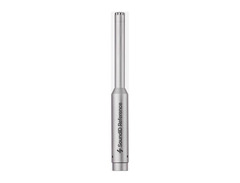
Transform your studio into a haven of sonic precision with the Sonarworks SoundID Reference for Multichannel. This sophisticated software package, paired with a high-precision measurement microphone, redefines your audio environment by providing impeccable speaker and headphone calibration. Whether you're working with a simple stereo setup or diving into the immersive depths of a 9.1.6 Dolby Atmos system, SoundID ensures your mixes translate seamlessly across all listening environments.
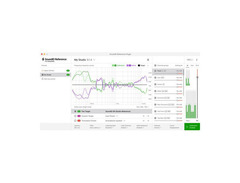
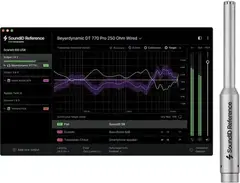
Gone are the days of second-guessing your audio output. With a ruler-flat frequency response, SoundID Reference eliminates coloration, allowing your true sound to shine through. Enjoy a swift and straightforward calibration process, typically completed in just under 20 minutes. Customize to your heart's content with real-time curve adjustments and save multiple profiles for effortless transitions between various speakers, headphones, and room setups.
For the truly discerning audio professional, SoundID Reference offers a treasure trove of pro-level features. Choose from three filter modes—zero latency, mixed, and linear phase—to optimize filter quality and latency. With additional DSP processing controls, MIDI mapping, and the ability to export calibration profiles to supported hardware, this software is as versatile as it is powerful. Elevate your mixing game and ensure your sound is always on point, no matter where it's heard.
Key Features:
- Calibrates speaker setups up to 9.1.6 Dolby Atmos
- Delivers a ruler-flat response across all audible frequencies
- Quick calibration process with an included measurement microphone
- Over 400 ready-to-use headphone profiles
- Customizable, real-time curve adjustments
- Unlimited profile storage for different setups
- Three filter modes: zero latency, mixed, linear phase
- DSP processing controls: mono, dry/wet, safe headroom
- MIDI mapping and user presets for various parameters
- Phase alignment for precise time-delay calibration
- Calibration profile export for compatible hardware
- Includes a multichannel DAW plug-in and a standalone stereo application
Product specs
| Software Type | Speaker and Headphone Calibration Software |
| Platform | Mac, PC |
| Upgrade/Full | Full |
| Download/Boxed | Boxed with Measurement Microphone |
| Bit Depth | 64-bit |
| Format | AAX Native, VST2, AU, Standalone |
| Hardware Requirements - Mac | Intel Core 2 Duo or higher, 4GB RAM minimum |
| Hardware Requirements - PC | Intel Core 2 Duo / AMD Athlon 64 X2 or higher, 4GB RAM minimum |
| OS Requirements - Mac | macOS 10.14 or later |
| OS Requirements - PC | Windows 10 or later |
FAQs
-
What is the primary function of the Sonarworks SoundID Reference for Multichannel?
-
The Sonarworks SoundID Reference for Multichannel is designed to calibrate speakers and headphones for accurate sound reproduction, ensuring your mixes translate well across different playback systems.
-
Does the Sonarworks SoundID Reference for Multichannel come with a measurement microphone?
-
Yes, the boxed version includes a measurement microphone for precise room and speaker calibration.
-
Is the Sonarworks SoundID Reference for Multichannel compatible with both Mac and PC?
-
Yes, it is compatible with both Mac (macOS 10.14 or later) and PC (Windows 10 or later) systems.
-
What are the system requirements for running Sonarworks SoundID Reference for Multichannel on a Mac?
-
You need an Intel Core 2 Duo or higher processor, a minimum of 4GB RAM, and macOS 10.14 or later.
-
In which audio formats is the Sonarworks SoundID Reference for Multichannel available?
-
It is available in AAX Native, VST2, AU, and as a standalone application.
-
Can the Sonarworks SoundID Reference for Multichannel be used for both speaker and headphone calibration?
-
Yes, it is designed to calibrate both speakers and headphones for accurate audio monitoring.
Videos

SoundID for Creators
SoundID Reference for Multichannel | How it works?
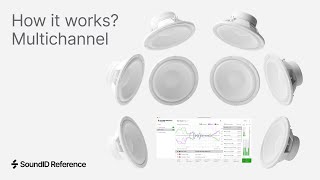
SoundID Reference for Multichannel | How it works?
SoundID for Creators
Reviews
PROS
-
Enhances audio precision and balance in multichannel setups
-
Ideal for both professional and home studios
-
Facilitates rediscovery of mixes with improved clarity
-
Simplifies installation process, even with calibrated speakers
-
Supports memorization of configurations for convenience
-
Offers noticeable improvement even in professionally measured studios
-
Provides presets for calibrating headphones
CONS
-
Plugin AAX doesn't fully automate parameter recall
-
Only corrects frequency for LR speakers in multichannel systems currently
-
Lacks ISO X curve and built-in sonometer
-
Requires additional measurement microphone for optimal use
Owner Insights
We analyzed real musician discussions from forums and Reddit to find what players love, question, and tweak about Sonarworks SoundID Reference for Multichannel.
Features and functionality
-
Sonarworks can be used in linear phase or mixed phase modes, with linear phase potentially adding pre-ringing during transient material processing.
Source -
Some users limit Sonarworks' correction range to 3-4 dB in the upper mids to address specific mix issues without affecting the overall sound.
Source -
It's noted that when Sonarworks is overused, it can subtly affect phase, potentially altering transients, although this varies by user experience.
Source
Software and compatibility
-
Owners recommend using Sonarworks at the system level on macOS to ensure all audio outputs, including browsers and media players, are corrected, avoiding accidental export errors from DAWs.
Source
User experience
-
Users with treated rooms note significant improvements in low-end tightness and high-mid balance, highlighting the software's effectiveness when combined with acoustic treatment.
Source -
In small rooms with heavy damping for low-frequency control, Sonarworks helps correct upper-mid issues, improving mix translation outside the studio.
Source
Use cases and applications
-
Sonarworks is particularly praised for improving mix translation across different playback systems, reducing the need for "car tests" and minimizing unexpected differences.
Source -
Sonarworks SoundID Reference has been effective in leased spaces where structural changes are limited, offering notable mix improvement with fewer revisions.
Source
Comparisons
-
Compared to the REW and Pro Q 3 method, Sonarworks is noted for its simplicity and effectiveness, requiring fewer measurements and providing consistent results across multiple listening positions.
Source -
In well-treated rooms, Sonarworks is preferred for minor corrections, whereas Trinnov ST2 hardware is used in high-end, purpose-built studios.
Source
Critic Reviews
Based on 0 Reviews and 0 Ratings
Genre Usage
Based on how artists on Equipboard use this gear, it is most commonly found in the following genres.
More Sonarworks Acoustical Treatments

in Acoustical Treatments Rank


$249.00 - $279.00


$29.99 - $39.99
in Acoustical Treatments Rank


$159.00 - $209.00
in Acoustical Treatments Rank


$60.00 - $99.00
in Acoustical Treatments Rank


$219.00 - $405.00
in Acoustical Treatments Rank


$107.00 - $135.99
in Acoustical Treatments Rank


$167.44 - $199.00
in Acoustical Treatments Rank


$150.00 - $259.00
in Acoustical Treatments Rank
.jpeg?v=1785107576)


$29.99 - $39.99
in Acoustical Treatments Rank


$378.00 - $799.00
in Acoustical Treatments Rank


$159.99
in Acoustical Treatments Rank


$101.94 - $114.99
in Acoustical Treatments Rank

$159.00 - $209.00
in Acoustical Treatments Rank


$238.00 - $319.99
in Acoustical Treatments Rank


$149.00 - $194.99
in Acoustical Treatments Rank

$165.00
in Acoustical Treatments Rank


$58.99 - $94.00
in Acoustical Treatments Rank


$229.99
in Acoustical Treatments Rank

$90.00 - $124.99
in Acoustical Treatments Rank

$361.00
in Acoustical Treatments Rank


$212.00
in Acoustical Treatments Rank

$403.00 - $2,949.99
in Acoustical Treatments Rank

$14.30
in Acoustical Treatments Rank

$86.99
in Acoustical Treatments Rank


$69.00
in Acoustical Treatments Rank

$52.00
in Acoustical Treatments Rank

$75.00
in Acoustical Treatments Rank

$59.99
in Acoustical Treatments Rank

$1,276.99 - $1,359.99
in Acoustical Treatments Rank


$742.00 - $999.99
in Acoustical Treatments Rank

$77.00 - $689.99
in Acoustical Treatments Rank

$333.00
in Acoustical Treatments Rank

$359.00 - $789.00
in Acoustical Treatments Rank

$477.00
in Acoustical Treatments Rank

$196.00
in Acoustical Treatments Rank

$37.99
in Acoustical Treatments Rank

$79.99
in Acoustical Treatments Rank


Accessories & Related Items


-s.webp?v=1785130407)




Artist usage

Community setups


Similar


Gear Guides








Most Popular Acoustical Treatments
Most Popular Brands
-
Added to Equipboard on by
 trakatiks
GearIQ 424
-