Table of Contents

Equipboard
Equipboard is the world's largest community of artists and their gear. Read our review process.
We are reader-supported. When you buy through links on our site, we may earn an affiliate commission. Learn more.
Our Picks

IK Multimedia AXE I/O Audio Interface
Best Overall: The IK Multimedia AXE I/O stands as the definitive guitar recording solution, purpose-built from the ground up with guitarists in mind. Its innovative impedance-matching circuit and JFET preamp options deliver unprecedented tonal flexibility for capturing your exact sound.
Read more


Focusrite Scarlett 2i2 4th Gen USB Audio Interface
Best Mid-Range Option: The Focusrite Scarlett 2i2 (4th Gen) delivers exceptional sound quality and reliability in a streamlined package that works perfectly for guitarists who need simplicity without sacrificing performance. Its updated circuitry provides cleaner guitar signals while maintaining intuitive operation.
Read more
Universal Audio Apollo Twin MKII DUO Thunderbolt Audio Interface
Premium Pick: The Universal Audio Apollo Twin MKII DUO combines industry-leading conversion quality with powerful onboard processing that transforms direct guitar recording. Its Unison technology recreates the behavior of legendary guitar preamps at the hardware level, delivering an authentic experience that software alone cannot match.
Read more

Best for Mobile Recording: The Apogee Jam X packs professional-quality guitar recording into an incredibly compact form factor ideal for guitarists who need studio sound anywhere. Its built-in analog compressor with three distinct settings offers tonal flexibility rarely found in portable interfaces, making it far more than just a convenience option.
Read more
Behringer Guitar Link UCG102 USB Interface
Best Budget Option: The Behringer Guitar Link UCG102 delivers surprising recording capabilities at an entry-level price point, making quality digital guitar recording accessible to everyone. Its direct monitoring capability and included software bundle provide everything beginners need to start recording immediately without overwhelming complexity.
Read more
IK Multimedia iRig HD 2 Digital Guitar Interface
Best iOS Compatibility: The IK Multimedia iRig HD 2 bridges your guitar and iOS devices with exceptional clarity, delivering studio-quality tones from a pocketable interface. Its dual output design serves both mobile recording and live performance needs while maintaining professional sound quality.
Read more
Blackstar Polar 2 2-channel Guitar Interface
Studio Standard: The Blackstar Polar 2 blends classic British console heritage with innovative features specifically for guitarists, creating a distinctly musical recording experience. Its FET-based input channels and unique Enhance switch deliver a responsive, authentic feel that makes direct recording feel remarkably similar to playing through a quality amplifier.
Read moreAs a guitarist, your sound is your signature. Whether you're capturing inspired riffs at home, tracking professional studio sessions, or performing live, the quality of your recordings hinges on one crucial piece of equipment: your audio interface. This essential device serves as the bridge between your guitar and your computer, transforming analog guitar signals into digital data that your recording software can understand.
But with countless options flooding the market, finding the perfect audio interface for your specific guitar setup can feel overwhelming.
Understanding Why Guitarists Need Specialized Audio Interfaces
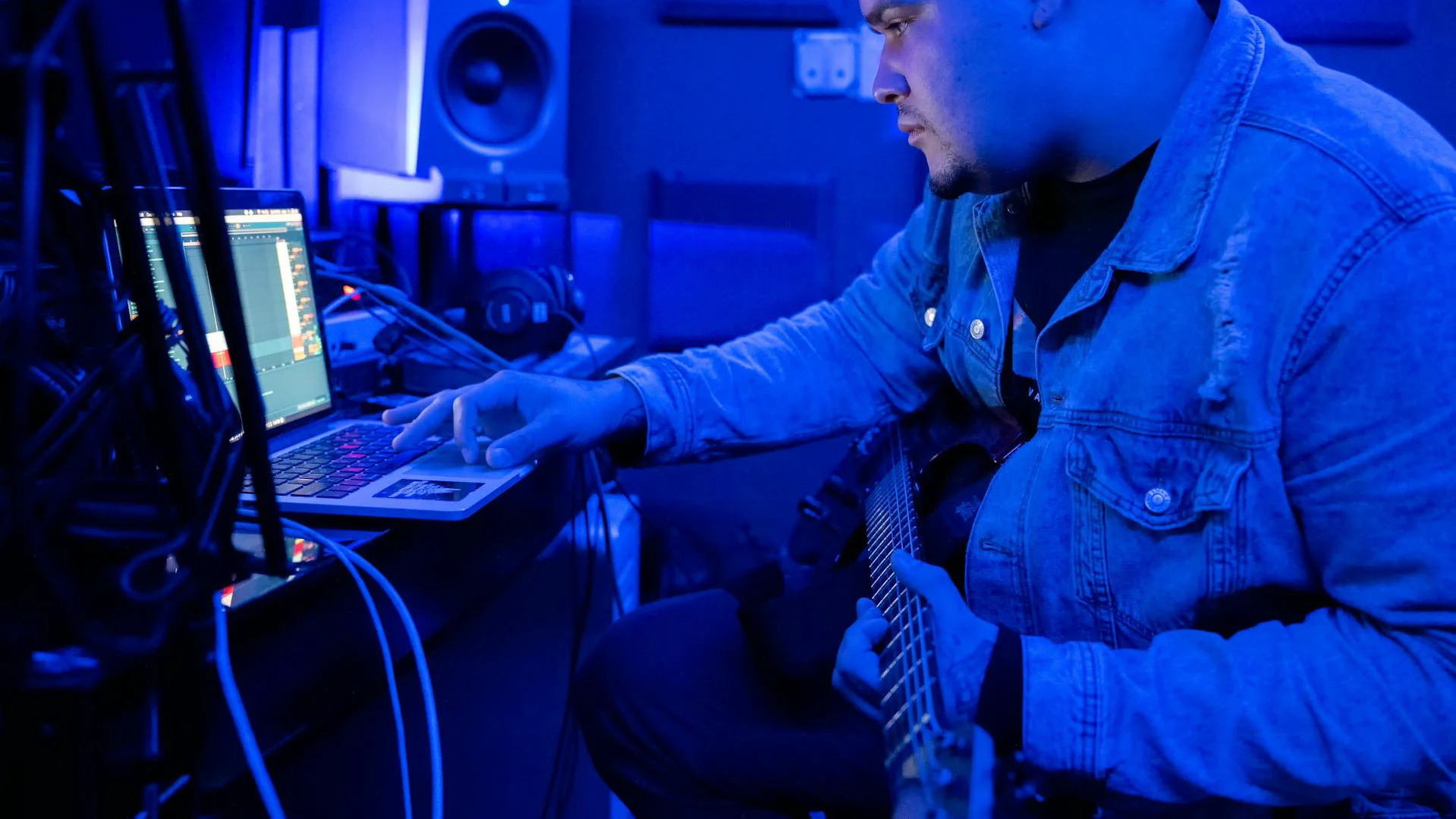
When it comes to recording guitars, not all audio interfaces are created equal. Guitarists face unique challenges that require specific features to capture the nuances and character of their instrument.
The electric guitar produces a high-impedance signal that requires specialized inputs to maintain tone integrity. Without a proper guitar-focused interface, you might encounter issues like signal degradation, tone loss, or unwanted noise - all of which can ruin an otherwise perfect take.
A quality audio interface designed with guitarists in mind will feature dedicated high-impedance (Hi-Z) inputs that properly match your guitar's output impedance.
Additionally, guitar recording demands minimal latency (the delay between playing a note and hearing it through your monitors) and reliable monitoring capabilities. The right interface eliminates these frustrations, letting you focus on your performance rather than technical limitations.
Key Features to Consider When Choosing a Guitar Audio Interface
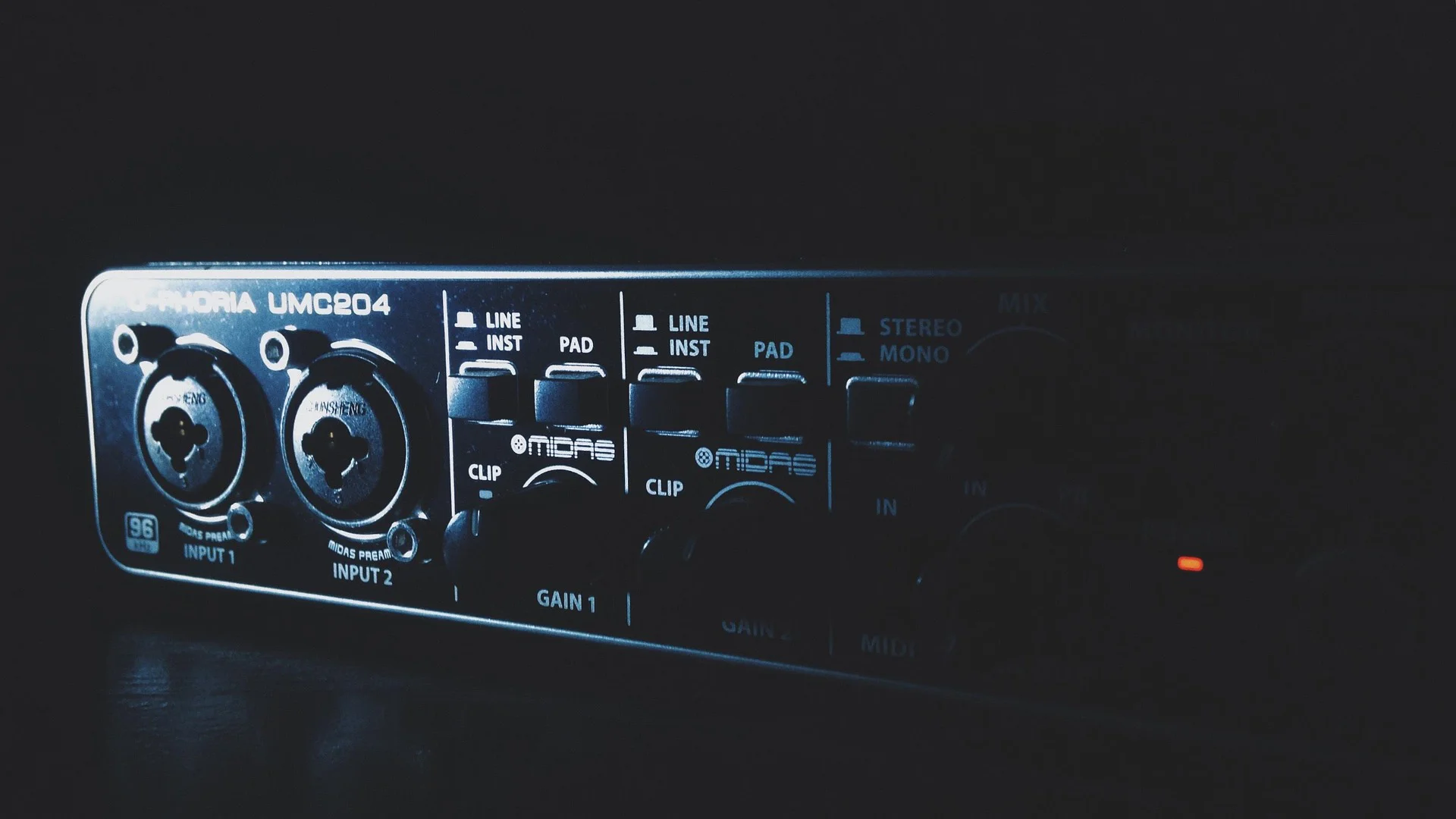
Before diving into specific product recommendations, let's explore the essential features every guitarist should consider when selecting an audio interface.
Inputs and Connectivity
The most fundamental consideration for guitarists is the type and number of inputs available on an interface. For direct guitar recording, you'll need at least one high-impedance (Hi-Z) input designed specifically for instruments like electric guitars and basses.
If you plan to record acoustic guitars or use microphones to capture your amplifier, look for interfaces with quality microphone preamps and phantom power capability for condenser microphones. Multiple input options give you greater flexibility in your recording approach, allowing you to blend direct and microphone signals for richer tones.
Regarding connectivity, most modern interfaces connect via USB, which offers sufficient bandwidth for guitar recording while maintaining compatibility with most computers. Thunderbolt interfaces provide faster data transfer rates and lower latency but typically come at a higher price point and may require specific computer compatibility.
Latency and Monitoring Features
Latency can be the bane of guitar recording. Even slight delays between playing a note and hearing it can throw off your timing and feel unnatural. Manufacturers measure latency in milliseconds, with anything under 10ms generally considered good for real-time playing.
Direct monitoring features allow you to hear your guitar through the interface's hardware before it gets processed by your computer, effectively eliminating latency during recording. This feature is particularly valuable for guitarists who need immediate feedback while tracking parts.
Audio Quality Specifications
The technical specifications of an interface directly impact the fidelity of your guitar recordings. Key specifications include:
Sample Rate: Determines how many times per second your guitar signal is measured. Standard CD quality is 44.1kHz, but higher sample rates of 96kHz or 192kHz can capture more detailed high-frequency information.
Bit Depth: Affects the dynamic range of your recordings. 24-bit recording is the current standard, providing ample headroom to capture both gentle finger-picking and aggressive strumming without clipping.
Preamp Quality: The preamp design significantly impacts your guitar's tone. Transparent preamps provide faithful reproduction of your guitar's sound, while others might add subtle coloration that can enhance your tone.
Compatibility with Digital Audio Workstations
Your audio interface needs to work seamlessly with your preferred recording software or Digital Audio Workstation (DAW). Most interfaces come with basic recording software to get you started, but if you already use a specific DAW like Logic Pro, Ableton Live, Cubase, or Pro Tools, ensure your interface offers full compatibility and dedicated drivers for optimal performance.
Many manufacturers provide custom software control panels that allow you to adjust interface settings, configure routing options, and create custom monitor mixes. These additional tools can streamline your workflow and enhance your recording experience.
Product Recommendations for Every Guitarist
The market is overflowing with audio interfaces, but only a select few truly shine for guitar recording. We've curated this collection of remarkable interfaces that stand out for their exceptional guitar-focused features, innovative design approaches, and proven track records among guitarists worldwide. From budget-friendly options that punch well above their weight class to premium powerhouses that represent the pinnacle of recording technology, this lineup covers the full spectrum of needs and budgets. Each interface brings something unique to the table, with specialized capabilities that could be the missing piece in your guitar recording puzzle. Prepare to discover the perfect sonic gateway for your six-string journey.
IK Multimedia AXE I/O Audio Interface
5.0 (6)
The Guitarist's Dream Machine








Average Price: $344
Standard/Professional
$150
$501+
Budget
Standard
High-end
- Exceptional DI input options enhance sound quality for guitar/bass recordings
- Noticeable improvement in sound quality from previous interfaces
- Low latency and stable performance with Windows 10
- Versatile input options cater to both active and passive pickups
- See 6 more
- Lacks Thunderbolt connectivity
- Software installation and management can be cumbersome
- Reactivation charges for missed free downloads
- Limited customer support options and responsiveness
- See 1 more
The AXE I/O represents a rare product designed specifically for guitarists' recording needs rather than being a generic interface with guitar capabilities added as an afterthought. At its core is the revolutionary Z-Tone impedance-matching circuit, allowing you to dial in the perfect input impedance to match your pickups. This control lets you adjust from sharp clarity to warmer, vintage-style tones with a simple knob turn.
The interface features two combo inputs with dedicated guitar inputs that include three circuit options: a pristine PURE circuit for transparent recording, a JFET option that adds subtle harmonics similar to a tube preamp, and an active mode for high-output pickups. This flexibility eliminates the need for external preamps or DI boxes for most guitar recording scenarios.
Advanced Features
The AXE I/O includes a dedicated amplifier output that lets you seamlessly integrate real amplifiers into your recording chain. This feature makes re-amping remarkably straightforward. For performers, the interface includes two expression pedal inputs, allowing you to control software parameters like wah effects or volume in real time. The built-in precision tuner adds practical utility for recording sessions.
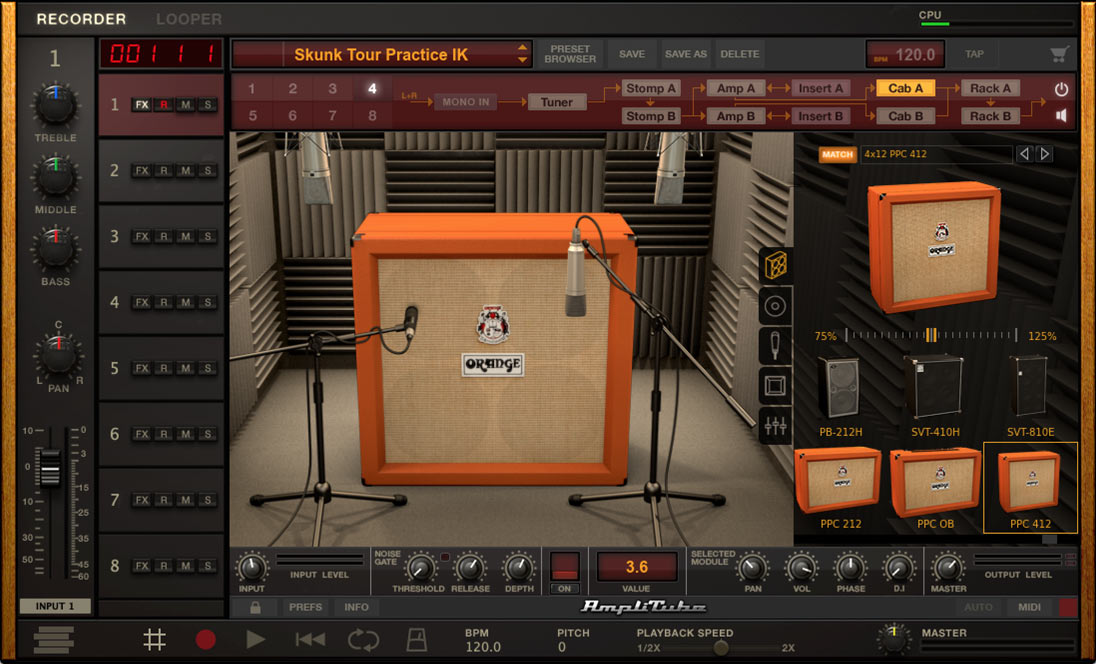
These additional control options transform the interface into a comprehensive command center for both studio and live applications. The AXE I/O integrates seamlessly with IK's AmpliTube software, unlocking an extensive library of amplifier and effect models. This combination creates a complete ecosystem for guitar tone crafting that few competitors can match.
Recording Performance
The AXE I/O delivers 24-bit/192kHz conversion quality with remarkably low latency performance. The dual Class A microphone preamps perform admirably for capturing acoustic guitars or miked amplifiers, making this a versatile solution for all guitar recording techniques.
The thoughtful design extends to practical considerations like the front-panel headphone jack with independent volume control and the rugged metal construction. The onboard MIDI I/O further extends the interface's versatility, allowing you to integrate hardware synths and controllers into your recording setup without additional interfaces. This comprehensive connectivity creates a centralized hub for complex guitar-focused productions, streamlining workflows and eliminating cable clutter.
See how artists use this




.jpg)




Focusrite Scarlett 2i2 4th Gen USB Audio Interface
4.5 (6)
Compact Powerhouse for Modern Recording


Average Price: $369
Standard/Professional
$150
$501+
Budget
Standard
High-end
- Loopback feature ideal for streaming DAW sound to platforms like YouTube
- Clean preamps capture audio with impressive detail and clarity
- High-quality build; sturdy and portable for on-the-go recording
- Excellent noise performance with low distortion
- See 6 more
- No off button; needs to be unplugged to turn off
- Initial setup instructions are not clear and can be frustrating
- Incompatibility with older operating systems like Windows 7
- Packaging lacks proper protection for transportation
- See 1 more
The Scarlett 2i2 has earned its reputation as the go-to interface for guitarists seeking professional sound without complexity. The fourth-generation model significantly improves the instrument inputs, addressing earlier versions' struggle with high-output pickups. The redesigned instrument inputs now handle even active pickups without distortion, while the signature "Air" mode adds high-end enhancement that makes direct-recorded guitars sound more present in a mix.
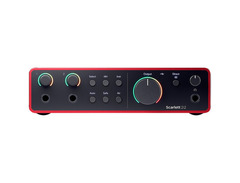
Each input accommodates both instrument and microphone signals, with individual gain controls and Focusrite's "halo" indicators showing proper signal levels. The direct monitor button enables zero-latency monitoring, essential for guitar recording, while the large knob provides precise output volume control. The combination of functionality and simplicity makes this interface particularly approachable for guitarists new to recording.
Quality Components
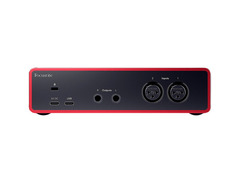
Inside the sleek red chassis, the Scarlett delivers 24-bit/192kHz conversion and preamps with up to 56dB of clean gain. The USB-C connection ensures modern computer compatibility while providing bandwidth for minimal latency. Bus-powered operation eliminates external power supplies, making the 2i2 both studio-ready and portable.
The aluminum chassis provides aesthetic appeal and practical durability. The distinctive red finish has become immediately recognizable in studios worldwide, a testament to the interface's widespread adoption across music production styles. The thoughtful physical design includes rubberized bottom panels to prevent slipping on smooth surfaces during intense playing sessions.
Software Integration
The included software bundle features Ableton Live Lite, the Focusrite Red plug-in suite, and access to Focusrite's Creative Pack sounds. While not exclusively guitar-focused, these tools provide everything needed to start recording guitar tracks immediately. The Focusrite Red plug-ins include emulations of classic EQs and compressors that complement guitar recordings particularly well.
The 2i2's straightforward operation belies its professional capabilities, making it perfect for guitarists who want to focus on playing rather than technical configurations. The interface's driver stability ensures reliable performance even in demanding recording situations.
The fourth-generation improvements extend beyond hardware to include enhanced driver performance and software control panel functionality. These behind-the-scenes refinements significantly impact the recording experience by reducing technical frustrations and allowing more creative focus. For guitarists who value workflow efficiency alongside sound quality, these operational improvements represent some of the most valuable advances in the latest iteration.


Universal Audio Apollo Twin MKII DUO Thunderbolt Audio Interface
Ultimate Professional Guitar Recording Solution

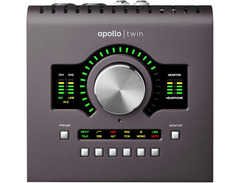
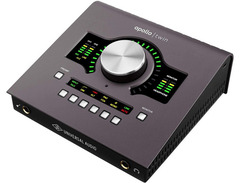

The Apollo Twin stands apart from other interfaces by incorporating UA's proprietary DSP technology, which powers their acclaimed UAD plug-ins directly on the interface itself. This approach dramatically reduces the strain on your computer while enabling near-zero latency monitoring with effects. The DUO configuration features two SHARC processors that provide substantial processing power for running multiple UA plug-ins simultaneously.
The interface's standout feature for guitarists is the Unison technology, which dynamically reconfigures the Apollo's preamp impedance, gain staging, and circuit behavior to physically model classic guitar preamps and amplifiers. Unlike simple software emulations, this hardware-level modeling responds to your playing dynamics and guitar's output in the same way the original equipment would.
Uncompromising Sound Quality
Beneath the elegant exterior, the Apollo Twin delivers professional-grade specifications with 24-bit/192kHz conversion quality that captures every nuance of your guitar performance. The preamps offer 65dB of clean gain with remarkably low noise floors, making them suitable for all guitar recording techniques. The precise analog-to-digital converters reveal subtle details in your guitar's tone that lesser interfaces might miss.
The Thunderbolt connectivity provides exceptional bandwidth and stability, resulting in rock-solid performance with latency so low it becomes imperceptible. For guitarists who demand the absolute best sound quality and responsiveness, this connection standard offers significant advantages over USB options.
The Apollo Twin's build quality matches its premium performance specifications, with a desktop-friendly form factor that combines professional features with practical ergonomics. The large central control knob provides intuitive access to monitoring and preamp functions.
Expandable Recording Platform
While the Apollo Twin excels as a standalone interface, it can also serve as the centerpiece of a larger recording setup. The optical input connection allows for system expansion up to 10 inputs, making it suitable for more complex recording scenarios like capturing a full band.
The included software bundle features UA's Console application for routing and monitoring control, along with the Realtime Analog Classics plug-in bundle that includes the Raw Distortion, 610-B Tube Preamp, and Softube Bass Amp Room.
The Apollo Twin's combination of superior sound quality, Unison preamp modeling, and onboard processing creates an unparalleled guitar recording experience that justifies its premium price point for professional and serious amateur guitarists.


Apogee Jam X
4.0 (1)
Portable Guitar Recording Redefined


Average Price: $223
Standard/Professional
$150
$501+
Budget
Standard
High-end
- Seamless plug-and-play setup, no drivers needed
- Compact, portable design for musicians on the go
- Built-in analog compressor enhances sound quality
- Clear, high-fidelity audio output
- See 6 more
- Limited to single 1/4" instrument input
- Micro USB instead of more modern USB-C
- Built-in compression may lack customizable control for some users
- Requires adapter cable for some device connections
- See 1 more
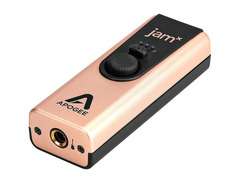
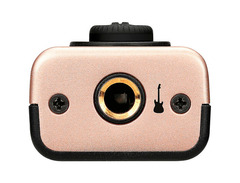
The Jam X represents the evolution of Apogee's popular portable guitar interface line, retaining the convenience of the original while adding significant tonal capabilities. Despite its small size, this interface delivers serious sound quality with 24-bit/96kHz conversion that captures the full frequency range and dynamics of your guitar playing. The pristine signal path eliminates common mobile recording problems like noise and interference.
What separates the Jam X from other portable options is the inclusion of a built-in analog compressor with three selectable modes. This feature allows you to add just the right amount of sustain and presence to your guitar signal before it even reaches your recording software, resulting in more polished direct tones without additional processing.
Universal Compatibility
The Jam X offers remarkable flexibility by supporting virtually any recording platform. It works seamlessly with Mac and PC computers via the included USB cables, and also connects directly to iOS devices for truly mobile recording capabilities. This universal compatibility makes it an ideal companion for guitarists who need to record ideas anywhere inspiration strikes.
The simple but effective control scheme includes a blend knob that balances between zero-latency direct monitoring and computer playback, an essential feature for recording over backing tracks without timing issues. The discrete LED level meter provides clear visual feedback to ensure optimal recording levels. This thoughtful implementation of essential functions without unnecessary complexity makes the Jam X particularly suitable for creative recording situations.
Professional Sound Quality
Despite its minimalist appearance, the Jam X delivers sound quality that rivals much larger interfaces. The PureDIGITAL connection maintains signal integrity throughout the recording chain, while the instrument preamp provides ample headroom for even the hottest pickups without distortion.
The 3.5mm stereo output connects to headphones or powered monitors, allowing you to use the Jam X as a complete recording solution without additional hardware. This makes it particularly valuable for travel recording or capturing ideas in rehearsal spaces.
The Jam X proves that portable doesn't have to mean compromised, offering genuine professional quality in a package that fits in your guitar case accessory compartment. Beyond traditional recording applications, many guitarists find the Jam X valuable for archiving practice sessions, documenting songwriting ideas, and impromptu collaborations.
Behringer Guitar Link UCG102 USB Interface
4.0 (21)
Budget-Friendly Recording Solution


Average Price: $23
Budget/Beginner
$150
$501+
Budget
Standard
High-end
- Plug-and-play simplicity for easy setup
- Compatible with a variety of devices and software
- Affordable for beginners
- Solid build quality from a reputable brand
- See 2 more
- Setup can be frustrating, especially on Mac
- Low input signal with limited control on some systems
- Design prone to falling off desks
- Poor customer support from manufacturer
- See 1 more
The UCG102 represents an incredible value proposition for guitarists taking their first steps into digital recording. Despite its affordable price, this compact interface provides essential features for basic guitar recording, including 16-bit/48kHz conversion quality sufficient for practice recordings and demos. The sensible technical specifications balance quality with cost-effectiveness, offering performance that exceeds expectations for an entry-level device.
The simple single-input design connects directly to your guitar with a standard 1/4-inch cable and to your computer via USB, which also provides power to the unit. This straightforward approach makes the UCG102 exceptionally easy to use, even for complete recording beginners. The plug-and-play functionality works reliably across various operating systems with minimal configuration required.
Complete Recording Package
What makes the UCG102 particularly attractive for budget-conscious guitarists is the included software bundle. The package comes with Native Instruments Guitar Combos Behringer Edition, providing quality amplifier modeling and effects for direct recording. Also included are the Kristal Audio Engine multi-track sequencer and Audacity editor, giving you everything needed to start recording and editing guitar tracks.
The Guitar Combos software deserves special mention for its intuitive design and quality tone production. The preset system allows for quick tone selection without extensive technical knowledge, making it particularly suitable for recording beginners who want immediate results. The interface features a dedicated headphone output for silent practicing or monitoring while recording, eliminating latency concerns that often plague budget interfaces.
Practical Portability
The compact size and bus-powered operation make the UCG102 highly portable, perfect for capturing ideas on a laptop wherever inspiration strikes. While it doesn't offer the premium conversion quality of more expensive options, it provides a functional recording solution that far exceeds what can be accomplished with standard computer inputs.
Beyond traditional recording applications, many guitarists discover the UCG102's value for silent practice with amplifier modeling, creating backing tracks for performance, or even as a basic interface for online guitar lessons. For beginners or guitarists on a tight budget, the UCG102 removes the financial barrier to quality recording while providing a straightforward path to capturing your playing in digital form. The durability of the device also makes it ideal for young guitarists or those just starting their recording journey.


IK Multimedia iRig HD 2 Digital Guitar Interface
4.5 (22)
Mobile Recording Maestro


Average Price: $89
Budget/Beginner
$150
$501+
Budget
Standard
High-end
- Perfect for use with iPad and various apps for hassle-free recording
- High-quality sound, especially clean tones and with AmpliTube
- Extremely portable and durable, ideal for traveling musicians
- Compatible with various DAWs and mobile devices for versatile use
- See 6 more
- Distortion and high-gain effects can be unsatisfactory
- Some users experience compatibility issues with certain apps
- Lacks the ability to drive high impedance headphones effectively
- Micro USB input jack prone to failure, affecting durability
- See 6 more
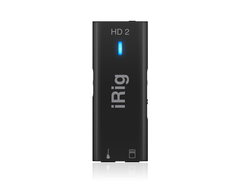
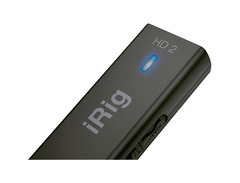
This compact interface represents the evolution of IK's mobile recording solutions, incorporating feedback from musicians to create a device that genuinely meets the needs of performing and recording guitarists. The 24-bit conversion quality ensures your guitar's character translates accurately to digital, while the streamlined design eliminates unnecessary complexity.
Unlike most mobile interfaces, the iRig HD 2 was designed with both studio and stage applications in mind. The all-metal construction provides durability for touring, while the simple control scheme makes on-the-fly adjustments instinctive even in low-light conditions. The thoughtful form factor clips easily to mic stands or guitar straps, keeping the interface accessible during performances.
Performance Features
The interface's standout capability is its dual-path signal routing. While digital audio flows to your iOS device for recording, the dedicated 1/4-inch output simultaneously sends your signal to amplifiers or PA systems. This eliminates the either/or limitation of most mobile interfaces, allowing you to record while maintaining your normal stage setup.
The crucial FX/Thru switch toggles between sending processed or clean signals to your amplifier output. This flexibility enables using iOS apps as real-time effects processors for live performance or maintaining your regular amplifier tone while still recording the processed signal.
Input gain adjustment via a physical wheel with LED feedback ensures proper levels without diving into software menus, while the headphone output provides private monitoring with independent volume control. These hands-on controls maintain a traditional workflow despite the digital infrastructure.
Complete Package
The iRig HD 2 includes IK's AmpliTube 5 SE software with accurate amplifier models and effects that deliver immediate results without extensive setup. The TONEX SE plugin adds machine-learning-based modeling that captures subtle details of real amplifiers.
The included cables support Lightning connections for iOS, plus USB-A and USB-C options for computer recording. This comprehensive connectivity ensures compatibility with virtually any modern device, eliminating the need for additional adapters.
Where the iRig HD 2 truly excels is bridging the mobile and professional worlds, providing serious recording capabilities in an interface that works equally well in professional studios, home recording setups, rehearsal spaces, and live performance settings.
Blackstar Polar 2 2-channel Guitar Interface
5.0 (1)
Console-Quality Interface for Guitar Excellence


Average Price: $219
Standard/Professional
$150
$501+
Budget
Standard
High-end
- St. James plugin enhances guitar recording quality and is a standout feature.
- Intuitive design, ideal for guitar players and seamless workflow integration.
- Enhance feature boosts guitar sound, simulating a tube amp's input stage.
- Solid build quality with compact and robust design, perfect for portability.
- See 5 more
- ASIO driver instructions initially unclear, requiring further research.
- Input may saturate at lower levels compared to some competitors.
- Control app not available for mobile devices, requiring a laptop for advanced settings.
- Potential electric noise issues with subpar power supplies.
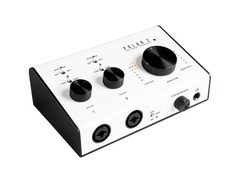
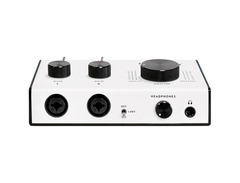
The Polar 2 brings Blackstar's amplifier design expertise into the audio interface world, creating a 2-in/4-out USB-C interface with a distinctive approach to guitar recording. The high-headroom FET-based input channels provide exceptional clarity while maintaining the dynamic response that makes guitar playing feel natural and expressive.
What sets the Polar 2 apart is its British console-inspired '81 preamps, which impart a subtle musicality to recordings without overwhelming the natural character of your instrument. This approach creates recordings with dimension and depth while maintaining the transparency needed for modern production techniques. The combination of amplifier expertise and console heritage gives the Polar 2 a unique voice among interfaces.
Enhanced Guitar Experience
The Polar 2's standout feature for guitarists is the per-channel Enhance switch, which mimics the nonlinear characteristics of classic valve amplifiers. This thoughtful addition makes direct recording more inspiring by providing the touch-sensitive response and subtle compression that guitarists typically miss when recording directly into an interface.
The interface's clip-proof input setting ensures you'll never lose a perfect take to digital distortion, while the +48V phantom power supports condenser microphones for capturing acoustic guitars or amplifiers with full fidelity. The separately controllable headphone and line-level outputs enable custom monitoring setups ideal for guitar recording sessions.
The physical design prioritizes intuitive operation, with clearly labeled controls and visual feedback that keeps you focused on playing rather than technical adjustments. This thoughtful layout creates a natural recording workflow that encourages creativity during tracking sessions.
Software Integration
The included St. James Suite plug-in enhances the Polar 2's value by providing professional-quality processing tools designed specifically for guitar recording. The bundle also includes Ableton Live Lite and additional software tools that create a complete recording solution right out of the box.
The interface's 2-in/4-out configuration provides flexibility for more complex recording scenarios, allowing you to record both direct and microphone signals simultaneously or create custom monitoring mixes that help you perform your best during recording.
The Polar 2 exemplifies how specialized design for guitarists can create an interface that feels more like an instrument than a mere recording tool, inspiring better performances through its musical response and thoughtful features. and microphone signals simultaneously or create custom monitoring mixes that help you perform your best during recording.
The Polar 2 exemplifies how specialized design for guitarists can create an interface that feels more like an instrument than a mere recording tool, inspiring better performances through its musical response and thoughtful features.
Buying Advice: Matching Interfaces to Your Needs
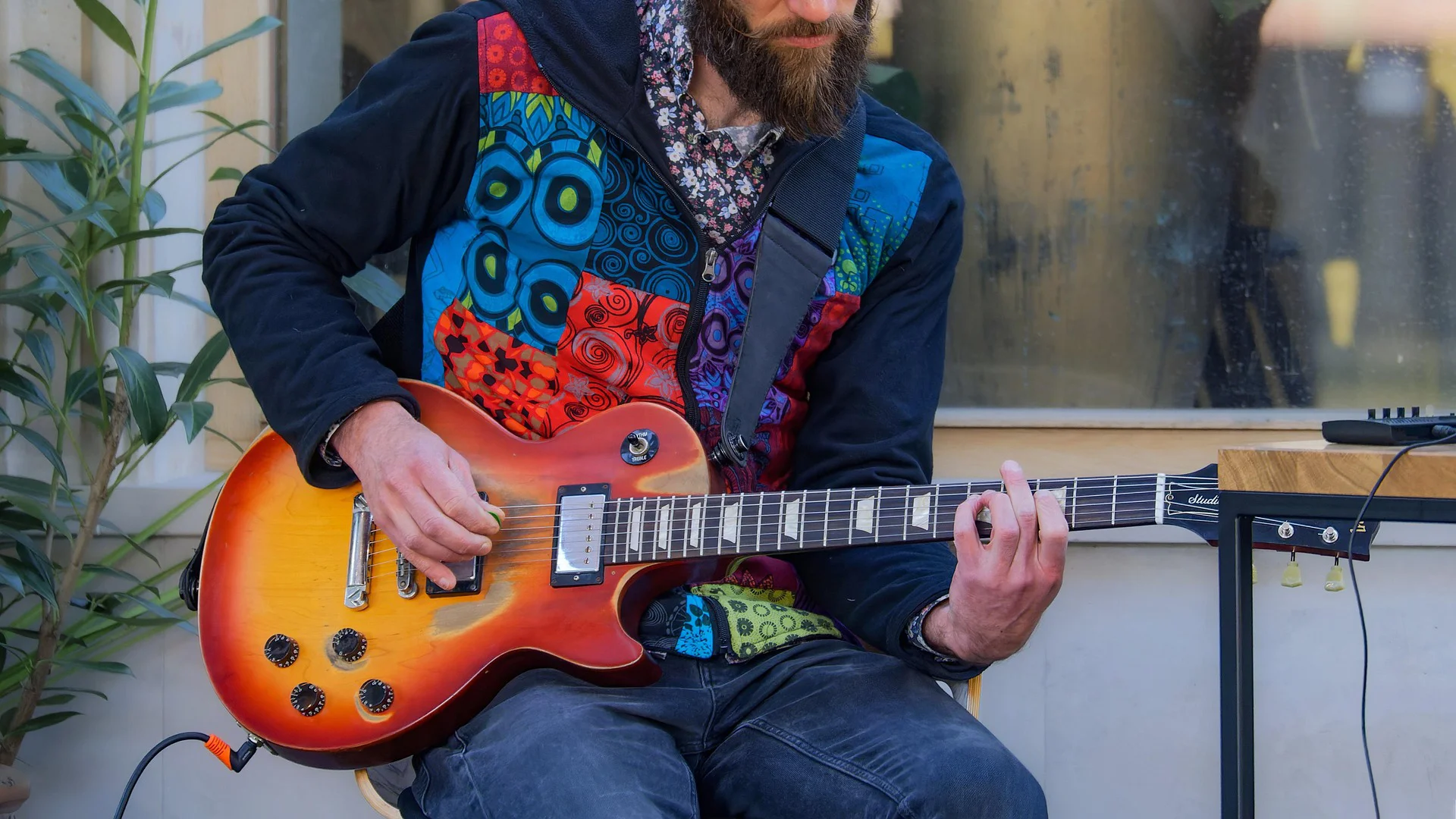
Selecting the right audio interface involves more than just comparing specifications. Your choice should align with your specific recording environment, musical goals, and technical requirements. Here's how to match interfaces to common guitar recording scenarios.
Home Recording Considerations
For home recording, prioritize interfaces that offer good sound isolation and don't require extensive acoustic treatment to achieve quality results. Interfaces with direct monitoring are particularly valuable in home environments, as they allow you to hear your performance clearly without being affected by room acoustics.
If you share your living space with others, consider interfaces with good headphone amplifiers that allow for quality monitoring without disturbing housemates or family members. USB-powered interfaces eliminate cable clutter and simplify setup in limited spaces.
Budget-conscious home recordists should focus on interfaces that include essential software, particularly those with amplifier modeling capabilities that allow for silent recording with good tone. The Behringer UCG102 and Focusrite Scarlett 2i2 excel in these home recording scenarios.
Professional Studio Requirements
For professional studio environments, prioritize interfaces with multiple inputs that accommodate various recording techniques simultaneously. The ability to record both direct and microphone signals provides tonal options that can be blended for optimal results or selected between during mixing.
Advanced routing capabilities become increasingly important in professional settings, allowing for custom monitor mixes and integration with existing studio equipment. Interfaces with ADAT expansion ports, like the Apollo Twin, enable system growth as your studio needs evolve.
Professional studios benefit from interfaces with higher conversion quality and lower noise floors, as these technical advantages become apparent when recording through high-end monitoring systems.
Live Performance Applications
For guitarists who need interfaces for live performance, reliability becomes the primary consideration. Choose interfaces with rugged construction and simple, intuitive controls that can be adjusted quickly in stage environments.
Dual-purpose interfaces that function both as recording tools and as high-quality DI boxes provide excellent value for performing guitarists. Models like the iRig HD 2 with its amp output and the AXE I/O with expression pedal inputs excel in live applications.
Battery power or bus-powered operation offers significant advantages for stage use, eliminating the need for additional power supplies in already crowded setups.
Optimizing Your Interface Setup
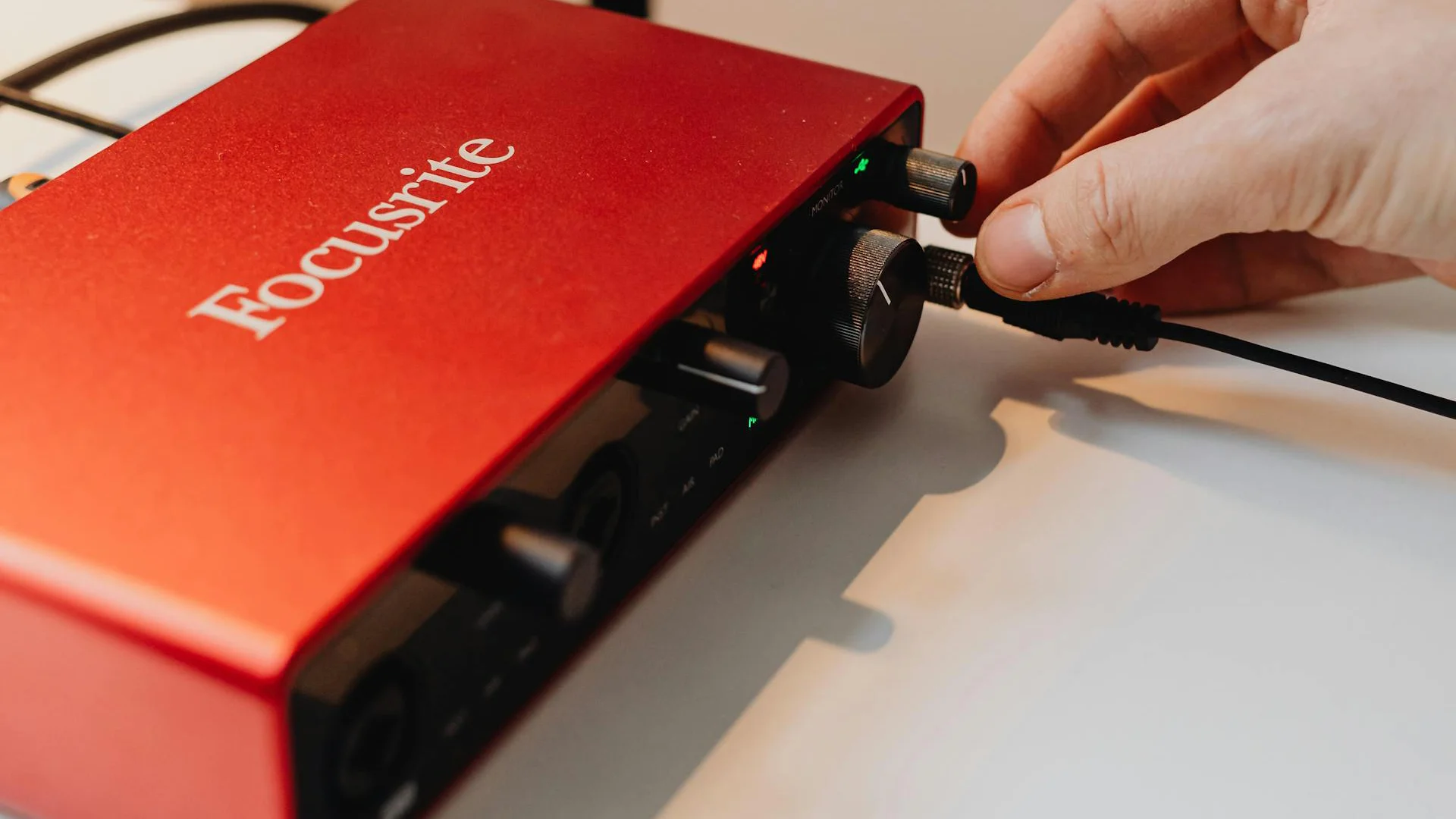
Once you've selected the right interface, proper setup and configuration will help you achieve the best possible results from your equipment.
Driver Installation Best Practices
Always download the latest drivers directly from the manufacturer's website rather than using the drivers on included discs, which may be outdated. After installation, restart your computer before first use to ensure all components initialize properly.
For Windows users, adjusting your audio device buffer settings can dramatically impact performance. Start with a setting of 256 samples as a balance between latency and stability, then adjust based on your specific needs and system performance.
Mac users generally benefit from Core Audio integration, which provides excellent performance with minimal configuration. However, installing manufacturer control panel software often unlocks additional functionality not available through standard system settings.
Gain Staging for Guitar Recording
Proper gain staging represents one of the most important yet overlooked aspects of guitar recording. Set your interface input gain so your loudest playing peaks between -12dB and -6dB on your DAW meters. This provides sufficient headroom to capture dynamic playing without risk of clipping.
When recording guitars with wide dynamic ranges, consider using the pad switch (if available) on your interface to prevent unexpected peaks from causing distortion. This is particularly important when recording with high-output active pickups or when capturing aggressive playing styles.
DAW Configuration Tips
Configure your DAW's buffer size based on your recording needs. Lower buffer sizes (64-128 samples) minimize latency for tracking, while higher values (512-1024 samples) provide more stable playback when mixing or using processor-intensive plugins.
Create dedicated recording templates with tracks pre-configured for your common guitar recording scenarios. This streamlines your workflow and ensures consistent technical settings across projects.
Frequently Asked Questions
What is the ideal sample rate and bit depth for guitar recording?
For most guitar recording, 24-bit/48kHz provides the perfect balance between audio quality and file size. This captures the full frequency range of guitars while providing ample dynamic range for both subtle and aggressive playing.
What is latency, and how can guitarists minimize it?
Latency is the delay between playing a note and hearing it through your monitors. To minimize latency, use the lowest buffer size your system can handle. Enable direct monitoring on your interface whenever possible. Choose interfaces with efficient drivers optimized for low-latency performance. Close unnecessary applications that compete for system resources. Most modern setups can achieve latency under 5ms, which feels immediate to players.
Do I need extra preamps or plugins to get professional guitar recordings?
No. Most mid-range and professional interfaces like the Scarlett 2i2 or Apollo Twin deliver clean, detailed guitar signals suitable for professional production. The included software with most interfaces provides excellent amplifier and effect simulations that can produce professional results without additional purchases.
How important is direct monitoring for guitar recording?
Very important. Direct monitoring lets you hear your guitar through the interface before it reaches your computer, eliminating latency during recording. This creates a more natural playing experience and allows you to perform at your best. Without direct monitoring, the slight delay can disrupt your timing and feel unnatural, especially for fast passages or rhythmic playing.
Can I use my audio interface for live performances?
Yes. Many interfaces, especially those with dedicated amp outputs like the iRig HD 2 or AXE I/O, work excellently for live use. They can serve as high-quality DI boxes while simultaneously sending your signal to your computer for effects processing. Look for interfaces with robust construction and simple controls that can be adjusted quickly in stage environments.
Will an audio interface improve my guitar tone?
A quality interface will capture your guitar's natural tone more accurately than a standard computer input. High-impedance inputs preserve your guitar's frequency response and dynamic range. While the interface itself won't necessarily enhance your tone, it provides a clean, accurate foundation for amp simulators and effects to work with, resulting in better overall sound quality.
Conclusion
The perfect audio interface serves as more than just a technical necessity. It becomes an extension of your creative expression as a guitarist. By understanding the features that matter most for guitar recording and matching them to your specific needs, you can find an interface that inspires better performances while capturing your unique tone with clarity and character.
Whether you choose the specialized design of the IK Multimedia AXE I/O, the reliable performance of the Focusrite Scarlett 2i2, or the premium experience of the Universal Audio Apollo Twin MKII DUO, today's interfaces offer unprecedented quality and value for guitarists at every level. The portable convenience of the Apogee Jam X and IK Multimedia iRig HD 2 brings professional-quality recording to any location, while budget options like the Behringer Guitar Link UCG102 make digital recording accessible to everyone.
Remember that the best interface for you balances technical specifications with practical features that complement your playing style and recording environment. With the right interface as the foundation of your recording chain, you'll capture performances that truly represent your musical vision allowing listeners to experience your guitar playing exactly as you intended.
As you explore the options we've covered, consider how each interface's unique characteristics align with your musical goals.
Top Ranked Audio Interfaces on Equipboard

-m.webp?v=1784645889)


About the authors

S. Jino is an accomplished multi-instrumentalist and music producer based in Kolkata, India, distinguished by his self-taught mastery and unique blend of technical acumen and musical performance. His extensive experience was forged through hands-on dedication, starting with the full restoration of a broken guitar. Jino's capabilities span keyboards, pedals, and advanced digital production, reflecting a comprehensive skill set developed independently. As a significant contributor to the music scene, Jino regularly performs with worship bands and college ensembles. He has also established himself as a reliable and authoritative professional in freelance mixing, mastering, and original music creation. Inspired by the innovative sounds of Brian May and David Gilmour, and influenced by Kolkata's vibrant metal community, Jino is committed to the intricate art of vintage gear restoration and the continuous exploration of music and technology fusion. His current professional setup, featuring a meticulously restored nameless guitar, a Fender Player Strat, and a Boss Katana 50. Read more
New in Audio Interfaces


$1,899.00 - $2,299.99