

Pricing and availability
We compare 600+ stores and found this item at 2 stores. Prices updated .


Average Price: $29
Budget/Beginner
$79
$200+
Price Tier
Budget
Standard
High-end
Price History
Based on price data from 2 merchants for "AIR Music Technology Drum Synth". Prices shown reflect NEW condition. Tracking began Apr 2, 2026.
* Product prices and availability are updated by Equipboard every 24hrs and are subject to change. Equipboard may receive compensation for purchases made at participating retailers linked on this site. This compensation does not affect what products or prices are displayed, or the order of prices listed. For more information, please refer to our affiliate disclosure.
Description
The AIR Music Technology Drum Synth is your gateway to crafting the drum sounds of your dreams. This revolutionary synthesizer drum machine combines cutting-edge FM synthesis, analog modeling, and physical modeling synthesis into a single powerhouse. With its 8 distinct sound engines—Kick, Snare, Clap, Hi-Hat, Tom, Percussion, Crash, and Ride—this plugin allows musicians and producers to build complex, unique drum sounds from scratch. Whether you're chasing a classic sound or something that's never been heard before, Drum Synth provides the tools you need to bring your vision to life.
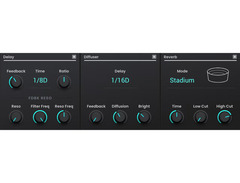
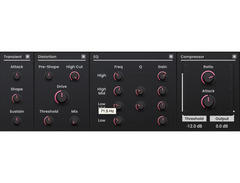
Go beyond basic sound creation with Drum Synth's robust suite of audio effects. Tweak your creations with tuning, transient shaping, EQ, and more, or add space and depth with reverb and delay. Once your masterpiece is complete, save your unique sounds to the user preset slots for easy recall. Perfect for both music production and sound effects design, the Drum Synth offers unmatched versatility and creative potential.
Key Features:
- Combines FM synthesis, analog modeling, and physical modeling for rich sound creation
- 8 dedicated sound engines: Kick, Snare, Clap, Hi-Hat, Tom, Percussion, Crash, and Ride
- Integrated audio effects: tuning, transient shaping, EQ, compression, reverb, delay, and more
- Save and recall custom user presets for streamlined workflow
- Compatible with VST, AAX, and AU plugin hosts on both Mac and Windows platforms
- Requires 2GB free disk space (20GB for all content) and 4GB RAM (8GB recommended)
Product specs
| Software Type | Drum Synth Virtual Instrument |
| Platform | Mac, PC |
| Upgrade/Full | Full |
| Download/Boxed | Download |
| Bit Depth | 64-bit |
| Plug-in Formats | AAX, AU, VST |
| Hardware Requirements - Mac | Dual-core 2.5GHz or higher, 8GB RAM recommended |
| Hardware Requirements - PC | Dual-core 2.5GHz or higher, 8GB RAM recommended |
| OS Requirements - Mac | macOS 11.7 or later |
| OS Requirements - PC | Windows 10 or later |
FAQs
-
What are the system requirements for AIR Music Technology Drum Synth?
-
AIR Music Technology Drum Synth requires a dual-core 2.5GHz processor or higher and 8GB of RAM on both Mac and PC. It is compatible with macOS 11.7 or later and Windows 10 or later.
-
Which plugin formats does AIR Music Technology Drum Synth support?
-
AIR Music Technology Drum Synth supports AAX, AU, and VST plugin formats, making it versatile for various digital audio workstations.
-
Is AIR Music Technology Drum Synth suitable for both Mac and PC users?
-
Yes, AIR Music Technology Drum Synth is compatible with both Mac and PC, providing flexibility for users on either platform.
-
Does AIR Music Technology Drum Synth require any additional hardware?
-
No additional hardware is required beyond a computer that meets the minimum system requirements, which include a dual-core 2.5GHz processor and 8GB of RAM.
-
Can AIR Music Technology Drum Synth be used in a 64-bit environment?
-
Yes, AIR Music Technology Drum Synth operates in a 64-bit environment, ensuring high performance and compatibility with modern DAWs.
Videos

AIR Music Tech
AIR DrumSynth
AIR DrumSynth
AIR Music Tech
Introducing Drum Synth 500
AIR Music Tech
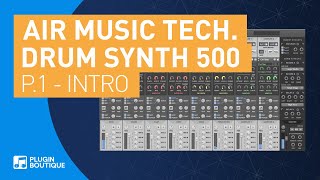
Introducing Drum Synth 500 by AIR | Part 1

Plugin Boutique
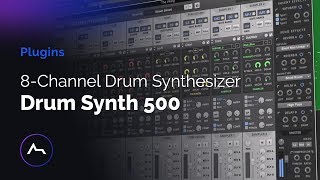
Drum Synth 500 8-Channel Drum Synthesizer

ADSR Music Production Tutorials
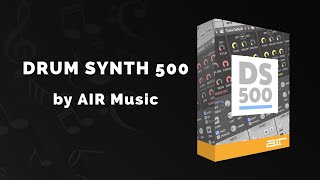
AIR Music Drum Synth 500 - 3 Min Walkthrough Video (93% off for a limited time)

VSTBuzz Audio Software Deals
Reviews
Owner Insights
We analyzed real musician discussions from forums and Reddit to find what players love, question, and tweak about AIR Music Technology Drum Synth.
Features and functionality
Comparisons
Use cases and applications
User experience
-
Some users find the sounds to feel like parody drum sounds, challenging to use for traditional rock drum sounds.
Source
Based on 0 Reviews and 0 Ratings
More Air Music Technology Virtual Instrument

$26.00 - $29.00
in Virtual Instrument Rank


$26.00 - $29.00
in Virtual Instrument Rank


$32.00 - $34.00
in Virtual Instrument Rank

$32.00 - $99.99
in Virtual Instrument Rank

$34.00 - $149.00
in Virtual Instrument Rank


-m.webp?v=1784831221)

$39.00
in Virtual Instrument Rank

$279.00
in Virtual Instrument Rank


$277.00 - $399.00
in Virtual Instrument Rank


$149.00
in Virtual Instrument Rank


$58.80 - $99.00
in Virtual Instrument Rank


$149.00 - $199.00
in Virtual Instrument Rank

$79.00
in Virtual Instrument Rank

$134.00 - $149.00
in Virtual Instrument Rank


in Virtual Instrument Rank


$118.25 - $199.00
in Virtual Instrument Rank


$59.00
in Virtual Instrument Rank
-m.webp?v=1783581850)
-m.webp?v=1783895737)
$59.00
in Virtual Instrument Rank
-m.webp?v=1784828046)


$58.80 - $99.00
in Virtual Instrument Rank
.png?v=1783771221)

$174.00
in Virtual Instrument Rank


-m.webp?v=1784619996)
$19.00
in Virtual Instrument Rank

$57.00 - $79.00
in Virtual Instrument Rank


$33.00 - $39.00
in Virtual Instrument Rank


-m.webp?v=1783894135)
-m.webp?v=1783581616)

$390.13 - $599.00
in Virtual Instrument Rank


$39.00
in Virtual Instrument Rank
Accessories & Related Items


Artist usage


Community setups


Similar


Gear Guides









Most Popular Virtual Instrument
Most Popular Brands
-
Added to Equipboard on by
 equipboard
GearIQ 4934
-


