

Pricing and availability




* Product prices and availability are updated by Equipboard every 24hrs and are subject to change. Equipboard may receive compensation for purchases made at participating retailers linked on this site. This compensation does not affect what products or prices are displayed, or the order of prices listed. For more information, please refer to our affiliate disclosure.


Videos

NotebookcheckReviews
Alienware M18x (HD 6970M X2) HD Video-Preview
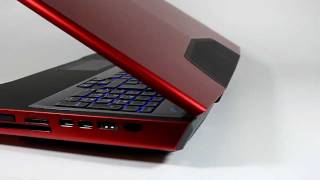
Alienware M18x (HD 6970M X2) HD Video-Preview
NotebookcheckReviews
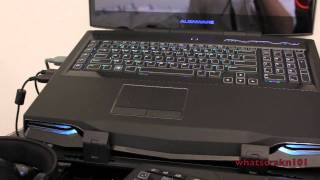
Alienware M18x Update (My Thoughts So Far + Gameplay)

whatscrakn101

Alienware M18x Final Impressions Update/Overclocking
whatscrakn101
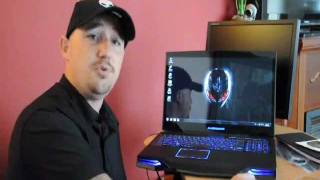
Alienware M18X

steve onyourside
Reviews
Owner Insights
We analyzed real musician discussions from forums and Reddit to find what players love, question, and tweak about Alienware M18x.
Software and compatibility
-
Windows 11 can run on Ivy Bridge chips with performance adjustments, despite official incompatibility due to generation requirements.
Source -
Upgrading to a GTX 1060M requires finding custom drivers and potentially modifying the heat pipe, as previously available Eurocom drivers are no longer accessible.
Source
Mods and upgrades
-
Upgrading the Alienware M18x R2 with an SSD and RTX Quadro 3000 (equivalent to RTX 2060) enhances performance significantly for modern applications.
Source -
Installing a GTX 970M/980M, or even a GTX 1060/1070, is feasible in this model, allowing it to handle AAA games at 1080p.
Source -
The M18x R2 can accommodate a GTX 1070M but requires heatsink modifications; a Quadro P4000 is a simpler alternative without such modifications if paired with a 120Hz screen.
Source -
Some owners replace the optical drive with additional storage options, such as an HDD caddy, due to the standard form factor compatibility of these drives.
Source
Features and functionality
-
The M18x R2 supports GPU upgrades via MXM slots, offering flexibility in performance enhancements.
Source -
The MXM to M.2 adapter allows for significant storage upgrades, such as integrating a 2TB M.2 SSD alongside an 8TB regular SSD.
Source -
The R2 model has an mSATA slot, allowing for enhanced storage options compared to the R1.
Source -
The R2 model can accommodate both 2nd and 3rd generation CPUs, unlike the R1, which is limited to 2nd generation CPUs.
Source
Setup and maintenance
-
For optimal performance, upgrading RAM to 32GB of 2133MHz DDR3 is recommended, though different configurations (e.g., mixed RAM sizes) might require adjustments.
Source -
Optical drives in the M18x can be replaced with an HDD caddy for additional storage, as fixing a faulty optical drive is challenging.
Source
Comparisons
-
A GTX 1070 in the M18x R2 is compared to a 3050 Ti and is noted for its 8GB VRAM, outperforming in FHD gaming scenarios with optimization.
Source
User experience
Critic Reviews
Based on 0 Reviews and 0 Ratings
More Alienware Computers & Peripherals


$1,319.55
in Computers & Peripherals Rank


$69.59 - $79.00
in Computers & Peripherals Rank


$399.15 - $596.86
in Computers & Peripherals Rank


$134.00 - $249.99
in Computers & Peripherals Rank


$1,191.98 - $1,914.49
in Computers & Peripherals Rank


$54.99
in Computers & Peripherals Rank


$579.99 - $799.00
in Computers & Peripherals Rank


$83.83 - $99.00
in Computers & Peripherals Rank


$149.99 - $179.99
in Computers & Peripherals Rank

$109.99 - $129.99
in Computers & Peripherals Rank


$1,299.00
in Computers & Peripherals Rank


$149.99 - $191.00
in Computers & Peripherals Rank


$44.99 - $89.00
in Computers & Peripherals Rank


$389.00
in Computers & Peripherals Rank


$168.99 - $179.99
in Computers & Peripherals Rank

$85.39
in Computers & Peripherals Rank


$509.00 - $867.00
in Computers & Peripherals Rank

$118.15 - $119.99
in Computers & Peripherals Rank


$649.99 - $919.99
in Computers & Peripherals Rank


$25.00 - $1,567.91
in Computers & Peripherals Rank

$1,488.71 - $1,999.00
in Computers & Peripherals Rank


$87.00 - $199.00
in Computers & Peripherals Rank


$210.99 - $379.99
in Computers & Peripherals Rank

$1,399.00 - $1,569.99
in Computers & Peripherals Rank

Artist usage


Community setups


Similar


Gear Guides









Most Popular Computers & Peripherals
Most Popular Brands


