7 Laptops That'll Keep Up With Your Musical Imagination: 2026 Producer's Guide

By Gear Experts

By Gear Experts
Table of Contents

Equipboard
Equipboard is the world's largest community of artists and their gear. Read our review process.
We are reader-supported. When you buy through links on our site, we may earn an affiliate commission. Learn more.
Our Picks

Best Overall Option: The Apple MacBook Pro 16" (M4 Max) delivers extraordinary performance with industry-leading battery life and seamless integration with Logic Pro X, making it the definitive choice for professional music producers who demand the absolute best.
Read more



Asus Computers 14" Zenbook Duo UX8406CA Multi-Touch Laptop
Best Innovative Design: The ASUS 14" Zenbook Duo UX8406CA delivers groundbreaking dual-screen functionality in a surprisingly compact package, offering music producers a revolutionary workflow experience that extends creative possibilities beyond traditional laptop designs.
Read more
Microsoft 14.4" Surface Laptop Studio 2
Best for Multi-Discipline Creators: The Microsoft Surface Laptop Studio 2 combines exceptional audio production capabilities with a versatile form factor that transforms between laptop, stage, and studio modes, perfect for producers who also work with visual media or prefer touch and pen input.
Read more
Dell 16" Precision 5690 Mobile Workstation
Best Windows Workstation: The Dell 16" Precision 5690 delivers server-grade computing power in a remarkably thin package, offering music producers uncompromising performance for the most demanding professional production environments where stability and reliability are paramount.
Read more
Best Portable Option: The Apple MacBook Air 13" (M4) packs surprising music production capability into an incredibly lightweight and silent fanless design, offering producers impressive performance for on-the-go creation without the bulk and noise of traditional production laptops.
Read more
Asus Computers Vivobook S 16 OLED Laptop
Best Display Quality: The ASUS 16" Vivobook S 16 OLED combines exceptional visual clarity with solid music production performance, offering producers a stunning 3K OLED display that makes complex arrangements easier to navigate while delivering accurate visual feedback for detailed audio work.
Read more
HP 14" ZBook Ultra G1a Mobile Workstation
Best Ultra-Portable Workstation: The HP ZBook Ultra 14 G1a delivers workstation-class performance in a compact 14-inch chassis, offering touring musicians and traveling producers professional-grade reliability with remarkable portability and battery life.
Read moreThat frustrating moment when your laptop chokes on a complex arrangement, freezes during a recording take, or crashes while bouncing your nearly finished masterpiece? It's not just annoying - it's creativity killer.
The gulf between marketing claims and real-world music production performance has never been wider. While manufacturers tout impressive specs, they rarely address the specific needs of audio production: stable low-latency performance, efficient thermal design that won't introduce noise into your recordings, and reliable driver implementation.
In 2025, the landscape has dramatically shifted. Apple's continued refinement of their custom silicon has redefined performance expectations, while Windows manufacturers have responded with increasingly specialized mobile workstations. The result? More genuine choices for producers across all budget ranges.
This guide skips the generic tech talk to focus exclusively on what matters for music creation.
Understanding the Demands of Music Production on Laptops
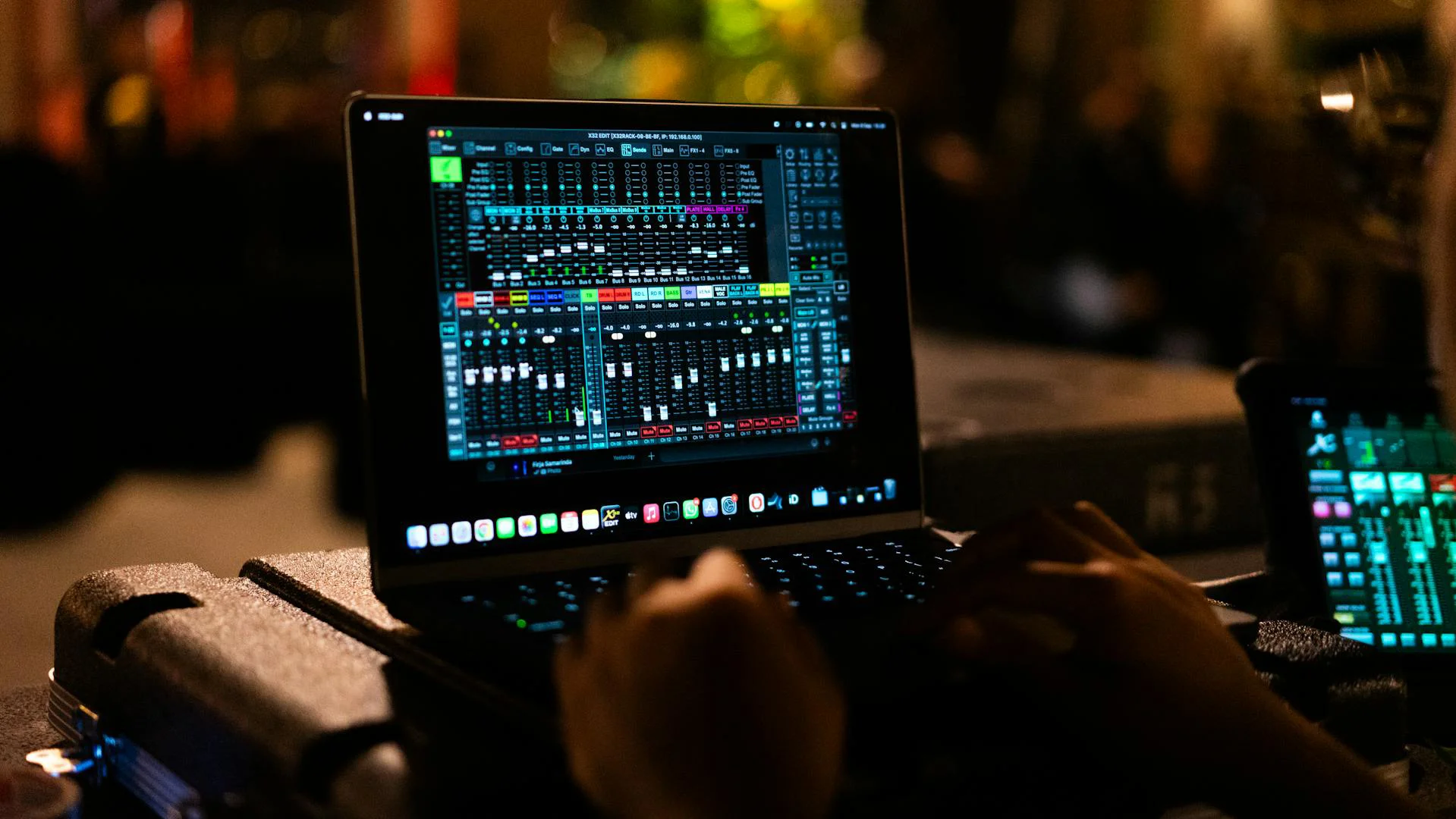
Before getting to our top recommendations, it's important to understand what makes a laptop well-suited for music production. Creating music puts unique demands on computer hardware that differ from everyday tasks including other creative work like photo or video editing.
Music production software, commonly known as Digital Audio Workstations (DAWs), requires specific hardware capabilities to perform optimally. Let's break down the key components that matter most.
Key Hardware Specifications Explained
Next let's tackle the key topic of what to look for when it comes to the hardware configuration and what to avoid.
CPU (Processor)
The processor is arguably the most critical component for music production. Modern DAWs like Ableton Live, Logic Pro, and FL Studio rely heavily on CPU power to handle real-time audio processing, virtual instruments, and effects plugins. Look for laptops with multi-core processors that offer both good single-core and multi-core performance. Single-core speed is particularly important for real-time audio processing to avoid latency issues, while multi-core capabilities help when running multiple plugins simultaneously.
RAM (Memory)
RAM directly affects how many samples, virtual instruments, and audio tracks your laptop can handle simultaneously. For serious music production in 2025, consider 16GB as the practical minimum, with 32GB or even 64GB being ideal for professional work involving orchestral libraries or extensive sample collections. More RAM means fewer sample loading issues and smoother performance when working with complex projects. Capacity alone doesn’t tell the full story. Faster RAMs like DDR5 further reduce latency issues.
Storage (SSD)
Solid State Drives (SSDs) have become standard for music production laptops due to their superior speed and reliability. Fast storage ensures quick project loading times and smooth playback of sample libraries. For optimal performance, look for NVMe SSDs with read/write speeds of at least 2000MB/s. Consider a minimum of 512GB storage, though 1TB or more is recommended if you work with large sample libraries or record many audio tracks.
Display
While not directly affecting audio performance, a quality display with sufficient resolution makes arranging tracks and navigating complex projects much easier. A minimum resolution of 1920x1080 provides enough screen real estate for most DAWs, though higher resolutions like 2560x1440 or 4K can be beneficial for seeing more tracks and controls simultaneously. Color accuracy matters less for music production than for visual creative work. Text and other details should be clearly legible and a good IPS or OLED screen helps immensely with this.
Ports and Connectivity
Having the right ports is crucial for connecting audio interfaces, MIDI controllers, and other studio equipment. Look for laptops with:
- USB-A ports for legacy equipment
- USB-C/Thunderbolt ports for modern audio interfaces
- HDMI or DisplayPort for external monitors
- Headphone/audio output jack
Thunderbolt ports are particularly valuable as they offer extremely fast data transfer rates for professional audio interfaces and external storage.
Graphics Card
Unlike video editing, music production doesn't typically require a powerful dedicated GPU. Most modern integrated graphics solutions are sufficient for running DAWs efficiently. However, if you also work with video or visual elements in your productions, a dedicated GPU might be worth considering.
Battery Life
While most serious production work happens near power outlets, good battery life is valuable for mobile musicians and producers working on the go. For recording sessions away from power sources, aim for laptops offering at least 8 hours of battery life under normal use conditions.
Software Compatibility
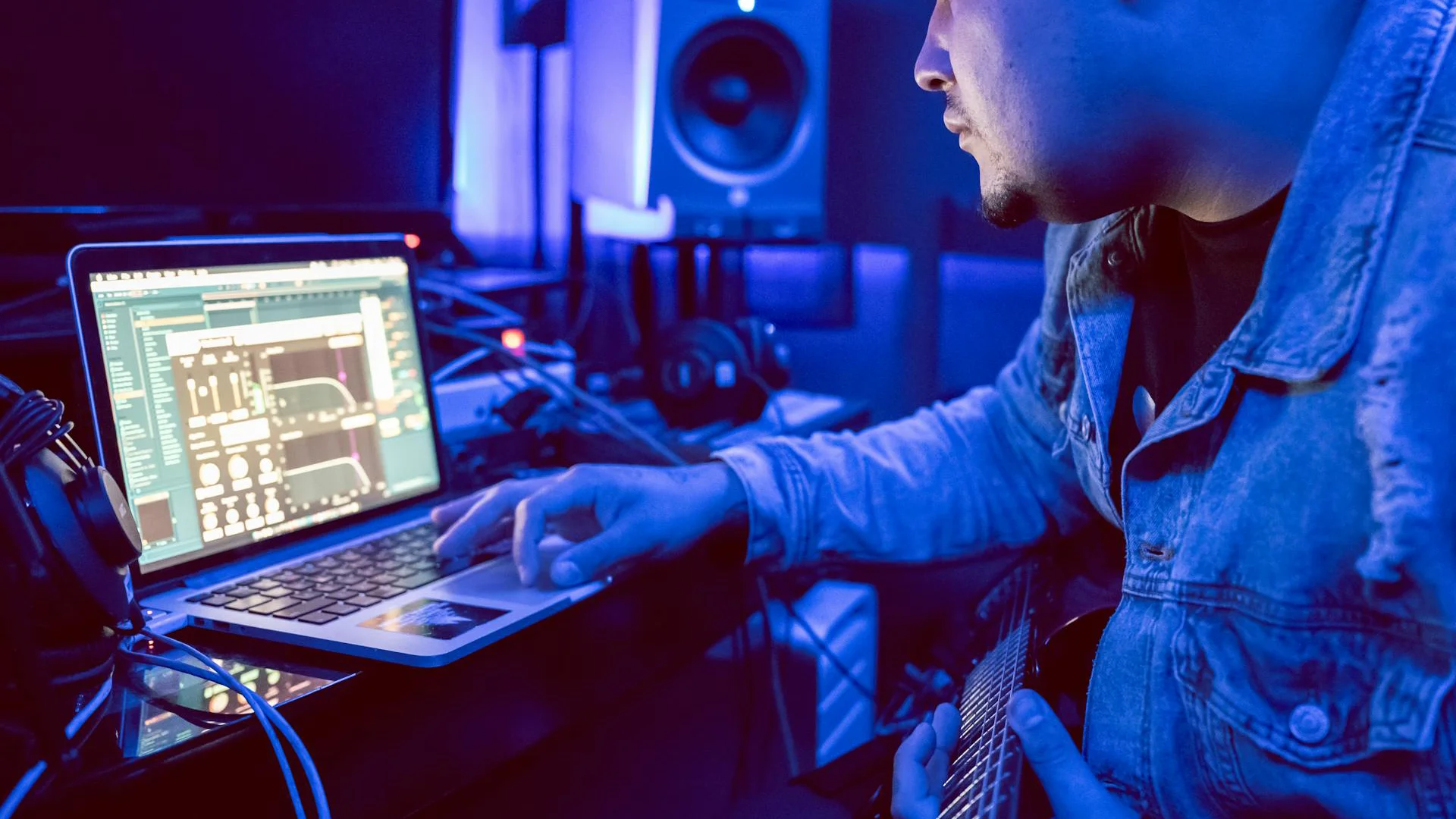
Different DAWs have varying hardware requirements and may run more efficiently on certain operating systems:
macOS vs. Windows Both platforms support excellent music production software, but there are some key differences:
macOS is the exclusive home of Logic Pro and GarageBand, with a reputation for stable audio performance and low latency. The Apple ecosystem offers tight integration between hardware and software. Hardware options can be a bit limiting and expensive.
Windows offers more hardware variety at different price points and supports all major DAWs except Logic Pro and GarageBand. It's increasingly reliable for audio production with proper configuration.
Balancing Power and Portability
Music producers often face a trade-off between performance and portability:
Desktop Replacements These larger laptops (usually 15-16") offer desktop-level performance with powerful processors, ample RAM, and excellent cooling systems. They typically provide more ports and larger screens but weigh more and have shorter battery life.
Ultraportables These lighter laptops (typically 13-14") offer greater mobility for producers who work across multiple locations. While they may sacrifice some performance and connectivity, modern ultraportables are increasingly capable of handling professional music production tasks.
Budget Considerations
Music production laptops span a wide price range:
- Entry-level ($800-1200): Suitable for beginners and hobbyists using less demanding setups
- Mid-range ($1200-2000): Solid performance for most production needs
- Professional ($2000+): High-end performance for complex projects and professional work
The Top Performers: Best Laptops for Music Production
After careful consideration of performance metrics, real-world capability, and value, we've selected the top laptops that excel specifically for music production tasks.
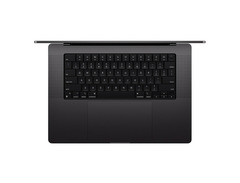
Apple 16" MacBook Pro: Apple M4 Pro Chip With 14-Core CPU and 20-Core GPU, 48GB, 512GB SSD - Space Black
The Ultimate Music Studio Powerhouse








Performance Specs
The heart of the MacBook Pro 16" is Apple's groundbreaking M4 chip, which represents a quantum leap in mobile computing architecture. This processor handles even the most demanding production tasks with remarkable ease. The unified memory architecture allows for blazing-fast data access that traditional PC architectures simply can't match.
With up to 128GB of unified memory, this machine effortlessly manages massive orchestral templates and sample libraries that would bring many other laptops to their knees. The neural engine accelerates AI-powered plugins and sound processing tools that are becoming increasingly common in modern production workflows.
Music Production Experience
What truly sets this MacBook apart is how it performs in real-world music production scenarios. Logic Pro users will find the integration between hardware and software practically seamless, but the machine handles all major DAWs with exceptional stability. The thermal design allows for sustained peak performance without the fan noise that can interfere with sensitive recording sessions.
The 16-inch Liquid Retina XDR display provides exceptional clarity when navigating complex arrangements, with the resolution to display dozens of tracks simultaneously. The pro-grade audio subsystem includes six speakers and studio-quality microphones that can capture ideas when a proper interface isn't available.
Connectivity and Flexibility
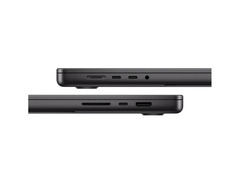
For studio connectivity, the MacBook Pro offers a robust selection of ports including Thunderbolt 4, HDMI, and an SD card slot. This connectivity suite eliminates the need for dongles when connecting audio interfaces, controllers, and external displays.
Battery life is remarkable even under production workloads, giving you genuine mobility that few performance-oriented laptops can match. This means you can actually work on complex projects away from a power outlet for extended sessions.


Asus Computers 14" Zenbook Duo UX8406CA Multi-Touch Laptop
Dual-Screen Innovation for Creative Producers

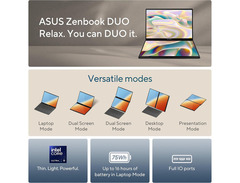
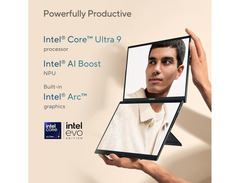
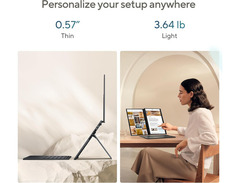
Dual-Screen Advantage
The Zenbook Duo's standout feature is its innovative dual-screen setup, featuring a 14-inch main OLED display paired with a secondary screen that integrates directly into the laptop's body. This second screen isn't merely a novelty but a game-changing workflow enhancement for music producers.
Imagine placing your mixer controls, MIDI editor, or plugin interfaces on the second screen while keeping your arrangement view front and center. This setup reduces constant window switching and approximates a multi-monitor studio experience in a portable format. The immersive nature of having dedicated visual spaces for different aspects of your production can significantly accelerate your creative process.
Technical Performance
Powered by Intel's latest Core Ultra processors and configurable with up to 32GB of RAM, the Zenbook Duo delivers impressive horsepower for its compact size. The cooling system manages thermals effectively even during CPU-intensive tasks like rendering complex projects or running multiple virtual instruments.
Storage options include high-speed PCIe 4.0 SSDs with read speeds exceeding 7000MB/s, ensuring instantaneous project loading and sample streaming. While not quite matching the raw power of larger workstation laptops, the performance-to-size ratio is remarkable.
Production Ergonomics
Beyond the dual screens, ASUS has designed the Zenbook Duo with creative professionals in mind. The precision touchpad system works well with detailed audio editing tasks, and the keyboard provides tactile feedback that makes programming beats and entering MIDI data satisfying. The audio subsystem delivers clean monitoring through the built-in speakers and headphone output.
With a slim profile and weight under 3.5 pounds, this laptop brings studio-quality production capabilities wherever inspiration strikes. The battery efficiently powers both displays for several hours of real production work, though intensive sessions will naturally drain it faster.
Microsoft 14.4" Surface Laptop Studio 2
Versatile Creativity Hub

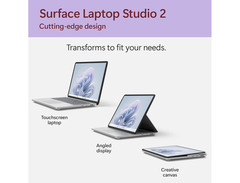
Transformative Design
The Surface Laptop Studio 2's unique design allows it to adapt to different creative scenarios. In laptop mode, it functions as a traditional computer for arrangement and mixing. Fold the screen forward into stage mode for presenting tracks to collaborators or clients. In studio mode, the screen lays nearly flat, creating a canvas-like working surface ideal for drawing automation curves or manipulating virtual controllers with the Surface Pen.
This adaptive design is particularly valuable for producers who also work with visual elements, compose for film, or incorporate digital art into their music production process. The ability to physically transform your workspace based on the current task creates an intuitive connection with your creative tools.
Technical Capabilities
Microsoft has equipped the Surface Laptop Studio 2 with components that handle pro-level audio production with ease. The 11th generation Intel H-series processors deliver strong performance for real-time audio processing, while configurations with dedicated NVIDIA RTX graphics accelerate visual elements and certain audio processing tasks.
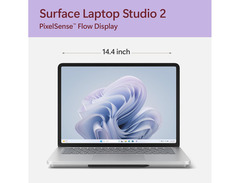
The 14.4-inch PixelSense Flow touch display operates at a refresh rate of 120Hz, providing smooth visualization of waveforms and responsive interaction with your DAW's interface. Memory options up to 32GB accommodate substantial production projects.
Audio-Focused Features
The Surface Laptop Studio 2 shines in its audio infrastructure. The custom-designed Quad Omnisonic speakers provide remarkable monitoring clarity for a laptop, while the studio microphones capture high-quality audio when recording ideas away from your interface.
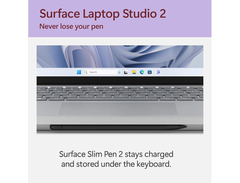
Connectivity includes Thunderbolt 4 ports for high-performance audio interfaces and external storage, plus the Surface Connect port for Microsoft's ecosystem of accessories. The magnetic Surface Slim Pen storage and charging mechanism keeps this valuable input tool always ready for precision automation edits.
Dell 16" Precision 5690 Mobile Workstation
Professional Mobile Workstation

Workstation-Class Performance
The Precision 5690 stands apart from consumer laptops by incorporating genuine workstation-class components. With options for Intel Xeon processors or the latest Core i9 chips, plus ECC memory configurations, this machine is built for mission-critical audio production where stability is non-negotiable.
This level of computing muscle effortlessly handles massive orchestral templates with hundreds of tracks, complex synthesis patches, and CPU-intensive convolution reverbs without breaking a sweat. The thermal management system maintains consistent performance during extended rendering or mixing sessions without throttling.
Professional-Grade Reliability
Dell's Precision workstations undergo rigorous testing and certification processes with professional software vendors. For music producers, this translates to exceptional compatibility with industry-standard DAWs and plugins. The enterprise-grade components are selected for longevity and stability rather than consumer market trends.
The display options include calibrated panels with consistent color reproduction, which proves valuable when your music production intersects with video work. The keyboard features a full numeric keypad that can be mapped to DAW functions, and the precision glass trackpad offers excellent control for detailed audio editing.
Studio Integration
Despite its power, the Precision maintains a relatively slim profile for a workstation. The comprehensive port selection includes multiple Thunderbolt 4 connections, USB-A, HDMI, and a UHS-II SD card reader for transferring field recordings or session files.
Security features like fingerprint readers and smart card options protect valuable intellectual property, an important consideration for professional composers and producers working with pre-release material. The user-serviceable design allows for storage and memory upgrades as your production needs grow.
Apple 13" M4 MacBook Air
5.0 (4)
Ultraportable Production Powerhouse

Compact Production Power
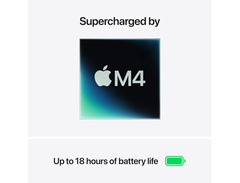
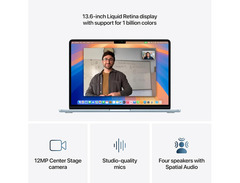
The MacBook Air's M4 chip delivers performance that defies its ultraportable classification. This processor handles moderate production tasks with remarkable efficiency, running popular DAWs like Logic Pro, Ableton Live, and FL Studio with surprising headroom. The unified memory architecture makes the most of the available RAM, allowing for smoother performance than similarly-equipped Intel machines.
The fanless design means completely silent operation, a significant advantage when recording in the same room as your computer or when producing in noise-sensitive environments like hotel rooms or shared spaces. Despite this passive cooling, the MacBook Air maintains excellent performance for most production tasks.
Portable Studio Experience
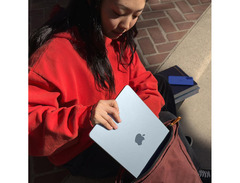
Weighing just under 2.8 pounds with battery life exceeding 15 hours for typical use, the MacBook Air is genuinely portable in a way that larger production laptops aren't. This makes it ideal for producers who travel frequently, compose while commuting, or prefer to work in various locations rather than a fixed studio.
The 13.6-inch Liquid Retina display provides enough screen real estate for productive DAW work, with True Tone technology reducing eye strain during late-night sessions. The improved speaker system delivers surprisingly accurate playback for monitoring when studio monitors aren't available.
Connectivity Considerations
The MacBook Air offers two Thunderbolt/USB 4 ports for connecting audio interfaces and storage, plus a MagSafe charging connection that frees up both data ports for peripherals. While this streamlined port selection may require adapters for some studio setups, it maintains the laptop's ultra-portable profile.
For producers using larger sample libraries, the MacBook Air supports external Thunderbolt storage that performs nearly as well as the internal SSD. This allows for expanding your sound palette without compromising the laptop's mobility advantage.
Asus Computers Vivobook S 16 OLED Laptop
Stunning Visual Workspace

Visual Excellence
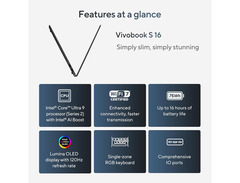
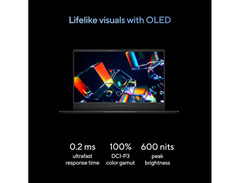
The standout feature of the Vivobook S 16 is its magnificent 16-inch 3K OLED display. This screen technology offers perfect blacks and exceptional contrast, making waveforms, automation curves, and mixer levels immediately clear. The visual precision translates to audio precision, as you can see exactly what you're hearing in your DAW's interface.
The expansive screen real estate allows for displaying more tracks and controls simultaneously than smaller laptops, reducing the need for constant scrolling and zooming during complex productions. For producers who spend hours staring at their DAW, the OLED panel's reduced blue light emissions and lack of flicker help reduce eye fatigue during marathon sessions.
Production Performance
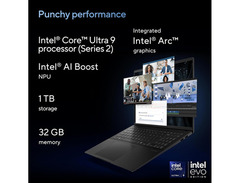
Behind the gorgeous display, the Vivobook packs capable hardware optimized for creative work. The latest AMD Ryzen processors offer excellent multi-core performance that handles virtual instruments and effects processing efficiently. Configuration options with up to 32GB of RAM and 1TB of high-speed SSD storage provide a solid foundation for music production tasks.
The thermal design balances performance with acoustics, keeping fan noise minimal during lighter production tasks while ramping up cooling only when necessary for intensive rendering or bouncing operations.
Balanced Mobility
Despite the large display, ASUS has kept the Vivobook S 16 reasonably portable at under 4 pounds. The slim bezels maximize screen area while keeping the overall footprint manageable for travel between studio sessions or performances.
The comprehensive connectivity includes USB-A and USB-C ports, HDMI, and a microSD reader, accommodating most audio interfaces without adapters. The full-sized backlit keyboard includes a numeric pad that can be mapped to DAW shortcuts, enhancing workflow efficiency when programming or mixing.


HP 14" ZBook Ultra G1a Mobile Workstation
Ultra-Mobile Production Suite

Professional Mobility
The ZBook Ultra 14 represents HP's expertise in creating genuinely portable workstations. Weighing just over 3 pounds but incorporating professional-grade components, this laptop bridges the gap between ultraportables and full workstations. It's ideal for producers who need serious computing power but frequently work across multiple locations.
The military-grade durability testing ensures reliability in challenging environments, whether you're producing backstage at venues, in hotel rooms between tour dates, or in remote recording locations. Despite its rugged construction, the design remains sleek and professional.
Production-Focused Hardware
HP has optimized the ZBook Ultra specifically for creative professionals. The Intel vPro processors offer excellent single-core performance, crucial for real-time audio processing, while maintaining strong multi-core capabilities for handling multiple plugins simultaneously.
The cooling system is engineered for sustained performance rather than brief bursts, maintaining consistent processing power throughout extended production sessions. Memory and storage options include professional-grade components with error correction capabilities for mission-critical audio work.
Field Recording Integration
For producers who incorporate field recordings or live elements into their productions, the ZBook Ultra offers features not found on consumer laptops. The enhanced audio subsystem includes optimized microphone processing and Bang & Olufsen tuned speakers for monitoring recorded content on the go.
Connectivity features Thunderbolt 4 ports for high-speed audio interfaces, plus HP's security features protect intellectual property when working on sensitive projects away from the studio. The rapid charge technology can restore significant battery capacity in just 30 minutes, minimizing downtime between mobile recording or production sessions.
How to Choose Your Best Music Production Laptop
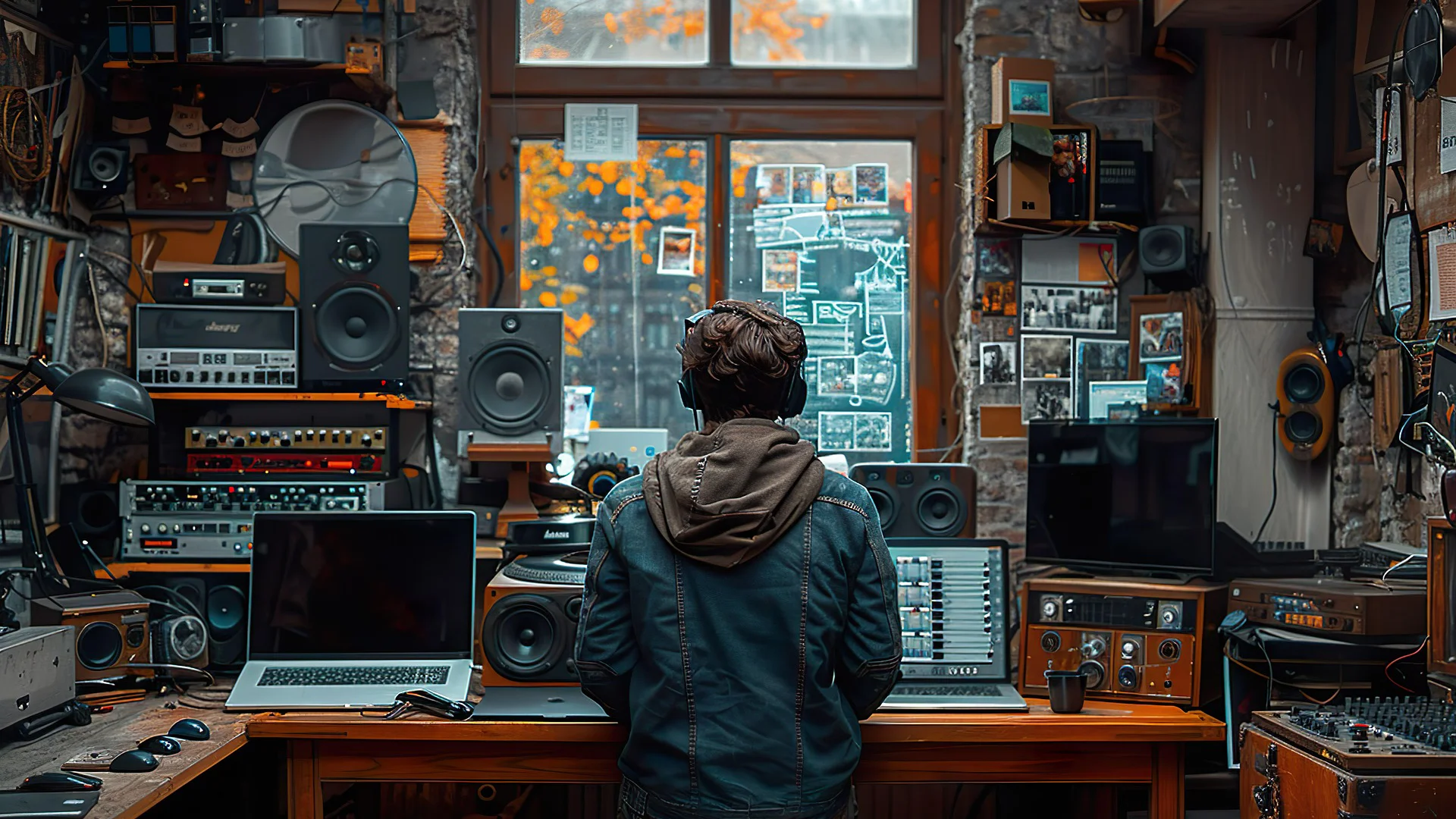
Selecting the ideal laptop for your music production needs requires careful consideration of your specific workflow, software preferences, and budget constraints. This decision guide will help you navigate the options and find the perfect match for your creative process.
Understand Your Workflow
Project Complexity Assess your typical production style before comparing specifications. Complex projects with numerous virtual instruments and effects chains demand more powerful hardware than simpler recordings. Large orchestral templates or productions with dozens of synth instances require robust processors and ample RAM. Consider your track count, virtual instrument usage, and sample library size when evaluating hardware requirements.
Mobility Requirements Your working environment dictates your ideal laptop profile. Studio-bound producers can prioritize performance over portability, effectively using laptops as desktop replacements. Touring musicians and mobile producers need to balance performance with weight, battery life, and durability. Consider your recording environment too - fanless designs benefit those recording in the same room as their computer.
Operating System Considerations
Software Ecosystem Inventory your current software investments before choosing an operating system. Logic Pro users are locked into macOS, while users of cross-platform DAWs like Ableton Live have more flexibility. Consider your plugin collection compatibility and whether your audio interface has optimized drivers for your target OS. Software preferences often outweigh hardware specifications when the ecosystems differ significantly.
Stability and Optimization MacOS offers a standardized hardware environment with integrated components, resulting in consistent performance and fewer driver conflicts. Its Core Audio architecture provides excellent low-latency performance without extensive configuration. Windows provides greater hardware variety at competitive prices, with significantly improved audio performance in recent years. Both platforms can serve professional production needs when properly configured.
Future-Proofing Your Investment
Upgradability Check whether your prospective laptop allows memory expansion or storage upgrades. Non-upgradable designs limit future expansion, while accessible components provide longevity. Some models offer soldered RAM but accessible storage bays, offering partial future-proofing. An upgradable system allows for a modest initial investment with enhancement options as your needs evolve.
Performance Headroom Aim for hardware that exceeds your current needs by at least 25%. As your skills develop, you'll incorporate more tracks, complex effects chains, and demanding virtual instruments. Extra CPU headroom enables lower buffer settings during recording, improving the playing experience with virtual instruments.
Interface Longevity Modern audio interfaces increasingly use USB-C and Thunderbolt connections. Ensure your laptop includes these ports to avoid adapter proliferation. Consider not just port quantity but specifications too - Thunderbolt 4 offers substantially more capability than standard USB-C despite identical appearances.
Budget Allocation
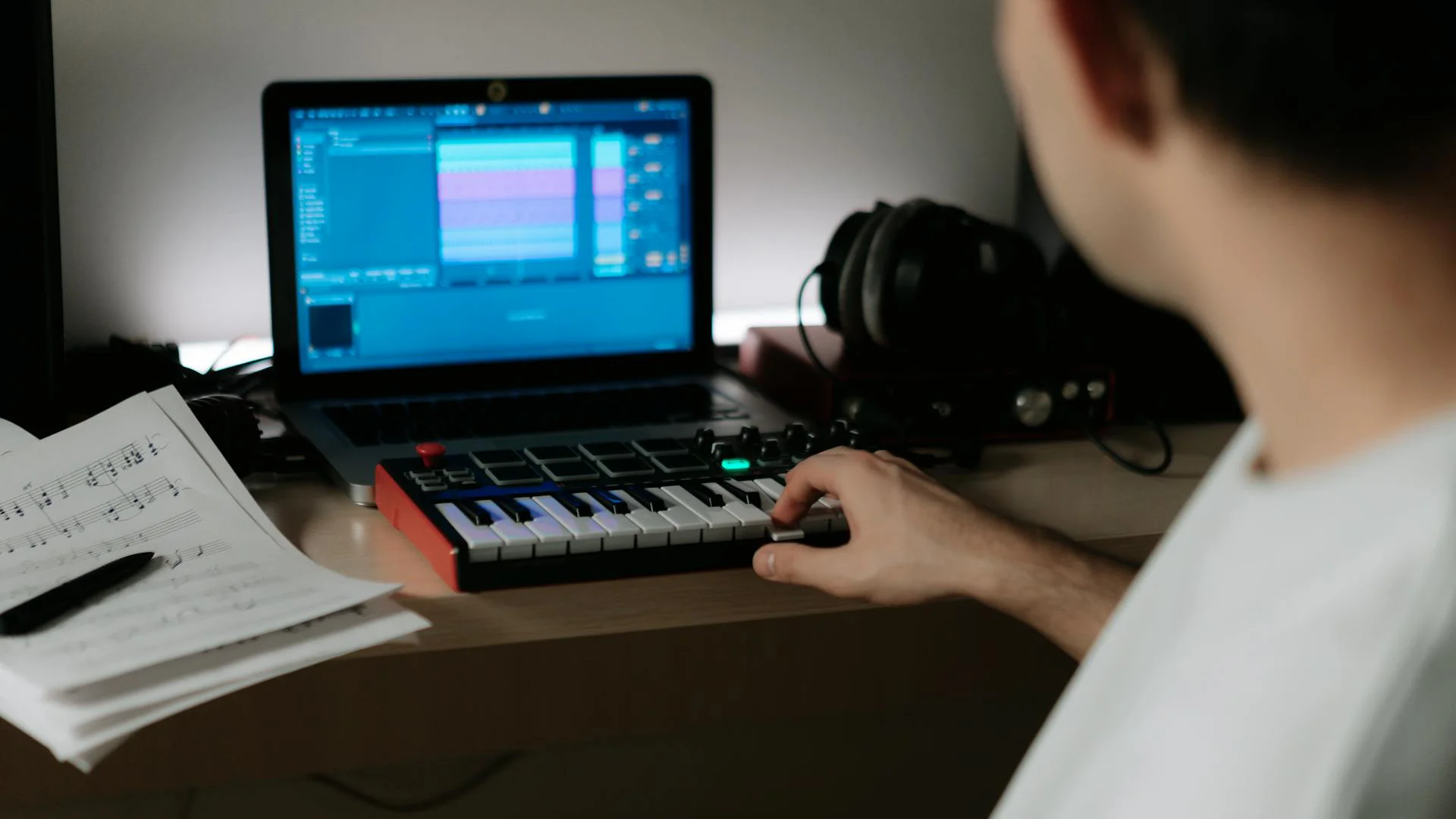
When working with limited funds, prioritize components in this order for music production:
Processor Priority
The processor most directly impacts how many plugins and virtual instruments you can run simultaneously. Look beyond clock speeds to architecture differences between chip generations. Processors with strong single-core performance typically handle real-time audio better than those focused solely on multi-threaded tasks.
Memory Matters
RAM creates hard limitations that no optimization can overcome. When virtual instruments exceed available memory, system crashes become inevitable. Modern orchestral libraries and realistic instrument emulations require substantial RAM - consider 32GB as comfortable for serious production.
Storage Speed
The gap between standard SSDs and high-performance NVMe drives becomes apparent when loading projects or streaming samples. Prioritize speed over capacity for your system drive, while secondary storage can balance both factors based on your library size.
Display Quality
Higher resolution screens show more tracks and controls simultaneously, reducing window management frustration. While not directly affecting audio performance, a good display significantly enhances workflow efficiency during long sessions.
Graphics Performance
For pure audio work, integrated graphics suffice. Only allocate budget toward dedicated GPUs if you also work with video content or visualization-heavy plugins.
Optimizing Your Laptop for Music Production
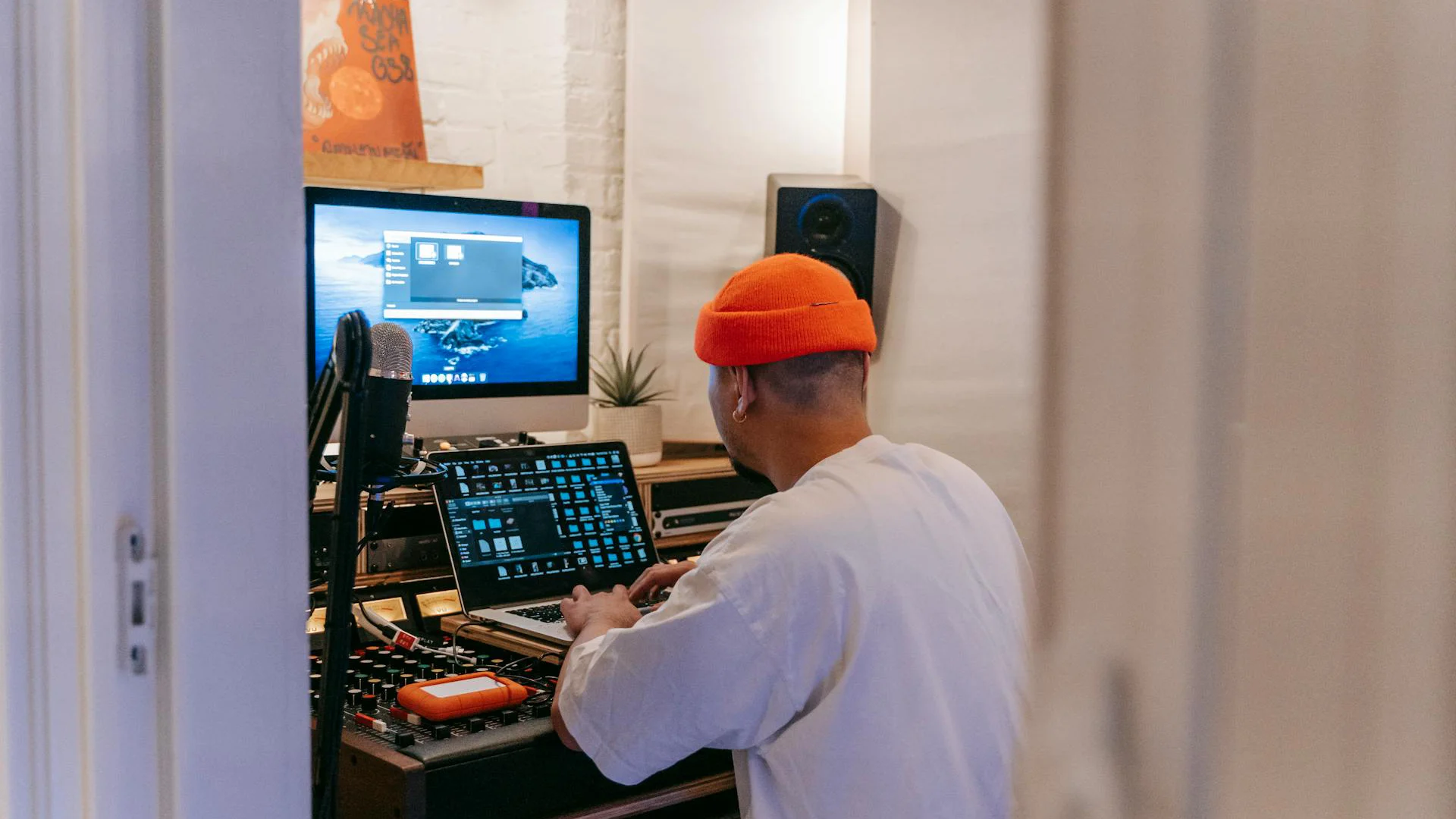
Once you've selected your ideal music production laptop, proper configuration and optimization can significantly enhance its performance. These practical tips will help you get the most from your hardware.
System Configuration
Audio Driver Settings Configure audio drivers for stable, low-latency performance. On Windows, use dedicated ASIO drivers whenever possible; generic options like ASIO4ALL work in a pinch but rarely match hardware-specific drivers. On macOS, Core Audio provides excellent native performance, but buffer size adjustments remain necessary in your DAW.
Experiment with buffer settings based on your task: smaller buffers (64-256 samples) for recording and tracking, larger buffers (512-1024 samples) for mixing. This balance between responsiveness and stability optimizes your workflow across different production phases.
Background Process Management Disable unnecessary services that compete for CPU resources. Target automatic updates, indexing services, cloud synchronization, and notification systems first. Consider temporarily disabling antivirus real-time scanning during critical recording sessions.
Storage Management
Project Organization Implement a thoughtful storage strategy from day one. Keep current projects on your fastest internal SSD, maintaining at least 15-20% free space for optimal performance. Use dedicated external SSDs (preferably Thunderbolt or USB 3.1) for sample libraries and sound collections.
Create a robust backup system combining local and cloud solutions. Many professionals maintain separate archives of completed projects on dedicated storage, preserving access to past work while freeing up primary workspace.
Optimize Sample Libraries Modern sample collections from developers like Spitfire Audio and Native Instruments offer granular control over loaded components. By loading only essential articulations and microphone positions, you can work with larger templates without exceeding available RAM.
Interface and Peripheral Considerations
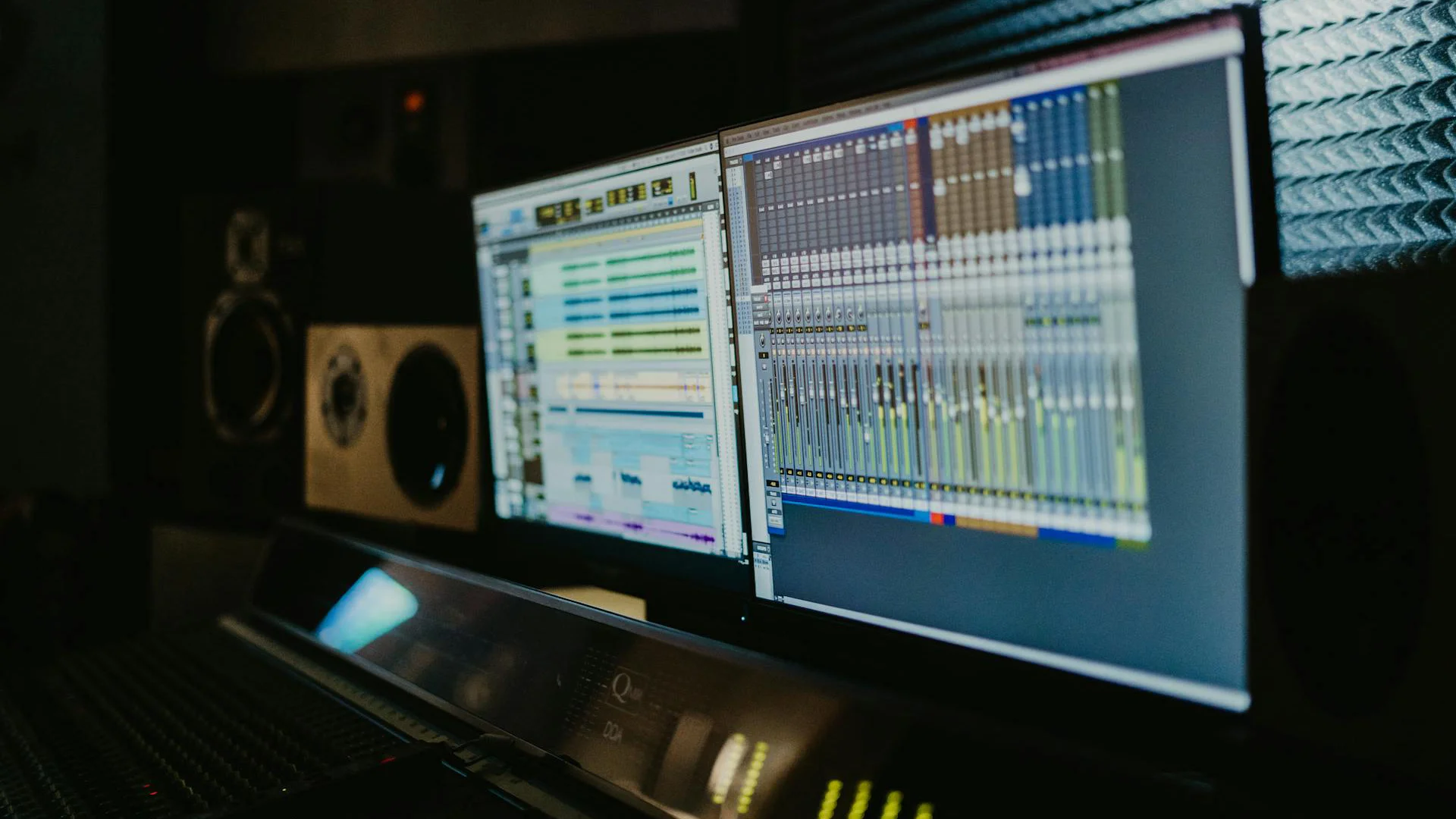
Audio Interface Selection Your audio interface fundamentally affects recording quality and system performance. Research driver reliability for your specific operating system before purchasing. Some manufacturers prioritize development for one platform.
Consider future expansion needs when selecting interfaces. Features like ADAT expansion ports allow adding channels without replacing your primary interface. For mobile setups, bus-powered interfaces eliminate external power requirements but typically offer fewer connections.
External Monitors Transform your laptop into an ergonomic workstation with an external display. Position monitors at eye level to reduce neck strain during long sessions. Many producers use laptop stands to align their built-in display with external monitors.
Software Optimization
Plugin Management Optimize plugin usage to maximize performance without compromising sound. Freeze or bounce CPU-intensive tracks after finalizing their sound, converting real-time processing into rendered audio while keeping the option to make future changes.
Use sends/returns for common effects like reverb and delay rather than individual instances on each track. This approach not only conserves resources but often creates more cohesive mixes. When purchasing plugins, research efficiency reputations - some developers prioritize optimization more than others.
Buffer Settings Adjust buffer settings based on your current task. Use lower settings (64-256 samples) when recording for minimal monitoring delay. Switch to higher settings (512-1024 samples) during mixing for stability with complex plugin chains.
Frequently Asked Questions
Is a gaming laptop good for music production?
Gaming laptops can work well for music production as they typically feature powerful processors and ample RAM. However, they often prioritize graphics performance over CPU power and may have aggressive cooling systems that generate noise during recording. If choosing a gaming laptop for music production, look for models with quieter fan profiles and strong single-core CPU performance.
How much RAM do I need for music production in 2025?
For entry-level production, 16GB RAM is the practical minimum in 2025. Professional work, especially with orchestral libraries or extensive sampling, benefits significantly from 32GB or more. Large-scale professional productions with massive template sizes may require 64GB or even 128GB for optimal performance.
Which is better for music production, Mac or PC?
Neither platform is objectively superior for all users. Macs offer excellent integration between hardware and software with exclusive access to Logic Pro. Windows systems provide more hardware options at various price points and support all major DAWs except Logic. Your choice should depend on your preferred software, existing ecosystem, and specific needs.
Do I need a dedicated graphics card for music production?
Most music production software relies primarily on CPU processing rather than GPU acceleration. Integrated graphics are generally sufficient for audio work. Consider a dedicated GPU only if you also work with video, 3D visualization, or use specific plugins that leverage GPU processing.
What's the most important specification for a music production laptop?
The processor (CPU) is typically the most critical component for music production, particularly its single-core performance for real-time audio processing. This is followed closely by RAM capacity, which determines how many virtual instruments and samples you can run simultaneously. Storage speed also significantly impacts project loading times and sample streaming performance.
How often should I upgrade my music production laptop?
Most high-quality music production laptops should remain capable for 3-5 years of professional use. The need to upgrade is often driven by increasing project complexity, new software requirements, or emerging technologies rather than hardware failure. Investing in higher-specification machines initially typically results in longer usable lifespans.
Conclusion
The landscape of music production technology continues to evolve rapidly, with laptops becoming increasingly powerful and specialized tools for creative audio work. In 2025, producers have exceptional options across different operating systems, form factors, and price points.
For those seeking the absolute best performance regardless of price, the Apple MacBook Pro 16" (M4 Max) stands as the clear leader with its extraordinary processing power and seamless software integration. The ASUS 14" Zenbook Duo UX8406CA offers innovative dual-screen workflow advantages, while the Microsoft Surface Laptop Studio 2 provides unique versatility for multi-disciplinary creators.
For Windows power users, the Dell 16" Precision 5690 delivers workstation-class reliability and performance. Mobile producers will appreciate the ultraportable Apple MacBook Air 13" (M4) and the professional-grade HP ZBook Ultra 14 G1a, while the ASUS 16" Vivobook S 16 OLED provides an exceptional visual experience for detailed audio work.
The ideal laptop for your music production needs ultimately depends on your specific workflow, software preferences, mobility requirements, and budget constraints. By understanding the unique demands of music production and carefully evaluating the options presented in this guide, you can make an informed decision that will serve your creative process for years to come.
Top Ranked Computers & Peripherals on Equipboard


$399.15 - $596.86
4.5 (44)
4.5 (44)

$134.00 - $249.99
4.5 (24)
4.5 (24)

$1,191.98 - $1,914.49
5.0 (29)
5.0 (29)
About the authors
Giulio Chiarenza is the co-founder of Equipboard and a lifelong multi-instrumentalist with a deep passion for music gear. Born in Italy and raised in the U.S., he holds a Computer Science degree from The University of Texas at Austin and blends technical acumen with decades of hands-on experience across guitar, piano, drums, and electronic production. Early in his career, Giulio was signed to a San Francisco-based EDM label, releasing both remixes and original tracks. These days, he helps steer Equipboard’s vision while personally testing and reviewing gear. He's never too far from his go-to guitar: a vintage 1978 Fender Telecaster Custom. Read more








.webp)