

Pricing and availability


* Product prices and availability are updated by Equipboard every 24hrs and are subject to change. Equipboard may receive compensation for purchases made at participating retailers linked on this site. This compensation does not affect what products or prices are displayed, or the order of prices listed. For more information, please refer to our affiliate disclosure.
Description
Transform your music production skills with the Audionamix X-Trax Stems 2, your ultimate companion in audio editing and stem separation. Designed to effortlessly dissect full tracks into individual components, this powerful software is a game-changer for DJs, producers, and musicians alike. Whether you're a drummer seeking the perfect beat to practice with or a vocalist in need of clean tracks to harmonize, X-Trax Stems 2 handles the heavy lifting, allowing you to focus on what you do best.
With Audionamix's cutting-edge audio separation technology, import any mono or stereo audio file and watch as it magically dissects it into distinct stems for vocals, drums, and the remaining music. For those who demand precision, the software's compatibility with Native Instruments' Stems format ensures seamless export for further creative exploration. Explore and compare up to four different algorithms, each tailored to deliver the best results for any source file, ensuring your music is not just heard, but felt.
Key Features:
- Automatically separates full mixes into vocal, drum, and remaining music stems
- Supports mono or stereo audio files up to 32-bit/96kHz
- Export compatibility with Native Instruments' Stems format
- Four different algorithms to ensure optimal results with any source file
- Perfect for DJs, producers, drummers, and singers alike
Videos

Production Expert
Is It Finally Possible To Remove A Vocal From A Mixed Song? XTRAX STEMS 2 Test
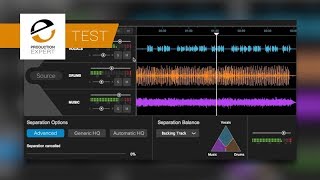
Is It Finally Possible To Remove A Vocal From A Mixed Song? XTRAX STEMS 2 Test
Production Expert
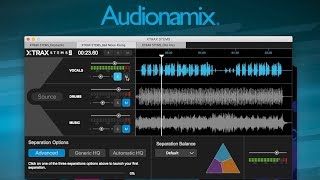
Audionamix Xtrax Stems 2

Sound On Sound magazine
XTRAX STEMS 2 with Joachim Garraud

Audionamix
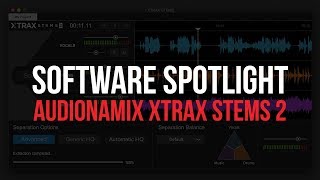
AUDIONAMIX XTRAX STEMS 2 | Software Spotlight

BPM Supreme
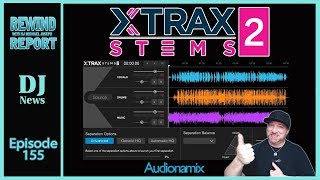
Pull The Vocal Or Bass Line From Any Song Stems files with XTRAX STEMS 2 - The Rewind Report e155

discjockeynews
Using XTrax Stems 2 For Drum Covers

Trey B
Reviews
Owner Insights
We analyzed real musician discussions from forums and Reddit to find what players love, question, and tweak about Audionamix X-Trax Stems 2.
Features and functionality
-
The plugin requires a well-mixed song to achieve satisfactory results, especially with drums and vocals; instruments often sound compromised.
Source
User experience
-
Users report a "warbly tape sound" and significant bleed-through, indicating the extracted stems may not be clean.
Source
Software and compatibility
-
The process is cloud-based, resulting in slow performance, which may be a consideration for users with time constraints.
Source
Comparisons
-
Compared to iZotope RX, X-Trax Stems offers similar functionality but with noted differences in speed and usability.
Source
Critic Reviews
4.0 out of 5
Based on 1 Review and 1 Rating

609
A quick easy way to remove Vocals & Lead Instruments
It is no suprise that Audionamix leads the market and the technology for separating the components of an audio program, which their flagship product X-Trax Pro 3 does extremely well, but Pro 3 is expensive and only works on Mac OS. ...and their VVC Plug-in (Vocal Volume Control) just didn't cut it. Those of us who are fans have been waiting patiently for 2 years with baited-breath for a Windows-version of Pro 3 (which, lets-face-it, ..ain't gonna happen) ...so it was a nice surprise to see the release of X-Trax Stems 2, which is the next best thing. No it ain't at the level and sophistication of Pro 3, but it is able to do a halfway decent quick-n-dirty separation of the vocals/lead instrument from the drums/percussion from the remainder of the music, although only in .WAV file format. In conjunction with a good DAW, it can help make some interesting and usable backing-tracks for karaoke or even more sophisticated live music performance.
Artist usage
Add artist

At second 35, Lost Frequencies explains how he used this plug-in to make the "Angèle - Flou (Lost Frequencies Remix) " track.


Todd Edwards is shown promoting Audionamix X-Trax Stems on his Instagram account, as evidenced by his post captioned, "Welcome to the first edition of 30 second tips with Todd!" and using the hashtags #producertips, #ukgarage, #housemusic, #producerproblems, #producerlife, #audionamix, and #xtraxstems.
Genre Usage
Based on how artists on Equipboard use this gear, it is most commonly found in the following genres.
More Audio Editor Plugins

$179.00
in Audio Editor Plugins Rank

$17.20 - $19.00
in Audio Editor Plugins Rank

$345.00 - $1,199.00
in Audio Editor Plugins Rank


$27.00 - $149.00
in Audio Editor Plugins Rank

$27.00 - $399.00
in Audio Editor Plugins Rank

$275.00
in Audio Editor Plugins Rank

$182.00 - $199.00
in Audio Editor Plugins Rank

$44.00 - $399.00
in Audio Editor Plugins Rank

$74.00
in Audio Editor Plugins Rank

$45.00 - $99.00
in Audio Editor Plugins Rank

$0.00 - $99.00
in Audio Editor Plugins Rank

$50.00 - $70.00
in Audio Editor Plugins Rank

$399.00
in Audio Editor Plugins Rank

$37.00 - $49.00
in Audio Editor Plugins Rank


$399.00
in Audio Editor Plugins Rank

$199.00
in Audio Editor Plugins Rank

$799.00
in Audio Editor Plugins Rank


$139.00 - $149.00
in Audio Editor Plugins Rank


$309.00 - $399.00
in Audio Editor Plugins Rank

$49.50 - $129.00
in Audio Editor Plugins Rank

$27.00 - $149.00
in Audio Editor Plugins Rank

$119.00
in Audio Editor Plugins Rank

$91.00 - $99.00
in Audio Editor Plugins Rank

$999.00
in Audio Editor Plugins Rank

$215.00 - $239.00
in Audio Editor Plugins Rank
-m.webp?v=1784336641)


in Audio Editor Plugins Rank


$349.99
in Audio Editor Plugins Rank


Accessories & Related Items


Community setups


Similar


Gear Guides










Most Popular Brands
-
Added to Equipboard on by
chuck_cohenGearIQ 609
-


