
Pricing and availability


* Product prices and availability are updated by Equipboard every 24hrs and are subject to change. Equipboard may receive compensation for purchases made at participating retailers linked on this site. This compensation does not affect what products or prices are displayed, or the order of prices listed. For more information, please refer to our affiliate disclosure.
Description
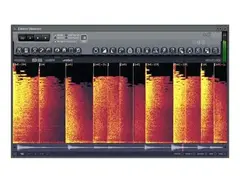
Elevate your audio editing experience with Image-Line Edison, a versatile and powerful audio editor plugin that's an essential tool for any music producer or sound designer. Whether you're slicing samples, cleaning up recordings, or crafting unique soundscapes, Edison integrates seamlessly into your workflow with its intuitive interface and robust feature set. It's designed to work as a standalone plugin or within your favorite DAW, offering flexibility and convenience.
Edison's straightforward design does not compromise on functionality. It offers sophisticated editing capabilities such as time stretching, pitch shifting, and a comprehensive suite of effects, making it a go-to choice for meticulous audio manipulation. The plugin supports a range of audio formats, ensuring compatibility with your existing projects. With fast loading times and a user-friendly design, Edison empowers you to focus on creativity rather than technical hurdles.
Key Features:
- Works seamlessly as a standalone plugin or within DAWs
- Intuitive interface for efficient workflow
- Comprehensive editing tools including time stretching and pitch shifting
- Supports multiple audio formats for diverse project compatibility
- Includes a suite of effects for detailed audio manipulation
- Fast loading times for quick access and use
- Ideal for sample slicing, noise reduction, and sound design tasks
Videos

FL Studio
FL Studio Guru | Noise Reduction with Edison.
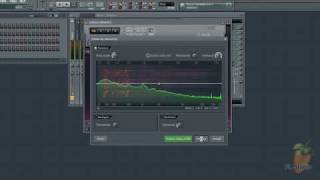
FL Studio Guru | Noise Reduction with Edison.
FL Studio
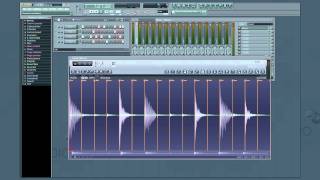
FL Studio's Edison -- Introduction & Overview (1/11)
FL Studio
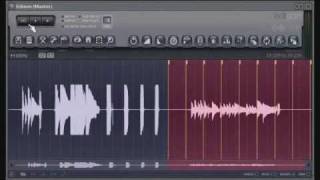
Edison Part One
FL Studio
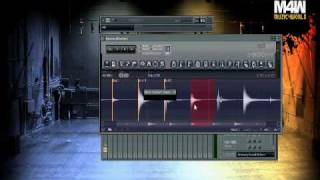
Tutorial - Easy way to slice WAV file with ( ImageLine FL studio "Edison" )

muzic4world
Reviews
PROS
-
Extensive feature set akin to a DAW within a DAW
-
Converts samples into MIDI for piano roll integration
-
Unique blurring capabilities for atmospheric effects
-
Includes convolution reverb for rich soundscapes
-
Intuitive interface simplifies sample editing tasks
-
Excellent for recording and editing vocals
-
Useful time-stretching and normalization tools
CONS
Owner Insights
We analyzed real musician discussions from forums and Reddit to find what players love, question, and tweak about Image-Line Edison.
Features and functionality
Use cases and applications
-
Ideal for sound design, Edison allows recording directly from the master channel without interruption, a limitation in Ableton’s default setup.
Source -
Edison is favored for its ability to record audio efficiently, complementing Ableton's workflow by addressing gaps in Live's audio editing capabilities.
Source
Comparisons
-
Users find Edison more user-friendly and feature-rich than Audacity, especially for tasks like drag-and-drop sample manipulation.
Source
Software and compatibility
User experience
-
Some users express frustration with needing to open Edison as a separate plugin for audio manipulation instead of integrating it directly within the DAW's main interface.
Source -
For some, the necessity of creating a new audio clip after modifications in Edison is seen as an unnecessary step, complicating the workflow.
Source
4.5 out of 5
Based on 4 Reviews and 35 Ratings

102
One word: functionality.
Edison is a very comprehensive sample editor and recording tool. It's almost like a DAW within a DAW. It's jam-packed with tons of really interesting and unique features like the ability to translate a sample into midi data for the piano roll. It has blurring capabilities as well, which can be particularly fun when you need huge sweeping atmospheric pads and lead vocals. And that's just scratching the surface. Along with that, there's convolution reverb, time stretching, normalization, and a lot more. I can't go five minutes without opening it at least once.

41034
really? I groan every time I find a need for it and typically only use it out of expediency... I feel like I have tried a lot of the features but maybe I should give them a second look. I usually just use it to grab little bits and pieces from stuff I recorded with outboard hardware or to sample little chunks from long guitar takes and shit


Artist usage
Add artist

In the Porter Robinson´s power user page he said "Edison is also absolutely critical to my workflow. Hard cuts are crucial to the complextro style I produce, so processing audio with Edison and using its linear phase equalizer to get all my chops to roughly the same color saves me so much time."


In this video at 47:00 it is see that he used edison in this track 'wake up'.

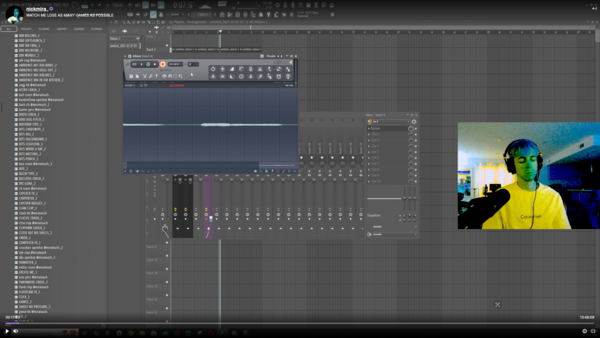
Nick Mira is confirmed to use the Image-Line Edison audio editor plugin, as evidenced by a Twitch video where the software is visible at the 17:43 mark.


Can be seen opened (in the background) in this screenshot



At around timestamp 2:00, Seamless can be seen using Edison to play a recorded sound.



At 1:30 into the video, Murda shows the sample used to make "123" in Edison within FL Studio.


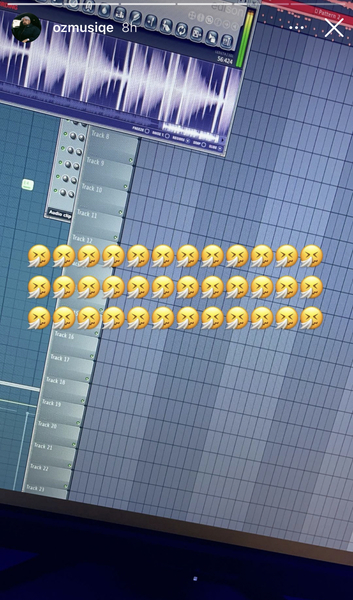
In This Insta Story OZ uploaded a Picture of him working on a Project with Edison open.


Album Usage
The Image-Line Edison has been featured on the following albums:


Genre Usage
Based on how artists on Equipboard use this gear, it is most commonly found in the following genres.
Used With
Based on how musicians on Equipboard use Image-Line Edison, it is most commonly used with the following gear.


More Audio Editor Plugins

$179.00
in Audio Editor Plugins Rank

$17.20 - $19.00
in Audio Editor Plugins Rank

$345.00 - $1,199.00
in Audio Editor Plugins Rank


$27.00 - $149.00
in Audio Editor Plugins Rank

$27.00 - $399.00
in Audio Editor Plugins Rank

$275.00
in Audio Editor Plugins Rank

$180.00 - $199.00
in Audio Editor Plugins Rank

$44.00 - $399.00
in Audio Editor Plugins Rank

$74.00
in Audio Editor Plugins Rank

$45.00 - $99.00
in Audio Editor Plugins Rank

$0.00 - $99.00
in Audio Editor Plugins Rank

$50.00 - $70.00
in Audio Editor Plugins Rank

$399.00
in Audio Editor Plugins Rank

$37.00 - $49.00
in Audio Editor Plugins Rank


$399.00
in Audio Editor Plugins Rank

$199.00
in Audio Editor Plugins Rank

$799.00
in Audio Editor Plugins Rank


$138.00 - $149.00
in Audio Editor Plugins Rank

$309.00 - $399.00
in Audio Editor Plugins Rank

$49.50 - $129.00
in Audio Editor Plugins Rank

$27.00 - $149.00
in Audio Editor Plugins Rank

$119.00
in Audio Editor Plugins Rank

$90.00 - $99.00
in Audio Editor Plugins Rank

$999.00
in Audio Editor Plugins Rank

$215.00 - $239.00
in Audio Editor Plugins Rank
-m.webp?v=1784336641)


in Audio Editor Plugins Rank


in Audio Editor Plugins Rank


$349.99
in Audio Editor Plugins Rank


in Audio Editor Plugins Rank


Community setups


Similar


Gear Guides










Most Popular Audio Editor Plugins
Most Popular Brands
-
Added to Equipboard on by
officialsyronixGearIQ 220
-


