

Pricing and availability
We compare 600+ stores and found this item at 3 stores. Prices updated .
Store
Reviews
Price


Price History
Based on price data from 3 merchants for "DJ.Studio Pro + Stems". Prices shown reflect NEW condition. Tracking began Apr 2, 2026.
* Product prices and availability are updated by Equipboard every 24hrs and are subject to change. Equipboard may receive compensation for purchases made at participating retailers linked on this site. This compensation does not affect what products or prices are displayed, or the order of prices listed. For more information, please refer to our affiliate disclosure.
Description
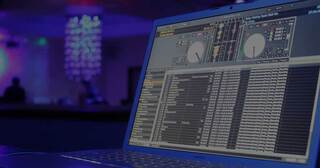
Discover the future of DJ mixing with DJ.Studio Pro + Stems, a powerhouse DJ software that redefines the art of crafting seamless, professional-grade mixes. Combining cutting-edge stem separation technology with a robust suite of tools, this all-in-one Digital Audio Workstation (DAW) empowers both seasoned DJs and newcomers to unleash their full creative potential. Whether you're looking to remix, mash-up, or create transitions, this software offers the precision and versatility you need—all from the convenience of your laptop, no extra hardware required.
DJ.Studio Pro + Stems stands out with its intuitive timeline editor and AI-powered Automix assistant, which uses millions of calculations to organize your playlist by tempo and key. This ensures your mixes are harmonically cohesive, avoiding awkward transitions and maintaining a seamless flow. The advanced automation editor provides granular control over EQ, volume, and effects, allowing you to create transitions that are both precise and expressive.
The software's stem-separation capability offers unprecedented creative freedom. Isolate drums, bass, melody, and vocals to create acapellas, mashups, or new loop samples with ease. This feature lets you reimagine any track, giving you the ability to tailor your mix to your unique artistic vision.
Key Features:
- Comprehensive DJ DAW with no need for additional hardware
- Advanced stem separation technology for independent control over drums, bass, melody, and vocals
- AI-powered Automix assistant for harmonically cohesive mixes
- Customizable transition profiles with extensive automation options
- Seamless integration with popular platforms like rekordbox, Serato DJ Pro, and Ableton
- Supports export in WAV, MP3, and Ableton Live project files
- Extensive effects and sampler lanes for personalized sound editing
Product specs
| Software Type | DJ Studio Pro + Stems |
| Platform | Mac, PC |
| Upgrade/Full | Full |
| Download/Boxed | Download |
| Format | Standalone |
| Hardware Requirements - Mac | Intel Core i7 or higher (Apple Silicon support), 16GB or more recommended |
| Hardware Requirements - PC | Intel Core i7 / AMD Ryzen or higher, 16GB or more recommended |
| OS Requirements - Mac | macOS 11 or later |
| OS Requirements - PC | Windows 10 or later |
FAQs
-
What are the system requirements for DJ.Studio Pro + Stems?
-
DJ.Studio Pro + Stems requires a Mac with macOS 11 or later and an Intel Core i7 or higher, or a PC with Windows 10 or later and an Intel Core i7 / AMD Ryzen or higher. Both platforms recommend 16GB of RAM or more.
-
Can DJ.Studio Pro + Stems separate individual elements like vocals and drums?
-
Yes, DJ.Studio Pro + Stems offers advanced stem separation, allowing you to isolate elements such as drums, bass, melody, and vocals for remixing and mashup creation.
-
Does DJ.Studio Pro + Stems feature an automix function?
-
Yes, DJ.Studio Pro + Stems includes an Automix assistant that orders tracks by tempo and key, facilitating seamless transitions and mixes.
-
Is DJ.Studio Pro + Stems compatible with both Mac and PC?
-
Yes, DJ.Studio Pro + Stems is compatible with both Mac and PC platforms, supporting macOS 11 or later and Windows 10 or later.
-
What unique features does DJ.Studio Pro + Stems offer for DJs?
-
DJ.Studio Pro + Stems provides a timeline editor for creating transitions, effects, and automation, along with advanced stem separation for creating mashups, remixes, and acapellas.


Reviews
Owner Insights
We analyzed real musician discussions from forums and Reddit to find what players love, question, and tweak about DJ.Studio Pro + Stems.
Comparisons
Features and functionality
-
Stems in DJ.Studio are limited to one minute in length, impacting longer mashup capabilities.
Source -
The Pro + Stems version includes an FX pack, enhancing creative mixing possibilities with effects like echo.
Source -
While DJ.Studio can handle stem separation quickly, actual processing time may vary based on the hardware configuration, particularly GPU capability.
Source
User experience
-
Owners mention occasional bugs in stem processing, although improvements have been observed over time.
Source -
Several users leverage discount codes and sales to reduce the software's cost, making it more accessible.
Source -
Users report that preloading stems on high-spec PCs, such as those with NVIDIA 3080 cards, results in smooth operation without performance issues.
Source
Value and pricing
-
Some users feel the software is overpriced for its capabilities, suggesting it should be priced around $50 for its features.
Source
Software and compatibility
-
Some users mention that stem processing can be sluggish on older computers, impacting workflow efficiency.
Source -
DJ.Studio benefits significantly from NVIDIA's CUDA cores, offering 6x to 142x speed for stem separation compared to CPU-only processing which is substantially slower.
Source -
Having 16GB of RAM is crucial for stem operations to avoid swapping issues; lower memory can degrade software performance.
Source
Use cases and applications
-
Stems are particularly useful for transitions when mixing older genres like pop, funk, and soul, allowing for smoother vocal integration.
Source -
While not always used, the stems function is appreciated for its ability to effortlessly isolate or copy beats and vocals, especially when mixing tracks unfriendly to transitions.
Source -
DJ.Studio's stem separation is only applied to overlapping sections of tracks during mixing, optimizing processing time and resource usage.
Source
Based on 0 Reviews and 0 Ratings
More DJ.Studio DJ Software


$189.00 - $349.99
in DJ Software Rank


$99.00 - $199.00
in DJ Software Rank


$649.00 - $1,099.96
in DJ Software Rank


$74.50 - $149.00
in DJ Software Rank


$199.99
in DJ Software Rank


$244.74 - $349.99
in DJ Software Rank


$299.00
in DJ Software Rank

$119.00
in DJ Software Rank


in DJ Software Rank


in DJ Software Rank


in DJ Software Rank


$45.00
in DJ Software Rank


Accessories & Related Items


Artist usage


Community setups


Similar


Gear Guides






Most Popular DJ Software
Most Popular Brands
-
Added to Equipboard on by
 equipboard
GearIQ 4934
-


