

Pricing and availability




* Product prices and availability are updated by Equipboard every 24hrs and are subject to change. Equipboard may receive compensation for purchases made at participating retailers linked on this site. This compensation does not affect what products or prices are displayed, or the order of prices listed. For more information, please refer to our affiliate disclosure.


Videos

아리망
benq xl2411t move

benq xl2411t move
아리망
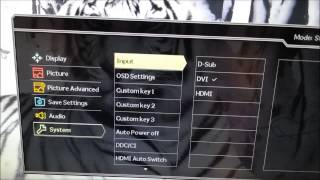
BenQ XL2411T Menu System

PC Monitors

BenQ XL2411t 3D Vision 2 Full Review

Mohamed LAMJARED
![Video thumbnail for Downsampling auf dem 144-Hertz-LCD Benq XL2411T [PCGH] by PC Games Hardware](https://img.youtube.com/vi/19dqvhUmTGM/mqdefault.jpg)
Downsampling auf dem 144-Hertz-LCD Benq XL2411T [PCGH]

PC Games Hardware

BenQ XL2411T Viewing Angles
PC Monitors
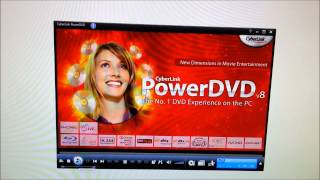
PowerDVD 8.0 allergic to BenQ XL2411T at 144Hz
PC Monitors

BenQ XL2411T Display Mode

OClab.itenjoy.SunUP
Reviews
Owner Insights
We analyzed real musician discussions from forums and Reddit to find what players love, question, and tweak about BenQ XL2411T.
User experience
Setup and maintenance
-
Owners frequently mention the need for extensive color calibration out of the box to achieve acceptable display quality.
Source
Features and functionality
-
Heavy gradient banding and backlight bleed are significant issues, impacting picture quality in certain scenes.
Source -
The monitor menu is described as slow and difficult to navigate due to the placement of buttons under the monitor.
Source -
The BenQ XL2411T only supports 144Hz via DVI Dual Link due to its older design, making it incompatible with newer GPUs lacking DVI ports.
Source
Comparisons
-
The Viewsonic XG2401 is highlighted as having superior color quality and performance, especially in games like Overwatch, compared to the BenQ XL2411T.
Source
Software and compatibility
-
Owners found success achieving 144Hz by using a Club 3D DisplayPort to DVI-D Dual Link Active Adapter, highlighting its necessity despite its higher price.
Source
Critic Reviews
5.0 out of 5
Based on 0 Reviews and 1 Rating
Genre Usage
Based on how artists on Equipboard use this gear, it is most commonly found in the following genres.
More BenQ Computers & Peripherals


$1,319.55
in Computers & Peripherals Rank


$69.59 - $79.00
in Computers & Peripherals Rank


$399.15 - $596.86
in Computers & Peripherals Rank


$134.00 - $249.99
in Computers & Peripherals Rank


$1,191.98 - $1,914.49
in Computers & Peripherals Rank


$54.99
in Computers & Peripherals Rank


$579.99 - $799.00
in Computers & Peripherals Rank


$83.83 - $99.00
in Computers & Peripherals Rank


$149.99 - $179.99
in Computers & Peripherals Rank

$109.99 - $129.99
in Computers & Peripherals Rank


$1,299.00
in Computers & Peripherals Rank


$149.99 - $191.00
in Computers & Peripherals Rank


$44.99 - $89.00
in Computers & Peripherals Rank


$389.00
in Computers & Peripherals Rank


$106.69
in Computers & Peripherals Rank


$91.08 - $179.99
in Computers & Peripherals Rank


$509.00 - $867.00
in Computers & Peripherals Rank

$649.99 - $919.99
in Computers & Peripherals Rank


$118.73 - $119.99
in Computers & Peripherals Rank


$1,488.71 - $1,999.00
in Computers & Peripherals Rank


$25.00 - $2,119.99
in Computers & Peripherals Rank

$87.00 - $199.00
in Computers & Peripherals Rank


$549.00
in Computers & Peripherals Rank
.png?v=1784891692)


$128.00
in Computers & Peripherals Rank


$32.99 - $189.95
in Computers & Peripherals Rank


$210.99 - $379.99
in Computers & Peripherals Rank
Artist usage


Community setups


Similar


Gear Guides






.jpg)
Most Popular Computers & Peripherals
Most Popular Brands
-
Added to Equipboard on by
 kri
kriGearIQ 87
-


