

Pricing and availability
We compare 600+ stores and found this item at 1 store. Prices updated .
Store
Reviews
Price




Average Price: $318
Standard/Professional
$100
$601+
Price Tier
Budget
Standard
High-end
Price History
Based on price data from 1 merchant for "Faderfox UC4". Prices shown reflect NEW condition. Tracking began Apr 7, 2026.
* Product prices and availability are updated by Equipboard every 24hrs and are subject to change. Equipboard may receive compensation for purchases made at participating retailers linked on this site. This compensation does not affect what products or prices are displayed, or the order of prices listed. For more information, please refer to our affiliate disclosure.
Description
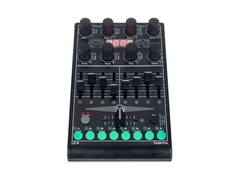
Unleash your creative potential with the Faderfox UC4, a compact yet powerful tool for DJs and producers seeking a streamlined solution for their MIDI control needs. This universal MIDI controller is designed to seamlessly integrate with your setup, whether you're spinning tracks on your iPad, orchestrating a live set with Ableton Live, or looking to fine-tune your studio environment. Its bus-powered USB interface ensures hassle-free connectivity, while the class-compliant design means no drivers are needed – just plug and play.
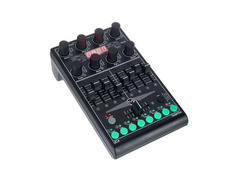
The UC4 is packed with features that foster creativity and precision. With 8 gridless push encoders that offer 36 pulses per revolution, you'll experience smooth, tactile control over your parameters. Each encoder's push button can send separate commands, unlocking new realms of functionality. Perfect your mix with 9 faders, each 30 mm in length, and enhance your live performance with 8 LED-lit buttons that provide essential visual feedback. The 4-character display keeps you informed and in control at all times.
Designed with versatility in mind, the UC4 supports high-resolution 14-bit MIDI, programmable value ranges, and a robust data feedback mechanism to prevent jumps in value. Its programmable encoders allow for a range of commands, including CC, NRPN, and even pitch bend, catering to a multitude of creative possibilities. With 8 independent groups for encoders, faders, and buttons, and the ability to store 18 setups with backup and restore functions, the Faderfox UC4 is truly a versatile powerhouse in a compact design.
Key Features:
- iPad compatibility
- Control Surface Script for Ableton Live 8/9 included
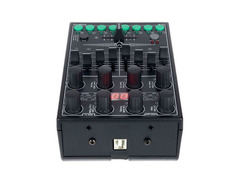
- USB interface with bus power supply
- Class Compliant - no driver required
- MIDI input and output with routing and merge function
- 8 Gridless push encoders (resolution = 36 pulses per revolution)
- 9 Faders with a length of 30 mm
- 8 Buttons with LED
- High resolution 14-bit mode
- Programmable value ranges with min/max values
- Data feedback prevents jumps in value
- Fully programmable encoders
- 18 Setups with backup/restore functions
- Compact design with metal front panel
Product specs
| Available since | May 2020 |
| Controller type | MIDI Controller |
| incl. software | No |
| Micro In | 0 |
| Master Out | No |
| Stand Alone Mixer Function | No |
| Mobile Support | No |
| USB Player | No |
| Stereo Line-In | 0 |
| 19" | No |
| USB | 1 |
| 5-pole DIN MIDI | 1 |
| Fader | 9 |
| Rotary Encoders | 8 |
| Bus-Powered | 1 |
| Additional Features | Compact Design |
| Rec Out | No |
| Weight | 0,35 kg |
| Width | 180 mm |
| Depth | 105 mm |
| Height | 70 mm |
| Phono Input | 0 |
| Audio Interface Input | 0 |
| Audio Interface Output | 0 |
| Booth Out | No |
FAQs
-
What are the main connectivity options for the Faderfox UC4?
-
The Faderfox UC4 features a USB connection and a 5-pole DIN MIDI port, allowing you to connect it to your computer or other MIDI-compatible devices for seamless integration into your DJ setup.
-
Does the Faderfox UC4 require an external power supply?
-
No, the Faderfox UC4 is bus-powered, meaning it draws power directly from the connected USB device, eliminating the need for an external power supply.
-
How many faders and rotary encoders does the Faderfox UC4 have?
-
The Faderfox UC4 is equipped with 9 faders and 8 rotary encoders, providing extensive control options for your DJ performance or studio setup.
-
Is the Faderfox UC4 compatible with mobile devices?
-
No, the Faderfox UC4 does not support mobile devices, as it is designed to be used with computers and other MIDI-compatible equipment.
-
Does the Faderfox UC4 come with any software?
-
The Faderfox UC4 does not include any software. It is a MIDI controller designed to work with a variety of DJ and music production software that supports MIDI mapping.
Videos

Allan Fox
The Greatest Midi Controller of All-Time?
The Greatest Midi Controller of All-Time?
Allan Fox
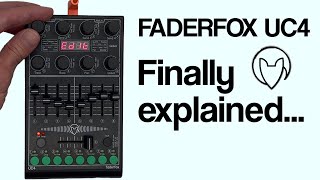
The FaderFox UC4 Tutorial I wish I had.
Allan Fox
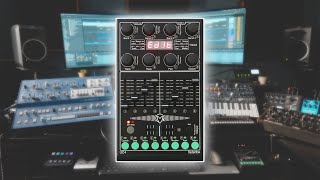
I use this everyday...

Audioreakt
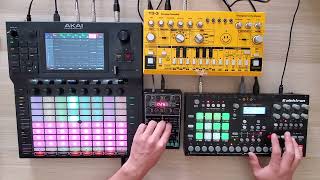
Live Industrial Techno // Elektron Analog Rytm / Akai FORCE / Faderfox UC4 @ 145bpm

NONO:machines
Reviews
PROS
-
Highly customizable, suits various workflows in Ableton and Traktor
-
Solid build quality, robust knobs, and good fader feel
-
Compact, versatile design with easy switch between setups
-
Excellent customer service with responsive support from Mathias/Faderfox
-
Intuitive integration with Ableton Live, enhancing control and efficiency
-
Infinite rotary encoders with adjustable sensitivity for precise control
-
Allows simultaneous control of multiple software/hardware without interference
-
Quality of faders and encoders superior to competitors like Arturia, Akai, Novation, Behringer
CONS
-
Faders may feel a bit compact for some users
-
Chassis not made of metal, which some may prefer for added weight
-
Limited to controlling volume of only 16 tracks, affecting extensive live sets
Owner Insights
We analyzed real musician discussions from forums and Reddit to find what players love, question, and tweak about Faderfox UC4.
Setup and maintenance
-
Frequent fader issues may be resolved with mechanical action, compressed air, or contact cleaner before resorting to part replacement.
Source -
Configuring the UC4 with the Octatrack requires referencing the Octatrack Midi manual, particularly for track volume set to number 95 and specific MIDI channels.
Source
Mods and upgrades
-
Owners have successfully ordered replacement faders directly from Faderfox for easier repairs, suggesting direct support for part acquisition.
Source
User experience
-
Soldering skills are beneficial for repairs; otherwise, repair shops can handle the fader replacements.
Source -
Users report that the UC4 faders may not always return to zero, potentially due to debris or wear, highlighting the importance of maintenance.
Source -
Owner expected battery operation but discovered the UC4 is USB-powered, highlighting a common misconception about its power source.
Source -
It's noted that some users find the manual unclear for configuration, prompting direct contact with Faderfox or reliance on community guides and YouTube tutorials.
Source
Use cases and applications
-
Faderfox UC4 users often reach out directly to Mathias from Faderfox for part information and replacements, reflecting a strong community support network.
Source
Features and functionality
-
The UC4 is fully mappable and can store 18 presets, enhancing its flexibility for various applications, including DJ mode with a 404 setup.
Source -
Adjusting the UC4 involves using the top left knob to select faders and the Cmd Channel knob underneath to assign MIDI channels and control numbers.
Source
Value and pricing
-
Some users report difficulty finding the UC4, often purchasing it from Germany at around $400, indicating limited availability and potential import costs.
Source
5.0 out of 5
Based on 1 Review and 3 Ratings

2379
Solid
Not seen much discussion of this bit of kit on the internet, especially in regard to its use with Live, so I'm gunna jot some thoughts down here. It's really solidly built, which is refreshing considering generally MIDI controllers (at least ones I've had experience with) feel cheap and frail compared to most other music hardware. The encoders and faders feel amazing, and the way the encoders transmit information is really clever; if you turn more slowly, it will change parameters in smaller, more detailed increments, and if you turn more quickly, it will change parameters in larger increments over the same throw. This feels really natural, like it's matching your movements. The buttons are also nice to press and not noisy or clacky.
Its integration with Live is amazing, the control script is really well thought out and using it with the controller is intuitive. I bought this to replace a NanoKONTROL2 with its Mackie Control script and it's a massive upgrade. I wanted a single controller to control everything I needed to in Live (mostly rack macros and the navigation of an arrangement-based set with markers) and this seems quite adequate so far.
It can't do absolutely everything, you're limited to controlling the volume of only 16 tracks over two 'set-ups', and I had to manually map marker navigation to some of the buttons I wasn't using, but I don't think any controller can do it all, even a Push. However if I would have liked anything added to the script, it would be a way to control the volume of more than these first 16 tracks. I would also have liked the actual chassis to have been made of metal to add a bit of weight, although this is personal preference. A button to fold / unfold groups would be cool too.
In conclusion, in this form factor, the build quality and functionality far surpasses anything else I've tried. It's a bit expensive but I'm happy, and Mathias at Faderfox seems like a nice bloke and is responsive to e-mails which is reassuring.
Artist usage
Add artist

Genre Usage
Based on how artists on Equipboard use this gear, it is most commonly found in the following genres.
Similar
Add recommendation1 alternative for Faderfox UC4, curated by the Equipboard community.

$52.00 - $119.99
A cheaper way to access a bank of knobs and sliders, but lacks dedicated MIDI out, endless encoders and an in-depth control surface script for softwares like Live. It also has a lesser build quality, but is perfectly adeqaute for a manual mapping set-up.
More Faderfox DJ Mixers


$1,379.00 - $1,954.91
in DJ Mixers Rank


$89.99 - $2,899.00
in DJ Mixers Rank


$258.29 - $739.99
in DJ Mixers Rank


$884.84 - $1,749.99
in DJ Mixers Rank


$1,699.00 - $2,499.00
in DJ Mixers Rank


$1,790.92 - $3,059.00
in DJ Mixers Rank


$701.08
in DJ Mixers Rank


in DJ Mixers Rank


$1,399.00
in DJ Mixers Rank


$1,299.90 - $2,499.00
in DJ Mixers Rank


$829.00
in DJ Mixers Rank


$345.00 - $420.00
in DJ Mixers Rank
.jpg?v=1783774944)


$259.00 - $691.00
in DJ Mixers Rank


$300.00 - $509.00
in DJ Mixers Rank


$1,698.00
in DJ Mixers Rank


$3,433.78 - $3,799.00
in DJ Mixers Rank


$670.82
in DJ Mixers Rank


$5,688.12
in DJ Mixers Rank


$389.00 - $419.00
in DJ Mixers Rank


$749.00
in DJ Mixers Rank


$1,129.00 - $1,799.00
in DJ Mixers Rank

$89.99 - $8,499.00
in DJ Mixers Rank


$375.00 - $599.00
in DJ Mixers Rank

$312.17 - $999.00
in DJ Mixers Rank


$239.00 - $289.00
in DJ Mixers Rank


$899.99 - $1,742.00
in DJ Mixers Rank


$13.99
in DJ Mixers Rank


$175.33 - $249.00
in DJ Mixers Rank


$650.00
in DJ Mixers Rank


$839.00 - $989.00
in DJ Mixers Rank


$139.00 - $260.00
in DJ Mixers Rank


$499.00 - $1,247.17
in DJ Mixers Rank

$118.00 - $139.00
in DJ Mixers Rank


$698.00
in DJ Mixers Rank


Community setups


Gear Guides





Most Popular DJ Mixers
Most Popular Brands

