
Pricing and availability


* Product prices and availability are updated by Equipboard every 24hrs and are subject to change. Equipboard may receive compensation for purchases made at participating retailers linked on this site. This compensation does not affect what products or prices are displayed, or the order of prices listed. For more information, please refer to our affiliate disclosure.
Description
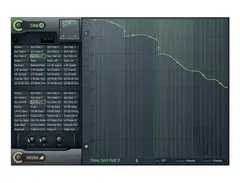
Step into the realm of dynamic sound manipulation with the Image Line Gross Beat, a versatile time and volume modulation plugin that's a treasure trove for musicians and producers alike. Whether you're aiming for real-time performance or intricate studio production, Gross Beat offers a palette of glitch, repeat, scratching, and stutter effects that will breathe new life into your tracks. This powerful tool stores audio in a 2-bar rolling buffer and is equipped with 36 user-definable time and volume envelopes, allowing you to sculpt sound with unparalleled precision.
Gross Beat isn't just about creating otherworldly effects; it's a strategic tool for performance artists. Seamlessly link time and volume presets to your MIDI controllers or automation sources, and watch your creativity unfold in real-time. Choose from momentary, return to base, or hold modes for each preset, giving you customized control over your performance flow. Plus, its gating capabilities make it an ideal candidate for achieving that signature side-chain pumping effect without the hassle of linking to an external audio source.
The Gross Beat has even graced the iconic Tron Legacy soundtrack by Daft Punk, showcasing its ability to anchor complex rhythmic structures. Whether you're a seasoned pro or an experimental novice, Gross Beat's intuitive interface and robust feature set will elevate your music production to new heights.
Key Features:
- Time and volume manipulation for real-time or rendered effects
- 2-bar rolling buffer with 36 user-definable envelopes
- MIDI and automation linking for dynamic performance control
- Supports momentary, return to base, and hold presets
- Built-in gating for side-chain effects without external linkage
Videos

In The Mix
Gross Beat Tutorial - Everything You Need To Know - FL Studio 20
Gross Beat Tutorial - Everything You Need To Know - FL Studio 20
In The Mix
FL STUDIO | Gross Beat

FL Studio
Tour of Image Line's Gross Beat VST

Mark Mosher
FL Studio Basics 21: Gross Beat

SeamlessR
How to use gross beat in FL Studio 20 Everything you need to know.

Warrior Sound - Unders
Image-Line Gross Beat: Application and Tips

MusicMarketingTV

Sidechaining with Image Line's Gross Beat
MusicMarketingTV
Image-Line's Gross Beat Explained
MusicMarketingTV
Reviews
PROS
-
Offers extensive control over time and volume manipulation
-
Excellent for creating glitchy effects and tape stops
-
Comes with a variety of useful and wild LFO preset shapes
-
Facilitates precise sidechaining with more control than traditional methods
-
Allows for creative volume manipulations with mouse-drawing capabilities
-
Seamlessly integrates with FL Studio, making it user-friendly for FL users
-
Can convert CV signals to MIDI, expanding its functionality with modern gear
-
Simplifies preset management by allowing drag-and-drop preset loading
-
Great for adding unique effects to kicks and soundscapes
-
Versatile for both complex and simple audio manipulation tasks
CONS
-
Limited to 4-beat loops, requiring automation for longer custom loops
-
Might not be the most pleasant effect for all users
Owner Insights
We analyzed real musician discussions from forums and Reddit to find what players love, question, and tweak about Image-Line Gross Beat.
Use cases and applications
-
Gross Beat is effectively used for glitch hop by routing kick and bass to a bus for glitch effects without altering mix progression.
Source -
Applying Gross Beat to drum loops can create unique cuts and variations, especially beneficial for genres like drum and bass or breakcore.
Source -
The plugin is popular for adding tape stop effects and gating, enhancing melodies and creating stuttery vocal effects common in house and techno.
Source -
Standalone Gross Beat purchase allows usage across multiple DAWs, unlike the Signature Edition upgrade, which restricts it to FL Studio.
Source -
Gross Beat can be used to manipulate playback time and volume, but requires automation for more complex implementations like turntable scratching.
Source
Features and functionality
-
Users often employ Gross Beat's tremolo presets on synths and sound effects to reduce predictability in repetitive patterns.
Source -
ShaperBox 3's external sidechain or envelope following features enable triggering effects based on song elements, enhancing track interconnectivity.
Source -
The built-in Oscilloscope in ShaperBox 3 can be used for checking phase cancellation, providing additional utility beyond Gross Beat's capabilities.
Source
Comparisons
-
Gross Beat is sometimes compared to ShaperBox, which provides more flexibility with grid-based design and simultaneous multi-effect processing.
Source -
MRhythmizer is suggested as a cheaper alternative to Gross Beat, providing similar functionalities at a lower price point.
Source -
ShaperBox 3 allows processing of lows, mids, and highs separately, offering more complex sound design compared to Gross Beat's all-or-nothing approach.
Source
Software and compatibility
-
FL Studio native versions of Gross Beat are only available directly from Image-Line, but third-party retailers offer serials that unlock both Native and VST versions.
Source -
dBlue Glitch, though unsupported and 32-bit only, offers a step sequencer for effect sequencing, which Gross Beat lacks.
Source
Value and pricing
Critic Reviews
4.5 out of 5
Based on 28 Reviews and 107 Ratings

41031
so fun
You can do some crazy volume manipulations by drawing with your mouse in gross beat... there are so many ways you can combine the dual volume LFO on board this thing and it even has some really useful or wild preset LFO shapes. This plugin is fantastic when you just want to get silly. Great for sidechain stuff too, though I seldom use it that way since I am very traditional and hardware oriented with 'normal' tasks like that. I should probably start using this effect for some more tame tasks, but whatever! Its a blast.
UPDATE:
I've been getting into using the scratching on this as well as the flanging lately.... all the time I love this guy ore and ore.... the control wheel becomes really fun if you use like your turntable with a junk record on it as a control voltage into something that takes CV to MIDI like a lot of the new school analog gear does. I love being able to turn anything into CV and send it to this guy over USB cable. Modern technology is a blast.

1606
Loving it
I have to say, I'm impressed. This effect is capable of a lot of stuff, and if you know what you're doing, you can sidechain with precision that's almost impossible to attain with more conventional methods. However, the plugin feels a little limited by the fact that it can only run in 4-beat loops, so if you want to customize your kick loops for anything longer than 1 bar, you'll have to automate a fair amount.
1606
It does take a minute or two to sidechain in this, so for leads or other synths where it doesn't need to be as precise, Kickstart is acceptable.

213
Tape-stop : OK
This is a great free plugin for FL users that do not have LFOTool or dBlue TapeStop. It isn't the best nor the most pleasant, however it does the job

118
My Main sidechain VST
This Plugin Is The Best Plugin for volume manipulation what i love about this plugin is that you can drag a preset file directly onto the plugin and it will open it making it easier than having to save it into a preset folder and messing arround with the plugins setting to import the presets

6892
Great for making glitch effects
If you want to have glitchy bits in your music, this is a must-have. The time manipulation is especially handy, and could probably make some sweet turntable sounds in the hands of someone who knew what they were doing (i.e.: not yours truly). Still, great VST from a great company.


252
Unusual.
Gives soundscapes some more life. Interesting plugin to say the least. Good for tape stops.


Artist usage
Add artist

Martin Garrix uses Gross Beat for sidechaining rather than relying on a compressor.

This video by Image-Line shows how the Gross Beat Time and Volume Manipulation Plugin was used on Daft Punk's track "Derezzed" from the TRON Legacy soundtrack.


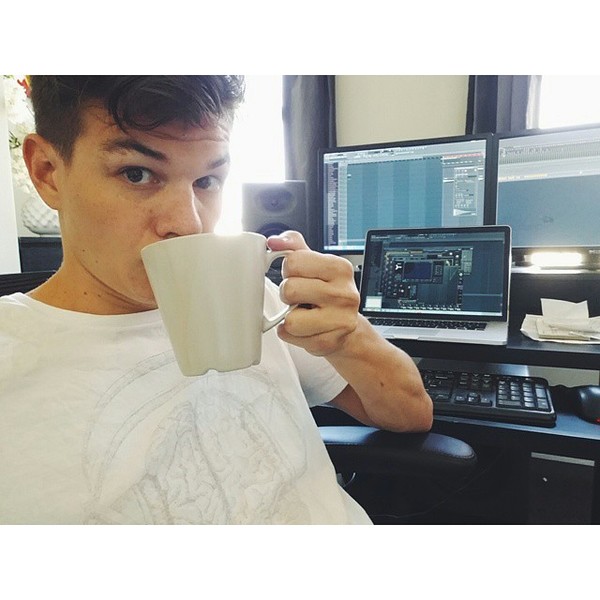
Afrojack posted this photo of his studio setup in which you can see at least three Gross Beat windows open on his laptop screen.

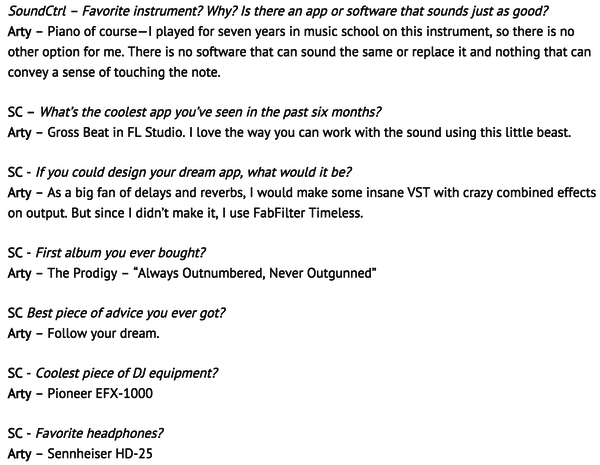
"SoundCtrl - What’s the coolest app you’ve seen in the past six months?
Arty - Gross Beat in FL Studio. I love the way you can work with the sound using this little beast."
Original article found here.


This photo of an FL Studio session shows that Bassjackers use Gross Beat plugin.


In this video jay hardway uses image line gross beat for sidechaining.



At 1:15:25 in this video, Savant uses Gross Beat to sidechain some white noise.



At 0:25 he uses Gross Beat to half the speed of a guitar.


Album Usage
The Image-Line Gross Beat has been featured on the following albums:

Frailty
Jane Remover (2021)
Wake Up (Radio Edit)
Jay Hardway (2015)
![Image-Line Gross Beat as heard on Derezzed [(From “TRON: Legacy”) [Avicii "So Amazing Mix"] [Feat. Negin]] by Daft Punk & Daft Punk (2014)](https://images.equipboard.com/uploads/album/image/59335/derezzed-from-tron-legacy-avicii-so-amazing-mix-feat-negin.jpg)
Derezzed [(From “TRON: Legacy”) [Avicii "So Amazing Mix"] [Feat. Negin]]
Daft Punk & Daft Punk (2014)
TRON: Legacy - The Complete Edition (Original Motion Picture Soundtrack)
Daft Punk & Daft Punk (2010)

TRON: Legacy
Daft Punk & Daft Punk (2010)
Genre Usage
Based on how artists on Equipboard use this gear, it is most commonly found in the following genres.
Used With
Based on how musicians on Equipboard use Image-Line Gross Beat, it is most commonly used with the following gear.
More Multi-Effect Plugins

$0.00
in Multi-Effect Plugins Rank


$12.00
in Multi-Effect Plugins Rank


$29.99 - $149.00
in Multi-Effect Plugins Rank

$85.00 - $89.00
in Multi-Effect Plugins Rank


$149.00
in Multi-Effect Plugins Rank


$99.00
in Multi-Effect Plugins Rank


$143.00 - $149.00
in Multi-Effect Plugins Rank


$99.00
in Multi-Effect Plugins Rank


$29.99 - $39.99
in Multi-Effect Plugins Rank
.jpeg?v=1784891088)


$29.99 - $65.00
in Multi-Effect Plugins Rank


$76.00 - $79.00
in Multi-Effect Plugins Rank


$29.00
in Multi-Effect Plugins Rank


$10.00 - $69.00
in Multi-Effect Plugins Rank


$63.00 - $69.00
in Multi-Effect Plugins Rank

$49.00 - $55.00
in Multi-Effect Plugins Rank

$79.00
in Multi-Effect Plugins Rank

$39.90
in Multi-Effect Plugins Rank

$36.00
in Multi-Effect Plugins Rank

-m.webp?v=1784620323)
$69.00
in Multi-Effect Plugins Rank
-m.webp?v=1784829361)

$63.00
in Multi-Effect Plugins Rank


$33.00 - $39.99
in Multi-Effect Plugins Rank


$12.50 - $50.00
in Multi-Effect Plugins Rank

$39.99 - $124.00
in Multi-Effect Plugins Rank
-m.webp?v=1784829361)
$79.00
in Multi-Effect Plugins Rank

$99.00
in Multi-Effect Plugins Rank


$39.99 - $149.00
in Multi-Effect Plugins Rank


$39.00 - $39.90
in Multi-Effect Plugins Rank

$0.00
in Multi-Effect Plugins Rank

$33.00 - $34.99
in Multi-Effect Plugins Rank


$99.99 - $299.99
in Multi-Effect Plugins Rank


$24.99 - $49.99
in Multi-Effect Plugins Rank


$15.00
in Multi-Effect Plugins Rank

$139.00 - $199.00
in Multi-Effect Plugins Rank

$49.00 - $50.00
in Multi-Effect Plugins Rank

$59.90
in Multi-Effect Plugins Rank


$9.00 - $79.00
in Multi-Effect Plugins Rank

$33.00 - $35.99
in Multi-Effect Plugins Rank


$59.90
in Multi-Effect Plugins Rank
Community setups


Similar


Gear Guides









Most Popular Multi-Effect Plugins
Most Popular Brands
-
Added to Equipboard on by
 equipboard
GearIQ 4934
-


