
Pricing and availability


* Product prices and availability are updated by Equipboard every 24hrs and are subject to change. Equipboard may receive compensation for purchases made at participating retailers linked on this site. This compensation does not affect what products or prices are displayed, or the order of prices listed. For more information, please refer to our affiliate disclosure.
Description
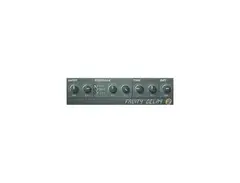
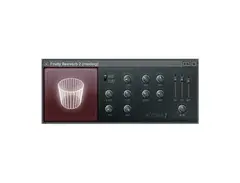
Unlock the power of creative echo effects with the Image Line Fruity Delay 2, a versatile delay plugin designed to enhance your musical productions. As part of Image Line's renowned suite of music software, Fruity Delay 2 offers a user-friendly interface with a range of adjustable parameters to suit various musical styles, from subtle ambient delays to intense rhythmic patterns. This plugin is perfect for producers looking to add depth and dimension to their tracks without overwhelming them with complexity.
The Fruity Delay 2 stands out with its modulation capabilities, allowing you to tweak the delay time, feedback, and cutoff frequencies with precision. The plugin also includes a built-in filter and panning options, enabling you to shape your sound and place it exactly where you want it in the stereo field. With its seamless integration into FL Studio, this plugin is ideal for both beginners and seasoned professionals who want to experiment with their soundscapes.
Key Features:
- Versatile delay effects for various musical styles
- User-friendly interface for easy navigation
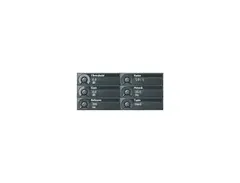
- Adjustable delay time, feedback, and cutoff frequencies
- Built-in filter and panning options
- Seamless integration with FL Studio
- Modulation capabilities for enhanced sound design
- Suitable for beginners and professionals alike
Videos

Beat School
FL Studio Tutorial- How to Use Fruity Delay 2
FL Studio Tutorial- How to Use Fruity Delay 2
Beat School
![Video thumbnail for Mono to Stereo with Fruity Delay 2 [Sancus] by Busy Works Beats](https://img.youtube.com/vi/rGLpJlM7lqc/mqdefault.jpg)
Mono to Stereo with Fruity Delay 2 [Sancus]

Busy Works Beats
Fl Studio's Fruity Delay 2 - How To Do The Ping Pong Effect

All One Pro Studio
The Basics of Fruity Delay 2 - FL Studio 20 Tutorial

LukiZ Music
Reviews
PROS
-
Low CPU usage for efficient performance
-
Includes step-sequencer-based tempo sync, ping pong, and reverse stereo
-
Features input control, input pan, and mix knob for versatile sound shaping
-
Allows subtle and intricate delay effects with stereo offset control
-
Suitable for creating unique swing feels with offset adjustments
-
Useful for adding pre-delay and ambiance without overpowering the mix
-
Compact, straightforward interface for easy navigation
CONS
-
Interface size may cause eye strain during extended use
Owner Insights
We analyzed real musician discussions from forums and Reddit to find what players love, question, and tweak about Image-Line Fruity Delay 2.
Features and functionality
-
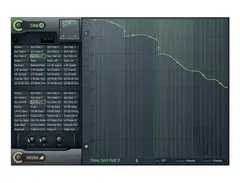
Delay 2's filter can decrease with every echo, creating a unique effect not easily replicated in Delay 3.
Source
Comparisons
-
Some users prefer Delay 2 for its simplicity over Delay 3, which is seen as trying to offer too many features.
Source
Software and compatibility
-
Delay 2 is noted for being CPU friendly, avoiding issues like strange saturation or limiting that might occur in other plugins.
Source
4.5 out of 5
Based on 5 Reviews and 23 Ratings

41028
serviceable FL native delay
this is my go-to basic delay.... serviceable digital repeats with a bare bones low pass, step-sequencer-based tempo sync, ping pong and reverse stereo... ya get an input control and input pan as well as the mix knob that the original fruity delay lacked (making it worthless as a send effect). Cute GUI, just wish it was bigger because it makes me squint when i'm tired. Use this when you need a low CPU hit. I tend to set up FL channels as sends with various mono, reverse stereo and ping pongs at different tempos that are minimally in the mix bus but hitting reverb sends and then route various tracks into the delays when I want a pre-delay and slight echo on the ambiance. I might have a whle mess of different delays to verb on some tracks to give subtle space and coolness and automate the amount its sending to each absed on whats goingon in the music so you get a different kind of delay and reverb pre-delay feel all through the track. I'm subtle so you'll listen to my music and not hear it but you would miss it if it was there. What I don't usually us this for is overt delay that hits the mix-bus hard. There's also a stereo offset control that's stepped in micro/miliseconds that you can use in ping pong. I find the stereo offset most useful to set up like a quarter note delay on one side and make the other side feel dotted. If you listen carefully you can get all sorts of swing feels off the offset side just by ear. Another decent meat and potatoes fruity effect. They do their ebst when they don't overdo it.


6892
Just a good VST
Not much to say about this one. It's just a pretty good plugin for adding delay.

Artist usage
Add artist

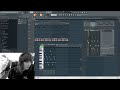
Here jay hardway used image line fruity delay 2 in making of his track 'wake up'. He used it several times for delaying.


In this picture he is working on fl studio using this plug-in


"And as I've said, I've put a delay on here...so that if I just hit one of these, we can hear that it echos off...so that when we play all these in succession, it gives the illusion of more samples by overlaying the previous bar I think." 06:08.

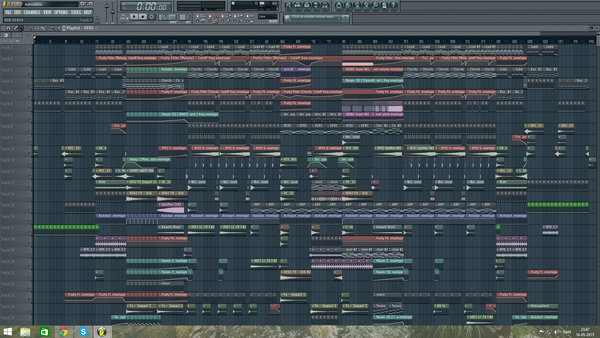
In this Facebook photo, one can see an automation line labelled Delay 2.

Album Usage
The Image-Line Fruity Delay 2 has been featured on the following albums:

Genre Usage
Based on how artists on Equipboard use this gear, it is most commonly found in the following genres.
Used With
Based on how musicians on Equipboard use Image-Line Fruity Delay 2, it is most commonly used with the following gear.



More Image-Line Delay Plugins

-m.webp?v=1784815476)
$69.00 - $199.00
in Delay Plugins Rank


$32.00 - $34.99
in Delay Plugins Rank


$139.00 - $149.00
in Delay Plugins Rank


.jpeg?v=1784733415)
-m.webp?v=1784785294)
$80.00 - $99.00
in Delay Plugins Rank
.jpg?v=1784733415)


$138.00 - $149.00
in Delay Plugins Rank


$29.99 - $30.00
in Delay Plugins Rank


$0.00 - $40.00
in Delay Plugins Rank


$19.00 - $89.00
in Delay Plugins Rank


$50.00 - $99.00
in Delay Plugins Rank


$0.00
in Delay Plugins Rank
-m.webp?v=1784455253)
$53.00 - $89.00
in Delay Plugins Rank

$30.00 - $50.00
in Delay Plugins Rank


$66.00 - $69.00
in Delay Plugins Rank

$29.99 - $34.99
in Delay Plugins Rank


$35.00
in Delay Plugins Rank


$25.00
in Delay Plugins Rank


$0.00
in Delay Plugins Rank

$99.00
in Delay Plugins Rank


$49.00
in Delay Plugins Rank


$63.00 - $69.00
in Delay Plugins Rank

$0.00
in Delay Plugins Rank


$42.00 - $49.00
in Delay Plugins Rank

Community setups


Similar


Gear Guides









Most Popular Delay Plugins
Most Popular Brands
-
Added to Equipboard on by
circuitmindGearIQ 454
-


