
Pricing and availability


* Product prices and availability are updated by Equipboard every 24hrs and are subject to change. Equipboard may receive compensation for purchases made at participating retailers linked on this site. This compensation does not affect what products or prices are displayed, or the order of prices listed. For more information, please refer to our affiliate disclosure.


Videos

LogicProHacks
Sustain Pedal Override - Fixing your Sustain w/ MidiPipe & Logic Pro
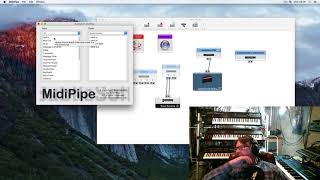
Sustain Pedal Override - Fixing your Sustain w/ MidiPipe & Logic Pro
LogicProHacks
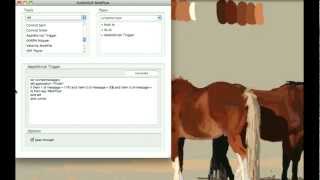
Controlling PhotoShop with a Korg NanoKontrol via midiPipe and AppleScripts

Jake Hebbert
how to control GP100 with any Midi controller by MIDIpipe

adrian mera olarte
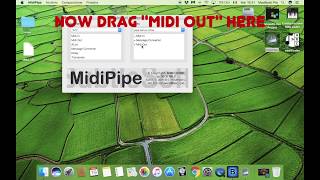
Irig Blueboard - On on message using MidiPipe (mac)

martino pini
Reviews
5.0 out of 5
Based on 1 Review and 1 Rating
127
A must have for mixed gear setup
What is it? It has couple of tricks under it's sleeves and you can mix and blend those as you need. I'm using the midi routing capability to route midi messages from one midi source to an other one without any limitation. Sources and destinations can be USB MIDI devices, regular 5 pin MIDI equipment or even any virtual MIDI devices defined in IAC. That is just the tip of the iceberg. Once an input received, you can apply various filters and transformations to the incoming data before you send it out. I'm heavily using these features receiving data from my RM1X (which serves as the main production hub). MIDI clock and transport messages coming from RM1X routed to the USB connected equipment (Novation Circuit, Modal Craft Rhythm) and they are happily slaving themselves to the master, starting and stopping their sequencers when start or stop button pressed on the RM1X. Well, that's not a big deal you might think, but there's more. RM1X can command equipment that is hooked onto it, but the chances are quite high that, you need to change at least the MIDI channel info, before the message hits the other equipment on the output. Sometimes you have to remove unwanted parts of the MIDI messages as well (RM1X very well known to spit out some MIDI gibberish, that can be overheard by external gears). Channel filter and message filter capabilities are here to save your life. I really don't know how anyone can live without this gem in a dawless setup. If you check my gear list, I can tell, that all of my MIDI equipment hooked up to RM1X and controlled perfectly. Combine MIDIPipe with PD (pure data) and you have not limits using your gears. Sure it requires some elbow grease and time to get familiar with it, but I can tell you, you'll not regret the time you invested into mastering this tool.
Artist usage
Add artist

Genre Usage
Based on how artists on Equipboard use this gear, it is most commonly found in the following genres.
More Virtual Patchbay Plugins

$95.00 - $104.10
in Virtual Patchbay Plugins Rank


$49.00
in Virtual Patchbay Plugins Rank


in Virtual Patchbay Plugins Rank


$399.00
in Virtual Patchbay Plugins Rank


Community setups


Similar


Most Popular Brands
-
Added to Equipboard on by
 debbands
GearIQ 340
-


