
Pricing and availability


* Product prices and availability are updated by Equipboard every 24hrs and are subject to change. Equipboard may receive compensation for purchases made at participating retailers linked on this site. This compensation does not affect what products or prices are displayed, or the order of prices listed. For more information, please refer to our affiliate disclosure.
Description
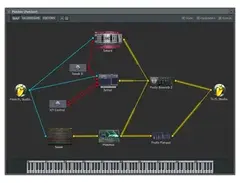
Unleash your creativity with the Image-Line Patcher, a versatile virtual patchbay plugin designed to transform your music production experience. Perfect for both budding musicians and seasoned producers, this software acts as a comprehensive hub for all your routing needs within your digital audio workstation (DAW). By enabling you to connect and control any combination of plugins, effects, and instruments, Patcher provides unparalleled flexibility and precision in crafting your unique soundscapes.
With its intuitive interface, the Patcher allows you to visually map out complex signal chains and create intricate audio effects with ease. Whether you're looking to layer multiple effects, split audio signals, or create custom routing configurations, this plugin handles it all. Its non-destructive workflow means you can experiment freely without losing your original settings, making it an ideal tool for those who love to push the boundaries of conventional music production.
Patcher also integrates seamlessly with other Image-Line products, offering a streamlined experience for users of the FL Studio ecosystem. Its compatibility extends across various VST-supported DAWs, ensuring that your creative process remains unhindered, no matter what platform you're using.
Key Features:
- Versatile virtual patchbay for flexible routing of plugins and effects
- Visually represents complex signal chains for easy management
- Non-destructive workflow for safe experimentation
- Seamless integration with Image-Line products, including FL Studio
- Compatible with VST-supported DAWs for broad accessibility
- Ideal for creating custom audio routing configurations and effects chains
Videos

Mix Elite | FL Studio Tips
3 Levels of Patcher - Everything You Need to Know & How to Use It | FL Studio Tutorial
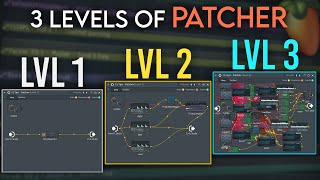
3 Levels of Patcher - Everything You Need to Know & How to Use It | FL Studio Tutorial
Mix Elite | FL Studio Tips
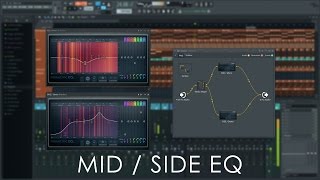
FL STUDIO Guru | MID / SIDE EQ With Patcher

FL Studio

FL Studio Guru | Introducing Patcher
FL Studio
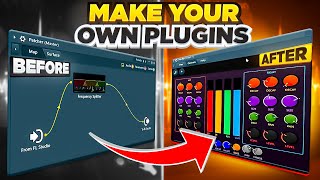
Make Your Plugins in FL Studio | Patcher Map & Design Tutorial
Mix Elite | FL Studio Tips
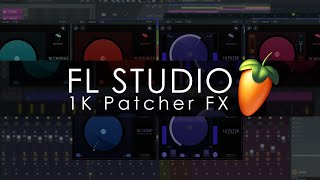
FL STUDIO | 1Knob Series Patcher FX Presets
FL Studio
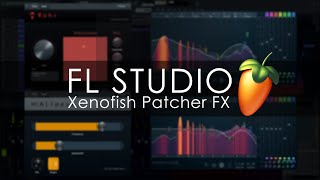
FL STUDIO | Xenofish Patcher FX Presets
FL Studio
![Video thumbnail for Missing Images: Plugin Database & Patcher | FL Studio Tutorial | [No BS Series #6] by JC Biffro](https://img.youtube.com/vi/NR7cStDrKrM/mqdefault.jpg)
Missing Images: Plugin Database & Patcher | FL Studio Tutorial | [No BS Series #6]

JC Biffro
Reviews
Owner Insights
We analyzed real musician discussions from forums and Reddit to find what players love, question, and tweak about Image-Line Patcher.
Features and functionality
-
Patcher allows for custom instrument layering by combining multiple synths with a single MIDI input, offering individual volume and filter controls.
Source -
Patcher enables the creation of a custom macro control window, allowing users to map multiple parameters for easier manipulation.
Source -
Patcher can be used to create a preset library that loads individual plugins with their presets, simplifying preset browsing without dragging each one into the channel rack.
Source
Use cases and applications
-
Patcher is commonly used for mid/side and multiband processing, enabling complex signal routing without the need for multiple mixer tracks.
Source -
It can be employed for automatic gain compensation when paired with Melda's MAGC plugin, though other DAWs like Ableton Live might not require Patcher for this.
Source -
While not a VST, Patcher presets can function as standalone plugins, leveraging a combination of plugins and surface controllers for unique sound design.
Source
Software and compatibility
-
Patcher facilitates creating custom patches that replicate famous plugins, such as the Sonnox Oxford Inflator, by allowing intricate effect and synth routing.
Source -
Patcher can be used to build an X-Y controller that links multiple parameters, such as LFO rate in Sytrus, which is not possible in its native interface.
Source -
Direct Wave can be used to sample presets, offering a way to save sounds for later use and potentially integrate these into Patcher for streamlined workflow.
Source
4.5 out of 5
Based on 2 Reviews and 11 Ratings

454
Absolutely perfect for more complicated sounds
This plugin is a must-have in my opinion. If I ever need to make a bandpass wobble bass, I make open up Patcher and throw on a Paramatreic EQ 2. Making a harsh FM Bass? Open Patcher, add Wave Shaper and Maximus.

Artist usage
Add artist


Genre Usage
Based on how artists on Equipboard use this gear, it is most commonly found in the following genres.
Used With
Based on how musicians on Equipboard use Image-Line Patcher, it is most commonly used with the following gear.
More Image-Line Virtual Patchbay Plugins


$95.00 - $104.10
in Virtual Patchbay Plugins Rank


$49.00
in Virtual Patchbay Plugins Rank


$399.00
in Virtual Patchbay Plugins Rank


Community setups


Similar


Most Popular Virtual Patchbay Plugins
Most Popular Brands
-
Added to Equipboard on by
 we_love_123
GearIQ 98
-


