

Pricing and availability
We compare 600+ stores and found this item at 1 store. Prices updated .
Store
Reviews
Price




* Product prices and availability are updated by Equipboard every 24hrs and are subject to change. Equipboard may receive compensation for purchases made at participating retailers linked on this site. This compensation does not affect what products or prices are displayed, or the order of prices listed. For more information, please refer to our affiliate disclosure.
Description
The Toshiba Satellite L755 is your gateway to a seamless music production experience, bridging the gap between cutting-edge technology and creative expression. With its 15.6" diagonal LED-backlit TruBrite® display, this laptop delivers vibrant visuals that make every detail of your work or play come alive. Whether you're recording, mixing, or simply enjoying your favorite tracks, the Satellite L755 has you covered with robust performance packed into a sleek design.
Unleash your creativity with the extra-large 4GB memory, perfect for running demanding digital audio workstations and music production software without a hitch. Store your vast music library, essential files, and high-resolution audio tracks effortlessly on the expansive 640GB hard drive. Stay connected with Wireless-N (802.11n) technology, ensuring high-speed, cable-free networking for seamless online collaboration with fellow musicians.
Capture inspiration on the fly with the built-in webcam and microphone, perfect for quick video calls or recording ideas. The integrated numeric keypad streamlines data entry, making it a breeze to manage your music files and projects. Plus, the HDMI port offers the versatility to share your latest creations on a bigger screen, making collaboration with bandmates or clients more engaging.
Key Features:
- 15.6" diagonal LED-backlit TruBrite® display
- 4GB memory for smooth multitasking
- 640GB hard drive for extensive storage
- Wireless-N (802.11n) for fast, reliable connectivity
- Built-in webcam and microphone for easy communication
- Integrated numeric keypad for efficient data entry
- HDMI port for easy connection to external displays
- Up to 5.7 hours of battery life
- Microsoft® Windows® 7 Home Premium 64-bit
Videos

How-FixIT
Toshiba Satellite L755, L750 Disassembly, Fan Cleaning and Thermal Paste Replacement
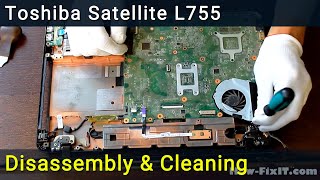
Toshiba Satellite L755, L750 Disassembly, Fan Cleaning and Thermal Paste Replacement
How-FixIT
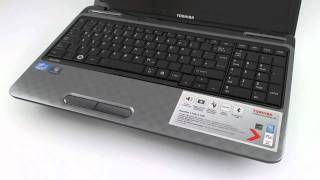
Toshiba Satellite L755 HD Video-Preview

NotebookcheckReviews

Toshiba Satellite L750/L755

Dynabook UK
First Look: Toshiba Satellite L755: just another boring laptop

CNET
Toshiba Satellite L755 (FULL REVIEW)

Youtube Account

Toshiba Satellite L755 & L755D
Dynabook UK
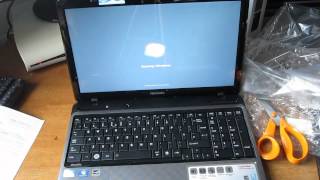
TOSHIBA SATELLITE L755

aljoin

How to upgrade toshiba satellite L755-167 from hdd to ssd #windows10 #toshiba #crucial #ssd

Nyocks Digitech Channel
Reviews
Owner Insights
We analyzed real musician discussions from forums and Reddit to find what players love, question, and tweak about Toshiba Satellite L755.
Mods and upgrades
-
Owners can upgrade the CPU, but note that the system's cooling isn't sufficient, leading to potential overheating issues.
Source
Software and compatibility
-
Users experiencing volume cutout issues should investigate and potentially reinstall or update the Conexant audio driver as a solution.
Source
Setup and maintenance
-
Continuous beeping at boot often indicates a RAM issue, with reseating or testing individual sticks recommended to identify faulty components or slots.
Source -
When troubleshooting beeping issues, swapping out the power supply is suggested as a potential, albeit less likely, fix for persistent boot problems.
Source
Features and functionality
-
A dead RAM socket can render one slot unusable, reducing the laptop's memory capacity and potentially affecting performance.
Source
3.0 out of 5
Based on 0 Reviews and 1 Rating
More Toshiba Computers & Peripherals

$165.90
in Computers & Peripherals Rank


$1,319.55
in Computers & Peripherals Rank


$69.59 - $79.00
in Computers & Peripherals Rank


$399.15 - $596.86
in Computers & Peripherals Rank


$134.00 - $249.99
in Computers & Peripherals Rank


$1,191.98 - $1,914.49
in Computers & Peripherals Rank


$54.99
in Computers & Peripherals Rank


$579.99 - $799.00
in Computers & Peripherals Rank


$83.83 - $99.00
in Computers & Peripherals Rank


$149.99 - $179.99
in Computers & Peripherals Rank

$109.99 - $129.99
in Computers & Peripherals Rank


$1,299.00
in Computers & Peripherals Rank


$149.99 - $191.00
in Computers & Peripherals Rank


$44.99 - $89.00
in Computers & Peripherals Rank


$389.00
in Computers & Peripherals Rank


$106.69
in Computers & Peripherals Rank


$91.08 - $179.99
in Computers & Peripherals Rank


$509.00 - $867.00
in Computers & Peripherals Rank

$649.99 - $919.99
in Computers & Peripherals Rank


$118.73 - $119.99
in Computers & Peripherals Rank


Artist usage


Community setups


Similar


Gear Guides






.jpg)
Most Popular Computers & Peripherals
Most Popular Brands
-
Added to Equipboard on by
RrcerqueiraGearIQ 61
-


