

Pricing and availability


* Product prices and availability are updated by Equipboard every 24hrs and are subject to change. Equipboard may receive compensation for purchases made at participating retailers linked on this site. This compensation does not affect what products or prices are displayed, or the order of prices listed. For more information, please refer to our affiliate disclosure.
Description
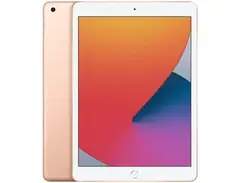
Transform your iOS device into a powerful control surface with the touchAble iOS Controller for Ableton Live. Designed to provide seamless integration with Ableton Live, this app puts every crucial function at your fingertips, allowing musicians and producers to enhance their workflow with ease. Whether you're on stage or in the studio, touchAble offers a comprehensive suite of features that make music production more intuitive and engaging.
The touchAble app offers an interactive interface that mirrors the functionality of Ableton Live, including clip launching, mixer controls, and device parameter adjustments. The controller supports multi-touch gestures, enabling you to manipulate multiple parameters simultaneously, providing a tactile and dynamic experience. With its customizable user interface, you can tailor the layout to fit your workflow perfectly, ensuring that every function you need is right where you want it.
touchAble is not just about control; it's about creativity. With features like XY pads, drum pads, and a piano keyboard, you can perform live and record your sessions directly within the app. The app allows for wireless connectivity, eliminating the need for cumbersome cables, and ensuring that your setup remains clean and efficient.
Key Features:
- Seamless integration with Ableton Live
- Interactive interface that mirrors Ableton Live's functionality
- Multi-touch gesture support for simultaneous parameter manipulation
- Customizable user interface for personalized workflow
- Includes XY pads, drum pads, and piano keyboard for live performance
- Wireless connectivity for a clutter-free setup
- Compatible with iOS devices, enhancing portability and convenience
Videos

TouchAble App
touchAble 3 - THE IOS controller for Ableton LIVE
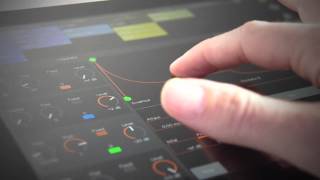
touchAble 3 - THE IOS controller for Ableton LIVE
TouchAble App
Reviews
Owner Insights
We analyzed real musician discussions from forums and Reddit to find what players love, question, and tweak about touchAble iOS Controller for Ableton Live.
Features and functionality
-
Touchable Pro allows full session view grid visibility, surpassing the 8x8 limitation of hardware like Push, enhancing workflow flexibility.
Source -
Touchable Pro's ability to run multiple instances on different iOS devices with asynchronous views offers expanded control options for users.
Source -
Touch screens allow for multi-touch controls, such as controlling multiple parameters with a single finger on an XY grid, offering a unique flexibility.
Source
Software and compatibility
-
USB connection is latency-free and stable, offering a better experience than WiFi, which is still usable for controlling Ableton Live.
Source -
The app's interface can appear cluttered, with some users finding the redesign intimidating, affecting usability and necessitating relearning.
Source -
The TouchAble Pro requires a free 'server' app on the Ableton computer, similar to other bridge apps like UBRIDGE, potentially sharing common setup issues.
Source -
Users report frequent software updates can disrupt functionality, requiring persistent troubleshooting to maintain stable operation.
Source
User experience
-
Users note frustration with connectivity, often requiring bridge app reinstallation to resolve issues, particularly when migrating systems.
Source -
Some users recall hearing that TouchAble's developer may not actively maintain the app, suggesting potential concerns for long-term workflow integration.
Source -
Some users find the lack of tactile feedback on touch surfaces less satisfying for performance compared to physical controllers with knobs and faders.
Source
Use cases and applications
-
Custom XY pads for modulating orchestral samples provide smoother control compared to physical faders or knobs, enhancing the creative process.
Source -
Touch interfaces can add custom labels to buttons, aiding users in identifying controls during performances, enhancing usability for complex setups.
Source
Comparisons
-
TouchOSC and MIDI Designer Pro offer customizable control layouts for Ableton, with TouchOSC having its own bridge app and MIDI Designer using rtpMIDI.
Source -
TouchOSC is highlighted as the most flexible and powerful option for those seeking granular control, outperforming other iPad controllers in customization potential.
Source
5.0 out of 5
Based on 1 Review and 14 Ratings
Artist usage
Add artist
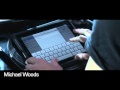
In this video, Michael Woods uses the touchAble app on his iPad to control Ableton Live. This video was filmed at London's Ministry of Sound. Michael Woods demonstrates how to setup the iPad and sync to a mac running an Ableton set. From the YouTube video description: "He then shows us around the touchAble interface, and explains why this is his preferred performance setup, allowing him complete freedom to produce and remix on the fly and take his club nights to new heights!"


Can be seen in the video and explained below: "the app in the ipad is called touchable. it's a controller for ableton. in my case i use it to start and stop the midi-loops coming from the computer. the set was recorded in provence, south of france?"


Genre Usage
Based on how artists on Equipboard use this gear, it is most commonly found in the following genres.
Used With
Based on how musicians on Equipboard use touchAble iOS Controller for Ableton Live, it is most commonly used with the following gear.




More Utility Plugins

$0.00
in Utility Plugins Rank

$34.99 - $39.99
in Utility Plugins Rank


$10.00
in Utility Plugins Rank


$49.00
in Utility Plugins Rank


$33.00 - $35.99
in Utility Plugins Rank


$19.00
in Utility Plugins Rank

in Utility Plugins Rank


$0.00
in Utility Plugins Rank


$0.00
in Utility Plugins Rank


$99.00
in Utility Plugins Rank


$199.00
in Utility Plugins Rank


$0.00 - $39.90
in Utility Plugins Rank

$0.00
in Utility Plugins Rank

$0.00
in Utility Plugins Rank


$0.00
in Utility Plugins Rank

$0.00 - $99.00
in Utility Plugins Rank


$39.00 - $258.47
in Utility Plugins Rank


$0.00
in Utility Plugins Rank


$29.99 - $39.99
in Utility Plugins Rank


$85.00 - $99.00
in Utility Plugins Rank

$0.00
in Utility Plugins Rank

$39.99 - $149.00
in Utility Plugins Rank


$79.00
in Utility Plugins Rank


$60.00 - $99.99
in Utility Plugins Rank
-m.webp?v=1783844408)


$48.00 - $50.00
in Utility Plugins Rank

$59.00 - $66.00
in Utility Plugins Rank

$24.99
in Utility Plugins Rank


Community setups


Similar


Most Popular Brands
-
Added to Equipboard on by
 modman
GearIQ 431
-


