

Pricing and availability
We compare 600+ stores and found this item at 4 stores. Prices updated .
Store
Reviews
Price


Price History
Based on price data from 4 merchants for "Waves SuperRack Performer". Prices shown reflect NEW condition. Tracking began Apr 2, 2026.
* Product prices and availability are updated by Equipboard every 24hrs and are subject to change. Equipboard may receive compensation for purchases made at participating retailers linked on this site. This compensation does not affect what products or prices are displayed, or the order of prices listed. For more information, please refer to our affiliate disclosure.
Description
Unleash your studio's sonic brilliance on stage with the Waves SuperRack Performer, an innovative plugin host that seamlessly integrates with any Core Audio or ASIO-compatible audio device. Whether you're a live sound engineer or a performing musician, this tool transforms your laptop into a powerhouse of sound processing, enabling you to run your favorite Waves and VST3 plugins without the need for additional hardware.
Optimized for live sound environments, SuperRack Performer offers a stable and reliable performance with minimal latency, allowing you to focus on delivering a flawless show. The ability to run up to 64 stereo plugin racks means you can manage entire plugin chains as you would in the studio, ensuring your live sound matches your carefully crafted recordings. With its intuitive interface, you can control multiple plugins simultaneously and recall snapshots on the fly using the free Waves mRecall app.
Whether you're solving venue-specific acoustic challenges or aiming to replicate the nuance of your studio sound onstage, the Waves SuperRack Performer gives you the tools needed to deliver exceptional live performances every time.
Key Features:
- Hosts Waves and VST3 plugins natively on Mac or PC
- Compatible with any Core Audio- or ASIO-compatible device
- Run up to 64 stereo plugin racks
- Streamlined for low-latency live sound applications
- Control multiple plugins simultaneously
- Remote snapshot recall with Waves mRecall app
- Use the same plugin chains as in your studio setup
- Stable and reliable for live shows with minimal latency
Product specs
| Software Type | Waves SuperRack Performer Plug-in Host |
| Platform | Mac, PC |
| Upgrade/Full | Full |
| Download/Boxed | Download |
| Bit Depth | 64-bit |
| Format | AudioSuite, Standalone |
| Hardware Requirements - Mac | Intel Core i7 or higher (M1 support), 8GB RAM minimum |
| Hardware Requirements - PC | Intel Core i5 / AMD Quad-core or higher (AVX required), 8GB RAM minimum |
| OS Requirements - Mac | macOS 13 or later |
| OS Requirements - PC | Windows 10 (22H2) or later |
FAQs
-
What platforms is Waves SuperRack Performer compatible with?
-
Waves SuperRack Performer is compatible with both Mac and PC platforms. It requires macOS 13 or later for Mac and Windows 10 (22H2) or later for PC.
-
Does Waves SuperRack Performer support M1 Macs?
-
Yes, Waves SuperRack Performer supports M1 Macs, provided that the Mac meets the minimum hardware requirements of an Intel Core i7 equivalent or higher and at least 8GB of RAM.
-
Can Waves SuperRack Performer be used as a standalone application?
-
Yes, Waves SuperRack Performer can function as a standalone application, making it suitable for live show use without needing a DAW.
-
What is the minimum buffer size for Waves SuperRack Performer?
-
The default minimum buffer size for Waves SuperRack Performer is 32 samples, which can be adjusted via the Clara E control panel if necessary.
-
What are the hardware requirements for running Waves SuperRack Performer on a PC?
-
To run Waves SuperRack Performer on a PC, you'll need an Intel Core i5 or AMD Quad-core processor or higher, AVX support, and a minimum of 8GB RAM.
Videos

Drew Brashler
Waves SuperRack Performer Setup with Behringer Wing
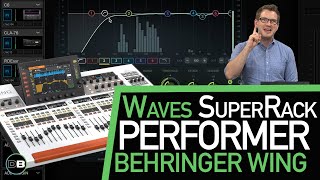
Waves SuperRack Performer Setup with Behringer Wing
Drew Brashler
Behringer WING Compact and Waves SuperRack Performer | How to use the External Insert
Drew Brashler
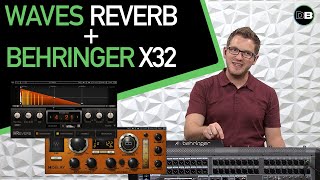
Waves H-Reverb on Behringer X32 and Waves SuperRack Performer
Drew Brashler
Waves SuperRack Performer on Main LR with Behringer Wing
Drew Brashler
Yamaha DM3 + Waves SuperRack Performer
Drew Brashler
Waves SuperRack Performer Latency with the Behringer Wing
Drew Brashler
Waves SuperRack Performer featuring Behringer WING - #AscensionTechTuesday - EP157

Ascension Worship - #TechTuesday
Using the PreSonus StudioLive 16 0 2 USB with Waves SuperRack Performer
Drew Brashler
Waves SuperRack Performer Latency Test - Ethernet VS USB / Mac Mini M4 VS MacBook Pro - EP180
Ascension Worship - #TechTuesday
Waves SuperRack Performer, Mac Mini M4, and Presonus Studio One 7!
Ascension Worship - #TechTuesday
Reviews
PROS
-
Access Waves' high-quality plugins without expensive hardware
-
Ideal for budget-conscious users needing robust outboard processing
-
Excellent stability and low latency with MacBook Pro M-series
-
Intuitive software design simplifies usage
-
Reliable performance with minimal CPU load on compatible systems
-
Affordable solution when paired with a subscription
-
Effective for mid-sized live or studio applications
-
Functions exceptionally well with digital mixers
CONS
-
Not suitable for large shows without a powerful PC
-
Noticeable latency issues when mixing monitors
-
App control unavailable for the Performer version
Owner Insights
We analyzed real musician discussions from forums and Reddit to find what players love, question, and tweak about Waves SuperRack Performer.
Use cases and applications
-
Owners of Live Professor utilize redundant setups with two Mac Minis and RME Digiface Dante interfaces for reliability during live performances.
Source -
Using a computer as a plugin host through a digital console like StudioLive or X32 Rack is more stable and practical for live performances.
Source -
For live performance, a powerful machine is necessary; budget setups might struggle with latency issues.
Source
Software and compatibility
-
SuperRack Performer users suggest using SAC on Windows with a dedicated machine for real-time audio, offering a more stable alternative for live mixing.
Source -
Live Professor supports LTC timecode and runs smoothly on M2 Mac Minis, achieving a latency of about 2.8ms with dLive at 96kHz.
Source -
A Mac with M1 Max can handle 32 channels at lowest latency with 1-5 plugins per channel, using about 60% CPU.
Source -
Running SuperRack Performer on a MacBook Pro with quad core i7 at low latency can cause processor overload, leading to clicks and drops.
Source
User experience
-
Attempting to run a full live mix on SuperRack Performer without a dedicated digital mixing console often leads to stability issues and potential crashes.
Source -
Some users report artifacts with SuperRack Performer but not with Logic, even under similar conditions.
Source -
Musicians may find monitor mixes strange due to latency; one user runs separate channels for monitor mix and front of house.
Source
Comparisons
-
The Behringer XR18 and Midas MR18 are recommended over the Focusrite 18i20 for better I/O and user interface, with the XR18 being cheaper yet more functional.
Source -
Live Professor is praised for superior cuelist and automation features, including MIDI and OSC support, compared to SuperRack Performer.
Source -
SuperRack Performer is optimized for low latency unlike Logic, which uses resources for unused processes.
Source
Features and functionality
-
SuperRack Performer is best used as a plugin host or insert point rather than a full mixing solution due to limited I/O control.
Source -
SuperRack Performer lacks channel faders and only includes six MIDI-controllable knobs, limiting its functionality as a standalone mixer.
Source -
SuperRack Performer, though limited to Waves plugins, is noted for a latency ceiling of around 15ms being acceptable for house sound but too high for IEM/monitors.
Source -
SuperRack Performer requires purchasing plugins separately; initial $99 only covers the host software.
Source
Critic Reviews
Based on 0 Reviews and 0 Ratings
More Waves Utility Plugins

$34.99 - $39.99
in Utility Plugins Rank


$33.00 - $35.99
in Utility Plugins Rank


$29.99 - $39.99
in Utility Plugins Rank


$34.99 - $149.00
in Utility Plugins Rank


$48.00 - $50.00
in Utility Plugins Rank

$24.99 - $29.99
in Utility Plugins Rank

$24.99
in Utility Plugins Rank


$477.00 - $599.00
in Utility Plugins Rank


$939.00 - $999.00
in Utility Plugins Rank

$37.00 - $39.99
in Utility Plugins Rank

$33.00 - $199.00
in Utility Plugins Rank

$29.99 - $34.99
in Utility Plugins Rank

$1,245.00 - $1,399.00
in Utility Plugins Rank

$1,533.00 - $1,699.00
in Utility Plugins Rank

$34.99 - $79.00
in Utility Plugins Rank

$33.00 - $34.99
in Utility Plugins Rank

$33.00 - $34.99
in Utility Plugins Rank


$99.99
in Utility Plugins Rank


$1,622.00 - $11,899.00


in Utility Plugins Rank


$0.00
in Utility Plugins Rank

$0.00 - $39.90
in Utility Plugins Rank


$99.00
in Utility Plugins Rank


$0.00 - $99.00
in Utility Plugins Rank

$0.00
in Utility Plugins Rank


$199.00
in Utility Plugins Rank


Accessories & Related Items


-s.webp?v=1783748662)


Artist usage


Community setups


Similar


Most Popular Utility Plugins
Most Popular Brands
-
Added to Equipboard on by
 equipboard
GearIQ 4934
-


