This page about Two Notes Torpedo Wall of Sound III is a stub. You can help improve it:


Pricing and availability


* Product prices and availability are updated by Equipboard every 24hrs and are subject to change. Equipboard may receive compensation for purchases made at participating retailers linked on this site. This compensation does not affect what products or prices are displayed, or the order of prices listed. For more information, please refer to our affiliate disclosure.
Description
Transform your guitar and bass tones into a rich, immersive audio experience with the Two Notes Torpedo Wall of Sound III. This revolutionary plugin is a must-have for musicians who crave the authenticity and depth of real amp and cabinet simulations without the hassle of a physical setup. Ideal for studio environments, it offers a comprehensive suite of tools to create stunningly realistic surround soundscapes.
The Wall of Sound III leverages Two Notes' proprietary DynIR technology, offering unparalleled cabinet emulation with a wide selection of meticulously captured cabinet models. With an intuitive interface, musicians can easily tweak their sound by adjusting microphone placement, room ambiance, and other parameters to suit any musical style. Whether you’re aiming for a vintage vibe or a modern punch, this plugin provides the flexibility and precision needed to craft your unique sound signature.
Designed for both novice and expert producers, the plugin integrates seamlessly with most DAWs, making it a versatile addition to your digital workflow. It supports up to eight simultaneous virtual cabinets, allowing for complex and layered sound designs that push creative boundaries. Dive into the world of professional-grade sound with the Two Notes Torpedo Wall of Sound III and elevate your music production to new heights.
Key Features:
- Two Notes DynIR technology for superior cabinet emulation
- Wide selection of cabinet models and microphone options
- User-friendly interface for easy sound customization
- Supports up to eight simultaneous virtual cabinets
- Seamless integration with most DAWs
- Adjustable microphone placement and room ambiance settings
- Ideal for creating realistic surround soundscapes
Videos

TwoNotesTV
Two notes Torpedo Wall of Sound - Quick-start Guide

Two notes Torpedo Wall of Sound - Quick-start Guide
TwoNotesTV
Reviews
Owner Insights
We analyzed real musician discussions from forums and Reddit to find what players love, question, and tweak about Two Notes Torpedo Wall of Sound III.
Features and functionality
-
The Wall of Sound's presets often start with too much reverb, requiring users to adjust the wet/dry knob for a better sound.
Source -
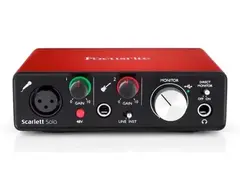
Focusrite interfaces have a front knob; turning it to "Playback" resolves DI signal issues when using the Two Notes plugin.
Source -
Running both Torpedo Remote and Wall of Sound simultaneously can lead to undesirable tones due to cascading speaker simulations.
Source
Comparisons
Software and compatibility
-
Users find the Celestion SpeakerMix plugin more effective than Wall of Sound for capturing familiar speaker tones like V30s and Greenbacks.
Source -
Muting the interface input to the output is necessary to prevent simultaneous DI and processed sound from playing with Wall of Sound.
Source -
The XLR output from the Revv D20 passes through the internal Torpedo cab sim; ensure this is considered when integrating with Wall of Sound in a DAW.
Source
Use cases and applications
-
The Wall of Sound is appreciated for the ability to record both a Two Notes IR and a dry track simultaneously, providing flexibility in the DAW.
Source -
Parallel processing by introducing the raw DI guitar into the mix can add thickness when using Wall of Sound.
Source -
The Revv D20's speaker output must connect to a load like a speaker cab or Torpedo Captor X to safely use Wall of Sound in a stereo setup.
Source
User experience
-
It's common to experience a learning curve with impulse responses; many users accumulate large libraries before finding what suits them best.
Source
Setup and maintenance
-
Ensure the hardware cab sim on the Captor is off and use a proper speaker cable from the amp's speaker out to the Captor.
Source -
Verify cable integrity and correct port connections; check that phantom power is on for optimal Two Notes Wall of Sound performance.
Source -
To avoid stacking IRs, the internal cab sim on the Revv D20 should be disabled when using the Wall of Sound plugin.
Source
5.0 out of 5
Based on 0 Reviews and 5 Ratings
Artist usage
Add artist

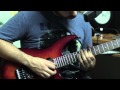
In a tweet made by Syu on October 7th he was seen using the Two Notes Wall of Sound software.


Glen has said many times on stream he uses this plugin in conjunction with the Captor Loadbox.

Genre Usage
Based on how artists on Equipboard use this gear, it is most commonly found in the following genres.
Used With
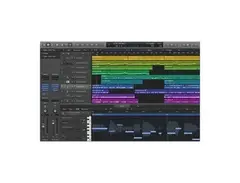
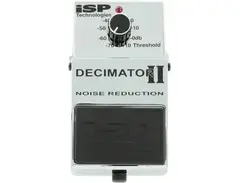
Based on how musicians on Equipboard use Two Notes Torpedo Wall of Sound III, it is most commonly used with the following gear.





More Surround Tools Plugins

$37.00 - $40.00
in Surround Tools Plugins Rank

$37.00 - $39.99
in Surround Tools Plugins Rank


$99.00 - $123.00
in Surround Tools Plugins Rank


$299.00
in Surround Tools Plugins Rank


$59.00 - $79.00
in Surround Tools Plugins Rank


Community setups


Similar


Gear Guides









Most Popular Surround Tools Plugins
Most Popular Brands
-
Added to Equipboard on by
 grensan
GearIQ 214
-


