

Pricing and availability
We compare 600+ stores and found this item at 3 stores. Prices updated .


Price History
Based on price data from 3 merchants for "Waves COSMOS Sample Finder". Prices shown reflect NEW condition. Tracking began Apr 2, 2026.
* Product prices and availability are updated by Equipboard every 24hrs and are subject to change. Equipboard may receive compensation for purchases made at participating retailers linked on this site. This compensation does not affect what products or prices are displayed, or the order of prices listed. For more information, please refer to our affiliate disclosure.
Description
Discover the ultimate solution for effortless sample management with the Waves COSMOS Sample Finder. This innovative utility plugin and standalone app uses AI-powered technology to revolutionize the way you locate, organize, and utilize your audio samples. Whether you're a seasoned producer or just starting out, COSMOS leverages a sophisticated neural networks engine to automatically analyze and tag your samples by instrument, timbre, style, key, BPM, and more, making it easier than ever to find the perfect sound for your track.
Forget the days of sifting through cryptically named files; simply input your desired characteristics, and watch as COSMOS delivers exactly what you're looking for. Need a lush pad in G minor at 90 BPM? COSMOS has you covered. With three intuitive views—waveform, list, and the unique “cluster” view—you can navigate your samples like never before. Plus, with over 2,500 royalty-free samples included, you'll never be short of inspiration.
Whether you're building a personal library or curating specific collections for a project, COSMOS lets you create favorites and grouped lists with ease. Compatible with WAV, AIF, OGG, and FLAC file types, and fully integrated with the Waves CR8 sampler, it's a tool designed to enhance your creative workflow dramatically.
Key Features:
- AI-powered sorting and auto-tagging of samples on your hard drive
- Over 2,500 included royalty-free samples
- Sorts by instrument, key, BPM, and other sonic characteristics
- 3 user-friendly views: waveform, list, and COSMOS “cluster” view
- Quick sample location and rediscovery of forgotten gems
- Create favorites and group collections for specific projects
- Compatible with WAV, AIF, OGG, and FLAC files
- Use as a standalone app or within the Waves CR8 sampler
- Powered by Waves Neural Networks technology
Product specs
| Software Type | Sample Finder |
| Platform | Mac, PC |
| Upgrade/Full | Full |
| Download/Boxed | Download |
| Bit Depth | 64-bit |
| Plug-in Formats | Standalone, AAX, AU, VST |
| Additional Compatibility | AudioSuite |
| Hardware Requirements - Mac | Intel Core i5 or higher (M1 support), 8GB RAM minimum |
| Hardware Requirements - PC | Intel Core i5 / AMD Quad-core or higher, 8GB RAM minimum |
| OS Requirements - Mac | macOS 13 or later |
| OS Requirements - PC | Windows 10 (22H2) or later |
FAQs
-
What is the primary function of the Waves COSMOS Sample Finder?
-
The Waves COSMOS Sample Finder is designed to help users organize, categorize, and locate audio samples efficiently within their digital audio workspace, enhancing workflow and creativity.
-
Is the Waves COSMOS Sample Finder compatible with my DAW?
-
Yes, the Waves COSMOS Sample Finder is compatible with most major DAWs, as it supports standalone, AAX, AU, VST, and AudioSuite plug-in formats.
-
What are the system requirements for running Waves COSMOS Sample Finder on a Mac?
-
To run Waves COSMOS Sample Finder on a Mac, you need macOS 13 or later, an Intel Core i5 processor or higher (M1 support included), and a minimum of 8GB RAM.
-
Can I use the Waves COSMOS Sample Finder on a Windows PC?
-
Yes, the Waves COSMOS Sample Finder is compatible with Windows PCs running Windows 10 (22H2) or later, requiring an Intel Core i5 or AMD Quad-core processor and at least 8GB of RAM.
-
Does the Waves COSMOS Sample Finder work with AI to find samples?
-
The Waves COSMOS Sample Finder uses advanced algorithms to organize and locate samples, though it does not specifically mention AI functionality like other sample search platforms.
Videos

Waves Audio
Waves COSMOS AI-Powered Sample Finder
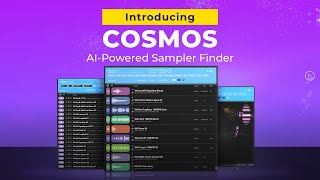
Waves COSMOS AI-Powered Sample Finder
Waves Audio
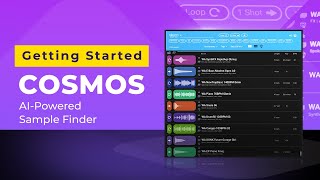
How to Find Your Samples with Waves COSMOS
Waves Audio
Waves Cosmos is free...BUT WAIT!

Sanjay C
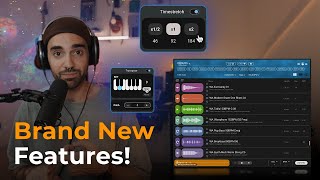
Waves COSMOS Sample Finder just got WAY better!
Waves Audio
Reviews
Owner Insights
We analyzed real musician discussions from forums and Reddit to find what players love, question, and tweak about Waves COSMOS Sample Finder.
Features and functionality
-
COSMOS struggles with deeply nested folders; scanning issues reported when samples are buried in subdirectories with long pathnames.
Source -
Users appreciate that COSMOS can auto-tag user-imported sample collections, significantly aiding organization despite some limitations in its scanning capabilities.
Source -
COSMOS offers seamless integration with the Waves CR8 sampler, allowing one-click sample loading along with metadata, enhancing the user experience for those using both tools.
Source
Software and compatibility
-
Users with lighter systems experience significant resource usage; COSMOS can consume up to 80% CPU, affecting overall system performance.
Source -
Some users report persistent issues with COSMOS incorrectly identifying sample folder changes, triggering unnecessary rescans and resource usage, impacting workflow efficiency.
Source
User experience
-
High-end systems handle COSMOS better, but it still fails to start reliably, requiring multiple attempts to connect to the Waves database.
Source -
Some users find reinstalling COSMOS necessary to resolve scanning failures for new sample folders, indicating potential reliability issues.
Source -
Users express dissatisfaction with COSMOS repeatedly forgetting scanned data, causing inefficiencies for those with large, well-organized libraries due to frequent rescans.
Source
Comparisons
-
Alternatives like ADSR Sample Manager and XLN XO are recommended for better functionality without the extensive resource demands of COSMOS.
Source
Based on 0 Reviews and 0 Ratings
More Waves Utility Plugins

$34.99 - $39.99
in Utility Plugins Rank


$33.00 - $35.99
in Utility Plugins Rank


$85.00 - $99.00
in Utility Plugins Rank

$29.99 - $39.99
in Utility Plugins Rank


$34.99 - $149.00
in Utility Plugins Rank


$48.00 - $50.00
in Utility Plugins Rank

$24.99
in Utility Plugins Rank


$477.00 - $599.00
in Utility Plugins Rank


$939.00 - $999.00
in Utility Plugins Rank

$37.00 - $39.99
in Utility Plugins Rank

$33.00 - $199.00
in Utility Plugins Rank

$29.99 - $34.99
in Utility Plugins Rank

$1,245.00 - $1,399.00
in Utility Plugins Rank

$1,533.00 - $1,699.00
in Utility Plugins Rank

$34.99 - $79.00
in Utility Plugins Rank

$33.00 - $34.99
in Utility Plugins Rank

$33.00 - $34.99
in Utility Plugins Rank


$99.99
in Utility Plugins Rank


$1,622.00 - $11,899.00


in Utility Plugins Rank


$0.00
in Utility Plugins Rank

$0.00 - $39.90
in Utility Plugins Rank


$99.00
in Utility Plugins Rank


$0.00 - $99.00
in Utility Plugins Rank

$0.00
in Utility Plugins Rank


$199.00
in Utility Plugins Rank


Accessories & Related Items


Artist usage


Community setups


Similar


Most Popular Utility Plugins
Most Popular Brands
-
Added to Equipboard on by
 equipboard
Gear IQ 4934
-


