
Pricing and availability


* Product prices and availability are updated by Equipboard every 24hrs and are subject to change. Equipboard may receive compensation for purchases made at participating retailers linked on this site. This compensation does not affect what products or prices are displayed, or the order of prices listed. For more information, please refer to our affiliate disclosure.
Description
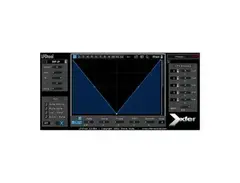
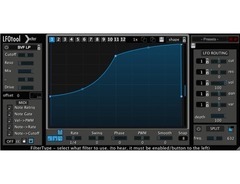
The Xfer Records LFOTool is a versatile plugin designed to inject dynamic modulation into your music production. As a highly efficient modulator, it offers an array of customizable LFOs to shape your sounds with precision. Whether you're looking to add rhythmic gating, tremolo, or intricate filter sweeps, the LFOTool is equipped to handle it all with ease. This plugin is particularly well-suited for electronic music producers seeking to enhance their tracks with complex movement and texture.
LFOTool is compatible with all major digital audio workstations (DAWs) that support VST or AU plugins. It features an intuitive interface that allows for straightforward manipulation of parameters, making it accessible for both beginners and seasoned producers. The plugin's low CPU usage ensures that your system performs smoothly, even when multiple instances of LFOTool are running in your project.
With the LFOTool, you can draw your custom waveforms or choose from a wide selection of presets. The MIDI-learn functionality and the automation-ready design make it simple to integrate into any workflow, allowing you to focus on the creative process without technical distractions.
Key Features:
- Customizable LFO shapes and user-drawn waveforms
- Compatible with VST and AU plugin formats
- Low CPU usage for efficient performance
- MIDI learn and automation-ready
- Wide range of presets and modulation capabilities
- Suitable for rhythmic gating, tremolo, and filter sweeps
- Intuitive interface for easy parameter manipulation
Product specs
| Plugin Format | AU, VST |
Videos

Sonic Academy
How to use Xfer's LFO Tool
How to use Xfer's LFO Tool
Sonic Academy
LFOTool

XferRecords
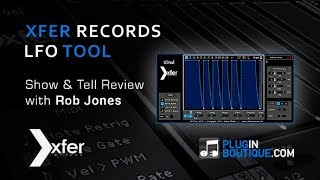
Xfer Records LFOTool custom LFO shaper Plugin Tutorial With Rob Jones

Plugin Boutique
How to sidechain with LFOTool

Oversampled
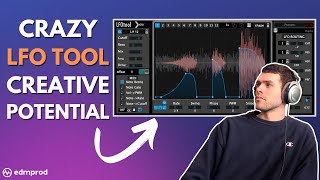
How to Use LFO Tool: Unlocking its Full Creative Potential

EDMProd

10 Next Level Tricks with LFOTool

Hyperbits
Xfer Records LFOTool Tutorial - Entire Playlist In One Video

SadowickProduction
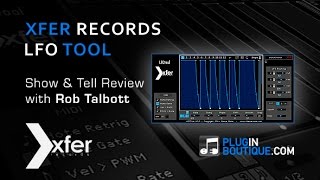
LFO Tool From Xfer Records - Show & Tell With Rob Talbott
Plugin Boutique
Reviews
PROS
-
Versatile for sidechaining and offers extensive modulation options
-
Simplifies complex tasks like sidechaining without bus routing
-
Offers a wide range of LFO shapes for creative sound design
-
Includes useful trance gate and panning effects
-
CPU-friendly, ensuring smooth performance during production
-
Compatible with various music genres, from EDM to dubstep
-
Comes with a variety of presets for quick access
-
Allows MIDI note triggering for precise modulation control
-
Highly recommended by both beginners and professionals
-
Great value for the depth of features it offers
CONS
-
Some users experience click noise with steep sidechain settings
-
Learning curve might be steep without exploring its full potential
-
Interface could be more user-friendly for beginners
Owner Insights
We analyzed real musician discussions from forums and Reddit to find what players love, question, and tweak about Xfer Records LFOTool.
Comparisons
-
Users find Serum's LFO more versatile than LFO Tool, allowing waveform saving and broader parameter mapping. Shaperbox is noted for latency issues in Ableton.
Source -
For broader modulation beyond volume, users might prefer Ableton's LFO.amxd device or Max for Live options over LFOTool.
Source -
Several users prefer Devious Machines' Duck for its broader feature set and lower price compared to LFO Tool.
Source
Use cases and applications
-
LFO Tool is appreciated for sound design, particularly in shifting through filters, rather than just volume automation.
Source -
An effective workaround in Ableton involves using an audio effect rack with two chains, one with LFOTool and effects, the other empty.
Source -
Users appreciate its multi-band sidechain capability, allowing precise ducking of specific frequency ranges, such as only the lows on a bassline.
Source -
The plugin is favored for its MIDI trigger input, which synchronizes volume shaping to kick rolls, enhancing dynamic control.
Source
Features and functionality
-
Ableton's native Shaper allows custom LFO shapes but lacks waveform saving, requiring users to save presets as separate device instances.
Source -
LFOTool can be used as a ducker, modulating only volume and gate, which differs from true LFO modulation.
Source -
LFO Tool includes a built-in oscilloscope, making it easier to visually dial in dynamics and compression settings.
Source -
LFO Tool supports stacking multiple LFOs and includes Serum filters and panning, expanding its use beyond simple volume modulation.
Source
Software and compatibility
Value and pricing
-
Some users argue that LFO Tool's $40 price is justified by its comprehensive feature set, despite the availability of cheaper alternatives.
Source
4.5 out of 5
Based on 31 Reviews and 207 Ratings

73
Every Producer needs to use this for EDM
This is essential for producing tracks with the air tight sidechain compression most EDM comes with these days. So many applications for this.

1463
NOICE!!!
this is best sidechain plugin you can get! some people just use it on 4/4 beats sidechaining but you can you on various genres by using midi note trigger option! , there's a secret tip from me :) go ahead and try it !!!

Another No Brainer...Every Producer should have this!
This is a MUST have! The only reason it doesn't have 5 stars is because I get a click noise sometimes if the side chain is too steep. However its usually a quick fix and well worth it

290
great sound manipulation tool
Good tool for creating the bounce edm loves so much. However it is definitely a more than meets the eye product. There's a lot of flexibility here -- it's not just restricted to side-chaining. There are lfo options, panning or whatever ya need really. Like all of Xfer's stuff, It is definitely worth the price of admission. So very much worth it.

170
best vst for transients
simple device with great potential. You can change the volume of the sound and it does it better than other plug-ins that I have tried, and you can use it as an effect to get a unique sound.


Artist usage
Add artist

In an episode of Tape Notes, Drew Taggart of The Chainsmokers confirmed the use of Xfer Records LFOTool on the guitars in their song "If You're Serious," as discussed in detail during their exploration of the track's Ableton session.


At this masterclass session at ACM (Academy of Contemporary Music), Zomboy pulls up Xfer LFO Tool Plugin on the screen (0:37 into the video) to demonstrate how he sidechains.
He goes into some detail as to how he uses and gives a couple demos: "...It's literally only dropping out for about... 1/32 drop. But you can also change it to make it like your classic sidechain. I love the fact that this isn't affecting the audio at all. It's literally acting as a volume tool. You're not compressing it, you're not coloring it, you're not shaping it in any other way other than literally just using it as a volume automation... I don't use compression sidechain anymore now, I just rely on this [Xfer LFO Tool Plugin] completely. It's also not just good for that, it's a good filter, you can like... you can do some crazy stuff with it. It's a filter as well as everything else. Quite cool!



In the high resolution version of this image 3LAU shared on Facebook, you can see the LFOTool plugin on the bottom left.


Virtual Riot can be seen using a Xfer LFO Tool at 4:27:22 of this video.


"Also LFO Tool is our go to sidechaining plugin. We love it because it is so consistent every time. The problem with sidechain compressors is that some of the time you will actually get distortion from the compressor depending on how it’s set, or what the key signal is. Sometimes you want that distortion, but it’s really nice to have something that is transparent and produces the perfect ducking curve every single time."
.jpg?v=1783082401)
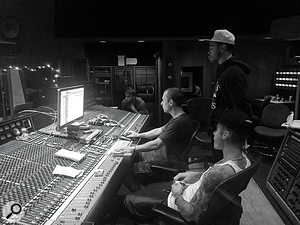
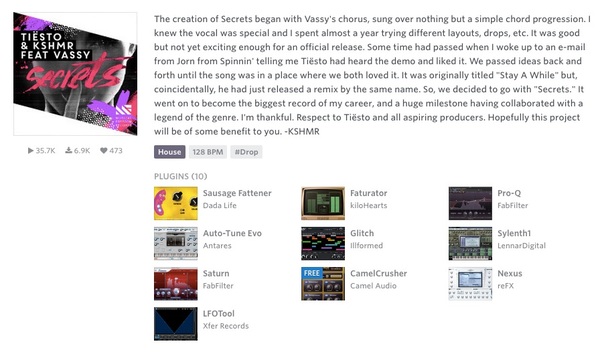
Used on "Purpose", as stated by Purpose mix engineers Josh Gudwin and Andrew Wuepper in this May 2016 Sound on Sound interview about the mixing of the title track and others.
Gudwin picks out a few other interesting tracks, beginning with a vocal track named ‘vcls’. “That track contains a vocal sample that Blood made of Justin’s vocal. I’m just touching that with the LFO Tool for a bit of pumping, I take out some high frequencies with the Pro-Q 2, and then use the SoundToys Microshift for a slight pitch-shift/chorusing effect. ‘Sry1V’ below that is the vinyl sound in the track. ‘$JBU’ is the main lead vocal bus, on which I have the UAD 1176, Waves De-Esser, Manley Massive Passive, Metric Halo Channel Strip. The sends are to the generic aux tracks at the bottom of the sesion: verb, ping-pong delay, Dimension D. Below the lead vocal bus is the print track of a Bricasti outboard.”
Wuepper: “There are two tracks called ‘Bric’ around the main vocal bus; the one above is the print from the Bricasti effect that was used on the percussion, and the one below is the print of the Bricasti reverb on the vocal. Next are Josh’s vocal delays. Putting delays on audio snippets [ie. copying short vocal clips to new tracks and applying delays as inserts, rather than automating a send from the main vocal track] is a pretty interesting way of doing things. I’ve not seen anyone else do this, but it makes it easier for Josh to manipulate these delays and to go deeper into the effect. He can really fine tune the delay times and decay lengths and so on. Sometimes the feedback you get with plug-ins can act a little weird, and this approach allows him to have more control.”
Gudwin: “The five green tracks are all vocal throws and delays. I don’t like to automate delay throws via aux tracks. The top green track is the master track for the delays, ‘JB Throw All’, and it has a compressor and an SPL Vitalizer. The ‘1147’ delay track has the UAD Cooper Time Cube, with a quick ping-pong-y flutter delay that I use to widen, and the track called ‘1167’ has a basic eighth-note delay from the Echo Boy. The ‘A’ insert is Auto-Tune, but it’s not working on these tracks. When needed, our vocal tuning is normally done by Chris ‘Tek’ O’Ryan in Melodyne. I sometimes do it myself, if I have the time do it, in the stand-alone version.
“The blue vocal tracks below the vocal delay tracks are the main lead vocal comp tracks, and on many of them I have the UAD SSL Channel Strip, UAD LA-2A, and the Waves C6 multiband compressor, and sometimes also the Pro-Q 2 EQ. The ‘DLYP’ track has a delay pan effect, with the SoundToys Primal Tap delay and Panman auto-panner, SSL Channel Strip and the P&M Vinylizer. ‘White’ and ‘Master’ are printed reverbs recorded in two rooms at Henson. They are my main plug-in vocal reverbs, and the green tracks below are pitched with the Elastic Audio X-Form [in Pro Tools] and effected with the Waves H-Compressor for a pumping effect. I pitched the reverbs up an octave or two, and I mixed them in very low. The ‘PCM’ and ‘PC1’ tracks are prints from ping-pong delays from the Lexicon PCM42 outboard.
“Justin’s backing vocal tracks all go to the group track called ‘JBG1’, on which I have a Waves De-esser, an SSL Channel and the C6 multiband compressor, plus there are a number of delays and reverbs via the sends. Trevon’s backing vocals all go to ‘JBTR’, which has similar effects. I wanted to fill the song up a bit more, and sometimes it’s not the most enjoyable process for an artist to sing all these background parts. Plus a different vocalist will add a different texture to the song, as long as it complements the lead vocal and the record. As I mentioned, Julia added her vocals during the final mix in New York, and her group track also has the De-esser, SSl Channel and C6. Right at the bottom are some effects tracks, with the Dimension D and group delay throws, and so on.
(...) 'Love Yourself'
(...) Next are Justin’s vocals, with I overdubbed in New York. Almost all the regular vocal tracks have the UAD SSL Channel, LA2 and the Waves C6 multiband compressor. These three plug-ins work great on his vocals, so I tend to stick with them. Each of the vocal tracks has slightly different settings from them. They all go to Justin’s lead vocal bus above them, which has the FabFilter Pro-DS de-esser and the Pro-2 EQ. Justin’s lead vocals also go through the Bricasti, and the effect is printed. My own four backing vocals went through a vocal bus on which I had the SSL Channel, and a compressor, but they didn’t do much, nor did the sends. These vocals are very much in the background, I just wanted to add some texture really quickly. Finally, at the top of the session everything went through a Master track, on which I had the UAD SSL channel, mainly for compression set to mid-attack and auto-release — without drums you don’t need the slow attack and quick release — a Massey EQ, boosting 100Hz and 16kHz, a FabFilter Pro-L for level, and the Sonnox Oxford Inflator to add some sheen.”
'What Do You Mean?'
(...) “There were a few more complicated vocal effects, like the ‘JG FX’ track, on which I used the Vitalizer doing some spatial expanding, a UAD Fatso to thicken it up, and I then cut some low mids with an EQ, and used a de-esser. This effect track gave more depth to the vocal and made him sound more like an angel! Underneath that are two ‘Radio’ tracks [which sound like they could have come straight from Peter Gabriel’s ’80s Fairlight experiments]. I used Auto-Tune to pitch the vocals up, and then put on a SoundToys AlterBoy, which changed the formant, and then I’m filtering 350Hz and below.
“Below the ‘radio’ tracks are all my vocal delay tracks, in green as usual, with the bus for all delay throws at the top. One delay track, ‘Splaater’, is a flutter delay with Auto-Tune and the Cooper Time Cube, and the other two have the Waves H-Delay and SoundToys Echo Boy. They’re both quarter-note delays, but with different feels. Below the delay tracks are some ad lib tracks, and all the actual lead vocals, pulled out over several tracks. Most of them have my regular trio of UAD SSL Channel, LA2 and Waves C6 plug-ins, and all vocals are sent to the ‘JB Buss’, on which I have the FabFilter DS de-esser, a Manley EQ doing light cuts at 330Hz, 560Hz and 3kHz, and then a whole bunch of sends to my regular aux tracks at the bottom: a hall reverb, a plate reverb, a light quarter-inch delay, a light ping-pong delay and a Dimension D.
“Further down are four Justin backing vocal tracks, which go to a bus above them, ‘JBG1’, on which I have the SSL Channel, boosting highs and cutting lows and doing some heavy compression, a UAD 33609 compressor, and then the Waves Enigma [phaser/flanger] on a Mutron setting, adding some sweeping sounds. The sends are once again hall and plate reverbs, a quarter-note and a ping-pong delay and a UAD Roland Dimension D. Once Justin had decided to go with my rough mix, I spent another half hour on it, doing some EQ adjustments, and that was it.”


In the YouTube video at 20:38 Sub Focus can be seen using Xfer LFO Tool for his track "Solar System".

In this YouTube video at 6:53, Markus talks about the Xfer LFO plugin & how he uses it.


Gareth Emery uses the Xfer LFO Tool on the left side of his screen at the 3:03 mark in this video.


Album Usage
The Xfer Records LFOTool has been featured on the following albums:
Exciting New Sound
Will Sparks (2020)
All I Need (with Mahalia & Ty Dolla $ign)
TYDOLLA$IGN & Jacob Collier & Mahalia & Ty Dolla $ign (2020)
Djesse Vol. 3
Jacob Collier (2020)
Ex Machina
Metrik (2020)

Quiet Games
Ariza (2020)

Gravity
Metrik (2019)
Solar System / Siren
Sub Focus (2019)
How Does It Feel
M-22 (2018)
C.Y.M
Jordan Suckley (2018)

Axis
Trivecta (2018)

Sober
Cat Dealers (2017)

The Chasm (Ben Walter and Satellite Empire Remix)
Crystal Skies (2017)
![Xfer Records LFOTool as heard on Fractures (Trivecta Remix) [feat. Nevve] by Trivecta & Illenium (2017)](https://images.equipboard.com/uploads/album/image/269262/fractures-trivecta-remix-feat-nevve.jpg)
Fractures (Trivecta Remix) [feat. Nevve]
Trivecta & Illenium (2017)
Internet Streets EP
Barely alive (2014)
Beast
Borgeous & Thomas Gold (2014)

Remember
Thomas Gold (2013)
Genre Usage
Based on how artists on Equipboard use this gear, it is most commonly found in the following genres.
Used With
Based on how musicians on Equipboard use Xfer Records LFOTool, it is most commonly used with the following gear.





Similar
Add recommendation1 alternative for Xfer Records LFOTool, curated by the Equipboard community.

More Xfer Records Modulator Plugins

$6.00 - $7.37
in Modulator Plugins Rank

$66.00 - $75.00
in Modulator Plugins Rank


$99.00
in Modulator Plugins Rank


$63.00 - $159.00
in Modulator Plugins Rank


$24.90 - $59.00
in Modulator Plugins Rank


$19.00 - $39.00
in Modulator Plugins Rank

$96.00 - $99.00
in Modulator Plugins Rank

$29.99 - $30.00
in Modulator Plugins Rank


$35.00
in Modulator Plugins Rank


$99.00
in Modulator Plugins Rank

$140.00 - $169.00
in Modulator Plugins Rank

$99.00
in Modulator Plugins Rank

-m.webp?v=1782372911)

$29.00 - $159.00
in Modulator Plugins Rank

$0.00
in Modulator Plugins Rank


$260.00 - $279.00
in Modulator Plugins Rank

$79.00
in Modulator Plugins Rank


$49.00 - $99.00
in Modulator Plugins Rank


in Modulator Plugins Rank

$49.00
in Modulator Plugins Rank


Community setups


Most Popular Modulator Plugins
Most Popular Brands
-
Added to Equipboard on by
 equipboard
Gear IQ 4934
-


