Tom Cosm
Tom Cosm's Gear
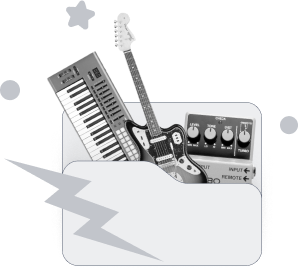


Proof of Tom Cosm using the Novation Launch Control XL on Facebook. He says:
Modified my live performance rig again with the two Novation Launch Kontrols... they control all my levels and sends in factory mode, and all my effect parameters in user made. The Launchpads trigger 128 different dummy clips, and the Push for mad over the top synth solos. All I need is better cable management!
Find it on:


Tom Cosm uses Ableton Live, as shown in a photo on his official Facebook page.
Find it on:


Tom Cosm is shown using an Apple MacBook Pro in a photo posted on his official Facebook page.
Find it on:


Tom Cosm is seen using the Ableton Push in a photo shared on his official Facebook page.
Find it on:

Tom Cosm is shown using the Novation Launchpad USB MIDI Controller for Ableton Live in a photo on his Facebook page.
Find it on:


Tom Cosm is shown using the Korg Monotron Analog Ribbon Synthesizer in a photo he posted on his Facebook page.
Find it on:

Tom Cosm uses the Korg Monotron DUO Analog Ribbon Synthesizer, as shown in a photo on his Facebook page.
Find it on:

Tom Cosm is shown using the Korg Monotron DELAY Analog Ribbon Synthesizer in a photo he posted on his Facebook page.
Find it on:

Tom Cosm is seen using the Korg Volca Sample in a photo on his official Facebook page.
Find it on:



Tom Cosm is seen using the Korg Mini Kaoss Pad 2 in a photo on his official Facebook page.
Find it on:
-m.webp?v=1784315388)
Tom Cosm is shown using the Korg Volca Beats drum machine in a photo on his official Facebook page.
Find it on:


Tom Cosm is shown using the u-he Hive Software Synthesizer in a photo he posted on his Facebook page.
Find it on:


Tom Cosm is shown using the Xfer Serum Advanced Wavetable Synthesizer in a photo shared on his official Facebook page.
Find it on:


Tom Cosm uses the DJ Tech Tools Midi Fighter 3D, as shown in a photo he shared on his Facebook page.
Find it on:



Tom Cosm is shown using an Apple iPad in a photo posted on his official Facebook page.
Find it on:

Tom Cosm uses the Korg microKONTROL, as shown in a photo he posted on his Facebook page.
Find it on:

Tom Cosm is shown using the Novation ZeRO SL MkII in a photo on his Facebook page.
Find it on:

Tom Cosm uses the PreSonus AudioBox USB 2x2 Audio Recording Interface, as shown in a photo he shared on his Facebook page.
Find it on:

Tom Cosm is seen using an Apple Magic Mouse in a photo on his Facebook page.
Find it on:
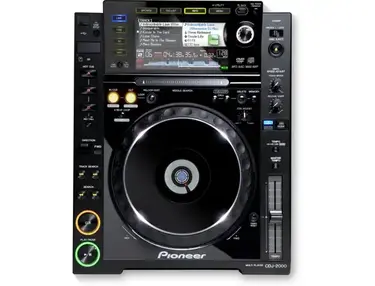
Tom Cosm uses two Pioneer CDJ-2000's when preforming on stage.
Find it on:

Tom Cosm is shown using a Lemur MIDI controller in a photo posted on his official Facebook page.
Find it on:

Tom Cosm uses the Novation X-Station 25, as shown in a photo on his official Facebook page.
Find it on:

Tom Cosm uses his Vestax VCM-600 USB Midi Controller for live performances.
Find it on:

Tom Cosm is shown using the Allen & Heath Xone:62 DJ mixer in a photo posted on his official Facebook page.
Find it on:

Tom Cosm is shown using Skullcandy Hesh 2 Over Ear Headphones in a Facebook post from his official page.
Find it on:

In this video, Tom Cosm (who is technical director and co-founder of Telepathic Instruments) talks about the Telepathic Instruments Orchid.
Tom introduces the video as a compilation of his favorite Orchid features, previously discussed in unlisted AMAs. He emphasizes the ongoing development of the Orchid and encourages viewer feedback.
Next Tom explains how Key Mode restricts notes to a specific scale, demonstrated with E flat minor. He highlights the use of Performance Mode within Key Mode, showcasing features like Strum, Slop, and Harp.
Tom demonstrates Loop Mode, explaining how to record and overdub loops. He discusses the importance of viewer feedback in shaping the development of Loop Mode.
He then discusses the ongoing improvements to Orchid's sound quality, including new patches, presets, and a mastering chain. He highlights the difference in sound between speaker and headphone output.
Next he demonstrates Orchid's MIDI integration with Ableton Live, showcasing how to control external instruments and effects using Orchid.
Finally Tom expresses his excitement about Orchid and encourages viewers to join the "Garden" community to provide feedback.
Find it on:
This is a community-built gear list for Tom Cosm.
- Find relevant music gear like Studio Equipment, Software Plugins and VSTs, Headphones, and other instruments and add it to Tom Cosm.
- The best places to look for gear usage are typically on the artist's social media, YouTube, live performance images, and interviews.
- To receive email updates when Tom Cosm is seen with new gear, follow the artist.
-
Added to Equipboard on by
 cautionfriday
GearIQ 2381
-
Updated
Discography
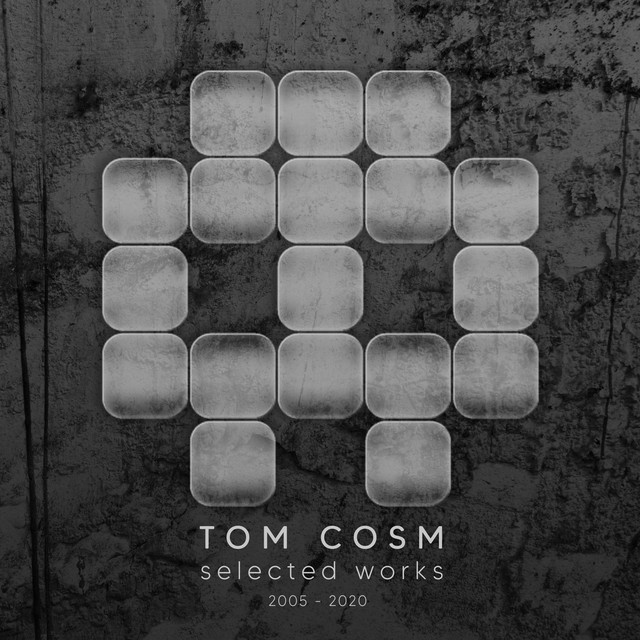
Album Credits
-
Mr. Bill · 2013
Mixing Engineer Producer