
Pricing and availability
We compare 600+ stores and found this item at 1 store. Prices updated .
Store
Reviews
Price




Average Price: $250
Standard/Professional
$99
$300+
Price Tier
Budget
Standard
High-end
* Product prices and availability are updated by Equipboard every 24hrs and are subject to change. Equipboard may receive compensation for purchases made at participating retailers linked on this site. This compensation does not affect what products or prices are displayed, or the order of prices listed. For more information, please refer to our affiliate disclosure.
Description
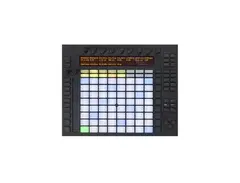
Revel in the art of making music with the Ableton Push, a game-changing tool designed for the modern electronic music maestro. This innovative device boasts 64 velocity-sensitive pads, each one finely tuned for both aftertouch and assigning to samples in Ableton Live. The Ableton Push is not just a controller, it's your personal orchestra conductor, capable of arranging and editing songs and beats in real-time. The onboard encoders and touchstrip give you full control over various sound parameters, while its strategically placed buttons ensure seamless navigation and composition. All you need is a laptop, Ableton Live, and a dash of creativity, and the Ableton Push will help you shatter the barriers of music creation.
Key Features:
- 64 velocity- and aftertouch-sensitive pads assignable to samples in Ableton Live
- Capable of real-time arranging and editing of songs and beats
- On-board encoders and touchstrip for controlling different sound parameters
- Buttons for easy navigation and composition
- Pairs with Ableton Live software for a complete music creation experience
Product specs
| Brand | Ableton |
| Model | Push Controller |
| Finish | Black |
| Year | 2013 - 2014 |
| Categories | Pad MIDI Controllers |
| MIDI I/O | USB MIDI |
| Number of Pads | 64 Pads |
FAQs
-
Is Ableton Push compatible with other DAWs besides Ableton Live?
-
While Ableton Push is designed specifically for seamless integration with Ableton Live, it can be used as a generic MIDI controller with other DAWs. However, users will not have access to its full functionality and intuitive workflow outside of Ableton Live.
-
How does the Ableton Push enhance music production workflow?
-
Ableton Push allows for hands-on control over melody, harmony, beats, and samples, making it easier to create and edit music without constantly switching back to a computer screen. Its 64-pad grid and intuitive layout streamline the music-making process, especially for live performance and studio production.
-
Can Ableton Push be used for live performances?
-
Yes, Ableton Push is highly suitable for live performances. Its robust build, responsive pads, and integrated control over Ableton Live make it an excellent tool for dynamic, real-time music creation and manipulation on stage.
-
What kind of connectivity does Ableton Push offer?
-
Ableton Push connects via USB MIDI, making it compatible with most computers and setups that support USB devices. This ensures a straightforward setup process and reliable communication with your DAW.
-
Does Ableton Push require a computer to function?
-
Yes, Ableton Push requires a computer running Ableton Live to fully utilize its features. It acts as a powerful extension of the software, providing tactile control over your music production environment.
Videos

DJ TechTools
Ableton Push: Review and First Look with Mad Zach
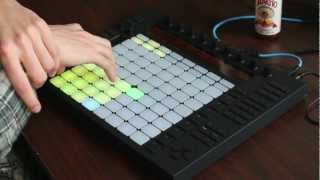
Ableton Push: Review and First Look with Mad Zach
DJ TechTools
Reviews
PROS
-
Deep integration with Ableton Live enhances workflow
-
Intuitive layout facilitates creativity and live performance
-
Enables composition without looking at a computer screen
-
Features like scale locking simplify music theory for producers
-
Versatile control over Live's clip view, effects, and more
-
Portable with bus power, great for mobile setups
-
Expands creative possibilities with session view control
-
Supports a hands-on approach to music production and performance
-
Pads offer excellent responsiveness for finger drumming and playing chords
-
High-quality, robust build designed for durability
CONS
-
Limited functionality with third-party VSTs and samples
-
Heavier and bulkier compared to some MIDI controllers, challenging portability
-
Screen and visual feedback might be lacking compared to newer models
-
Requires significant setup for optimal use with third-party plugins
-
Not as useful for linear track arrangement or traditional DAW tasks
-
May not fit all production styles, particularly for those not using Ableton Live
-
Attention from TSA when traveling, due to its unique appearance and build
-
Some users report hardware issues like sticky pads or unresponsive buttons
-
Learning curve can be steep for new users
-
Lag/delay issues reported, possibly related to computer performance
Owner Insights
We analyzed real musician discussions from forums and Reddit to find what players love, question, and tweak about Ableton Push.
Features and functionality
Comparisons
Mods and upgrades
-
Isotonik Instruments' Follow Scene XL m4l device can be used to play scenes in order, enhancing song-building capabilities in Push 3 Standalone.
Source
User experience
Setup and maintenance
-
Users typically monitor audio through a mixer to avoid latency issues when controlling multiple MIDI channels.
Source
Value and pricing
-
The recent price drop to $1500 is seen as a significant incentive, with some users expressing regret for purchasing at the original price.
Source -
Push 2 is seen as a robust option at $300 due to its integration with Ableton, with prices potentially increasing as demand shifts post-Push 3 release.
Source
Critic Reviews
4.5 out of 5
Based on 59 Reviews and 290 Ratings

Ableton Push (1st Gen) – Solid Concept, Room to Grow
The first-generation Ableton Push was a bold step into hardware for Ableton, offering deep integration with Live and a new way to make music without staring at a screen. While it laid the foundation for future greatness, it wasn’t without its quirks.
🎹 Workflow Integration: Push brought a refreshing hands-on experience to Ableton Live. Step sequencing, drum programming, and melodic input felt intuitive, especially with scale and chord modes.
💡 Design & Build: Sturdy and sleek, with responsive pads and a clean layout. However, the display was limited, and navigating menus could feel clunky compared to later models.
🎛️ Limitations: Lack of velocity-sensitive encoders, no standalone capability, and slower responsiveness in some areas made it feel tethered to the computer more than truly independent.
🔄 Learning Curve: While powerful, it wasn’t always beginner-friendly. Some features required digging into Live’s settings, and the lack of visual feedback made complex tasks harder.
🚀 Legacy: It paved the way for Push 2 and 3, which refined the concept dramatically. Still, for its time, it was a game-changer.
In short, the original Push was a promising start—great for committed Ableton users, but not quite the seamless experience it would later become.
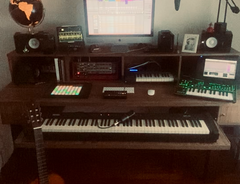

'Pushes' the creative process, unlocks a new level of composition in relation to Ableton Live
Although i have yet to get my hands on the Ableton Push 2, the control that this hardware provides over ableton's live clip view is astonishing. The limitations on this device truly are the artist's creativity; one can use it merely to trigger pre-programmed clips to form a continuous set of bliss, then you add/alter effects on the separate clips you have. When you are prepared to step up your live performance game, you can 'play' drum beats, basslines, melodies, chords, hell, even ambient underground subway noises, either as a one-off or to create a new looped clip via the recording function.
I have enjoyed this piece not explicity, but primarily due to how it allows you to truly rediscover the format of creativity in relation to live performance. I would start with a single idea, perhaps a melody or chord on a heavily-reverbed piano, and after 20 minutes of adding and taking away musical ideas, would come to an end (more often than not this is difficult). The pathway taken would be confusing yet incredible, and recording this live creative process using audacity has allowed me to end up producing fully-fledged tracks from a mere 20 minute creative brainstorm.
When using this, you may behave shyly to it, sticking to what you know will work. Don't. Allow yourself to go down rabbit holes, and you will understand the degree of focus this can allow one to access in relation to producing either raw ideas or complete sets.
If thinking of purchasing this, i would recommend seriously building up a bank of audio loops and midi instruments in Ableton Live, as this only broadens the possibilities.
I have only ever had one issue with this piece, although i would say it is more to do with the actual laptop i use to run Ableton Live on, and this is lag/delay from pushing a button to getting a response. Quantize can aid as a doctor to this if it becomes an immediate issue, but it is something to bear in mind if you find yourself to be frustrated by a supposed lack of timing or feedback.

533
Well build controller for Ableton Live session view
The Ableton Push is a very beautifully built controller that works very well , but for me, Push did not fit my way of working.
Push is meant to control the session view. If you write and/or record tracks linearly in the arrange view, you'll probably find Push to be rather limited.
Support for the native plugins and library is great in Push. With 3rd party plugins and sounds not so much. So if you depend on a lot of 3rd party plugins and or sample libraries, then Push will probably fall short of your expectations.
But I must say I've learned a lot since I sold Push. I've been creating music on Elektron Digitakt (dawless) for a while now, and that has changed my mind about Push. I do think that Push can be great if you approach it like a hardware groove box and stay within the limitations of what it is supposed to do.

2822
Super fun tool
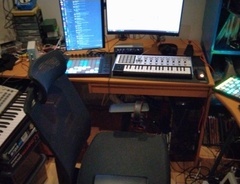
It's a super fun tool, you can do tons of stuff with it. I haven't tried the Push 2 nor 3 yet, have to see if it's better, but I got it for quite cheap, and it's really worth-it, and it works well. Though, it can be replaced with a Launchpad with the extension Launchpad95

238
Push is a unique instrument made just for Ableton
I love this controller. Not only is it beautiful but it is extremely robust. Most controllers feel light weight, cheap and very plastic. Everything about this controller is designed so you never have to touch your computer. You can move between tracks easily, play instruments, and step sequence drums. It is nice to be able to step away from the computer/mouse and be hands on with sounds and playing.
The Push buttons have a really nice elasticity which is nice for finger drumming. You can quickly load sound packs without ever looking at your computer. Session view allows you to launch scenes and note view allows you to step sequence and play patterns. The touch strip on the side allows you to scroll through drums racks and also pitch bend. Instrument mode allows you to pick the key and scale that you're in so you will never be out of key.
One thing to keep in mind is that you have to manually configure other plugins (like Sylenth1 and Massive) to control effect parameters which is really easy to do but it just takes time to set it up. Another thing to be aware of is that when traveling with Push it gets a lot of attention from TSA. Be ready to be pulled to the side and questioned about this controller. It is also a bit heavy so maybe invest in a roller bag when you are traveling. The push controller + your laptop along with other things in your back pack makes for a heavy load. I have the Magma Riot back pack which fits Push and your laptop but it is heavy and is awfully uncomfortable trying to carry. The straps are poorly constructed.

46
El cuerpo "físico" de Ableton Live
En mi opinión Push es perfecto para: secuenciar baterías o pistas rítmicas, búsqueda de melodías, jamming e interpretación en directo. Ampliable vía "User" con scripts de terceros, que la complementan muy bien. Para mezcla, producción y masterización no es útil. Físicamente es un dispositivo robusto, calidad tremenda de knobs y pads. Los botones se podrían mejorar. Para mi es incluso superior a Push 2 (a no ser que uses mucho los sampleados y hagas mucho slicing).
Add so much Fun !
Ratings: Cost: 4 Versatility: 5 Sound: pay attention: no sound from it! Ease of use: 5
I have it since 4 years, and i us it more and more. Is my way to go for programming drums. The step edit is powerfull, work with notes. Hands on for cange parameters on Ableton instrument / fx . For launch clips and adjust volume i prefer use the akai apc40 not so immediate with this. if u usually make music for hours.... this one is good for step away from the monitor

136
The best interface for Ableton
As a guitarist, the isometric layout of the Push just makes sense for forming chords. The scales feature, sequencer, finger drumming, are all a joy. In the past I had some various midi controllers from novation and m-audio, and with Ableton, they are a joke in comparison. If you are serious about producing with Ableton without a question you WILL own a Push. They shouldn't sell the software without it!

186
Versatile and perfect when partnered with Ableton.
Ableton Push has beenone of my must-haves for ages. now I finally have one I have realised what I've been missing out on. perfect for use with ableton [obviously] and the visual feedback is a great help. plus having a screen making it 10x better than the launchpad. Bus power is the icing on the cake for me...

126
a seamless extension of live for faster music production
I went to a demonstration of Ableton's Push, and was immediately impressed by just how well it's integrated with Live. It's not just pretty lights, but a physical extension of Live, giving you the ability to do things a lot faster.
Artist usage
Add artist

In the documentary "This Was Tomorrow," at the 1-hour, 8-minute, and 24-second mark, Armin Van Buuren is seen using the Ableton Push, highlighting its role in his music production.

.jpg)
In this Instagram pic posted by David Guetta Nov 2014, his gear setup can be seen consisting of two Ableton Push controllers, hooked up to what looks to be a MacBook Pro (more than likely a generation or two old MacBook Pro, since it seems to have two USB ports next to each other on the left side). The MacBook pro is running Ableton Live. The photo is captioned, "Trying to get ready for the live version of dangerous on TV"

FlyLo posted this Vine of him using the Push as a surface to play other sound toys on. Nevertheless, he has this to say in an interview with Electronic Musician Magazine on his recording of "You're Dead":
"And one of the reasons I like Ableton’s Push controller is it has a real inviting Star Trek vibe to it, so anybody who knows a little bit about production feels comfortable quickly and can get on it in conjunction with whatever I’m doing.”
Here's another picture of FlyLo's studio with an Ableton Push on his desk.

.jpg)
In this photo from Bonobo's Instagram, the Ableton Push can be seen lit up and to his right side as he works in Ableton Live.

.jpg)
"Pushing it. #Ableton #LinkinPark2013"


Richie Hawtin can be seen using the Ableton Push during his set at Kappa FuturFestival. Even more interesting is that he appears to be using the Ableton Live-focused controller in conjunction with Native Instruments' Traktor.


In this vid, he uses the ableton push to launch the scenes of the vocal samples


"wow having a LOT of fun with this @ableton push controller"


as seen in this post from June 8, 2022


In this Instagram picture, one can see Mac Miller using the Ableton Push controller with the caption 'hey thats me making a beat.'

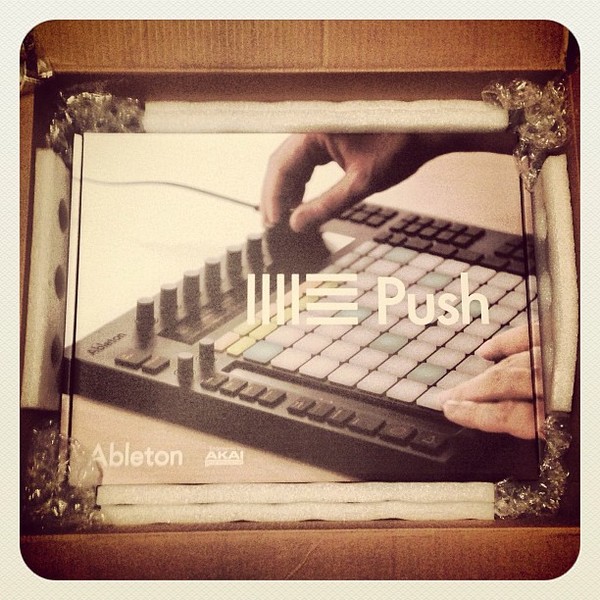
Album Usage
The Ableton Push has been featured on the following albums:


Genre Usage
Based on how artists on Equipboard use this gear, it is most commonly found in the following genres.
Used With
Based on how musicians on Equipboard use Ableton Push, it is most commonly used with the following gear.

-s.webp?v=1784473034)

-s.webp?v=1784473039)
-s.webp?v=1784333212)

Community setups
Show yours


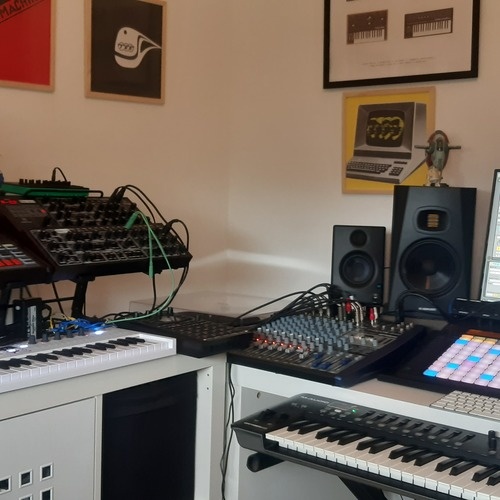


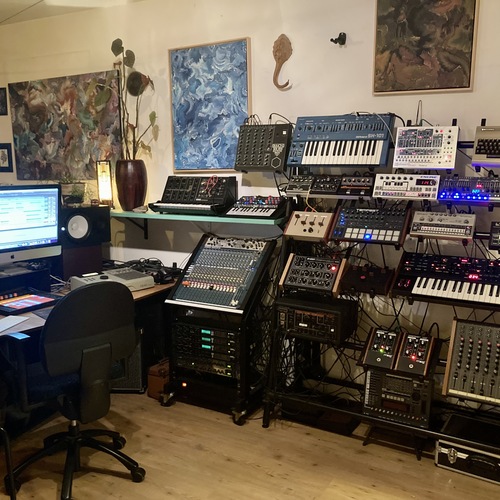
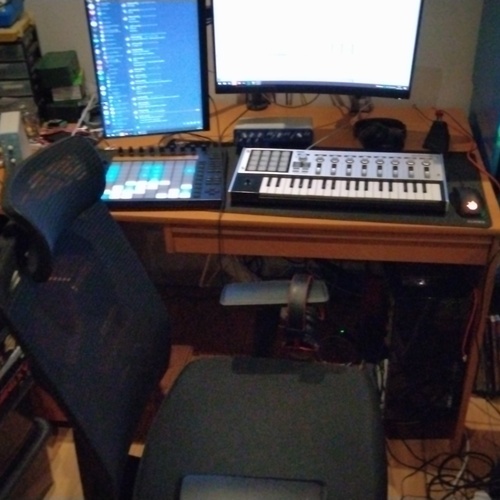
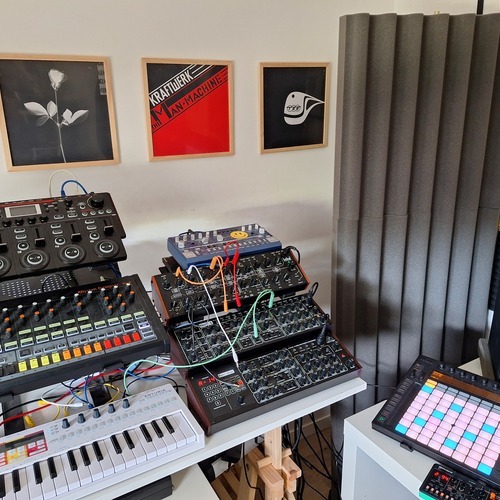


Similar
Add recommendation3 alternative and related items for Ableton Push, curated by the Equipboard community.
-m.webp?v=1784473267)
$101.41 - $799.00

$477.23
Ableton Live is a full blown DAW, whereas the Native Instruments Maschine Software is (much) more limited. However, Push does not support every feature in Live, which makes it comparable to NI Maschine in terms of what you can achieve just using the controller.
Personally I prefer NI Maschine, because it integrates perfectly with Komplete and it feels more like a hardware groovebox to me. I found myself looking a lot less at the computerscreen when using it, compared to Push.

Launchpad95 is an Ableton plugin that add a lot of features to your Launchpad, and a lot of feature that the Ableton Push 1 have, such as a good scene management, drumming, sequencing (with the two modes), playing a Midi instrument (with scales, quantization, repetition, swing, record...), and you also have some pages that replace the Ableton Push encoders. The inconvenient is that playing with filters is wayyy less handy. You also don't have text on your machine, so you have to remember how to perform an action with passing by which buttons. It's also less stable than an Ableton Push. But it's a super good alternative, considering that you can find a compatible launchpad for less than $40.
More Ableton MIDI Pad Controllers
$101.41 - $799.00
in MIDI Pad Controllers Rank


.jpg?v=1784409026)

$794.61 - $999.00
in MIDI Pad Controllers Rank


$748.00 - $1,429.35
in MIDI Pad Controllers Rank


$239.20 - $349.99
in MIDI Pad Controllers Rank


$299.00 - $350.00
in MIDI Pad Controllers Rank


$23.86 - $216.30
in MIDI Pad Controllers Rank


$150.00 - $229.99
in MIDI Pad Controllers Rank


.jpeg?v=1784480537)

$40.00 - $299.00
in MIDI Pad Controllers Rank


-m.webp?v=1784502015)
$69.50 - $119.00
in MIDI Pad Controllers Rank


$31.02 - $129.99
in MIDI Pad Controllers Rank


$477.23
in MIDI Pad Controllers Rank


$39.00 - $177.00
in MIDI Pad Controllers Rank


$91.80 - $275.77
in MIDI Pad Controllers Rank


$180.00 - $777.00
in MIDI Pad Controllers Rank
.jpeg?v=1784464493)


$56.20 - $257.00
in MIDI Pad Controllers Rank


$30.07
in MIDI Pad Controllers Rank


$118.00 - $124.44
in MIDI Pad Controllers Rank


$50.00
in MIDI Pad Controllers Rank


$82.32 - $269.00
in MIDI Pad Controllers Rank


$25.00
in MIDI Pad Controllers Rank


$150.00 - $189.99
in MIDI Pad Controllers Rank


$145.00 - $269.99
in MIDI Pad Controllers Rank


$129.99 - $134.88
in MIDI Pad Controllers Rank


$83.52
in MIDI Pad Controllers Rank


$40.24 - $89.99
in MIDI Pad Controllers Rank


$80.90 - $129.99
in MIDI Pad Controllers Rank


$55.00
in MIDI Pad Controllers Rank


$90.00 - $295.00
in MIDI Pad Controllers Rank


$152.00 - $219.99
in MIDI Pad Controllers Rank


$1,100.00 - $1,538.00
in MIDI Pad Controllers Rank


$266.00 - $349.99
in MIDI Pad Controllers Rank


$64.00
in MIDI Pad Controllers Rank


$50.00
in MIDI Pad Controllers Rank


$328.11
in MIDI Pad Controllers Rank


$103.00 - $149.99
in MIDI Pad Controllers Rank


$215.00 - $299.00
in MIDI Pad Controllers Rank

$40.24 - $89.99
in MIDI Pad Controllers Rank


$49.79 - $177.00
in MIDI Pad Controllers Rank


-m.webp?v=1784386888)
$119.31
in MIDI Pad Controllers Rank


$74.99 - $149.99
in MIDI Pad Controllers Rank
Accessories & Related Items


Most Popular MIDI Pad Controllers
Most Popular Brands
-
Added to Equipboard on by
MmalardmikeGearIQ 54
-


